Hi I can’t play these 8k 3d samples, check if is it working on yours:
Thanks for the sample! I tested it, but unfortunately it gives a black screen. The logs show video-memory allocation failures, suggesting the 8K resolution exceeds my S905X4’s decoding capabilities rather than being a Full3D issue. I don’t know if CE is capable of playing such a 8192×4096 HEVC 60 fps video at all…
Sry I meant this
3D4K60P-HSBS.mov [7680 × 4320]
Try the small sample 00:00:53
Thanks.
I’ve not seen a leaked datasheet for the s905x4, but I highly doubt that it supports 8K 60fps decoding. I’m skeptical it can even decode 8k at 24fps. It definitely can’t output any 8k video.
Early s905x4 marketing info:
Is really to play this file, have cut it to 1min, can you try it
I have it - it plays fine as 2D on my machine, and when renamed to 3D.SBS it triggers 3D playback. It plays in 3D mode with no memory allocation errors, however the images is not right and eyes are not showing a correct full image - so video gets distorted - my projector is only 1080 capable. During the 3D playback it is not using my 3D FP option as this is hardcoded to work with only double fullHD resolution in either height or width. We can probably make it work. Do you have a 4K projector capable of 3D - and can it do 4K fp content?
Which file the superman? I have lg c6 oled 3d TV
Yes Superman - it is 2x4K images SBS. But I don’t know if any TV/projector can receive such a wide image without just downscaling. My patch does 1080p frame packing, and frame packing mode does to my knowledge not exist for 2060p. Your TV should be able to receive 4K at highest, but not 2x4K. Then you will eventually end with 1080 per eye… we can probably make this file play - but likely not in true 4K per eye.
Btw how do you rename it , remove .mkv & add 3D.SBS?
Superman_4K_SDR_3D_SBS_Sample.mkv
Thanks for making TAB and SBS 3D to frame-packed 1080p possible on CoreELEC.
I’m very new to all this stuff, and currently trying it on my Xiaomi TV Box S 3rd Gen (S905X5M).
MVC is working as expected, SBS and TAB unfortunately not.
SBS files never trigger frame-packed 3D, HSBS plays as normal 2D and FSBS skewed 2D.
TAB files do trigger frame-packed 3D, but with issues. HTAB plays properly in 3D, but almost every FTAB file gets squashed. Except one FTAB file, Jurassic Park, which plays properly. The only difference I noticed is that for Jurassic Park the default option when the pop-up select playback mode comes up is correctly over under. Other FSBS and FTAB the default is always hardware based, but I select over under or side by side correctly of course.
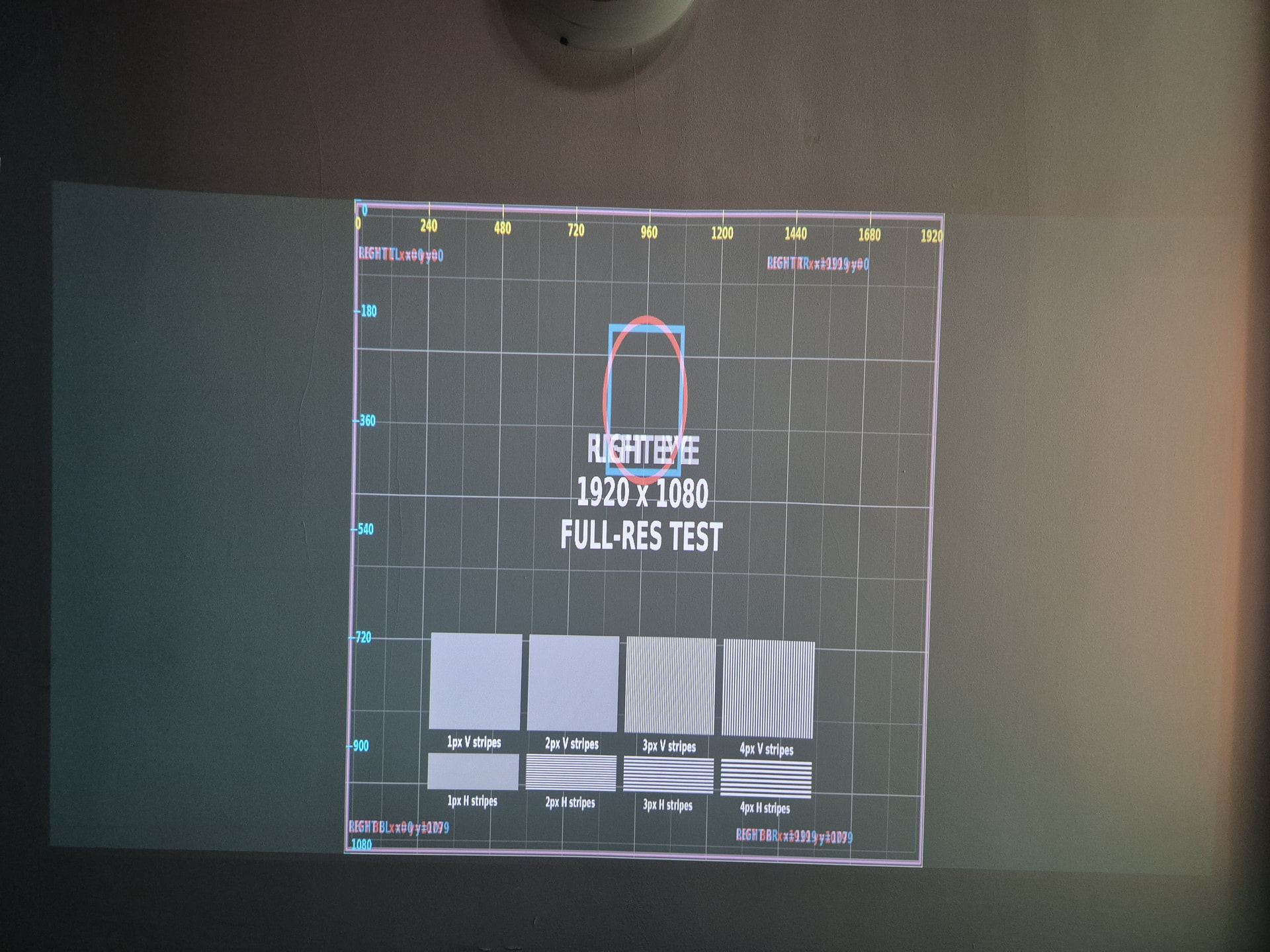
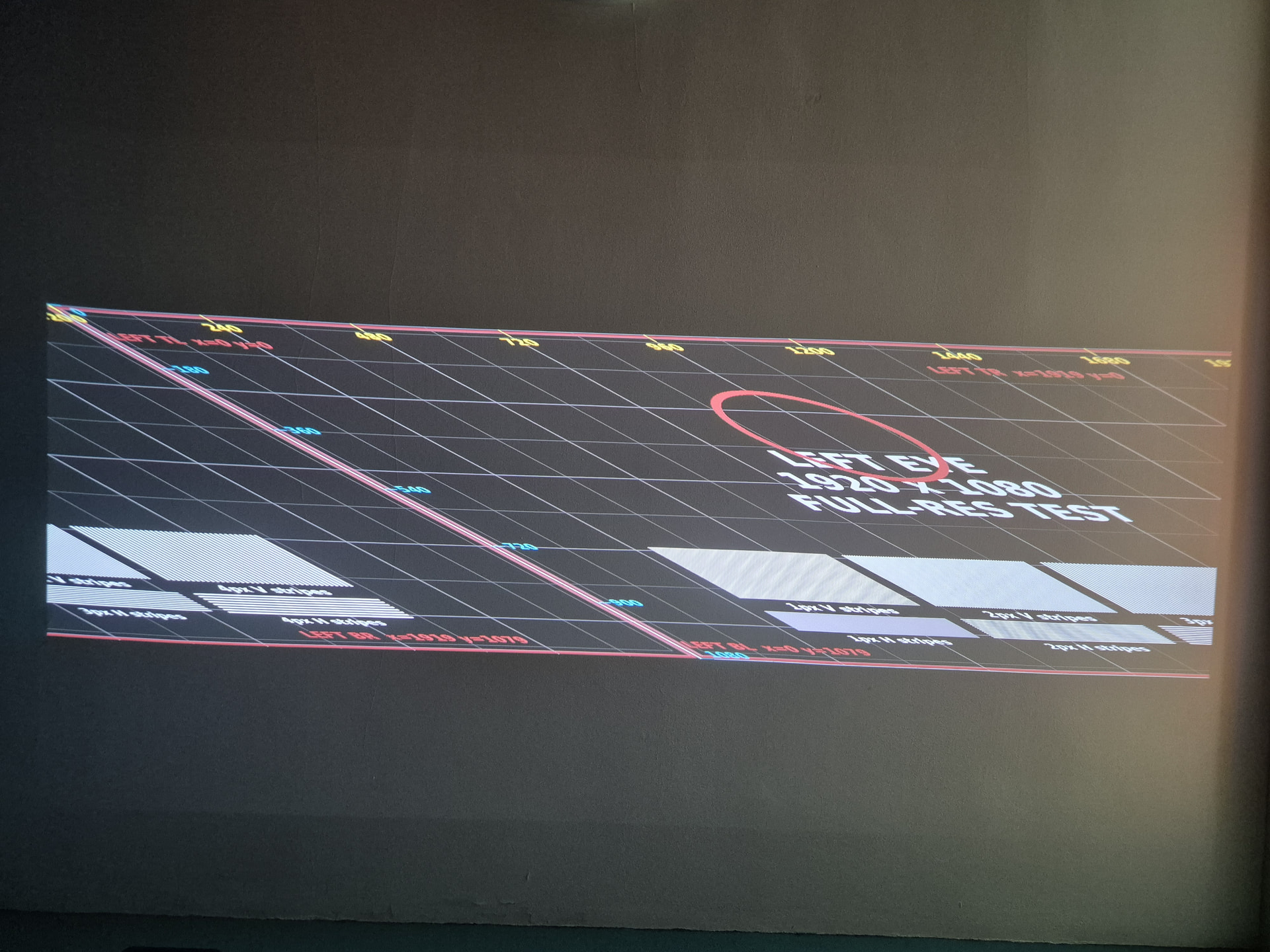
[kodi.log|attachment](not allowed) (84.5 KB)
Looks terrible  . Which version did you install - I can’t evaluate your kodi log. It seems like the attachment is missing. Could you please try to download and test the additional (but similar looking) test files that I just put up in the MEGA folder? Thanks.
Oops, looks like the log was removed. Here the link to the log as per the CoreELEC wiki https://paste.coreelec.org/2/aC9j.
I’ve also tried the new test files, with the same results. Am I correct that the only difference is the naming scheme?
I’m on the 20261028 build of yours, I see now you’ve uploaded a newer one, is that also worth trying?
Only difference between the test files are should be the names, however the firmware should trigger 3d just by the FTAB /FSBS name of the other file. You can try the newer oct 31 version, but it shouldn’t really change 3D playback that mainly fixes the h-sbs/tab subtitle scaling. I will evaluate your log later. Thanks
Thanks for the photos and log!
Kodi correctly recognizes both Full3D files, but the log shows it switching to split_horizontal (FTAB) and split_vertical(FSBS) instead of hardware_based, which is needed for my HDMI frame packing.
Could you check these settings?
-
Settings → System → Display → Stereoscopic 3D → Preferred mode: Same as movie
-
Settings → Player → Videos → Stereoscopic 3D → Playback mode: Preferred mode
Then try the FTAB file again.
If that doesn’t help, it might be related to the newer Amlogic S7D chipset in your Xiaomi box, as my implementation was developed on S905X4 hardware.
Guess I was partially to blame then. I had it set to “ask me”, and tried every option of course, and thought “over under” and “side by side” were correct. Because those looked “more right” I guess. Here are the logs with settings changed, and it choosing “hardware based” https://paste.coreelec.org/2/Xgtp, tried both FTAB and FSBS.
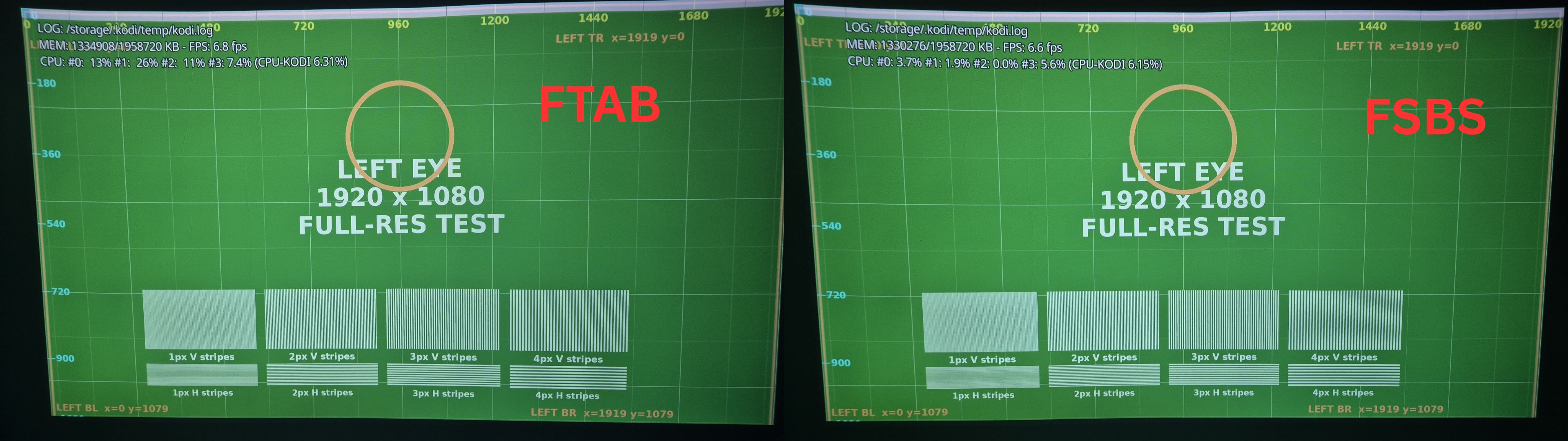
Looks a bit better - at least for the frame - do you see both left and right images separately when wearing 3D glasses? And what are the colors like there?
Also, can you try playing the file in 2D mode and take a picture? - Here, “ask me” should likely be enabled again to select this.
Yeah, it’s at least correctly showing one eye. But the right eye is just a green screen, hence the green tint. Might just have to source something S905X4 based. That was my plan in the first place, but found the Xiaomi for a good price used, so thought worth trying.
Very interesting with the right eye being green, I will look more into this. Could you perhaps try installing the very first version of the full3d patch I made. It had some additional code included which I discarded afterwards. It is in the “old” folder of MEGA and has date stamp of 20261004
Will try the first build. 2D mode btw is both eyes side by side or over under, just like opening in a normal media player on the computer.