maybe this ?
but i dont know
The files from photojoseph.com can be very easily converted to AC3 using, e.g.
ffmpeg -i SyncTest-2398-4K.mov -c copy -c:a ac3 SyncTest-2398-4K_ac3.mov
From what I can tell by opening it with iMovie, they still look sync afterwards. I think DTS should work similarly but TrueHD or DTS-HD MA could be more complicated.
Try this, I encoded the photojoseph audio to TrueHD, DTS-HD, DDP, FLAC and DD
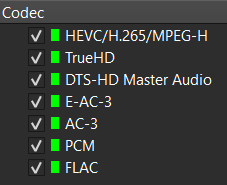
Thank you. I can now observe the oos issues with passthrough using this test file.
Thanks, but aim of that question was more to find a test file that has the white flash at the same time as the beep that is available for everyone to test with.
Would these work?
Good find.
Looks like it, can only see 25 and 29.97 fps, but the problem of audio sync doesn’t seem limited to 23.97fps so they should work for everyone to be able to measure the audio sync.
I encoded the 24 and 25fps photojoseph files with THD/DTS-HD too. BTW, all the original photojoseph audio files are not encoded properly. The framerate is set only in the container and not in the HEVC bitstream but I guess this doesnt really matter if CE takes the framerate from the container.
Anyway, I fixed that in these files(wrote a new hevc bitstream framerate) and i also did a DV P5 and HDR10 versions just for fun. On my end, every format/framerate is in sync as long as i dont seek, resume or change the audio track in playback. Ugoos to Denon AVR to LG C2
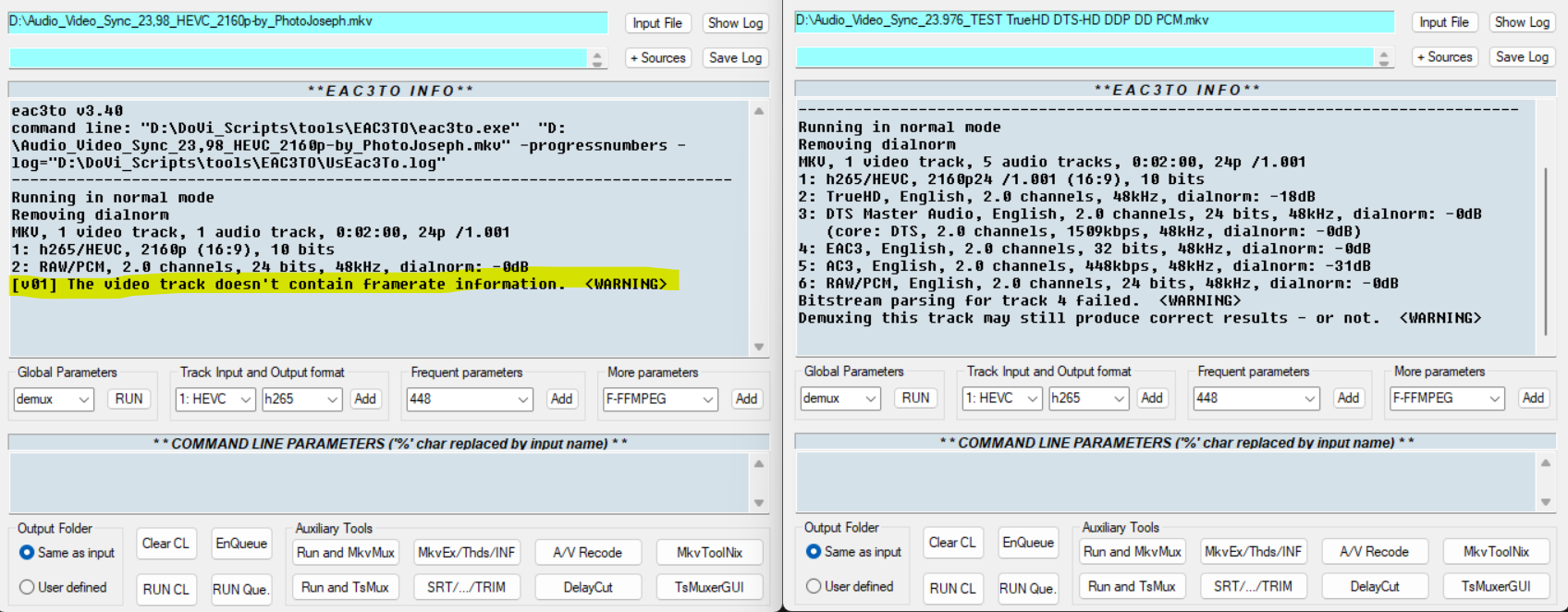
I did found a issue introduced with Kodi 18.3.
So maybe the video/audio sync issue will be solved with next nightly 20241109.
All CE versions were affected.
Please have a test again with new nightly tomorrow.
Would the change be this commit: DVDVideoCodecAmlogic: zero video buffer pointer · CoreELEC/xbmc@a28606a · GitHub or something else?
Not sure if the changes made it into the nightly build,.but I’m not seeing any change.
With the latest nightly (20241109) I have not noticed any difference.
Just write it does not help to find the issue. How to see or reproduce it?
With samples!
I may be missing something, but I thought this has previously been provided throughout this thread.
Rather than just repeating what I and others have previously said, and to hopefully lead to something actually useful for debugging, what details exactly do you want to be provided?
Multiple times written: how to reproduce?
Without actual seeing the issue it’s impossible to solve.
As an aside, I’ve found that using the file with the description
Contains the tones in the Dolby Digital Plus track in sync with the flashes in the video track, and one H.265 video track
from the link provided in Kodi Audio Out of Sync playing file or after seeking - #88 by synthoceps has very little variation (< 1 frame) in audio sync using CE 19.4 regardless of the amount of skipping / pausing I do.
In the nightly, it has 100’s of ms of variation in AV sync for me.
Both versions with the same options, i.e. audio passthrough enabled. Setup is CE direct to tv and sound system connected via earc. Aside from CE version only difference in setup is 19.4 is installed to the emmc.
- Play any file
- Observe audio offset
- Pause / skip and see AV sync has changed
- Stop file, play again and see a new different offset in AV sync
Some people are more sensitive to this than others, for objective measurements the test patterns with a white flash that is aligned with a beep can be used to measure the audio offset with an app on a phone.
The spears and munsil sample has this test flash on the top/bottom bars and the file. The test files from Dolby available here (thanks @synthoceps ) can also be used and are readily available for anyone to download
Enable Kodi debug and enable video component.
Then reproduce the issue and tell me on what action pause/resume/seek it did happen. After it did happen stop playback and share Kodi.log.
Will do, may not be able to do for a day or two though. I assume that you would like the tests to be done on the current ( 20241109) nightly?