Homatics with 20260730 play both samples without issue.
No issues on my Tox 3 on last 2 releases on my Tox3. Up to and inc 0730
That’s strange…
I have a Minix 8K-Ultra; I did a fresh install (Nightly20260730) of the latest image onto a new hard drive today, and the result is the same. This suggests that something related to Dolby Vision was changed between the Nightly20260725 and Nightly20260726 builds, preventing error-free playback of DV files on my S928 box!
What else can I try?
Should I upload specific logs from the 25 or 26 version?
I’d like to keep updating, but for now, I’m forced to stick with the 0725 build 
Everything is working amazing except for one niche thing. This issue seems to only affect LLDV (i’m sending to a panasonic oled), people using TV Led don’t seem to have this issue. HDR10+ and DV files that are 60fps (such as gemini man) always convert down to standard HDR10, confirmed with multiple files.
other than that everything runs perfectly, thanks for you work!
Can you post a link to the Vid?
Not valid, no log.
It’s confirmed it’s HDR10+.
Even when HDR10 is shown.
It can’t signal HDR10+, but just test it and it’s HDR10+.
it’s ANY video that is DV/HDR10+ and also in 60/59.94fps combined. the laked test video from ff.de is a good example.
DV at the frame rates flags as hdr10 (pq) and shows in Tiny PPI that it’s converting from DV to HDR10. HDR10+ videos in that resolution flag as HDR10+ but the dynamic metadata isn’t passed through and Tiny PPI shows it converting down from HDR10+ to HDR10.
Will try to do logs later
01_KODI.log (1.0 MB)
02_System.log (112.8 KB)
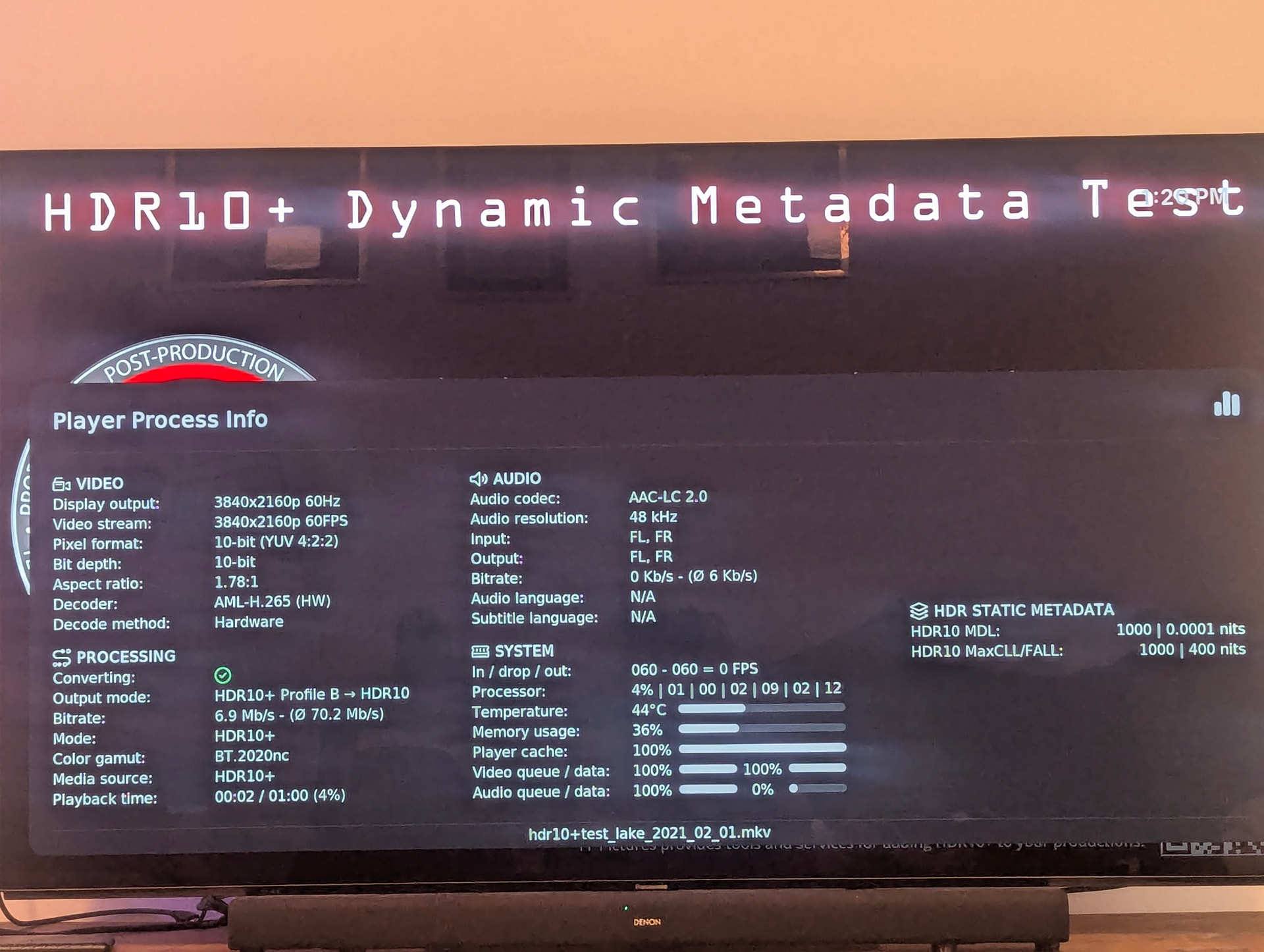
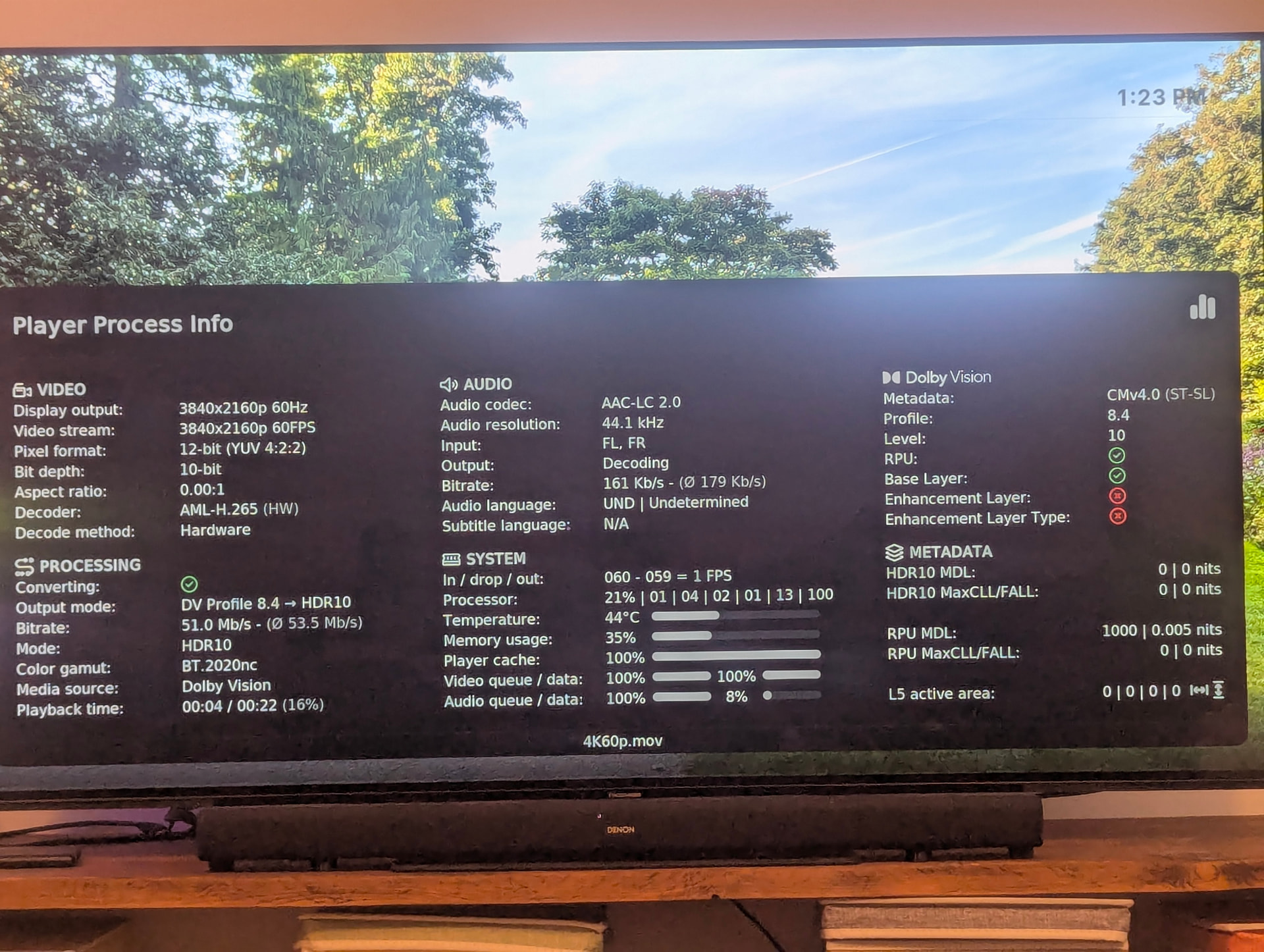
4k60p.mov in the logs shows the issue. this happens with all 60fps DV content.
Would you check your Kodi system display info you would see your setup does not support 4k50/60hz DV, only up to 30hz for 4k DV…
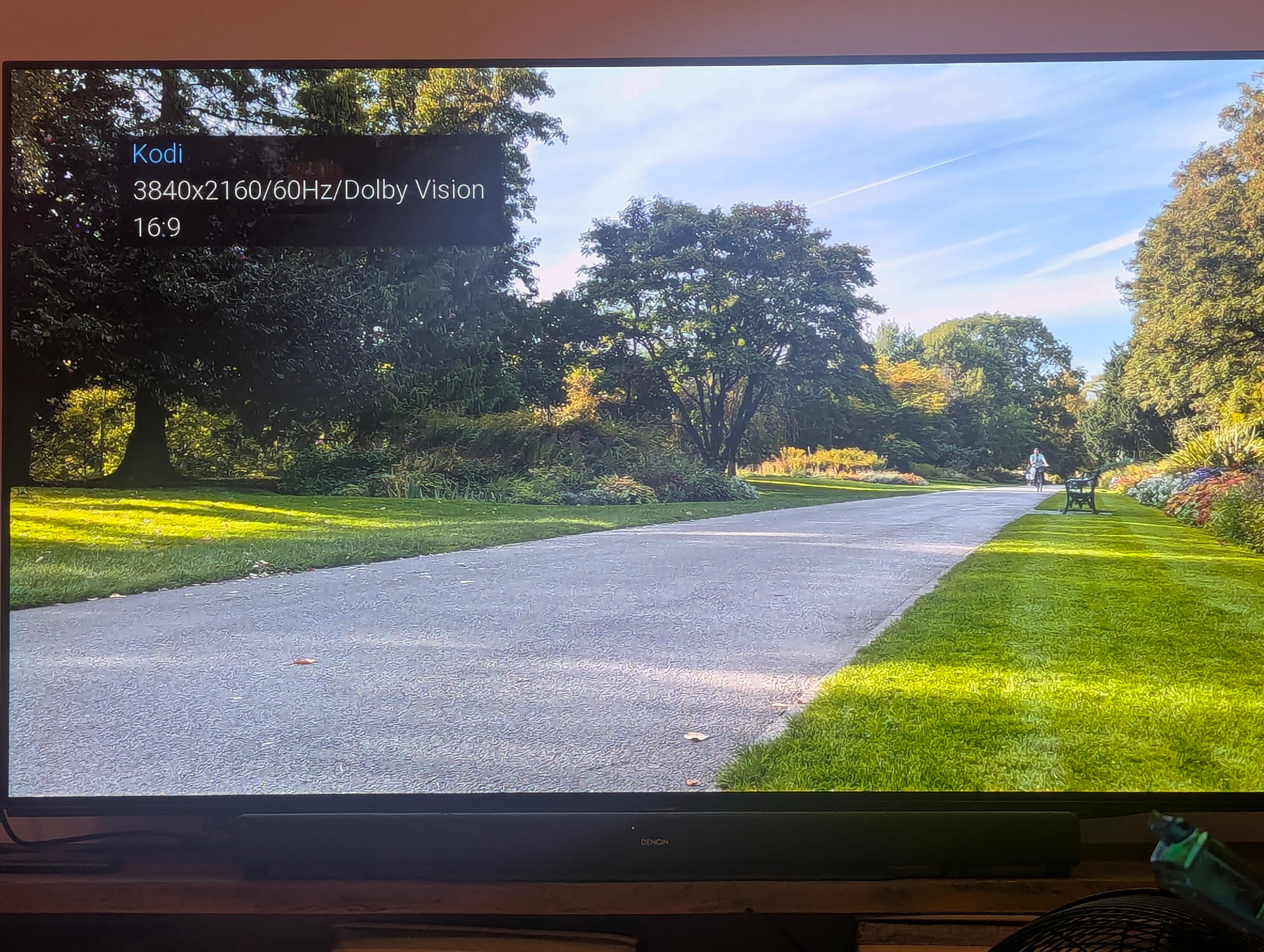
Definitely not. Your system is limited to TMDS 300MHz clock. DV 4k50/60hz does need 594MHz.
I bet you use an AVR and this makes your limit. It’s a faulty setup.
no, straight to the TV. i CEC into a sound bar but it does the same when i pull out the HDMI cable. I’ve literally just pulled out the SSD with ce22 running on it out of the usb port and let ce21 boot up (it’s on the interanal memory) and all the same files play just fine. it is CE22.
in fact ive just turned off viera link (cec) on the tv, unpluged the hdmi cable that goes from the cec hdmi port to the soundbar. the hdmi cable is going straight from box to tv. still the same issue, 4k dv 60hz downconverting.
but it doesn’t do it in ce21 or any of my other boxes. please ask questions instead of assuming, i’m happy to answer
It’s fact your EDID report only 300MHz and this is from TV. It’s limited to 30hz. There is no CE issue.
edid-decode (hex):

00 ff ff ff ff ff ff 00 34 a9 96 a2 01 01 01 01
00 1d 01 03 80 80 48 78 0a da ff a3 58 4a a2 29
17 49 4b 20 08 00 31 40 61 40 01 01 01 01 01 01
01 01 01 01 01 01 04 74 00 30 f2 70 5a 80 b0 58
8a 00 ba 88 21 00 00 1e 02 3a 80 18 71 38 2d 40
58 2c 45 00 ba 88 21 00 00 1e 00 00 00 fc 00 50
61 6e 61 73 6f 6e 69 63 2d 54 56 0a 00 00 00 fd
00 17 3d 0f 44 1e 00 0a 20 20 20 20 20 20 01 f7

02 03 55 f0 53 10 1f 05 14 20 21 22 04 13 03 12
07 16 5d 5e 5f 62 63 64 26 0d 07 01 15 07 50 83
0f 00 00 6e 03 0c 00 10 00 38 3c 2f 08 80 01 02
03 04 e2 00 4b e3 05 ff 01 e5 0e 61 60 66 65 e3
06 0f 01 e5 01 8b 84 90 01 eb 01 46 d0 00 44 03
70 80 5e 75 94 66 21 56 aa 51 00 1e 30 46 8f 33
00 ba 88 21 00 00 1e 00 00 00 00 00 00 00 00 00
00 00 00 00 00 00 00 00 00 00 00 00 00 00 00 cf

----------------

Block 0, Base EDID:
  EDID Structure Version & Revision: 1.3
  Vendor & Product Identification:
    Manufacturer: MEI
    Model: 41622
    Serial Number: 16843009
    Made in: 2019
  Basic Display Parameters & Features:
    Digital display
    Maximum image size: 128 cm x 72 cm
    Gamma: 2.20
    RGB color display
    First detailed timing is the preferred timing
  Color Characteristics:
    Red  : 0.6396, 0.3447
    Green: 0.2910, 0.6347
    Blue : 0.1630, 0.0927
    White: 0.2880, 0.2958
  Established Timings I & II:
    DMT 0x04:   640x480    59.940476 Hz   4:3     31.469 kHz     25.175000 MHz
    DMT 0x10:  1024x768    60.003840 Hz   4:3     48.363 kHz     65.000000 MHz
  Standard Timings:
    DMT 0x04:   640x480    59.940476 Hz   4:3     31.469 kHz     25.175000 MHz
    DMT 0x10:  1024x768    60.003840 Hz   4:3     48.363 kHz     65.000000 MHz
  Detailed Timing Descriptors:
    DTD 1:  3840x2160   30.000000 Hz  16:9     67.500 kHz    297.000000 MHz (698 mm x 392 mm)
                 Hfront  176 Hsync  88 Hback  296 Hpol P
                 Vfront    8 Vsync  10 Vback   72 Vpol P
    DTD 2:  1920x1080   60.000000 Hz  16:9     67.500 kHz    148.500000 MHz (698 mm x 392 mm)
                 Hfront   88 Hsync  44 Hback  148 Hpol P
                 Vfront    4 Vsync   5 Vback   36 Vpol P
    Display Product Name: 'Panasonic-TV'
    Display Range Limits:
      Monitor ranges (GTF): 23-61 Hz V, 15-68 kHz H, max dotclock 300 MHz
  Extension blocks: 1
Checksum: 0xf7

----------------

Block 1, CTA-861 Extension Block:
  Revision: 3
  Underscans IT Video Formats by default
  Basic audio support
  Supports YCbCr 4:4:4
  Supports YCbCr 4:2:2
  Native detailed modes: 0
  Video Data Block:
    VIC  16:  1920x1080   60.000000 Hz  16:9     67.500 kHz    148.500000 MHz
    VIC  31:  1920x1080   50.000000 Hz  16:9     56.250 kHz    148.500000 MHz
    VIC   5:  1920x1080i  60.000000 Hz  16:9     33.750 kHz     74.250000 MHz
    VIC  20:  1920x1080i  50.000000 Hz  16:9     28.125 kHz     74.250000 MHz
    VIC  32:  1920x1080   24.000000 Hz  16:9     27.000 kHz     74.250000 MHz
    VIC  33:  1920x1080   25.000000 Hz  16:9     28.125 kHz     74.250000 MHz
    VIC  34:  1920x1080   30.000000 Hz  16:9     33.750 kHz     74.250000 MHz
    VIC   4:  1280x720    60.000000 Hz  16:9     45.000 kHz     74.250000 MHz
    VIC  19:  1280x720    50.000000 Hz  16:9     37.500 kHz     74.250000 MHz
    VIC   3:   720x480    59.940060 Hz  16:9     31.469 kHz     27.000000 MHz
    VIC  18:   720x576    50.000000 Hz  16:9     31.250 kHz     27.000000 MHz
    VIC   7:  1440x480i   59.940060 Hz  16:9     15.734 kHz     27.000000 MHz
    VIC  22:  1440x576i   50.000000 Hz  16:9     15.625 kHz     27.000000 MHz
    VIC  93:  3840x2160   24.000000 Hz  16:9     54.000 kHz    297.000000 MHz
    VIC  94:  3840x2160   25.000000 Hz  16:9     56.250 kHz    297.000000 MHz
    VIC  95:  3840x2160   30.000000 Hz  16:9     67.500 kHz    297.000000 MHz
    VIC  98:  4096x2160   24.000000 Hz 256:135   54.000 kHz    297.000000 MHz
    VIC  99:  4096x2160   25.000000 Hz 256:135   56.250 kHz    297.000000 MHz
    VIC 100:  4096x2160   30.000000 Hz 256:135   67.500 kHz    297.000000 MHz
  Audio Data Block:
    Linear PCM:
      Max channels: 6
      Supported sample rates (kHz): 48 44.1 32
      Supported sample sizes (bits): 16
    AC-3:
      Max channels: 6
      Supported sample rates (kHz): 48 44.1 32
      Maximum bit rate: 640 kb/s
  Speaker Allocation Data Block:
    FL/FR - Front Left/Right
    LFE1 - Low Frequency Effects 1
    FC - Front Center
    BL/BR - Back Left/Right
  Vendor-Specific Data Block (HDMI), OUI 00-0C-03:
    Source physical address: 1.0.0.0
    DC_36bit
    DC_30bit
    DC_Y444
    Maximum TMDS clock: 300 MHz
    Supported Content Types:
      Graphics
      Photo
      Cinema
      Game
    Extended HDMI video details:
      Base EDID image size is aspect ratio
      HDMI VICs:
        HDMI VIC 1:  3840x2160   30.000000 Hz  16:9     67.500 kHz    297.000000 MHz
        HDMI VIC 2:  3840x2160   25.000000 Hz  16:9     56.250 kHz    297.000000 MHz
        HDMI VIC 3:  3840x2160   24.000000 Hz  16:9     54.000 kHz    297.000000 MHz
        HDMI VIC 4:  4096x2160   24.000000 Hz 256:135   54.000 kHz    297.000000 MHz
  Video Capability Data Block:
    YCbCr quantization: No Data
    RGB quantization: Selectable (via AVI Q)
    PT scan behavior: No Data
    IT scan behavior: Always Underscanned
    CE scan behavior: Supports both over- and underscan
  Colorimetry Data Block:
    xvYCC601
    xvYCC709
    sYCC601
    opYCC601
    opRGB
    BT2020cYCC
    BT2020YCC
    BT2020RGB
  YCbCr 4:2:0 Video Data Block:
    VIC  97:  3840x2160   60.000000 Hz  16:9    135.000 kHz    594.000000 MHz
    VIC  96:  3840x2160   50.000000 Hz  16:9    112.500 kHz    594.000000 MHz
    VIC 102:  4096x2160   60.000000 Hz 256:135  135.000 kHz    594.000000 MHz
    VIC 101:  4096x2160   50.000000 Hz 256:135  112.500 kHz    594.000000 MHz
  HDR Static Metadata Data Block:
    Electro optical transfer functions:
      Traditional gamma - SDR luminance range
      Traditional gamma - HDR luminance range
      SMPTE ST2084
      Hybrid Log-Gamma
    Supported static metadata descriptors:
      Static metadata type 1
  Vendor-Specific Video Data Block (HDR10+), OUI 90-84-8B:
    Application Version: 1
  Vendor-Specific Video Data Block (Dolby), OUI 00-D0-46:
    Version: 2 (12 bytes)
    DM Version: 3.x
    Backlt Min Luma: 100 cd/m^2
    Interface: Low-Latency
    Supports 10b 12b 444: Not supported
    Target Min PQ v2: 0 (0.00000000 cd/m^2)
    Target Max PQ v2: 2965 (807 cd/m^2)
    Unique Rx, Ry: 0.67968750, 0.32031250
    Unique Gx, Gy: 0.25000000, 0.68359375
    Unique Bx, By: 0.14453125, 0.04687500
  Detailed Timing Descriptors:
    DTD 3:  1366x768    59.789541 Hz 683:384   47.712 kHz     85.500000 MHz (698 mm x 392 mm)
                 Hfront   70 Hsync 143 Hback  213 Hpol P
                 Vfront    3 Vsync   3 Vback   24 Vpol P
Checksum: 0xcf

----------------

Preferred Video Timing if only Block 0 is parsed:
  DTD   1:  3840x2160   30.000000 Hz  16:9     67.500 kHz    297.000000 MHz (698 mm x 392 mm)
                 Hfront  176 Hsync  88 Hback  296 Hpol P
                 Vfront    8 Vsync  10 Vback   72 Vpol P

----------------

Preferred Video Timings if Block 0 and CTA-861 Blocks are parsed:
  VIC  16:  1920x1080   60.000000 Hz  16:9     67.500 kHz    148.500000 MHz
                 Hfront   88 Hsync  44 Hback  148 Hpol P
                 Vfront    4 Vsync   5 Vback   36 Vpol P
  DTD   1:  3840x2160   30.000000 Hz  16:9     67.500 kHz    297.000000 MHz (698 mm x 392 mm)
                 Hfront  176 Hsync  88 Hback  296 Hpol P
                 Vfront    8 Vsync  10 Vback   72 Vpol P

----------------

Native Video Resolution:
  3840x2160

----------------

edid-decode SHA: 84ddf9155376 2021-10-03 10:37:45

Warnings:

Block 1, CTA-861 Extension Block:
  Video Data Block: VIC 16 is the preferred timing, overriding the first detailed timings. Is this intended?
  Video Capability Data Block: Set Selectable YCbCr Quantization to avoid interop issues.

Failures:

Block 0, Base EDID:
  Detailed Timing Descriptor #1: Mismatch of image size 698x392 mm vs display size 1280x720 mm.
  Detailed Timing Descriptor #2: Mismatch of image size 698x392 mm vs display size 1280x720 mm.
Block 1, CTA-861 Extension Block:
  Detailed Timing Descriptor #3: Mismatch of image size 698x392 mm vs display size 1280x720 mm.

EDID conformity: FAIL
So 594MHz only with none DV 4:2:0 mode.
DV is 4:4:4 or 4:2:2, 594Mhz on DV 50/60Hz.
When your TV support it fix firmware for it so it reports correct EDID.
There might be HDMI mode options on your TV, it looks like it’s currently limited to HDMI 1.4. But I’m not very familiar with Panasonic TVs.
Could be called HDMI Auto https://youtu.be/ZC1yAsLTxMo?t=59
season folder always started the first episode
Confirmed fixed on my Homatics Box R 4K Plus after installing the 2026-08-06 CoreELEC nightly.
Previously, selecting any episode in a TV season folder always started the first episode in that folder. With the fix from Kodi commit 845ca55 included, the selected episode now starts correctly.
Thank you for fixing this issue.
After today’s 2026-08-06 nightly, Dolby Vision (all profiles) no longer works on the Homatics Box R 4K Plus. I get black screen and no audio (all formats).
I did not touch nothing in setup.
It works for me:
CoreELEC (official): 22.0-Piers_nightly_20260806 (Amlogic-no.aarch64)
      Machine model: Dune/Homatics R 4K Plus
     CoreELEC dt-id: sc2_s905x4_sei_smb_280_id5
      Amlogic dt-id: sc2_s905x4_ah212-id5
      Linux version: 5.15.196 (docker@94fe31345c79) #1 Thu Aug 6 01:30:56 IDT 2026
      Kodi compiled: 2026-08-06 02:47:41 +0300
Have same settings and values.
So, I switch off the box and went for a shower. When powering on the box again, everything works. So what happened?
i think you took your device with you to shower 

sometimes it helps when you do power-reset (pull out power). or just reboot
It seems that Dolby Vision playback on the Minix U8K has been buggy since the 0726 nightly build.
My two samples (Nightly builds - #2906 by BigMike66) also run perfectly on a Ugoos SK1 and a Homeatics device, but no longer on my Minix
Can anyone else confirm this with their U8K and the 0726 nightly build (or newer)?