I also had problems with artifacts in the movies using VC-1.
I simply used the free Shutter Encoder.
Under Choose function, I selected Output codec H.265 (HEVC), and next to it, MKV. For Bitrate adjustment, I used CQ and set the value to 18. Under Audio Settings, I selected Copy, and under Advanced Features, I checked the box for Preserve subtitles. Finally, under Hardware acceleration, I selected Nvidia NVENC and then Start function. After 33 minutes, my new H.265 (HEVC) encode was finished without any loss of quality.
@Tim_Taylor I am on old Nvidia GTX 1070Ti with Gen3 CPU Intel(R) Core™ i7-3770K CPU @ 3.50GHz
Mpeg2Video to HEVC is done in 3min, but 1080p VC-1 need a little bit more time here.
But good to know, there are other free tools, that work perfect.
Just took delivery of my AM9 Pro today and updated the firmware to v2.2.0. I flashed CoreELEC 22.0-Piers_rc1 to a USB but the Ugoos keeps booting into Android rather than from the USB drive I have flashed. What am I doing wrong? From what I have read you can now boot only from a USB and don’t need a MicroSD so I’m assuming this is still the case? Thanks!
I’m having the same issue, I used a toothpick and the coreelec apk but always boot to the recovery. I’m using and ssd connected to the usb c. Before this I was doing the hybrid approach with the ssd card, but decided to make a switch today, but now I’m stuck with the recovery page. I flashed using rufus, copied the dtb file etc… but always back to the android recovery. Any help would be apperciated.
I have the non pro AM9 and been using eMMC for a few months now, It’s great, I have no use for Android anything. I have a 2tb ssd connected via usb-c for storage, for stuf like my backups, test videos, music collection….
I am very new to this about 1 month or thereabouts.In that period I have had to use rufus to flash my Microsoft card about 10 times because it just keeps crashing.
I have an ugoos am 9 pro and a micro so card extreme 128 gb
I follow instructions given to me by Gemini, Ai and ChatGPT, download from coreelec official site. Sometimes they say download the omega 21.3 stable version, sometimes it is a nightly version, generic image file but it is always the same, it will eventually crash.
I have copied the s6 am 9 as well as the am 9 pro dtb from device trees(not the exact spec as I’m not on my screen at the time of writing this but something like that ) just to find out a solution as advised and renamed as dtb.img but whatever I have tried it has not worked completely.
One advised to use the usb to plug into the ugoos device the other said it is better to attach the microsd card directly using the slot which is the method I use the most.
I have been advised not to update when prompted which to be fair has always led to crashes after updating but I do not know if that is sound advice.
I should preface all this by stating that I use Diggz build, could that be the issue?
I guess I would like help in finding out what I have missed or done wrong that I keep getting these crashes and how to prevent it from happening or is it that a build is not the way to go with Coreelec?
Is it my choice of microsd card? Something is sure wrong as the crashes are just random, it could be something as minor as trying to play a link and the screen will just freeze.
I unplug and when I plug back I get the message that it failed to initialise or something of that nation wait 9 second or so.
My tv is an lg g5 and I do have a Samsung woofter soundbar.
I have one question before i buy am9 pro, since i corrently have hdr10 samsung tv, will switch to am9 pro make colors more POP when coverting DV and HDR to SDR, since right now when i play hdr content on my tv colors are not that bright. I have A95X tv box, and in order to watch decent colors i need to watch sdr version, since dv/hdr version do not have greate colors
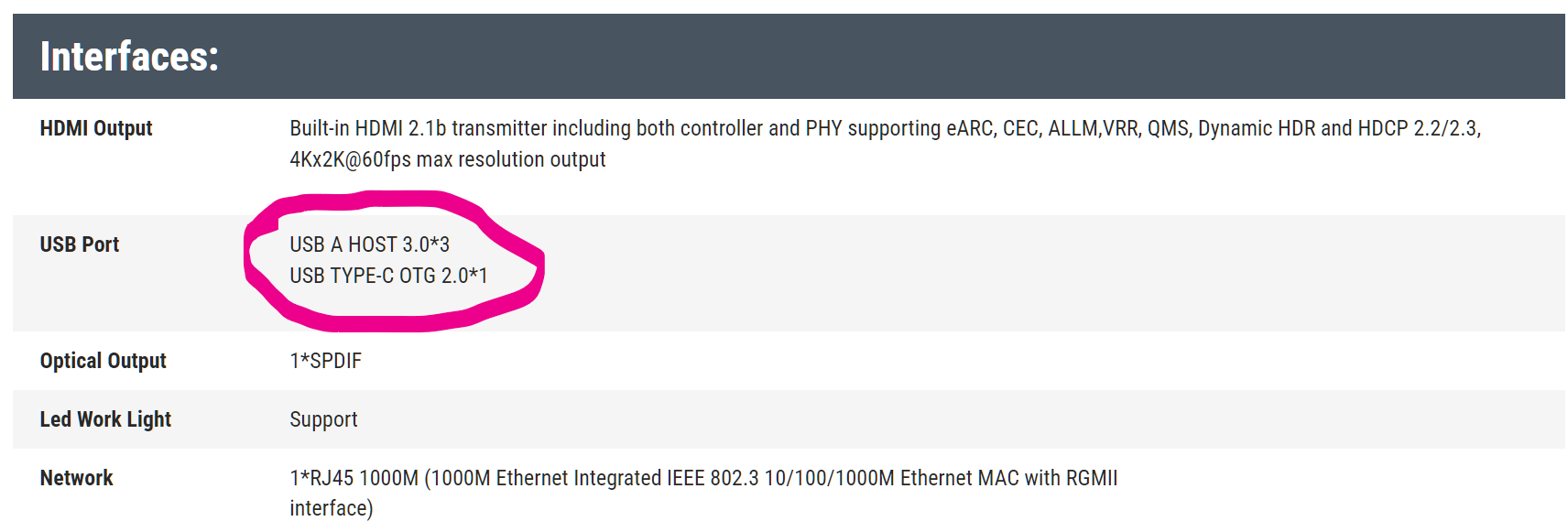
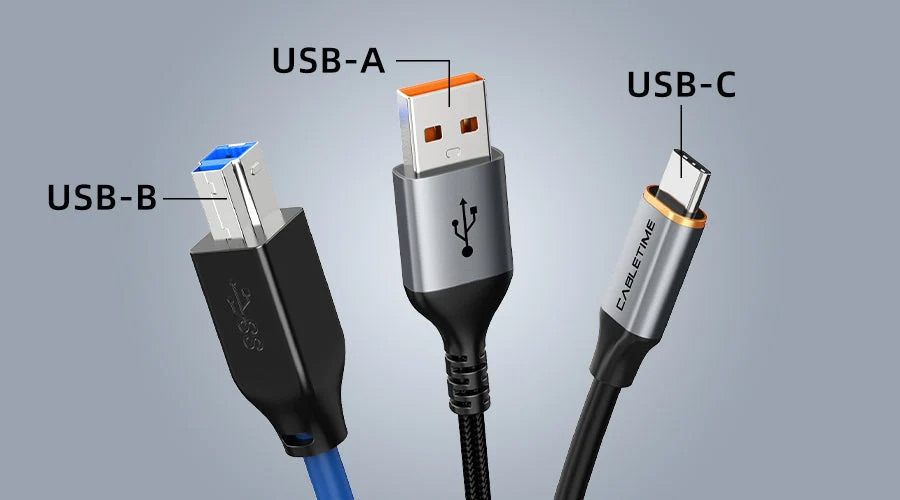
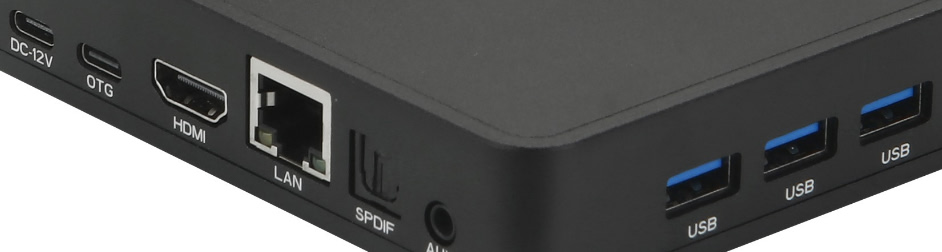
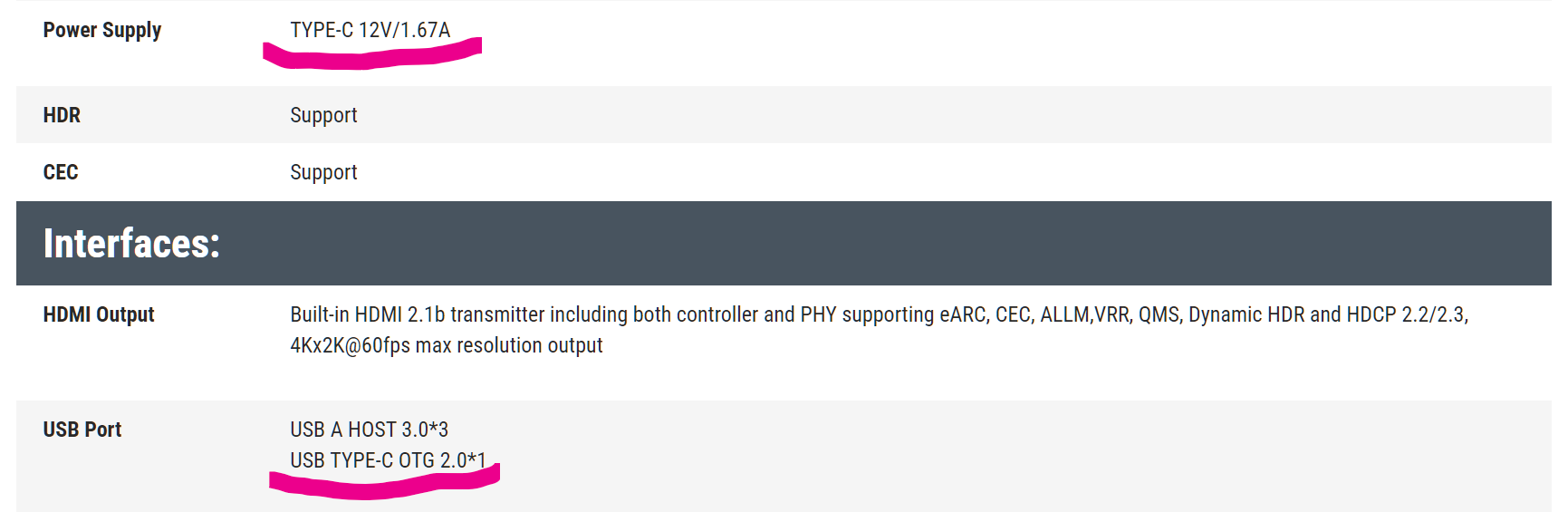
We have 3 USB Typ A (USB3) and 1* USB Typ C OTG (USB2) also 1* USB Typ C only for Power.
The USB Typ C OTG (USB2) is for Firmware Update, Mouse, Keyboard and other accessories.
And I tested it, you cant boot from USB-C OTG (USB2).