Did a fresh CE-NO install w/20251008 nightly just in case.
What was weird this time was doing adb reboot took me to Google TV. But, doing a Restart rebooted box to CE. It was slower however for the welcome screen to appear, but after this, it seems to be functioning okay.
Tested the 4K/60 HDR clip using default 1080p screen resolution, and this time, it played properly. But, here’s the RAW EDID info anyway.
Thanks for continuing to work on this box… should be a solid option for CE/Kodi users who want the latest Amlogic SoC & modern codec support. With Android/GTV option.
@roidy, your wi-fi speeds are definitely better than mine. It’s strange because my main wi-fi7 router is less than 10ft away. With my Fire TV Cube 2 (rooted/mod w/CE-NG), I’m getting 425Mbps and that’s a wi-fi5 box!
@ht2tweak
Hey, saw your YouTube video a few days ago, it was very interesting and well made, thank you!
I just have one question : you mentioned at 2:08 that you left the DV mode to TV led even though the box can’t do “real” TV led. What do you mean by that ? Why can’t it do real TV led, I don’t get it. I mean for example I have a LG TV which handles DV, so why wouldn’t it be TV led, you mean it’s LLDV instead ? Is this an Amlogic problem, do they process DV even if you choose TV led ? If so, is there a workaround ?
A counter argument that “fake” TV-led isn’t an accurate way to describe what’s happening. I used it because that’s how it’s referred to in various a/v forums
I did a fresh CE-NO install with 20251010 nightly yesterday.
Everything went smooth. I then started configuring Kodi/CE. Again, everything perfect, no need of dovi.ko as said earlier, Wi-Fi recognized and Bluetooth too!
Very good job and many thanks to all developers/testers again!
Just some things I noticed but these might not be issues, maybe just ignorance on my part :
I successfully paired my Xiaomi 3rd gen remote thanks to Bluetooth (was using my LG TV remote with CEC-SimpLink before). However, most buttons work (left/right/up/down/back) but the center one (enter/validate) does something else than what it is supposed to. It works, but does not enter/validate. Did anyone here tried to pair the remote and got it fully working and mapped ?
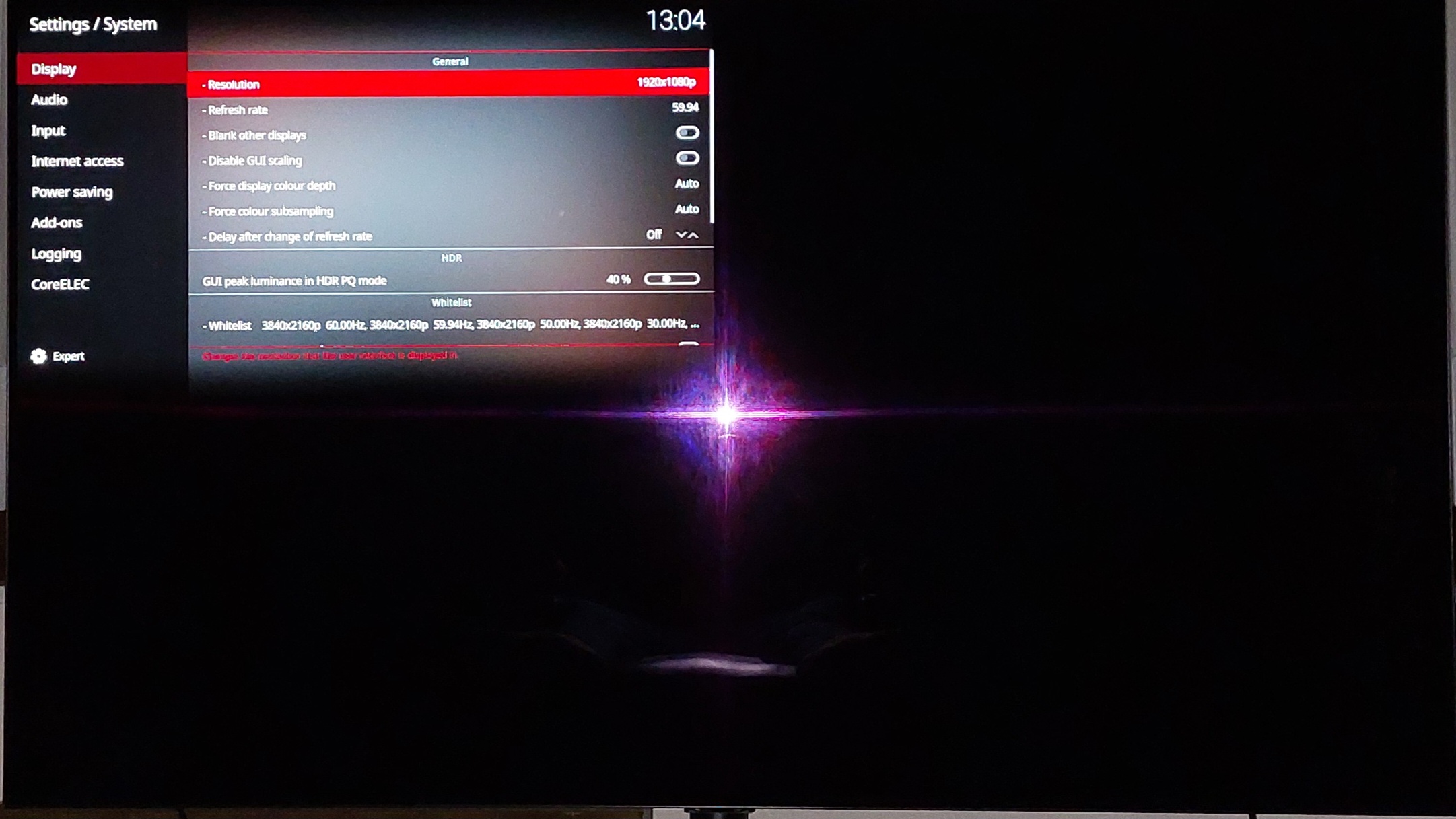
I set GUI resolution to 2160p and whitelisted everything (as I always did with Kodi on Android, it always worked great for me altough I know some people say to let GUI on 1080p and whitelist nothing or only 4k, which I never understood btw).
Everything 4k played fine (SDR, HDR, h264, h265, DV etc.) but when I played 1080p files, I would either get no picture or the picture would be tiny and take up exactly 1/4 of the screen).
Also noticed on player info that everything was displayed at 60hz even though the files were 24hz, 23.96hz etc.
Sorry for the flash of my camera.
After that, decided to try with GUI in 1080p (still everything whitelisted) and it solved literally everything. Every file plays perfectly at correct resolution, every HDR formats, every audio codec, just perfect! Amazing work, truly. Still don’t understand why I had problems with GUI in 2160p but I’m happy to stay on 1080p.
Maybe a dumb question but in player info, can see all the information except CPU frequency which stays at 0. Is there a reason for this ? I don’t really care honestly but I’m just curious.
So all in all, once I get the original Xiaomi remote to fully work, I’m in paradise.
I know the policy, no logs no problem but I’m not sure these can be considered problems. If you need, let me know.
Again and I’ll never say it enough, thank you for your dedication, your hard work and everything you do that allows us cinephiles to enjoy the experience that CE is.
So on CE or Linux, if GUI is set to 1080, for ex a 4k video still plays at 4K (even if GUI is to 1080p) ?
For this it’s needed to enable adapt refresh rate right ?
Because I don’t have any hardware anymore (for now) so to understand if it’s logic, for me, it’s not, but like you said, Linux is different from Windows / Android etc.
Ofc, course I will try when the hardware will come, and I let you know and for other too
Edit : even if it gets lost in the conversation month later and that you are surely answered this question dozen of time, still to find one of this answer, we need to read each forum post.
I know that when you know the answer it’s easy, but for other not always and always repeat the same is boring !
Ok, I have read the Wiki but can give another try, for ex, if I don’t want to use refresh rate changer and I want to play 4K video and the GUI is set up at 1080.
For me, the video will be played at 1080, so the GUI should be configured at 4K.
Why not using refresh rate, it depends of what you want playing 24p movie on 60 fps to avoid artifact when using interpolation on projector for ex.
I was using MediaPortal and was able to test and help user, even updated wiki. and was always willing to answer some idiot question on my free time because yes, at this time, I passed a lot of time for it.
And yes, the MP team was not many, so I understand that the time is precious.
Still, like in wiki, I didn’t find an answer, I will be able to test by myself when the hardware comes (it will not be a Xiaomi but AMB6+) and I will be able to answer my own interrogation and post here
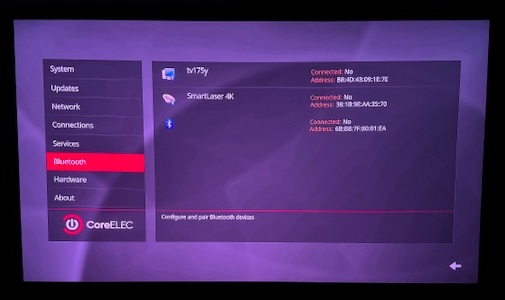
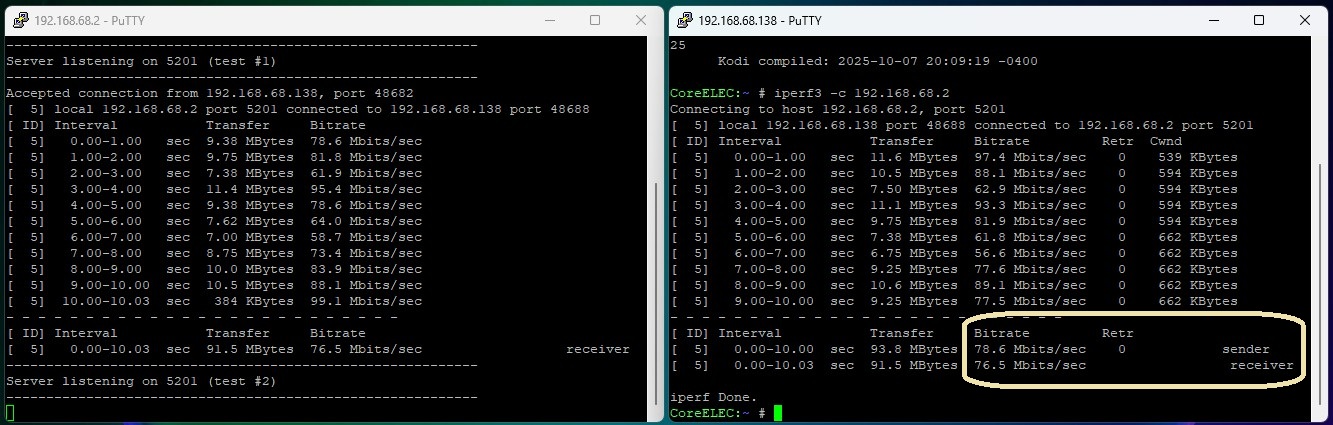
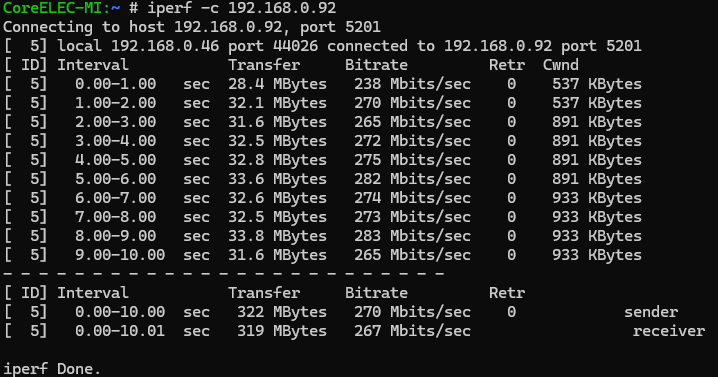


 that’s me being bad and just pulling the power. After a proper shut down or reboot wifi connects fine.
 I mean for example I have a LG TV which handles DV, so why wouldn’t it be TV led, you mean it’s LLDV instead ? Is this an Amlogic problem, do they process DV even if you choose TV led ? If so, is there a workaround ?