It’s an Xgimi Horizon which never switches on 3D automatically. I’ll never use that one again for any validations. 
I’ve got two other 3D displays and these switch to 3D just fine now with any SBS/TAB/MVC content.
Auto-switching is a nice to have… 3D PQ is more important, and Titan Noir Max I have delivers on that :).
Been checking CE-NO nightly changelog every day. The 3D MVC work for S905X5/X5M hasn’t been incorporated yet has it? Thanks.
Works since this commit:common_drivers: bump package to f4b4897b · CoreELEC/CoreELEC@c88dc40 · GitHub
Thanks… will give it a go w/latest nightly.
Just tested all 3D formats, using Same as movie, and Preferred mode. All recognized as “Stereoscopic 3D” by my projector, which is as it should be. At this point, my XGIMI Titan Noir Max projector doesn’t auto-switch to any 3D. Must choose Frame Packed, Side by Side, etc. XGIMI has auto-switch on their roadmap.
- 3D MVC = plays fine. Great to be have 3D playback on this and other S905X5 & S905X5M boxes
- 3D ISO = buggy, whether trying to navigate menus after choosing ‘Show Blu-ray menu’, or just choosing a title to play w/o going to menu. Will share a debug log for this later
- 3D HTAB/HOU = plays fine
- 3D HSBS = plays in 2D mode
- 3D FSBS = plays in weird distorted mode
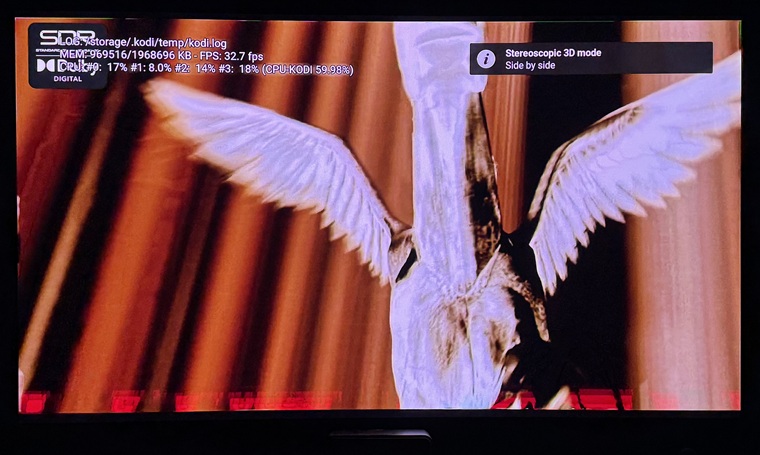
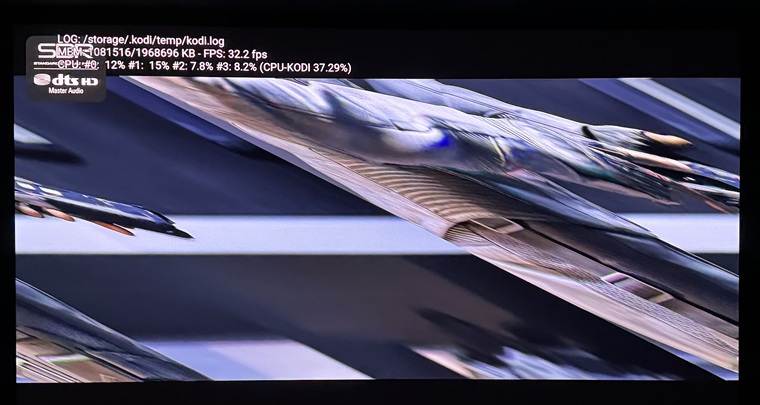
Used Xiaomi Box S 3rd gen to test.
Debug log attached:
xiaomi-box-3rd-gen_kodi.log (1.5 MB)
Menus never worked on 3D BDs reliably for me. But that’s the same with every solution depending on libbluray. But I don’t care too much about the menus because I need to switch on 3D manually on my beamer at every modeswitch. This makes 3D menus unusable in my case.
HSBS works here with the files I’ve available for testing. Can you switch to SBS output manually in your UI settings?
3D FSBS 3840x1080 isn’t a HDMI standard format, so Kodi would have to rescale to HSBS (doesn’t make sense qualitywise) or has to convert the image from 3840x1080 to framepacked 1920x2205. I have no idea if that has ever been in scope.
I have a Ugoos X5M where FSBS works without issues.
The SK4 with same SoC have such distorted picture.
There is somewhere a +1 or -1 missing…
That’s encouraging to hear. My SK4 Pro and Xiaomi 3rd Gen have the problem. Also both play HSBS in 2D mode–are you seeing this w/SK4? Even though my projector engages ‘Stereoscopic 3D’. But, all 3D formats work w/CE-NG on Ugoos AM6B+. Hope the debug log I shared helps with both issues? Anything else I can provide? Would component level debugging log help?
Your media need correct meta data to trigger 3D. Check it with ffprobe.
No side data like:
    Side data:
      stereo3d: side by side
Fix your media metadata with ffmpeg!
EDIT:
Maybe I found the reason: the display option whitelistpulldown must be activated to proper display 1080p23.987Hz 3D with 1080p59.94Hz.
There does just no SBS exist with 24hz:
SK4:# cat /sys/class/amhdmitx/amhdmitx0/disp_cap_3d
1080p60hz SidebySide
1080p50hz SidebySide
720p60hz FramePacking TopBottom SidebySide
720p50hz FramePacking TopBottom SidebySide
1080i60hz TopBottom SidebySide
1080i50hz TopBottom SidebySide
1080p24hz FramePacking TopBottom
1080p30hz FramePacking TopBottom SidebySide
There will be a “force” to use pulldown if RenderStereoMode::SPLIT_VERTICAL is used. So the option in display settings can stay off.
Just out of curiosity: Shouldn’t this also apply to RenderStereoMode::SPLIT_HORIZONTAL for (F)TAB videos?
No?
24/23.987Hz is supported for TAB: common_drivers/drivers/media/vout/hdmitx_common/hdmitx_edid_parse.c at 5.15.196_20260225 · CoreELEC/common_drivers · GitHub
SBS should work again with next nightly for 24/23.987Hz
Awesome! You devs make my videos obsolete soon after I make them, but love it 
 !
!
Nice video, many thanks for helping to keep 3D alive.
Ugoos AM9 Pro / S905X5-J – Vertical Shift only moves one eye in MVC Frame Packing
I have noticed a problem with Kodi’s Vertical Shift when playing MVC 3D using HDMI frame-packed output on the Ugoos AM9 Pro.
With normal 2D playback, Vertical Shift moves the complete video image vertically as expected.
However, during MVC 3D frame-packed playback, changing Vertical Shift appears to move only one of the two eye images. The other eye remains in its original vertical position.
This means Vertical Shift cannot currently be used for projector setups where the complete 3D image needs to be moved vertically, because it changes the vertical alignment between the left- and right-eye images instead of moving the complete stereo image.
Hardware: Ugoos AM9 Pro
SoC: Amlogic S905X5-J
CoreELEC: 22 Piers
Source: MVC 3D Blu-ray / MVC MKV
Output: HDMI 3D Frame Packing
Expected behaviour:
Vertical Shift should move both left- and right-eye images by exactly the same amount, preserving their relative alignment.
Would it be possible to apply the vertical offset to both MVC views, or to the complete frame-packed output after the two eye images have been composed?
I would be happy to provide logs or test builds if required.
HSBS & FSBS are still playing in 2D mode as of 9/20 nightly. Kodi indicates SBS mode engaged, but picture is still 2D. Was this fixed? MVC and H/FTAB work fine.
No log, no raw EDID, no problem.