Box is an ODroid N2 (original, not the Plus). This started happening recently, and I suspect that it could possibly be related to a new OPNsense firewall that I installed, but I also suspect a failing USB WiFi dongle (EDup). The other dongles I have are newer and do not have driver support in CoreELEC stable, so I can’t rule that out yet.
If I pull the WiFi dongle or disable wireless in settings and boot the box, I get my icons. If I boot with WiFi enabled, I get blank areas where the icons should be. When this happens, selecting an add-on, (SomaFM for example), takes me to the list of stations, but there are no thumbnails for those stations. Trying to play one of the stations fails, no add-ons seem to work. Also, when this is going on, many of the System Info items show “Busy”. IP address: Busy. Operating System: Busy. Linux version: Busy. System uptime: Busy. Total uptime: Busy. Other items show Busy as well, like the entire Network info screen, as well as the CPU speed under Hardware.
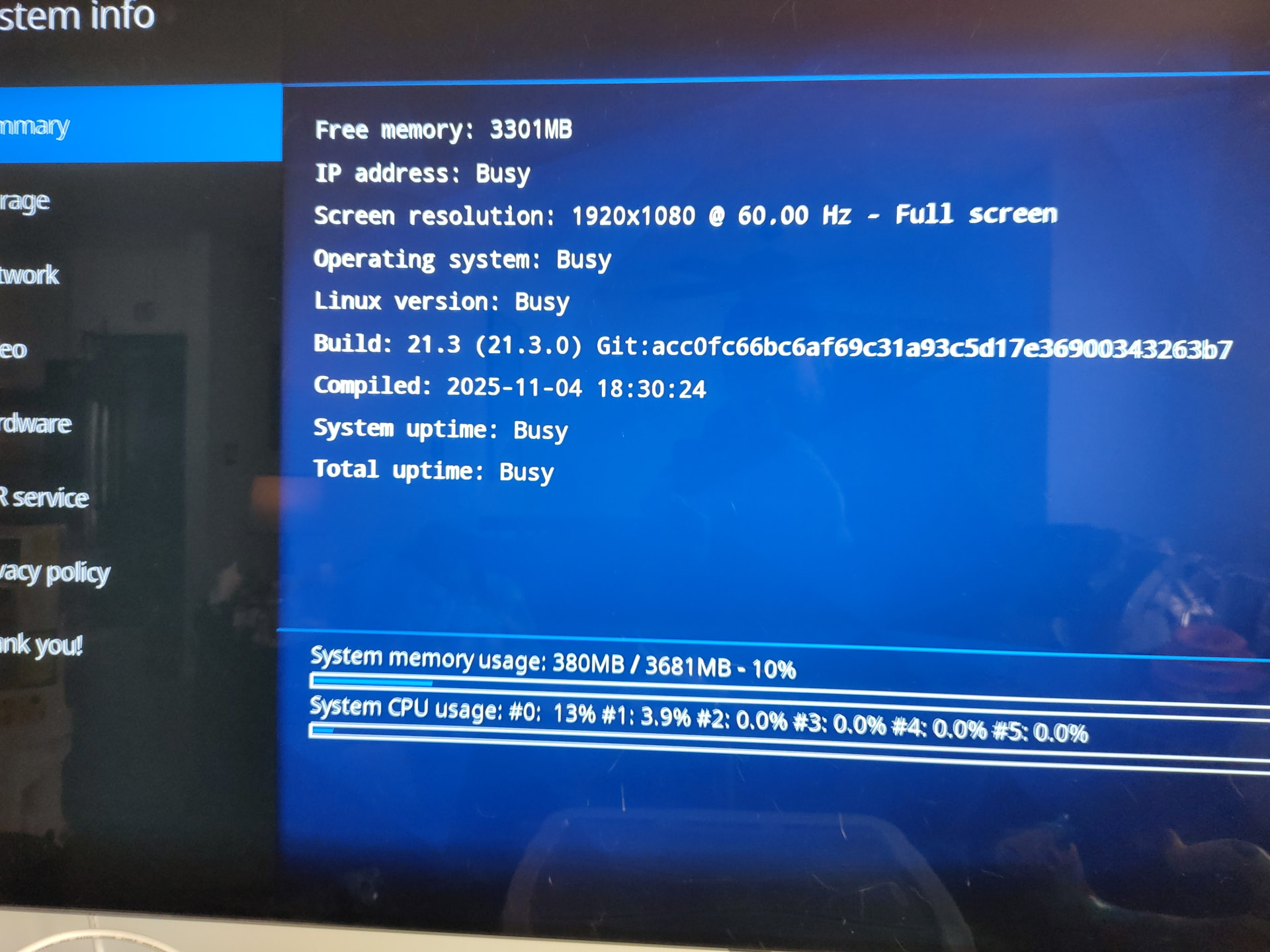
If on the other hand I boot without networking, I can get all icons/thumbnails to display just fine and then enabling the network allows me to use my add-ons just fine.
I had a backup file from before this all started happening, so dd’d a brand new freshly downloaded copy of 21.3 stable to the uSD card and then restored from my backup. Same crap.
I recently set up an OPNsense box and have enabled DNS-based ad-blocking (unbound), and it also runs the ZenArmor IDS/IPS package by default. I’ve enabled ntopng as well, mainly for additional traffic monitoring features but it includes additional functionality, including blacklists.
When this is going on, I noticed that the firewall is blocking access to PostImage - i.postimg.cc. I tried disabling the blocking of that last night but it was late and I may have had to restart some services for my changes to take effect, so I’ll try that again later to be sure.
Has anyone seen this behavior before? Is CoreELEC/Kodi trying to load/update the icons from there instead of timing out and displaying them from the local cache? Or is this related to my WiFi dongle causing some kernel driver to hang when it’s enabled? Seems odd that it would work just fine (mostly) if you enable it after booting.
This is so bizarre. Any ideas/input would be greatly appreciated while I still have some hair left to pull out.