I have a question about something. I see this in the changes :
- Ugoos AM9 and Fire TV 3rd gen Cube: switch USB 5V rails off on power-off and suspend
I have a Fire cube 3rd gen using a USB ethernet adapter (because 100mbps is not enough for high bitrate remuxes).
Does this mean, when I suspend the box, the ethernet port will go down? My box is in Home Assistant and I fear that, if the port goes down, the entity in HA will go down too every time I suspend. I also don’t use wake on lan but I suppose it could impact this as well?
If that’s the case, is it possible to keep it powered in options?
That’s why there are nightly builds to test such features. But I think only 1 user respond to a post.
How is HA interacting with CE/Cube? via SMB, SSH? Is the goal for HA to be able to wakeup CE, or just interact with it while it’s actively being used?
I don’t know if WOL works with the Ethernet port on the Cube, it definitely wouldn’t work for a USB Ethernet adapter, even if USB power was on.
I downloaded RC2 to a USB drive and used Kodi file manager to copy it over to the storage folder. Then I rebooted. It did not install. I don’t understand any of the other options on this page, so can someone tell me what I am doing wrong please?
Did You copy it into the right subfolder ?
I placed it in the same storage folder that had RC1 in it and that installed normally. Of course, prior to rebooting, I deleted the RC1 update from that folder. I can take a photo of the screen if necessary.
I am sorry, so you have not installed RC1 as well  .
The update is removed after installation…
Read Wiki!
No, it´s not necessary.
You must use the update subfolder, if You don´t know to do that, there is a wiki
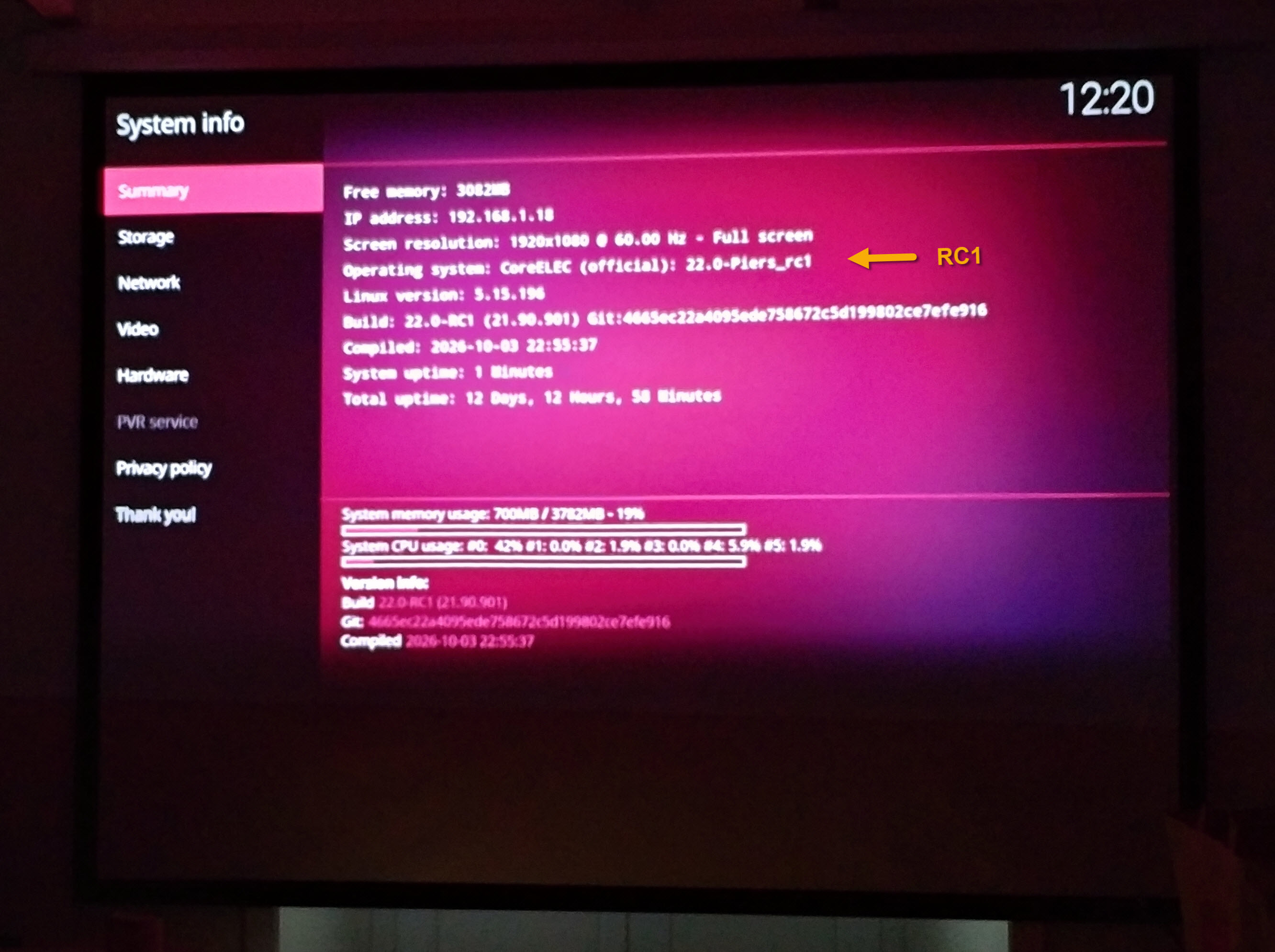

I can’t be 100% certain that a corrupt file was the cause, but I downloaded it again and this time it worked, so I can’t think of anything else it could have been.
AM9 Pro on RC2 playing bluray iso files you cant pause/play skip/ff/rw. Only the stop command works. When you stop video, it show’s completely watch no resume point.
This worked correctly on beta2.
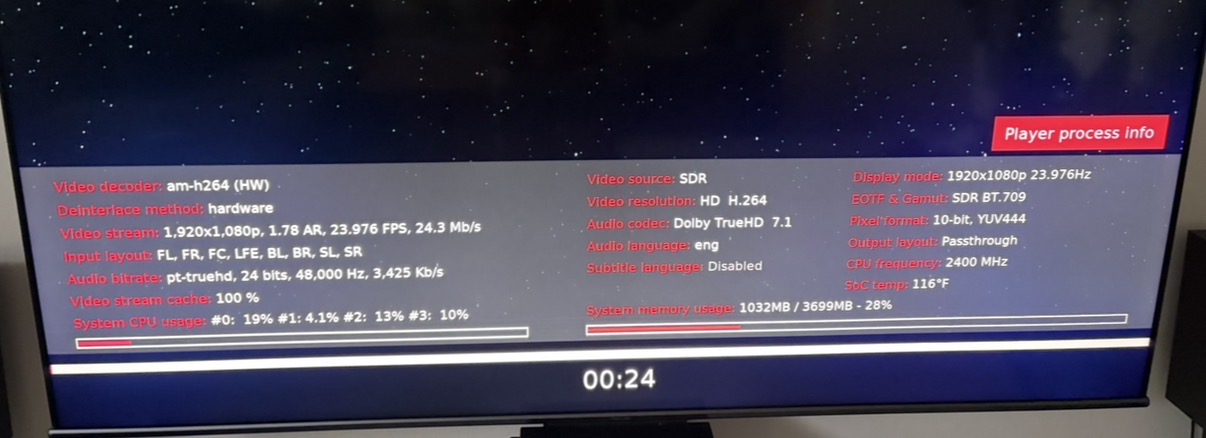
Could you please release the patch?
I’m experiencing the same issue on my X96 Max+ Ultra 4GB.
I’d like to test it.
Thanks!
Homatics Box R 4K Plus – Kodi completely freezes during video playback (CoreELEC 22.0-Piers_rc2)
Hi!
I’m experiencing repeated freezes during video playback on my Homatics Box R 4K Plus running CoreELEC 22.0-Piers_rc2 (Generic), booting from USB.
My setup:
- Device: Homatics Box R 4K Plus (Android TV 14)
- CoreELEC: 22.0-Piers_rc2 (Generic)
- External HDD: connected via USB
- Filesystem: NTFS
- Display: Valerion Pro
Kodi works normally when browsing the HDD and navigating menus. However, video playback causes serious problems.
Out of all the movies I’ve tested, only one has managed to play successfully, and even that one is inconsistent: sometimes it plays correctly, while other times it causes Kodi to freeze completely.
All the other movies I’ve tried consistently cause a complete freeze as soon as playback starts.
When this happens, the entire Kodi interface becomes unresponsive and I have to unplug the box from power to restart it.
On one occasion, the audio continued playing in the background while the video was frozen. In all other cases, both audio and video stopped completely.
On Android TV 14, the same files play perfectly with Nova Video Player.
Troubleshooting already performed:
- Checked the HDD on Windows using CHKDSK, which repaired some filesystem errors.
- Confirmed that Amlogic hardware acceleration is enabled in Kodi.
- Tried disconnecting and reconnecting the HDD. This temporarily allowed one movie to play, but the problem occurred again.
- Checked the Kodi logs. The latest session ends abruptly immediately after video playback starts, with the last relevant entry being CDVDVideoCodecFFmpeg::Open() Using codec: HEVC. There are no normal Kodi shutdown messages afterwards. This makes me think Kodi might be falling back to software decoding (FFmpeg) instead of the Amlogic hardware decoder.
The available logs do not seem to show a clear error explaining the freeze.
Thanks in advance for any help!
Then we can do nothing.
For the Homatics freezes, try isolating storage first: copy one consistently failing movie to a USB stick or internal storage and play it there. If it plays reliably, focus on the USB HDD, NTFS mount, or USB power/port; a powered hub or different port is worth testing. If it still freezes from another source, that points more toward RC2 playback/decoding than the drive. That should help narrow it down even without a clear error.
Question about later Upgrades.
After install of RC2 on a device I see upgrades for as low as 21.3
Can this install upgrade to 22.0 release when it’s done?
Or do I have to install again later?
Was anyone able to boot CE 22.0 rc2 via Petitboot dev.20201223 (https://forum.odroid.com/viewtopic.php?t=39608) on ODROID-C4?
I’m getting this error:
kexec: load failed.
I entered the petitboot shell and did this test:
kexec -d -l /tmp/mmcblk0p1/21.3/kernel.img (21.3 kernel loads fine)
arch_process_options:164: command_line: (null)
arch_process_options:166: initrd: (null)
arch_process_options:167: dtb: (null)
Try gzip decompression.
kernel: 0x7f7c119010 kernel_size: 0x10c4800
get_memory_ranges_iomem_cb: 0000000000000000 - 00000000ed7fffff : System RAM
elf_arm64_probe: Not an ELF executable.
image_arm64_load: kernel_segment: 0000000000000000
image_arm64_load: text_offset: 0000000001080000
image_arm64_load: image_size: 0000000001c2c000
image_arm64_load: phys_offset: 0000000000000000
image_arm64_load: vp_offset: ffffffffffffffff
image_arm64_load: PE format: no
read_1st_dtb: found /sys/firmware/fdt
get_cells_size: #address-cells:2 #size-cells:2
cells_size_fitted: 0-0
cells_size_fitted: 0-0
setup_2nd_dtb: no kaslr-seed found
dump_reservemap: dtb_sys {1000000, 12000}
dump_reservemap: dtb_sys {1ffeb000, 12000}
dump_reservemap: dtb_sys {3d524000, 2dbcb4}
get_cells_size: #address-cells:2 #size-cells:2
initrd: base 2cac000, size 5f9000h (6262784)
dtb_set_initrd: start 46841856, end 53104640, size 6262784 (6116 KiB)
dtb: base 32a5000, size 115cch (71116)
sym: sha256_starts info: 12 other: 00 shndx: 1 value: eb0 size: 58
sym: sha256_starts value: 32b7eb0 addr: 32b7014
machine_apply_elf_rel: CALL26 5800065394000000->58000653940003a7
sym: sha256_update info: 12 other: 00 shndx: 1 value: 2e20 size: c
sym: sha256_update value: 32b9e20 addr: 32b7030
machine_apply_elf_rel: CALL26 eb16027f94000000->eb16027f94000b7c
sym: sha256_finish info: 12 other: 00 shndx: 1 value: 2e30 size: 1bc
sym: sha256_finish value: 32b9e30 addr: 32b7048
machine_apply_elf_rel: CALL26 d280040294000000->d280040294000b7a
sym: memcmp info: 12 other: 00 shndx: 1 value: 63c size: 34
sym: memcmp value: 32b763c addr: 32b7058
machine_apply_elf_rel: CALL26 340003a094000000->340003a094000179
sym: printf info: 12 other: 00 shndx: 1 value: 55c size: 80
sym: printf value: 32b755c addr: 32b7068
machine_apply_elf_rel: CALL26 5800042094000000->580004209400013d
sym: printf info: 12 other: 00 shndx: 1 value: 55c size: 80
sym: printf value: 32b755c addr: 32b7070
machine_apply_elf_rel: CALL26 5800043694000000->580004369400013b
sym: printf info: 12 other: 00 shndx: 1 value: 55c size: 80
sym: printf value: 32b755c addr: 32b7084
machine_apply_elf_rel: CALL26 f100827f94000000->f100827f94000136
sym: printf info: 12 other: 00 shndx: 1 value: 55c size: 80
sym: printf value: 32b755c addr: 32b70a0
machine_apply_elf_rel: CALL26 5800032094000000->580003209400012f
sym: printf info: 12 other: 00 shndx: 1 value: 55c size: 80
sym: printf value: 32b755c addr: 32b70a8
machine_apply_elf_rel: CALL26 38736a8194000000->38736a819400012d
sym: printf info: 12 other: 00 shndx: 1 value: 55c size: 80
sym: printf value: 32b755c addr: 32b70b8
machine_apply_elf_rel: CALL26 f100827f94000000->f100827f94000129
sym: printf info: 12 other: 00 shndx: 1 value: 55c size: 80
sym: printf value: 32b755c addr: 32b70c8
machine_apply_elf_rel: CALL26 5280002094000000->5280002094000125
sym: .data info: 03 other: 00 shndx: 4 value: 0 size: 0
sym: .data value: 32ba068 addr: 32b70e0
machine_apply_elf_rel: ABS64 0000000000000000->00000000032ba068
sym: .rodata.str1.1 info: 03 other: 00 shndx: 3 value: 0 size: 0
sym: .rodata.str1.1 value: 32b9ff8 addr: 32b70e8
machine_apply_elf_rel: ABS64 0000000000000000->00000000032b9ff8
sym: .rodata.str1.1 info: 03 other: 00 shndx: 3 value: 0 size: 0
sym: .rodata.str1.1 value: 32ba018 addr: 32b70f0
machine_apply_elf_rel: ABS64 0000000000000000->00000000032ba018
sym: .rodata.str1.1 info: 03 other: 00 shndx: 3 value: 0 size: 0
sym: .rodata.str1.1 value: 32ba028 addr: 32b70f8
machine_apply_elf_rel: ABS64 0000000000000000->00000000032ba028
sym: .rodata.str1.1 info: 03 other: 00 shndx: 3 value: 0 size: 0
sym: .rodata.str1.1 value: 32ba02e addr: 32b7100
machine_apply_elf_rel: ABS64 0000000000000000->00000000032ba02e
sym: .rodata.str1.1 info: 03 other: 00 shndx: 3 value: 0 size: 0
sym: .rodata.str1.1 value: 32ba030 addr: 32b7108
machine_apply_elf_rel: ABS64 0000000000000000->00000000032ba030
sym: printf info: 12 other: 00 shndx: 1 value: 55c size: 80
sym: printf value: 32b755c addr: 32b711c
machine_apply_elf_rel: CALL26 9400000094000000->9400000094000110
sym: setup_arch info: 12 other: 00 shndx: 1 value: ea8 size: 4
sym: setup_arch value: 32b7ea8 addr: 32b7120
machine_apply_elf_rel: CALL26 5800016094000000->5800016094000362
sym: verify_sha256_digest info: 12 other: 00 shndx: 1 value: 0 size: e0
sym: verify_sha256_digest value: 32b7000 addr: 32b7130
machine_apply_elf_rel: CALL26 3400004094000000->3400004097ffffb4
sym: post_verification_setup_arch info: 12 other: 00 shndx: 1 value: ea4 size: 4
sym: post_verification_setup_arch value: 32b7ea4 addr: 32b7140
machine_apply_elf_rel: JUMP26 d503201f14000000->d503201f14000359
sym: .rodata.str1.1 info: 03 other: 00 shndx: 3 value: 0 size: 0
sym: .rodata.str1.1 value: 32ba040 addr: 32b7148
machine_apply_elf_rel: ABS64 0000000000000000->00000000032ba040
sym: .data info: 03 other: 00 shndx: 4 value: 0 size: 0
sym: .data value: 32ba068 addr: 32b7150
machine_apply_elf_rel: ABS64 0000000000000000->00000000032ba068
sym: putchar info: 12 other: 00 shndx: 1 value: ea0 size: 4
sym: putchar value: 32b7ea0 addr: 32b71e4
machine_apply_elf_rel: CALL26 2a1303e194000000->2a1303e19400032f
sym: putchar info: 12 other: 00 shndx: 1 value: ea0 size: 4
sym: putchar value: 32b7ea0 addr: 32b725c
machine_apply_elf_rel: CALL26 b9406ba194000000->b9406ba194000311
sym: putchar info: 12 other: 00 shndx: 1 value: ea0 size: 4
sym: putchar value: 32b7ea0 addr: 32b74d4
machine_apply_elf_rel: CALL26 f94037a194000000->f94037a194000273
sym: .rodata.str1.1 info: 03 other: 00 shndx: 3 value: 0 size: 0
sym: .rodata.str1.1 value: 32ba052 addr: 32b74e0
machine_apply_elf_rel: ABS64 0000000000000000->00000000032ba052
sym: vsprintf info: 12 other: 00 shndx: 1 value: 158 size: 388
sym: vsprintf value: 32b7158 addr: 32b7550
machine_apply_elf_rel: CALL26 a8d07bfd94000000->a8d07bfd97ffff02
sym: vsprintf info: 12 other: 00 shndx: 1 value: 158 size: 388
sym: vsprintf value: 32b7158 addr: 32b75d0
machine_apply_elf_rel: CALL26 a8d17bfd94000000->a8d17bfd97fffee2
sym: purgatory info: 12 other: 00 shndx: 1 value: 110 size: 34
sym: purgatory value: 32b7110 addr: 32b7678
machine_apply_elf_rel: CALL26 5800001194000000->5800001197fffea6
sym: arm64_kernel_entry info: 10 other: 00 shndx: 4 value: 128 size: 8
sym: arm64_kernel_entry value: 32ba190 addr: 32b767c
machine_apply_elf_rel: LD_PREL_LO19 5800000058000011->58000000580158b1
sym: arm64_dtb_addr info: 10 other: 00 shndx: 4 value: 130 size: 8
sym: arm64_dtb_addr value: 32ba198 addr: 32b7680
machine_apply_elf_rel: LD_PREL_LO19 aa1f03e158000000->aa1f03e1580158c0
sym: sha256_process info: 12 other: 00 shndx: 1 value: f10 size: 1dec
sym: sha256_process value: 32b7f10 addr: 32b9d84
machine_apply_elf_rel: CALL26 eb15027f94000000->eb15027f97fff863
sym: memcpy info: 12 other: 00 shndx: 1 value: 61c size: 20
sym: memcpy value: 32b761c addr: 32b9de4
machine_apply_elf_rel: JUMP26 9100c29314000000->9100c29317fff60e
sym: memcpy info: 12 other: 00 shndx: 1 value: 61c size: 20
sym: memcpy value: 32b761c addr: 32b9dfc
machine_apply_elf_rel: CALL26 d280001794000000->d280001797fff608
sym: sha256_process info: 12 other: 00 shndx: 1 value: f10 size: 1dec
sym: sha256_process value: 32b7f10 addr: 32b9e0c
machine_apply_elf_rel: CALL26 17ffffd394000000->17ffffd397fff841
sym: .data info: 03 other: 00 shndx: 4 value: 0 size: 0
sym: .data value: 32ba1a0 addr: 32b9ff0
machine_apply_elf_rel: ABS64 0000000000000000->00000000032ba1a0
kexec_load: entry = 0x32b7670 flags = 0xb70000
nr_segments = 4
segment[0].buf = 0x7f7a118010
segment[0].bufsz = 0x1ac0808
segment[0].mem = 0x1080000
segment[0].memsz = 0x1c2c000
segment[1].buf = 0x7f7cbe4810
segment[1].bufsz = 0x5f9000
segment[1].mem = 0x2cac000
segment[1].memsz = 0x5f9000
segment[2].buf = 0x1a208ba0
segment[2].bufsz = 0x115cc
segment[2].mem = 0x32a5000
segment[2].memsz = 0x12000
segment[3].buf = 0x1a21a540
segment[3].bufsz = 0x31e0
segment[3].mem = 0x32b7000
segment[3].memsz = 0x4000
kexec -d -l /tmp/mmcblk0p1/new_22/kernel.img (22.0 rc2 fails to load)
arch_process_options:164: command_line: (null)
arch_process_options:166: initrd: (null)
arch_process_options:167: dtb: (null)
Try gzip decompression.
kernel: 0x7f815f9010 kernel_size: 0x1742000
get_memory_ranges_iomem_cb: 0000000000000000 - 00000000ed7fffff : System RAM
elf_arm64_probe: Not an ELF executable.
kexec: load failed.
Cannot load /tmp/mmcblk0p1/new_22/kernel.img
Petitboot does not support gzip multidtb, ask Hardkernel for support.