Yes, static hdr data is indeed useful.
However, for advance hdr features, most of them will need to be live on the PlayerProcessInfo.
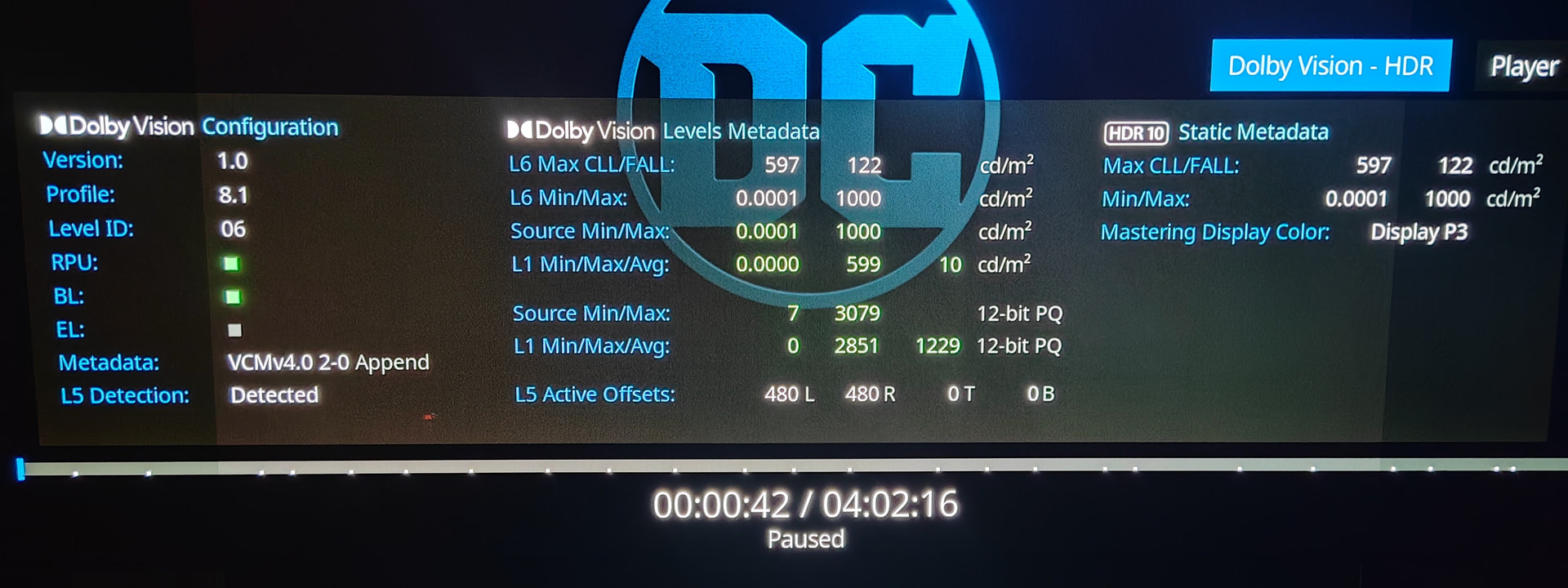
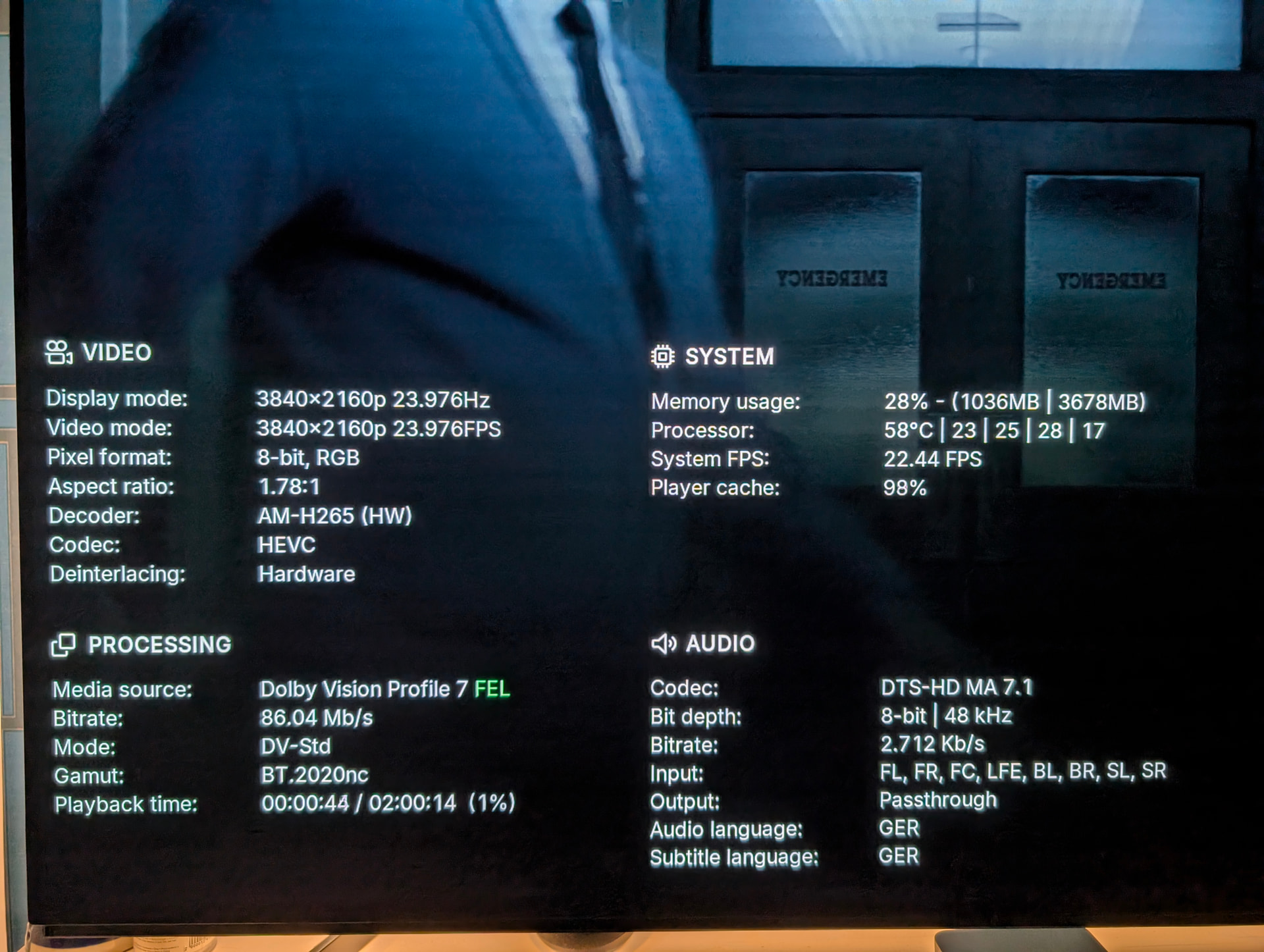
Features such as HDR10+ to DV, Profile 7 FEL to MEL or to Profile 8.1, Live VS10 conversions (SDR to HDR to DV to …), CMv2.9 to CMv4.0 Append, Live L5 detection from black bars, etc2..
The static “source.hdr.type” is only a small part on that PlayerProcessInfo above.
Btw, a detailed hdr information dialog would be similar like this:
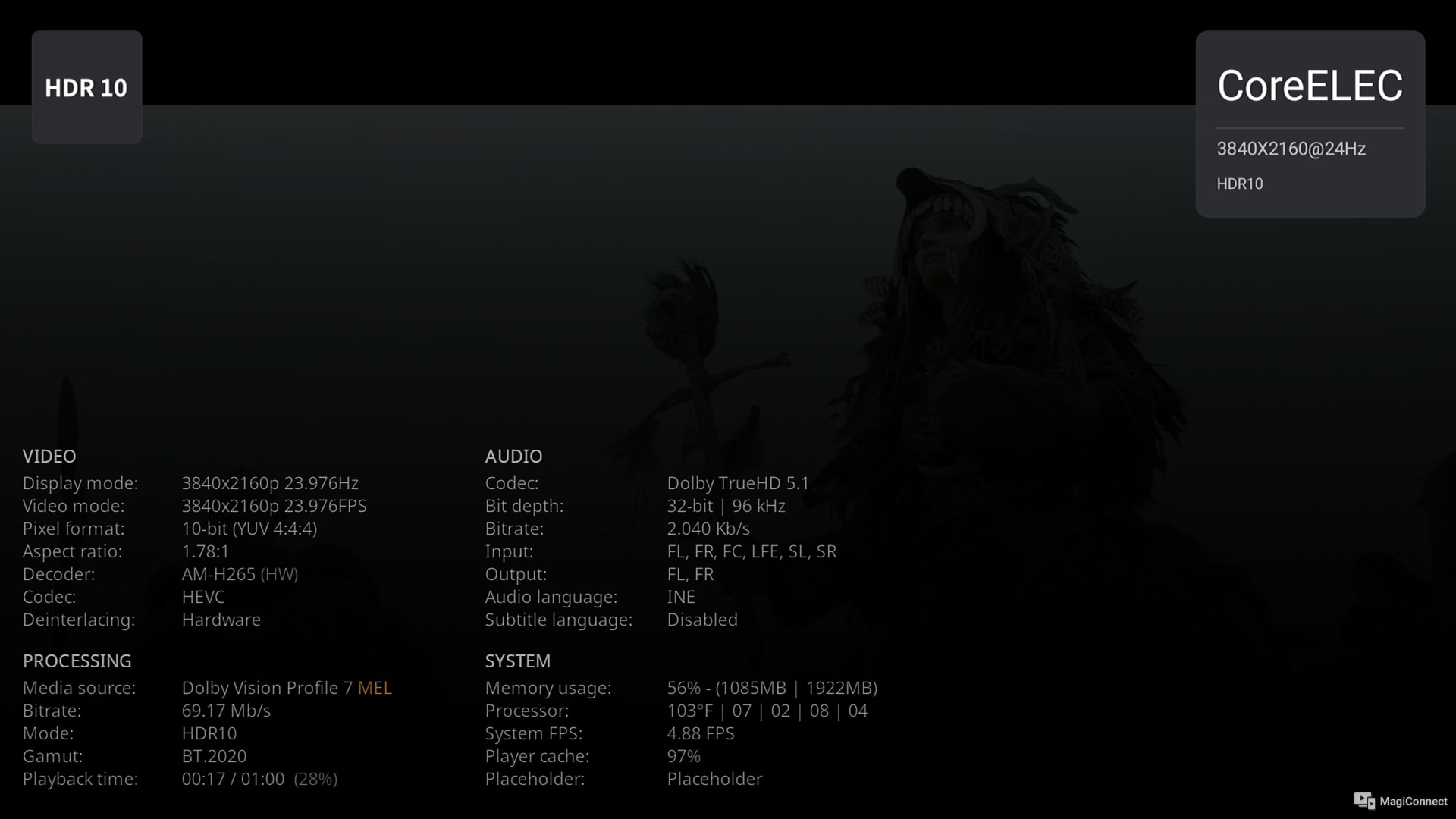
We would like to show the progress on the display of the custom PlayerProcessInfo. The positive aspect of this approach is that no further adjustments to skins will be necessary in the future—regardless of which skin is used. It is a completely standalone add-on.
The whole solution works without any modifications to the CoreELEC/Kodi source code. Many parts have been implemented directly in Python in order to achieve a highly flexible and low-maintenance solution.
The current result shown is not final yet. Bugs are still being fixed, and further optimizations are being carried out, both in terms of performance and visual presentation.
Once development is complete, the add-on will be published in the repository.
The name of the add-on will likely be “TinyPPI”.
The add-on structure is designed so that any key can be assigned via the keymap editor. When that key is pressed, the corresponding window with the PlayerProcessInfo opens.
Yes, there are still a few things missing. But that doesn’t mean it’s not possible to submit a PR to CoreELEC/Kodi to extend the GUIInfo. As shown in the image, this already closely reflects the final result that can be expected in CoreELEC 22 (NO).
TinyPPI is now available in the repository. Please update the repository to version 4.0 first. The repository can now only be used starting from CE 22. A suitable Arctic Fuse 3 version for CE 22 with a few modifications can also be found in the repository if desired.
Please note that after a skin update or a fresh installation, TinyPPI may stutter briefly the first time you open it, as an installation is being carried out in the background. However, this only happens once. This behavior occurs after every skin update.
Please be patient, as the addon will continue to be improved over time and new PPI features will be added gradually. The placeholder can be ignored in the PPI for now. It will be replaced by something else in the future.
You can assign a button using the Keymap Editor, or simply take a look at the README.md, it contains all the information you need.
Thank you Jamal. But I do not undestand the installation procedure. I have installed your repo. Then went into the repo and found in “Look and feel” folder under skin the Artic Fuse 3 and in the “Program add-ons the TinyPPI. What should I do now? I thaught TyniPPI was a Skin but it is a script. What should I do now? Difficult for me, sorry.
The author decided to delete his forum account. He also closed the pull request himself after the CoreELEC team did not respond within 72 hours in their free time.
This is a good example of why this kind of approach doesn’t work well in collaborative open-source development.