
oh that’s the video i was waiting from long
Can you make dedicated video for am9 pro ?
What do you want to know about AM9 Pro? It’s almost as snappy as AM6B+, and supports DV FEL. Can’t install CE to eMMC, but runs just fine via mSD card.
I was curious about the usb or micro sd for corelec
As some say usb 3.0 works fine which is faster
But some says usb do not work
So i was confused weather to buy sd card or usb3.0 flash drive as my am9 pro is coming tomorrow
CE devs have already posted that w/latest Android f/w on AM9 Pro, it breaks booting from USB. If you buy new and don’t update the Android f/w, USB install and booting to CE will work.
Devs have also also they’ve made Ugoos aware, so hopefully the next Android f/w fixes the USB issue.
Thanks for your help
can I know USB 3.0 is faster than microSD card?
Fast means UI and boot speed

Possibly, using a SSD or UFSD USB stick.
Can you plug in that USB Ethernet adapter you used in the video, and run the command lsusb? I’d like to know what Ethernet chip it’s using, it has a higher USB2 throughput than any adapter I’ve seen.
I had assumed there wasn’t much different between Gbit Ethernet chips, but maybe there is. You are getting an additional ~100Mbps over the rtl8153 that I use.
I can no longer use the USB C hub w/CE on a USB3 stick in one of the 3 USB3 ports on the hub  . Won’t let me boot to CE… I can either get it to Recovery or Android OS. Assume this is the same USB boot problem as AM9 Pro w/currently latest f/w.
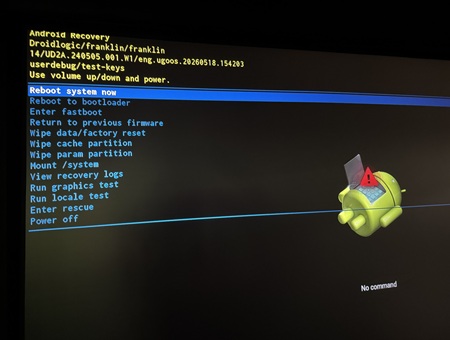
CE will boot if I use the USB C stick w/CE directly in the USB C port, then then I have nowhere to insert the USB C hub.
So @YadaYada, had to use the USB2 port for CE, and USB C port for the hub. Anyway, here’s the lsusb result… looks like same RTL8153, but as this is USB C, it looks like that’s what makes the difference?
CoreELEC:~ # lsusb
Bus 001 Device 001: ID 1d6b:0002 Linux Foundation 2.0 root hub
Bus 001 Device 002: ID 05e3:0610 Genesys Logic, Inc. Hub
Bus 001 Device 003: ID 0bda:8153 Realtek Semiconductor Corp. RTL8153 Gigabit Ethernet Adapter
Bus 001 Device 004: ID 046d:c52b Logitech, Inc. Unifying Receiver
Bus 002 Device 001: ID 1d6b:0003 Linux Foundation 3.0 root hub
Bus 003 Device 001: ID 1d6b:0002 Linux Foundation 2.0 root hub
Bus 003 Device 002: ID 152d:0562 JMicron Technology Corp. / JMicron USA Technology Corp. JMS567 SATA 6Gb/s bridge
Bus 004 Device 001: ID 1d6b:0003 Linux Foundation 3.0 root hub

I don’t think USB-C vs USB-A has an effect, that’s just the physical shape of the port.
I have seen higher iperf results (not 100Mbps) when pairing one set of devices over another. maybe the synology nas has something to do with it. Do you still get +400Mbps if you do an iperf test between two Amlogic boxes?
It isn’t the NAS because I get the expected 340-360Mbits/sec-ish speeds when doing iperf3 between the NAS and other USB3 Gigabit adapters and hubs I have.
Does that USB Hub connected to the USB-A port (with USB-C to USB-A adapter) of the SK4 Pro get +400Mbps? Or that hub/ethernet on an s905x4 or s922x?