Strange, when I did tests, fire tv max with CM4.0 support fixed the black crush issue even on cm2.9 videos, so did Zidoo.
Just checked this, z9x 8k with native cm4.0 support in LLDV shows the lowest levels with no problem.
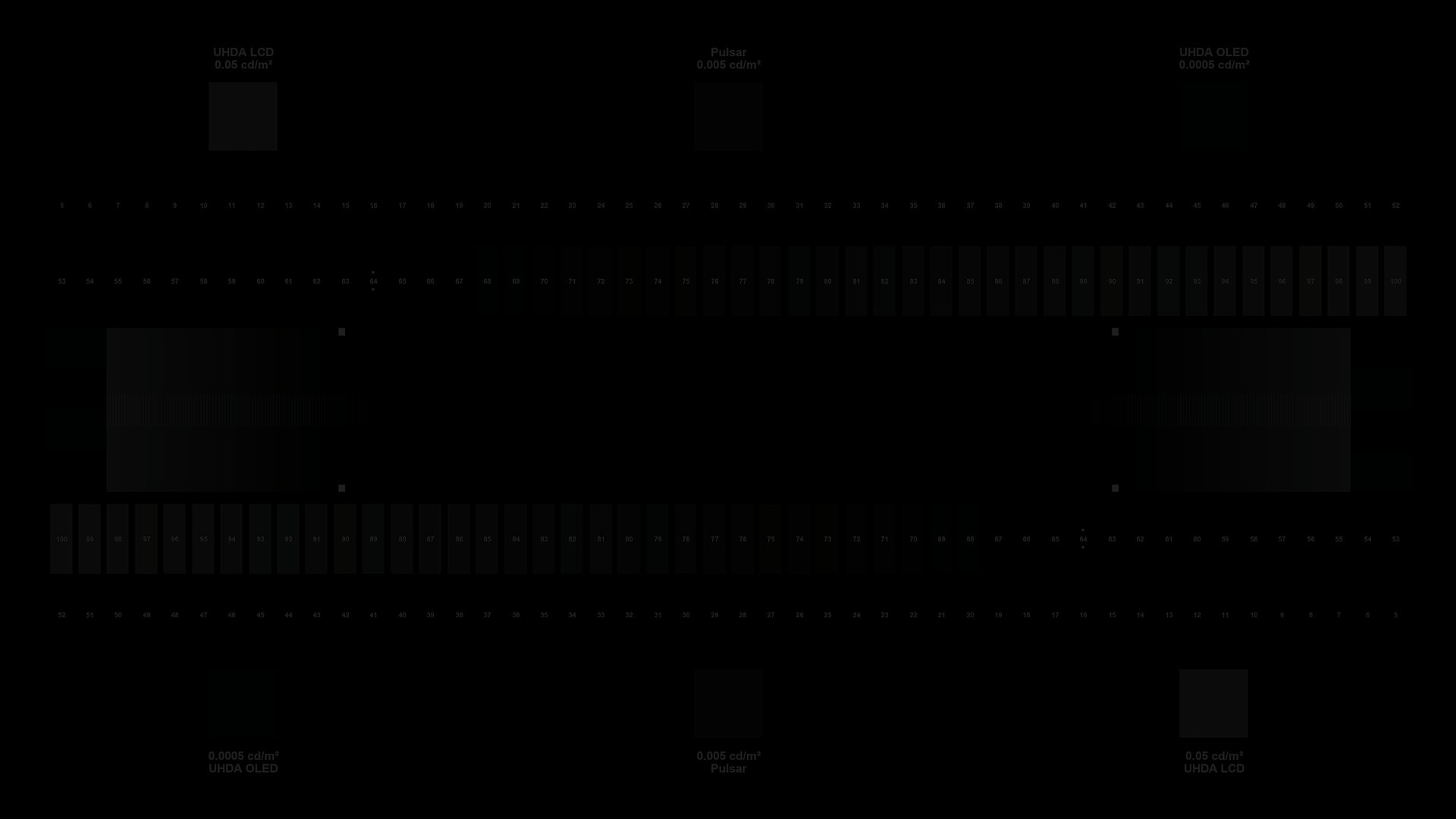
As I said, I’m saying the biggest issue is the boosted brightness with LLDV. If you look at the brightness test pattern in LLDV, the background black and others are boosted so much, we won’t be able to check which box is blinking or not. If it’s fixed in CoreELEC, it would work like Apple TV.
Btw getting black level 83 with Homatics is model specific issue you say?
possibility of the fix depends though on where the issue occurs:
in code that is available to CE or in the dovi.ko module
I dont think this is fixable unless CE manage to allow cmv40+LLDV. It looks like another cmv2.9 dolby bug and this issue happens way before a 4000 nits edid, you start seeing the issue with a 1500-2000nits edid.
Just a note that Dolby has given PQ 20 (0.001 nits) as a work around for the 0 nits black clipping problem to manufacturers for older models or until a firmware fix is released for newer models. As you already noticed from the few responses both LG and Sony are using/updating MinDL to PQ 20 on some models.
1 Like
yep, and DV is raised on LG TV unless you do the RGB tricks or calibrate with @chros method
Well you can fix raised black but you cannot fix black clipping, so I would go everyday for something fixable rather than not. Also, anything above 80 is noticeable unless you have a bad projector/TV.
Right. While it can occur at lower nit levels, the issue becomes more pronounced at higher nit levels. I’m particularly interested in high Max Luminance because I’m using the Lumagen Radiance Pro video processor, which supports LLDV EDID at 4000, 6400, 8600, and 10000 nits. This capability allows me to bypass tonemapping by the source player and implement dynamic tonemapping through the Lumagen video processor.
"If it’s not feasible in the near future, then LLDV may not be the right choice for users with projectors and Lumagen processors.
1 Like
right but the black crush is not really visible in real content. Only the SM pattern show the issue and a 4000 or 10 000 nits RPU has a lot worse crush than a 1000 rpu.
Yes. I can cope with black crush. black level 64 or 70, it’s ok.
Well I could notice the difference on some very dark movies. Also the black clipping level works differently on different player devices. For example, for the Sony X800M2 the black clipping improves (gets lower) for higher MaxDL nits, with lower MaxDL nits the Sony X800M2 clips much worse (more clipping). So the broad statement that the black clipping gets worse with higher MaxDL is not accurate.
@freebits , Yes, anything below 75 is really not noticeable. Anything above 80 get noticed unless you have a bad sink/display.
So you are getting 83 with both 0 nits and 0.001 nits (PQ 20)? That is the first device I see reacting this way. In the majority of the cases you only get 0.001 nits and 0 nits being the same is if the firmware got fixed down to around 70. So having both 0.001 nits and 0 nits at 83 is really bad.
what is MaxDL? I’m talking about the RPU source_PQ metadata. The x800m2, x700, oppo, C2 internal, C8 internal, Hisense internal, Shield are all a lot more crushed when the RPU is set to source_PQ 4095 than 3079. I’m not talking about the content maxcll if that’s what you mean.
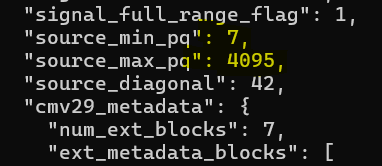
The best option for the video processor is using 0 nits not 0.001 nits so I only tested 0 nits for both Apple TV and Homatics.
My comments about 0.001 nit was the feedback from another users of video processor.
@freebits, well, test 0.001 nits (PQ 20) and see the results for yourself then.
Not sure what you mean best option for a video processor? Any reasonable video processor can work with 0.001 nits?
I was talking about the LLDV Maximum Display Luminance of 1,000 nits, 4,000 nits, and 10,000 nits not the media RPU levels.
My interest lies in using high EDID nits, such as 10,000 nits. Using a min 0.001 nit & max 10000 nit level with MDL 1K video in LLDV doesn’t make much of a difference for me. The near-black levels, around 2% to 5% white, are still boosted, and with the black level at 0.001 nit, they don’t look good to me.
I’ll test it later. Thanks.
so did you test only with the original SM pattern which the RPU source pq is set to 4095 (10 000) because that pattern is misleading since not a single commercial movie has source_PQ set higher than 3696(4000nits) and most of them are set to 3079 (1000nits) which is the reason why I think this black crush issue is not really visible in most of the real content.
1 Like
You can lower the raised black levels back to 64 with the appropriate controls for the 0.001 nits setting.
I tested both the original and new S&M patterns. Most importantly, when I say noticeable I mean setting the the LLDV Minimum Display Luminance to 0 nits and 0.001 nits and doing a comparison while watching the “1917” movie during the stairs dark scene which is a real test and not patterns.