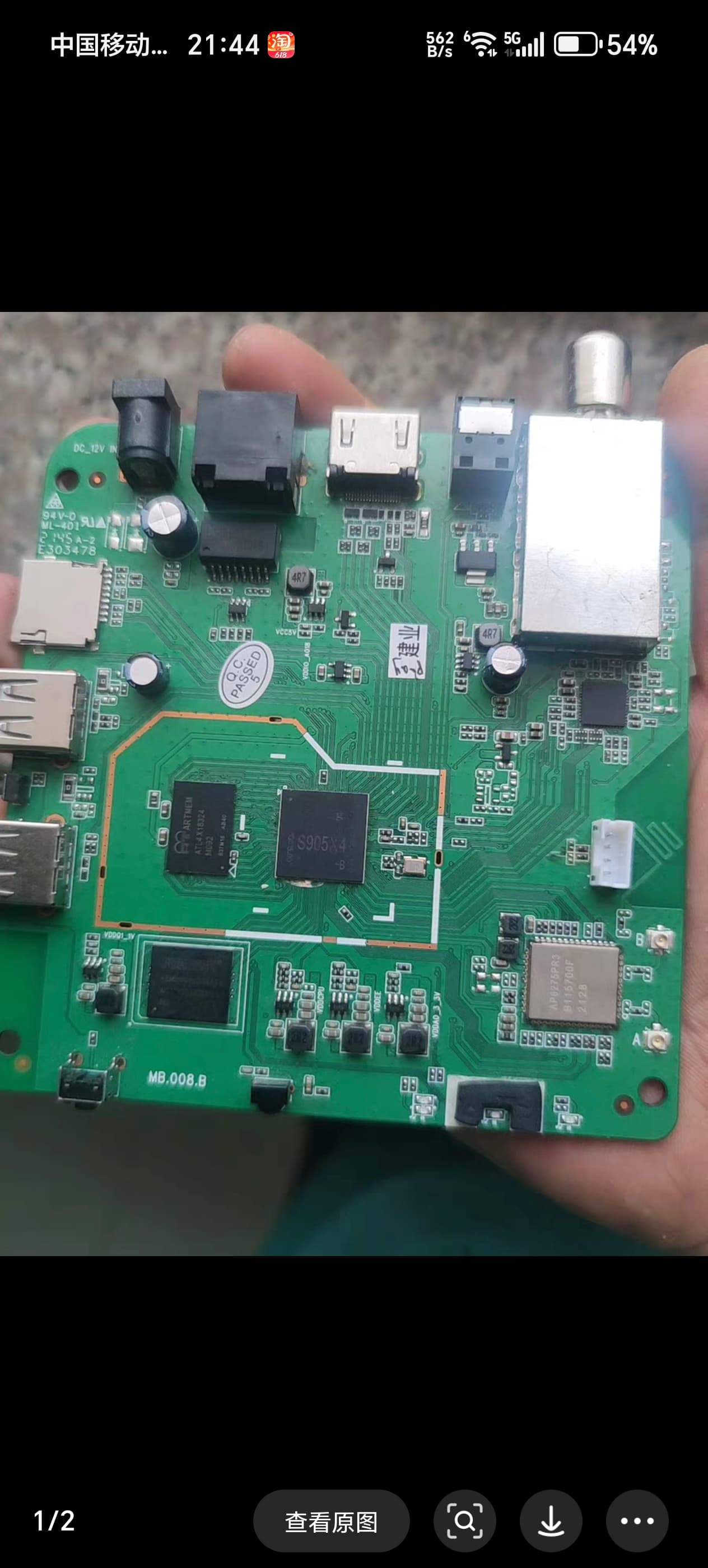
Kinhank G1

1.Yeah, but never drops wifi/ freezing during video playback and still have similar indistinguishable DV-MEL.
2. Whenever there is a file transfer, network speeds go up and down + drops in the Wi-Fi connection. (Note that theoretical Iperf with your test max out 372 megabits receiver)

  • I gave up on Wi-Fi, as the living room has LAN cable.
    I don’t know if Wi-Fi SDIO speed is a quick fix for this issue, cause SDIO isn’t utilized on this Wi-Fi chip, it’s PCIe Wi-Fi chip
1 Like

It actually was 745mbit and not 372mbit. Those are 2 lines because of 2 parallel connections (-P 2) and I dont know why it says sender and receiver. I get the same result with no -P (or -P 1).

So long story short, wifi chip is fantastic and everything should be working correctly, but theres some kind of a bug in NG that produces freeze only during playback? Driver issue? Kernel issue? Kodi issue? Im willing to backport anything if it fixes it, but dont know what to start with (since iperf is working!). First I thought that wifi chip would be maybe overheating and a simple cheap heatsink slapped on would fix it. But it is not, since 100min iperf3 proves this.

Its a shame that caching in Kodi is still not working correctly in 2025 after all these years. If it would then this 100mbit ethernet would be more then enough.

strange thing happened to my G1 (old revision with GB LAN). It worked flawlessly on NG 21.1 nightly for months and suddenly the LAN connection started to hickup. Connection losses, buffering etc. Even stranger: switching to WiFi did not help (deactivating wired connection), neither did a clen reinstall of CE. LAN works without problems in Android TV.
The only workaround was to boot with the dtb.img of the new revision, which practically deactivates the GB LAN chip, now is the WiFi stable.
What could cause this? Quite a strange thing! Any help appreciated.

This might help with your issue.
Change the file with UgoosX4 DT
And remove old files from CE flash storage
dtb.img / dtb.xml

<>><><><><>
For the BT or whole Wi-Fi options in menu
Add this on SSH session and it will always be shown, except after CE update it needs to be retyped.

mount -o rw,remount /flash
fdtput -t s /flash/dtb.img /sdio@fe088000 status disabled
fdtput -t s /flash/dtb.img /pcieA@f5000000 status okay
sync
reboot
2 Likes

I do not think that any of this help as a clean new installation on another sd card has the same problem… I guess the GB LAN chip died.
I ended up with an USB-LAN adapter, problems gone.

1 Like

I just patched both Kinhank G1 dtb.img files for CE-NG to get rid of the 30 sec boot nag.
The “old revision” is for the first batch with GB LAN, the “new revision” is for the later batches without GB LAN (only 100 mbps).
enjoy

G1newrev100mb.patch.dtb.img (84.7 KB)
G1oldrev1000mb.patch.dtb.img (84.8 KB)

2 Likes

Is “CoreELEC-Amlogic-ng.arm-21.1.1-Omega_nightly_20241021” the last one which works with the G1? Mine has never updated so still boots from SD fine. I am running “CoreELEC-Amlogic-ne.aarch64-22.0-Piers_nightly_20240904-Generic” which seems to work ok. Can I do a Kodi backup form 22 and restore to 21?

you can update to any newer NG version. NG means a certain linux kernel (4.9 with Dolby Vision FEL). 21.x means the Kodi version only. I updated to 21.2 with my patched dtb.img, no problems so far.

1 Like

kinhank g1 wifi6 can work with latest NG nightly builds ?

Linux kernel 4.9 (2016) doesn’t support WiFi6 (2019). WiFi6 doesn’t work on any device in CE-NG. CE-NE (5.4) is required, with WiFi6/6E being more mature in CE-NO (5.15).

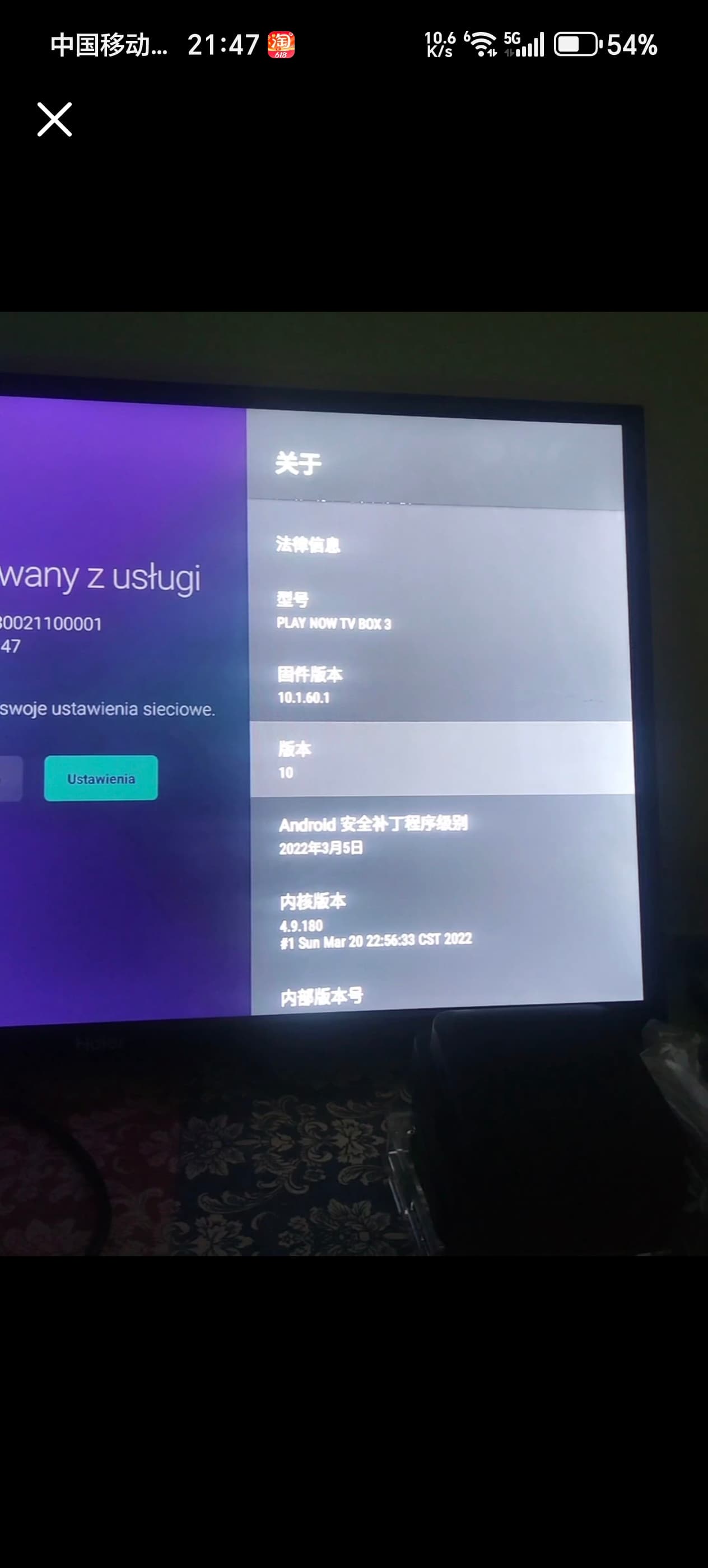
i just confirm that ce ng intergrate ap6275p driver or not,cos i found play now tv box 3 with s905x4+ap6275pr3 can work well in android 10.a lot of tencent aurora 4pro/6s owner want to enable wifi&bt.


QQ all. I’ve downgraded from CE22 (Piers nightly 20241118) to CE21.2 (ng) (it just updated) and now DV encoded files don’t play (colour palette all messed up). I’ve put dovi.ko into /storage, but the menu option doesn’t appear. Help… what am I doing wrong?

Can be issues when downgrade from 5.15 to NG 21.xxx

Try clean install with formated SD Card/USB Thumb Drive
Place dovi.ko in root of ,same place you rename DTB to dtb.img

Hello, I’ve just received a Kinhank G1 SN starts with 255. I know it is not officially supported, but there are DTBs, and if I succeed opening the bootloader it should be fine.
I’ve already looked at the topic: Kinhank G1 (Start Guide)
Is the ROM currently flashed (including dovi.ko) interesting in any way?
Which Coreelec is recommended for Dolby Vision support and stable use? NG or NE or NO?

If you are success with bootloader
G1 can be used on all 3 branches with Dolby Vision Support, Stable/Nightly does not matter.

If you want FEL PROFILE 7 ,then you will want to use the NG branch 4.9 kernel

Rom currently flased ,interesting???
Do not understand this ??

Good Luck

Happy Testing

Thank you.

I do not know if this box came with Android TV 11 or Android TV 14 flashed in the factory. I also don’t know which kernel versions are under ATV11 or ATV14, hence the dovi.ko that is in the flash may be good only for one version.

There is no “dovi.ko” in the flash partition, nor is it part of any image; you have to put it there yourself. For different CE versions (NG, NE, NO) you have to copy to flash partition different dovi.ko versions.

3 Likes

Hello,

Struggling with the bootloader, there were many failed attempts like this:

sdc_update bootloader bootloader.img
Device: sd
Manufacturer ID: 1b
OEM: 534d
Name: 00000 
Bus Speed: 50000000
Mode : SD High Speed (50MHz)
Rd Block Len: 512
SD version 3.0
High Capacity: Yes
Capacity: 7.5 GiB
Bus Width: 4-bit
Erase Group Size: 512 Bytes
[MSG]filesize 0x3ffe00
[MSG]startclust 0x3
[MSG]Down(store) part(bootloader) sz(0x3ffe00) fmt(normal)
[MSG]totalSlotNum = 0, nextWriteBackSlot 64
[MSG]filesize 0x3ffe00
[MSG]startclust 0x3
[MSG]Burn Start...
[MSG][bootloader] CpyNum 3, bootCpySz 0x400000
[MSG]ty 0, en 0
00
emmc: resp timeout, cmd16, status=0x100a800
*** ERROR: Can't read MBR header ***
emmc: resp timeout, cmd16, status=0x100a800
*** ERROR: Can't read MBR header ***
gpt is invalid
emmc: resp timeout, cmd16, status=0x100a800
*** ERROR: Can't read MBR header ***
emmc: resp timeout, cmd16, status=0x100a800
emmc: resp timeout, cmd16, status=0x1ff2800
emmc: resp timeout, cmd16, status=0x100a800
*** ERROR: Can't read MBR header ***
gpt is invalid
emmc: resp timeout, cmd16, status=0x100a800
storage write bootloader failed 
00
emmc: resp timeout, cmd6, status=0x100a800
00
emmc: resp timeout, cmd6, status=0x100a800
[MSG]Burn complete
BURN bootloader.img to part bootloader OK!

And there was one that seemed to succeed:

sc2_ah212# sdc_update bootloader bootloader.img
Device: sd
Manufacturer ID: 1b
OEM: 534d
Name: 00000 
Bus Speed: 50000000
Mode : SD High Speed (50MHz)
Rd Block Len: 512
SD version 3.0
High Capacity: Yes
Capacity: 7.5 GiB
Bus Width: 4-bit
Erase Group Size: 512 Bytes
[MSG]filesize 0x3ffe00
[MSG]startclust 0x3
[MSG]Down(store) part(bootloader) sz(0x3ffe00) fmt(normal)
[MSG]totalSlotNum = 0, nextWriteBackSlot 64
[MSG]filesize 0x3ffe00
[MSG]startclust 0x3
[MSG]Burn Start...
[MSG][bootloader] CpyNum 3, bootCpySz 0x400000
[MSG]ty 0, en 0
00
[MSG]skip not EN cpy0
00
boot_info.rsv_base_addr:        12000
boot_info.ddr.addr:4000
boot_info.ddr.size:0008
boot info: parts 0
boot_info.version:0001
boot_info.checksum:16009
00
boot_info.rsv_base_addr:        12000
boot_info.ddr.addr:4000
boot_info.ddr.size:0008
boot info: parts 0
boot_info.version:0001
boot_info.checksum:16009
[MSG]Burn complete
BURN bootloader.img to part bootloader OK!
=====>Burn part bootloader in fmt normal OK<======

But at the top it says Device: sd and not Device: mmc

Since then, I get only Make your life colorful screen.

I haven’t tried to flash the full firmware, because I don’t yet have an usb a-a cable, but we may create one. I don’t know if data+ and data- must be swapped for that?

I’ve read that this bootloader in itself is not enough to boot coreelec from sd-card.
You are success with second attempt, valid checksum 16009
[MSG] burn complete

Now flash hungphutho custom firmware, follow guide instructions!!!

Make a USB Male to Male cable,splice to ends together,
Or buy One!!

You’re almost there!!!

Male to Male use 4 wire and match the colors

2 Likes

Success!!! We made an USB A-A cable, flashed hungputho custom firmware, and now I can boot Coreelec!!!

I am sorry Kinhank G1 is not supported, and I understand why. I would have bought another brand if there was one at similar price, but there is none.

So far stayed on NG 21.2, as the previous box had an SD-card configured with all the sources, hyperion-ng, etc. I replaced the dtb, and added dovi.ko. So far, it works. We will test it tonight. I have Rev-D, so I will have the white dots on interlaced material problem, I’ve read about it.

Thank all of you very much for making this possible, and who helped me!

3 Likes