And what exactly is the point of that? Just to show it to others?
Yep just to help some who have the same issue … nothing more nothing less
it took me 1 year to identify this disorder so I think it was important to report it if that can help …
2 Likes
Hi!
I would like to go back to the original 11 upgradeable version.
What is the best solution?
Best regards, Csaba
I tried to flash my box, bought a few months ago, but I failed (I have zero soldering skills lol).
My box was on Android 14 from day one, everything else works, I only have one problem, when using an app that uses google’s exoplayer (stremio), if I play a movie in Dolbyvision, after the movie is stopped it gets stuck in DV (weird color in the menus). This was fixed in the latest Chromecast update, so I send an email to Kinhkank to request a similar update for the G1.
hi guys!
i want to restore the original rom, so i’m looking for the penultimate OTA file.
any help would be appreciated!
Dear hungphuto!
How can I restore the OTA update?
Kinhank support does not send any files.
Thanks, Csaba
ap6275p driver isn’t relying on mac80211, so WIFI6 actually works with 4.9.269

But the stock driver from Coreelec 21 doesn’t work well for me. (MT7981 Router with OpenWRT) I have kernel soft lockups and driver crashes.
So far everything is good with driver and firmware from Rockchip SDK.
CE 21
Driver version 101.10.591.33.20 (20230725-3)
Firmware: 18.35.387.23.108 (g34a0fd51) Date=2022-01
Rockchip SDK
Driver version 101.10.591.91.39 (20241021-2)
Firmware: 18.35.387.23.273 (g335c2e0b) Date=2025-01
Enabling MSI interrupts in the driver boosts performance by 20%+ from 500-520 to 640-650 mpbs (iperf3 -R -P4)
CONFIG_PCI_MSI := y
(or maybe it’s because of DHDCFLAGS += -DWAKEUP_KSOFTIRQD_POST_NAPI_SCHEDULE I’m not sure (this requires exporting raise_softirq)
1 Like
back to stock 11.1.13 .
Download 1.41 GB folder on MEGA
1 . Flash g1.img via usb burning tool , UNCHECK “Verify Bootloader”
2 . flash ota-11.1.13.zip via recovery and wipe factory reset data
1 Like
Thank you very much for your help!
But in the meantime, I managed to brick it in the last few days, neither Burning nor uart mode helps.
Should I say goodbye to it?
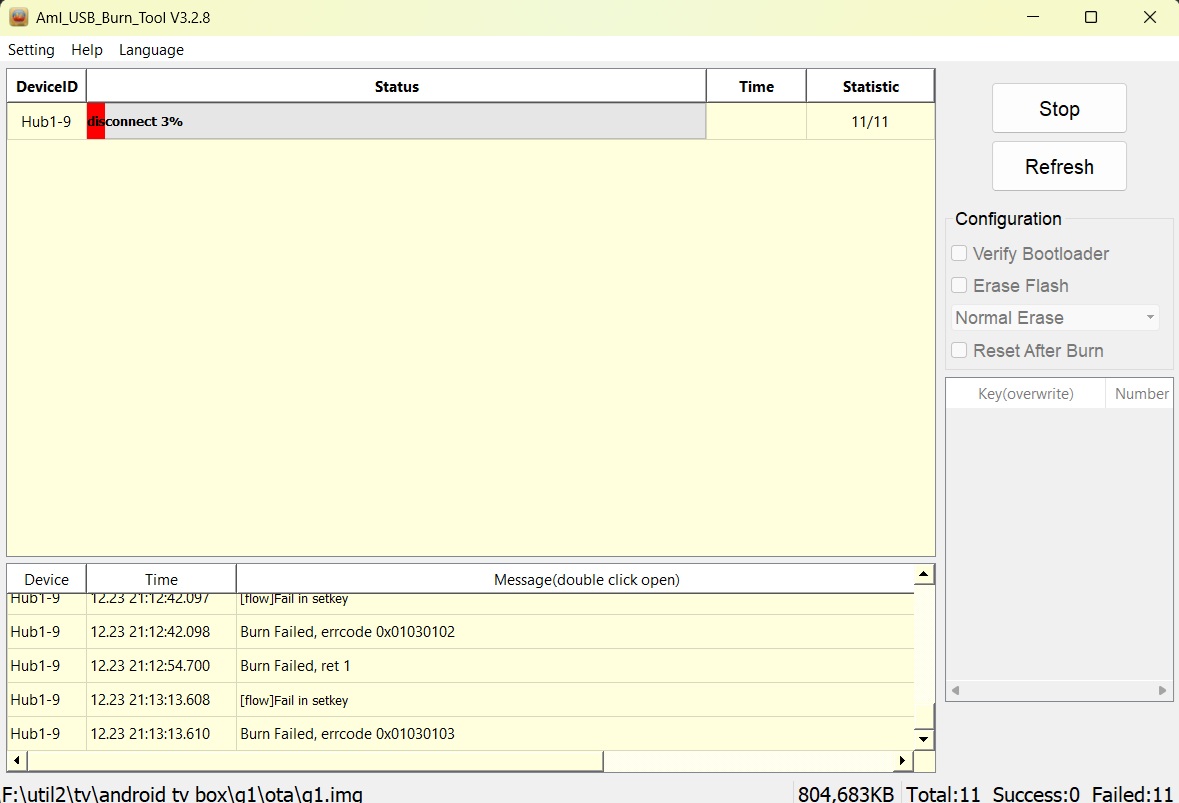
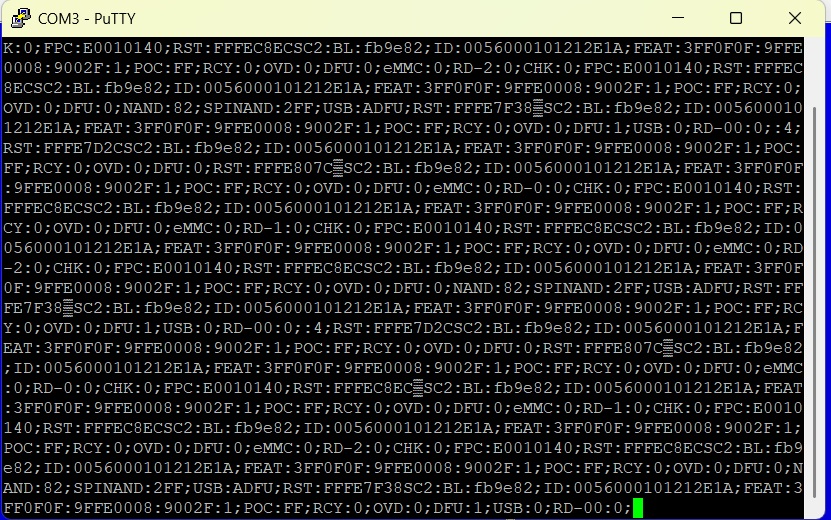
Merry Christmas!
Hi once restored to factory, can we boot coreelec again or it needs to be on your modified firmware?
your last firmware to boot CE is on Android11, are you still working on one for Android12 or 14 by any chance?
No, if you intend to use CoreElec, keep the modified firmware as is.
No
Hi! I can’t boot from either SD or USB, even with HDMI forced boot. What could be the reason? It’s like the Emmc has a password!
Reset your device to wibe factory reset settings.
Then reload using the burning tool.
Nop!
The device is brick now, only a DNL (dfu) mode possible…
Try to reflash hungphutho custom firmware. The pins You use for u-art, should work for (Force maskrom mode),so USB Burning Tool will connect.
**Also when using USB Burning Tool, load the image, Uncheck Verify Bootloader ,Hit Start,then insert USB male to male
** You could try this method first before short the pins ,if USB Burning Tool still connects
Thank you very much for your help, but I’m already past that…
The situation is very similar in this topic:
It is highly likely that newer hardware versions will not be able to boot from an SD card.
You can use an eMMC programmer.
Of course I accept the facts and I have already found a programming adapter,if suitable for the task,
By the way, the motherboard is V2-2021.04.25, serial number starts with 24200xxx and I used it for a year in a dual system.
And thank you very much for your valuable help!
Well, this panel is not suitable because it can only connect to the G1 eMMC on 1 bit.
I’m mainly thinking of the D4 data line here!
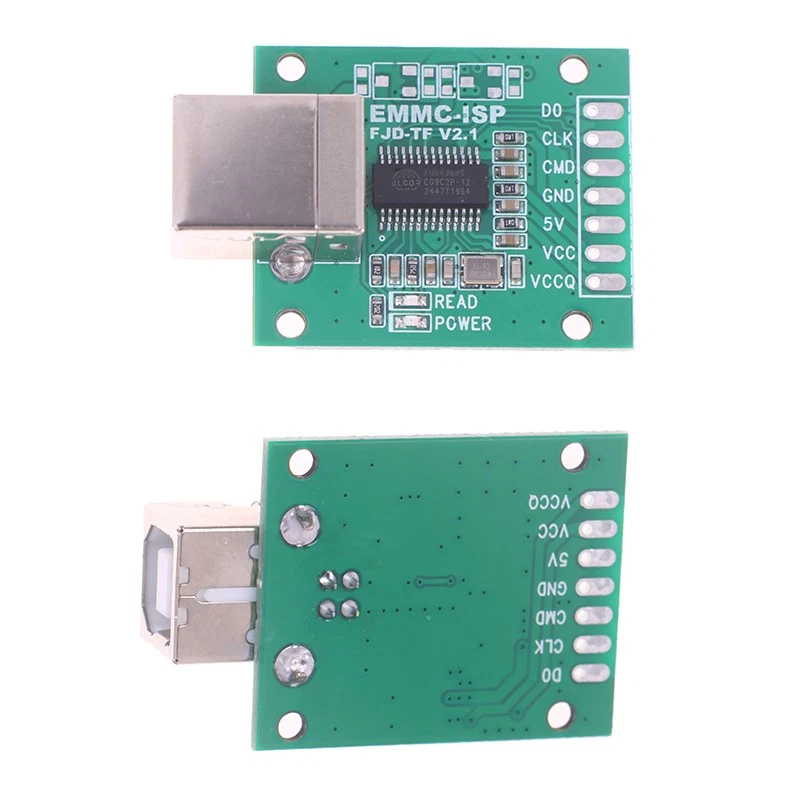
After a little research, I found this device that can communicate with more bits.