Thank you, that is some great information that answers a lot of questions I couldn’t figure out on my own. Greatly appreciate it.
Some follow up questions if you don’t mind:
Regarding eMMC modules
I found something on the HardKernel wiki that suggested there is a hidden partition on their eMMC modules which contains a required bootloader.
If I were to just DD the image to the device like I did with the MicroSD Card, I would overwrite this image. What is the best way to do this? Do I just overwrite the other partition on the device with my main corelec partition? Do I have to edit anything in that hidden bootloader partition to make sure it boots properly?
Regarding Hardware H265 Decode
The only reason I brought this up is because in the settings for the player there are options to enable/disable MPEG2, DivX, and H264 hardware decode. H265 was not in that list:
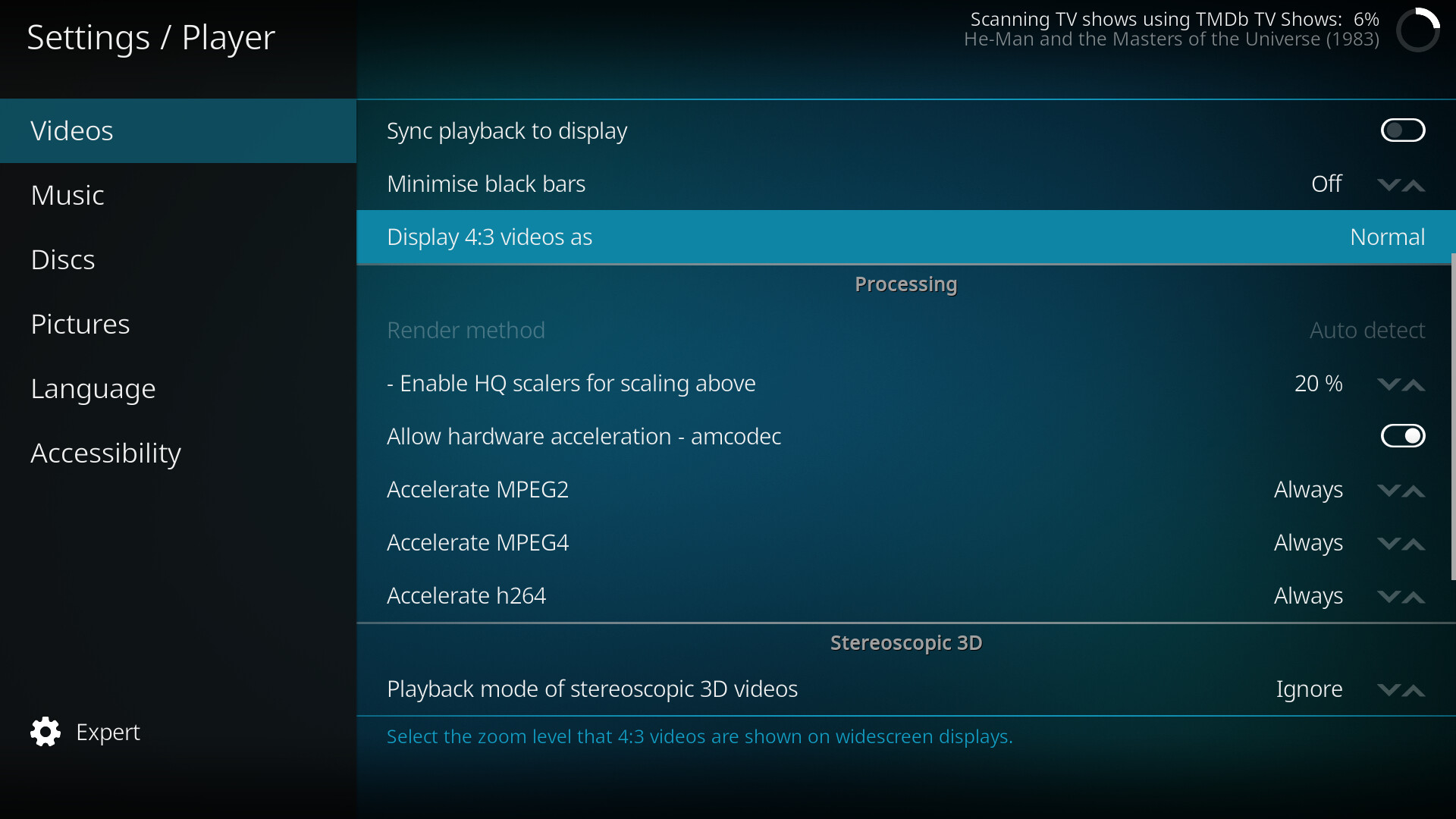
I assumed this meant it was not implemented, but maybe it is, but just doesn’t have an enable/disable toggle like the others?
I have to admit I am pretty impressed with corelec on this little device thus far. Menu’s are as smooth as on my x86 machines, and video playback is more uniform and smoother. Can’t complain about the power use either. Playing back media from a NAS is at 3.0w to 3.1w at the wall according to my Kill-A-Watt. Idle on the main screen is at 2.8w to 3.0w. This is with two USB devices plugged in, a Logitech wireless adapter for a keyboard, and a Windows Media Center IR adapter that came with the remote, both of which I was using on the existing x86 box.
I’m used to having a lot more playback options (like deinterlace (bob, motion compensated, motion adaptive, etc) and scaling methods (bilinear, Nearest neighbor, etc)) but I’m guessing those just aren’t shown because the image settings are preconfigured to use the best options available in hardware for the device?
The remote doesn’t seem to wake the device from hibernate though, and it doesn’t appear to have a power button, so I might just leave it on 24/7. At just a few cents worth of power per month, that seems like it would be the easiest solution.
I’ll have to dig through the config files though, and figure out how I can prevent people from shutting it down using the power button on the remote or the menu.
Anyway, I appreciate all of the help, and look forward to this exciting new chapter in my HTPC setups!