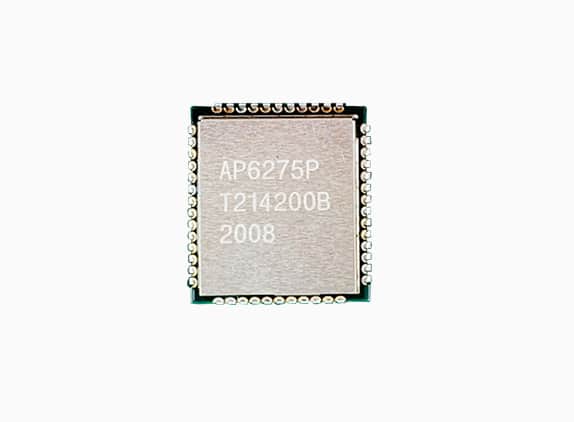
see link:AP6275P Wifi 6 Sip Module | SparkLAN
Tencent Aurora 4pro ADAPTS ap6275p Bluetooth and wifi driver, I have verified with the product manager, sorry, please help to adapt if you are free and convenient, thank you.
see link:AP6275P Wifi 6 Sip Module | SparkLAN
Tencent Aurora 4pro ADAPTS ap6275p Bluetooth and wifi driver, I have verified with the product manager, sorry, please help to adapt if you are free and convenient, thank you.
As written: ask product manager for the exact driver needed (source code for linux 4.9 and 5.4). This will speed up the process. Until we have sources nothing will happen.
But because this is PCIe module I doubt how it will work because as I written we don’t have any PCIe experience. And without actual device to test locally it will be much, much harder.
@vpeter Please could you tell me something about this, when you have time. THX.
Vontar W2 ATV (s905w2) (I think it’s the same box as the Vontar X2)
Wifi = Not works
Bluetooth = Works fine on last nightly
CoreELEC (official): 21.0-Omega_nightly_20230907 (Amlogic-ne.aarch64)
Machine model: Amlogic
CoreELEC dt-id: s4_s905w2_4g
CoreELEC:~ # udevadm info /sys/bus/sdio/devices/* | paste
http://ix.io/4FCH
CoreELEC:~ # dmesg | paste
http://ix.io/4FCI
Android DTB:
dtb.img.gz (40.6 KB)
Thank you!!
Hi @rozowy
is it possible that you can share Android’s dtb file of H96 Max w2?
yes
dtb.img (252 KB)
@rozowy , @vpeter, for H96Max W2’s wifi chip AIC8800 sdio version, I found the repo here: https://github.com/yanyitech/coolpi-kernel/tree/develop/drivers/net/wireless/rockchip_wlan/aic8800
I download and try to integrate with CoreElec Amlogic-ne build, and with some minor tweak, turn on flag CONFIG_PLATFORM_AMLOGIC CONFIG_SDIO_SUPPORT, I can successfully compile 3 ko files aic8800_fdrv.ko, aic8800_bsp.ko, aic8800_btlpm.ko. When I try to load them into the kernel (need to place fw/aic8800/*.* files into /lib/firmware/aic8800 folder), it still does not work. Although the dmesg look similar to ap201:/ # dmesg - Pastebin.com of android boot log. Maybe some linux guru can look into this and make it work
[ 2248.370993@0]  aicbsp_init
[ 2248.371013@0]  RELEASE_DATE:2022_0907_1948
[ 2248.371687@0]  aicbsp: aicbsp_set_subsys, subsys: AIC_WIFI, state to: 1
[ 2248.371698@0]  aicbsp: aicbsp_set_subsys, power state change to 1 dure to AIC_WIFI
[ 2248.371703@0]  aicbsp: aicbsp_platform_power_on
[ 2248.371843@0]  meson-gx-mmc fe088000.sdio: 52 [0x80022000], TIMEOUT[0x2800]
[ 2248.371997@0]  aicbsp_dummy_sdmmc: probe of mmc2:9c61:1 failed with error -110
[ 2248.372107@0]  meson-gx-mmc fe088000.sdio: 52 [0x80042000], TIMEOUT[0x2800]
[ 2248.372145@0]  aicbsp_dummy_sdmmc: probe of mmc2:9c61:2 failed with error -110
[ 2248.372217@0]  aml_wifi aml_wifi: [extern_wifi_set_enable] WIFI  Enable! 484
[ 2248.422283@0]  sdio_reset_comm():
[ 2248.458241@0]  meson-gx-mmc fe088000.sdio: 52 [0xc00], TIMEOUT[0x2800]
[ 2248.459213@0]  meson-gx-mmc fe088000.sdio: 52 [0x80000c08], TIMEOUT[0x2800]
[ 2248.464381@0]  meson-gx-mmc fe088000.sdio: 8 [0x1aa], TIMEOUT[0x2800]
[ 2248.495638@0]  meson-gx-mmc fe088000.sdio: 52 [0xc00], TIMEOUT[0x2800]
[ 2248.496639@0]  meson-gx-mmc fe088000.sdio: 52 [0x80000c08], TIMEOUT[0x2800]
[ 2248.501816@0]  meson-gx-mmc fe088000.sdio: 8 [0x1aa], TIMEOUT[0x2800]
[ 2248.532828@0]  meson-gx-mmc fe088000.sdio: 52 [0xc00], TIMEOUT[0x2800]
[ 2248.533803@0]  meson-gx-mmc fe088000.sdio: 52 [0x80000c08], TIMEOUT[0x2800]
[ 2248.538912@0]  meson-gx-mmc fe088000.sdio: 8 [0x1aa], TIMEOUT[0x2800]
[ 2248.569920@0]  meson-gx-mmc fe088000.sdio: 52 [0xc00], TIMEOUT[0x2800]
[ 2248.570887@0]  meson-gx-mmc fe088000.sdio: 52 [0x80000c08], TIMEOUT[0x2800]
[ 2248.576119@0]  meson-gx-mmc fe088000.sdio: 8 [0x1aa], TIMEOUT[0x2800]
[ 2248.607612@0]  meson-gx-mmc fe088000.sdio: 52 [0xc00], TIMEOUT[0x2800]
[ 2248.608700@0]  meson-gx-mmc fe088000.sdio: 52 [0x80000c08], TIMEOUT[0x2800]
[ 2248.614230@0]  meson-gx-mmc fe088000.sdio: 8 [0x1aa], TIMEOUT[0x2800]
[ 2248.645541@0]  meson-gx-mmc fe088000.sdio: 52 [0xc00], TIMEOUT[0x2800]
[ 2248.646526@0]  meson-gx-mmc fe088000.sdio: 52 [0x80000c08], TIMEOUT[0x2800]
[ 2248.651714@0]  meson-gx-mmc fe088000.sdio: 8 [0x1aa], TIMEOUT[0x2800]
[ 2248.682640@0]  meson-gx-mmc fe088000.sdio: 52 [0xc00], TIMEOUT[0x2800]
[ 2248.683724@0]  meson-gx-mmc fe088000.sdio: 52 [0x80000c08], TIMEOUT[0x2800]
[ 2248.689207@0]  meson-gx-mmc fe088000.sdio: 8 [0x1aa], TIMEOUT[0x2800]
[ 2248.720503@0]  meson-gx-mmc fe088000.sdio: 52 [0xc00], TIMEOUT[0x2800]
[ 2248.721590@0]  meson-gx-mmc fe088000.sdio: 52 [0x80000c08], TIMEOUT[0x2800]
[ 2248.727084@0]  meson-gx-mmc fe088000.sdio: 8 [0x1aa], TIMEOUT[0x2800]
[ 2248.756753@0]  meson-gx-mmc fe088000.sdio: 52 [0xc00], TIMEOUT[0x2800]
[ 2248.757747@0]  meson-gx-mmc fe088000.sdio: 52 [0x80000c08], TIMEOUT[0x2800]
[ 2248.762921@0]  meson-gx-mmc fe088000.sdio: 8 [0x1aa], TIMEOUT[0x2800]
[ 2248.792101@0]  meson-gx-mmc fe088000.sdio: 52 [0xc00], TIMEOUT[0x2800]
[ 2248.793096@0]  meson-gx-mmc fe088000.sdio: 52 [0x80000c08], TIMEOUT[0x2800]
[ 2248.798355@0]  meson-gx-mmc fe088000.sdio: 8 [0x1aa], TIMEOUT[0x2800]
[ 2248.798456@2]  mmc2: Skipping voltage switch
[ 2248.805926@2]  mmc2: queuing unknown CIS tuple 0x10 (5 bytes)
[ 2248.813951@0]  [sdio_reinit] finish
[ 2250.838262@0]  aml_wifi aml_wifi: [extern_wifi_set_enable] WIFI  Disable! 484
[ 2250.838279@0]  aicbsp: aicbsp_set_subsys, fail to set AIC_WIFI power state to 1
[ 2270.243934@0]  meson-gx-mmc fe088000.sdio: 52 [0x80022000], TIMEOUT[0x2800]
[ 2270.244023@0]  aicwf_sdio: probe of mmc2:9c61:1 failed with error -110
[ 2279.430731@0]  AICWFDBG(LOGERROR)	register_driver timeout or error
[ 2279.430757@0]  AICWFDBG(LOGERROR)	aicwf_sdio_exit g_rwnx_plat is not ready
To check, I would reduce the clock to e.g. 40M
@Secam7
I check the source code, it seems it couldn’t call aicbsp_platform_power_on() which just registers a dummy device in aicbsp_set_subsys(), so I comment it out and change to in line 144 of aic8800_bsp/aicsido.c
	if (cur_power_state != pre_power_state) {
		sdio_dbg("%s, power state change to %d dure to %s\n", __func__, cur_power_state, aicbsp_subsys_name(subsys));
		if (cur_power_state) {
			// if (aicbsp_platform_power_on() < 0)
			// 	goto err0;
			extern_wifi_set_enable(1);
			mdelay(50);
			sdio_reinit();
It then starts to load the firmware, like in android’s dmesg, but stuck there
[  113.273989@2]  aicbsp_init
[  113.274008@2]  RELEASE_DATE:2022_0907_1948
[  120.427014@0]  aicbsp: aicbsp_set_subsys, subsys: AIC_WIFI, state to: 1
[  120.427031@0]  aicbsp: aicbsp_set_subsys, power state change to 1 dure to AIC_WIFI
[  120.427058@0]  aml_wifi aml_wifi: [extern_wifi_set_enable] WIFI  Enable! 484
[  120.477077@0]  sdio_reset_comm():
[  120.512832@0]  meson-gx-mmc fe088000.sdio: 52 [0xc00], TIMEOUT[0x2800]
[  120.513927@0]  meson-gx-mmc fe088000.sdio: 52 [0x80000c08], TIMEOUT[0x2800]
[  120.519475@0]  meson-gx-mmc fe088000.sdio: 8 [0x1aa], TIMEOUT[0x2800]
[  120.550919@0]  meson-gx-mmc fe088000.sdio: 52 [0xc00], TIMEOUT[0x2800]
[  120.552010@0]  meson-gx-mmc fe088000.sdio: 52 [0x80000c08], TIMEOUT[0x2800]
[  120.557563@0]  meson-gx-mmc fe088000.sdio: 8 [0x1aa], TIMEOUT[0x2800]
[  120.589123@0]  meson-gx-mmc fe088000.sdio: 52 [0xc00], TIMEOUT[0x2800]
[  120.590135@0]  meson-gx-mmc fe088000.sdio: 52 [0x80000c08], TIMEOUT[0x2800]
[  120.595336@0]  meson-gx-mmc fe088000.sdio: 8 [0x1aa], TIMEOUT[0x2800]
[  120.625986@0]  meson-gx-mmc fe088000.sdio: 52 [0xc00], TIMEOUT[0x2800]
[  120.626978@0]  meson-gx-mmc fe088000.sdio: 52 [0x80000c08], TIMEOUT[0x2800]
[  120.636208@0]  meson-gx-mmc fe088000.sdio: 8 [0x1aa], TIMEOUT[0x2800]
[  120.668490@0]  meson-gx-mmc fe088000.sdio: 52 [0xc00], TIMEOUT[0x2800]
[  120.669485@0]  meson-gx-mmc fe088000.sdio: 52 [0x80000c08], TIMEOUT[0x2800]
[  120.674927@0]  meson-gx-mmc fe088000.sdio: 8 [0x1aa], TIMEOUT[0x2800]
[  120.706119@0]  meson-gx-mmc fe088000.sdio: 52 [0xc00], TIMEOUT[0x2800]
[  120.707112@0]  meson-gx-mmc fe088000.sdio: 52 [0x80000c08], TIMEOUT[0x2800]
[  120.712899@0]  meson-gx-mmc fe088000.sdio: 8 [0x1aa], TIMEOUT[0x2800]
[  120.743948@0]  meson-gx-mmc fe088000.sdio: 52 [0xc00], TIMEOUT[0x2800]
[  120.744938@0]  meson-gx-mmc fe088000.sdio: 52 [0x80000c08], TIMEOUT[0x2800]
[  120.750118@0]  meson-gx-mmc fe088000.sdio: 8 [0x1aa], TIMEOUT[0x2800]
[  120.781138@0]  meson-gx-mmc fe088000.sdio: 52 [0xc00], TIMEOUT[0x2800]
[  120.782129@0]  meson-gx-mmc fe088000.sdio: 52 [0x80000c08], TIMEOUT[0x2800]
[  120.787315@0]  meson-gx-mmc fe088000.sdio: 8 [0x1aa], TIMEOUT[0x2800]
[  120.818373@0]  meson-gx-mmc fe088000.sdio: 52 [0xc00], TIMEOUT[0x2800]
[  120.819363@0]  meson-gx-mmc fe088000.sdio: 52 [0x80000c08], TIMEOUT[0x2800]
[  120.824596@0]  meson-gx-mmc fe088000.sdio: 8 [0x1aa], TIMEOUT[0x2800]
[  120.855645@0]  meson-gx-mmc fe088000.sdio: 52 [0xc00], TIMEOUT[0x2800]
[  120.856638@0]  meson-gx-mmc fe088000.sdio: 52 [0x80000c08], TIMEOUT[0x2800]
[  120.861824@0]  meson-gx-mmc fe088000.sdio: 8 [0x1aa], TIMEOUT[0x2800]
[  120.861911@1]  mmc2: Skipping voltage switch
[  120.869268@0]  mmc2: queuing unknown CIS tuple 0x10 (5 bytes)
[  120.877405@0]  [sdio_reinit] finish
[  120.877528@0]  aicbsp: aicbsp_sdio_probe:1 vid:0x5449  did:0x0145
[  120.877642@0]  aicbsp: aicbsp_sdio_probe:2 vid:0x544A  did:0x0146
[  120.877648@0]  aicbsp: aicbsp_sdio_probe after replace:1
[  120.877762@0]  aicbsp: Set SDIO Clock 50 MHz
[  120.881372@0]  aicbsp: aicbsp_driver_fw_init, chip rev: 7
[  120.886754@2]  rwnx_load_firmware :firmware path = /lib/firmware/aic8800/fw_adid_u03.bin
[  120.905226@2]  file md5:cf3ee68167beda73aaa5cb7a17169b4d
[  120.905881@0]  rwnx_load_firmware :firmware path = /lib/firmware/aic8800/fw_patch_u03.bin
[  120.934682@1]  file md5:f3b4b770ee8837d50f5b03ef0325baf0
[  120.951204@0]  rwnx_load_firmware :firmware path = /lib/firmware/aic8800/fw_patch_table_u03.bin
[  120.951422@0]  file md5:026ae0b7049511b2b55650d114d03d38
[  120.969524@2]  aicbt_patch_table_load bt uart_baud:1500000
[  120.969538@2]  aicbt_patch_table_load bt uart_flowctrl:1
[  120.969543@2]  aicbt_patch_table_load bt lpm_enable:0
[  120.969548@2]  aicbt_patch_table_load bt tx_pwr:24608
[  120.980841@2]  aicbsp: bt patch version: - Jun 27 2023 17:59:00 - git efb04df
[  120.980909@2]  rwnx_load_firmware :firmware path = /lib/firmware/aic8800/fmacfw.bin
[  120.994850@3]  file md5:a3bc794afe8ce13cf92e5626d16dbdb3
[  123.068836@1]  cmd timed-out
[  123.068859@1]  tkn[490]  flags:0012  result: -4  cmd:1037 - reqcfm(1038)
[  123.068865@1]  wifi start fail
[  123.069288@0]  aicbsp: aicbsp_sdio_remove
[  123.069296@0]  aicbsp: aicwf_sdio_release
[  123.069356@0]  aicbsp: aicwf_bus_deinit
[  123.069362@0]  aicbsp: aicwf_sdio_bus_stop
[  123.069388@1]  aicbsp: sdio_err:<aicwf_sdio_bustx_thread,1122>: sdio bustx thread stop
[  123.069438@0]  aicbsp: sdio_err:<aicwf_sdio_busrx_thread,1141>: sdio busrx thread stop
[  123.069539@0]  aicbsp: aicbsp_sdio_remove done
[  123.069665@0]  aml_wifi aml_wifi: [extern_wifi_set_enable] WIFI  Disable! 484
[  123.069671@0]  aicbsp: aicbsp_platform_power_off
[  123.069677@0]  aicbsp: aicbsp_set_subsys, fail to set AIC_WIFI power state to 1
[  123.069684@0]  AICWFDBG(LOGERROR)	rwnx_mod_init, set power on fail!
For H96Max W2 tv box, the android system’s gpio looks like
 gpio-483 (GPIOX_5             )
 gpio-484 (GPIOX_6             |sdio_wifi           ) out hi
 gpio-485 (GPIOX_7             |sdio_wifi           ) in  lo
 gpio-486 (GPIOX_8             )
 gpio-487 (GPIOX_9             )
 gpio-488 (GPIOX_10            )
 gpio-489 (GPIOX_11            )
 gpio-490 (GPIOX_12            )
 gpio-491 (GPIOX_13            )
 gpio-492 (GPIOX_14            )
 gpio-493 (GPIOX_15            )
 gpio-494 (GPIOX_16            )
 gpio-495 (GPIOX_17            |bt_rfkill           ) out lo
 gpio-496 (GPIOX_18            |bt_rfkill           ) in  lo
 gpio-497 (GPIOX_19            |bt_rfkill           ) out hi
but coreelec linux gpio is:
 gpio-483 (GPIOX_5             )
 gpio-484 (GPIOX_6             |sdio_wifi           ) out lo
 gpio-485 (GPIOX_7             )
 gpio-486 (GPIOX_8             )
 gpio-487 (GPIOX_9             )
 gpio-488 (GPIOX_10            )
 gpio-489 (GPIOX_11            )
 gpio-490 (GPIOX_12            )
 gpio-491 (GPIOX_13            )
 gpio-492 (GPIOX_14            )
 gpio-493 (GPIOX_15            )
 gpio-494 (GPIOX_16            )
 gpio-495 (GPIOX_17            |bt_rfkill           ) in  hi
 gpio-496 (GPIOX_18            |bt_rfkill           ) in  hi
 gpio-497 (GPIOX_19            |bt_rfkill           ) out hi
 gpio-498 (GPIOZ_0             )
How to add new gpio pin in coreelec such that sdio_wif can talk to the wifi chip correctly?
                sdio@fe088000 {
                        compatible = "amlogic,meson-axg-mmc";
                        reg = <0x00 0xfe088000 0x00 0x800 0x00 0xfe00016c 0x00 0x04 0x00 0xfe00400c 0x00 0x04>;
                        interrupts = <0x00 0xb0 0x04>;
                        status = "okay";
                        clocks = <0x08 0x10f 0x08 0xd8 0x08 0xda 0x15 0x08 0x05>;
                        clock-names = "core\0mux0\0mux1\0clkin0\0clkin1";
                        card_type = <0x03>;
                        mmc_debug_flag;
                        cap-sdio-irq;
                        keep-power-in-suspend;
                        use_intf3_tuning;
                        pinctrl-0 = <0x2f>;
                        pinctrl-1 = <0x30>;
                        pinctrl-names = "default\0clk-gate";
                        #address-cells = <0x01>;
                        #size-cells = <0x00>;
                        bus-width = <0x04>;
                        cap-sd-highspeed;
                        sd-uhs-sdr50;
                        sd-uhs-sdr104;
                        max-frequency = <0xbebc200>;
                        non-removable;
                        disable-wp;

                        wifi@1 {
                                reg = <0x01>;
                                compatible = "brcm,bcm4329-fmac";
                        };
                };
Simple answer, you need to change the source dts, e.g. somewhere here: https://github.com/CoreELEC/linux-amlogic/blob/amlogic-5.4.210/arch/arm64/boot/dts/amlogic/s4_s905w2_2g.dts (follow the include) .
Generate a patch and add it to coreelec sources.
Compile your own image for the box.
ap6275p source code has been sent to you, please free adaptation, if you can work normally wifi and Bluetooth, it is perfect.
I told you this is PCIe device which we have not much experience. Last time I tried to support NVMe storage it took time to get it half working. That’s why I will not waste my time again for something I can’t test myself.
Could you please tell me how to load the driver yourself? There seems to be an insmod command that can load the driver, but I can only load. ko files online. I don’t have. ko files here, so I can’t load them anymore.
You need to build it. Which means you need to make a package like this and build it. And all this is time consuming.
Sorry but please stop with yours wifi/bt request.
When we get wifi running on Tencent Aurora Box 5 Pro then will be easier to support your device.
Hi @vpeter, @Secam7 , may I ask how to debug gpio?
Still for the H96 Max W2 (aic8800 wifi), I compared android’s dts (convert from its dtb) and CoreElec’s s905w2 dts,
I changed inside s905w2’s dts (meson-s4.dtsi) to
	aml_wifi: aml_wifi {
		compatible = "amlogic, aml-wifi";
+		status = "okay";
-       status = "disable";
		irq_trigger_type = "GPIO_IRQ_LOW";
+		interrupt-gpios = <&gpio  GPIOX_7  GPIO_ACTIVE_HIGH>;
+		power_on-gpios = <&gpio   GPIOX_6  GPIO_ACTIVE_HIGH>;
		//dhd_static_buf; /* if use bcm wifi, config dhd_static_buf */
		//pinctrl-0 = <&pwm_e_pins>;
		//pinctrl-names = "default";
		pwm_config = <&wifi_pwm_conf>;
	};
I still got gpio map looks like:
 gpio-483 (GPIOX_5             )
 gpio-484 (GPIOX_6             |sdio_wifi           ) out lo
 gpio-485 (GPIOX_7             )
 gpio-486 (GPIOX_8             )
 gpio-487 (GPIOX_9             )
And android’s looks like:
 gpio-483 (GPIOX_5             )
 gpio-484 (GPIOX_6             |sdio_wifi           ) out hi
 gpio-485 (GPIOX_7             |sdio_wifi           ) in  lo
 gpio-486 (GPIOX_8             )
What did I miss? Can you pls shed some light one this? I am completed lost. Thanks.
Besides,
I check coreelec’s /sys/kernel/debug/pinctrl/fe000000.apb4\:pinctrl\@4000-pinctrl-meson/pins it looks weird:
pin 48 (GPIOX_0)  fe000000.apb4:pinctrl@4000
pin 49 (GPIOX_1)  fe000000.apb4:pinctrl@4000
pin 50 (GPIOX_2)  fe000000.apb4:pinctrl@4000
pin 51 (GPIOX_3)  fe000000.apb4:pinctrl@4000
pin 52 (GPIOX_4)  fe000000.apb4:pinctrl@4000
pin 53 (GPIOX_5)  fe000000.apb4:pinctrl@4000
pin 54 (GPIOX_6)  fe000000.apb4:pinctrl@4000
pin 55 (GPIOX_7)  fe000000.apb4:pinctrl@4000
pin 56 (GPIOX_8)  fe000000.apb4:pinctrl@4000
pin 57 (GPIOX_9)  fe000000.apb4:pinctrl@4000
pin 58 (GPIOX_10)  fe000000.apb4:pinctrl@4000
pin 59 (GPIOX_11)  fe000000.apb4:pinctrl@4000
pin 60 (GPIOX_12)  fe000000.apb4:pinctrl@4000
However, it looks legit in android’s same file:
pin 48 (GPIOX_0): device fe088000.sdio function sdio group sdio_d0
pin 49 (GPIOX_1): device fe088000.sdio function sdio group sdio_d1
pin 50 (GPIOX_2): device fe088000.sdio function sdio group sdio_d2
pin 51 (GPIOX_3): device fe088000.sdio function sdio group sdio_d3
pin 52 (GPIOX_4): device fe088000.sdio function sdio group sdio_clk
pin 53 (GPIOX_5): device fe088000.sdio function sdio group sdio_cmd
pin 54 (GPIOX_6): GPIO periphs-banks:484
pin 55 (GPIOX_7): GPIO periphs-banks:485
pin 56 (GPIOX_8): device fe330000.audiobus:tdm@0 function tdm group tdm_d1
pin 57 (GPIOX_9): device fe330000.audiobus:tdm@0 function tdm group tdm_d0
pin 58 (GPIOX_10): device fe330000.audiobus:tdm@0 function tdm group tdm_fs0
pin 59 (GPIOX_11): device fe330000.audiobus:tdm@0 function tdm group tdm_sclk0
pin 60 (GPIOX_12): device fe078000.serial function uart_a group uart_a_tx
Compare also decompiled dtb from coreelec if this 2 pins are really there. And one has wrong level (high/low).
Hi @vpeter, I am not familiar with dtb/dts, could you instruct me a bit more or point me some doc to follow? Thanks
About | FAQ | Terms of Service | Privacy Policy | Legal Notice