i posted here recently - about issues booting a fresh install of coreelec on the x96 air from various sd cards
after eliminating just plain faulty sd cards from the picture - i found that both of the higher capacity cards i had tried 64gb or 128gb would not be recognised by the box on toothpick reboot method - box went to recovery screen or booted the original android os from internal
if i put my old 16gb sd with a working corelec 21.3 back in the box - it still boots OK
a fresh 32gb ( samsung evo plus sdhc) booted to a fresh coreelec 21.3 (or at least it did the first time)
so i had assumed that the device must have some kind of limit to the size of sd it can read
i dont think its a coreelec issue as such - but linked to the behaviour of the S905x3 amlogic box vs various sd cards standards - and i am not sure where else to get input
i found this thread saying some amlogic boxes cannot read sdhx type sd cards - which may have explained what is going on with the 64 and 128gb cards - as both of those are sdxc
however - after tying some different addons and wanting to do a fresh install of corelec again - now it will not boot a fresh install of corelec from the same 32gb samsung sdhc card
the samsung page on the 32gb evo plus says it is a sdhc card - which the above thread seems to suggest should work OK - and it worked OK the first time - just not since
for info
i am downloading the latest coreelec .gz from github ( which worked the 1st time on the 32gb sd ) and burning sd’s with a windows 11 pc - the file is intact as it booted before
i have tried
different card readers to burn the image
different iso burning tools - balena, rufus so far ( is there a better one / method?)
formatting and overwrite formatting the sd card before burning the iso
checking the sd for errors with rufus before burning ( zero errors)
the old corelec on the 16gb sd card boots fine still - without toothpick method - so the box seems basically intact
so now i am confused again
i know its not strictly a corelec issue - but would appreciate any help with why the 32gb card will not boot and what to do to make the box recognise it
Try with a different brand 32GB card. Some Samsung SD cards have some compatibility problems.
I always use Sandisk SD 32 GB cards as they have list compatibility problems.
thanks for the input Sholander - but if its an SD card issue i don’t understand why the same card worked in the box the first time - but not since
with the larger sdxc type cards its seems clear - the box never reads them
but with the 32gb sdhc one that worked first time - then not again - i would have thought the box can either read the card or it cannot - so it makes me think it could instead be some kind of issue with burning the iso - but i don’t know how to bottom this out …..
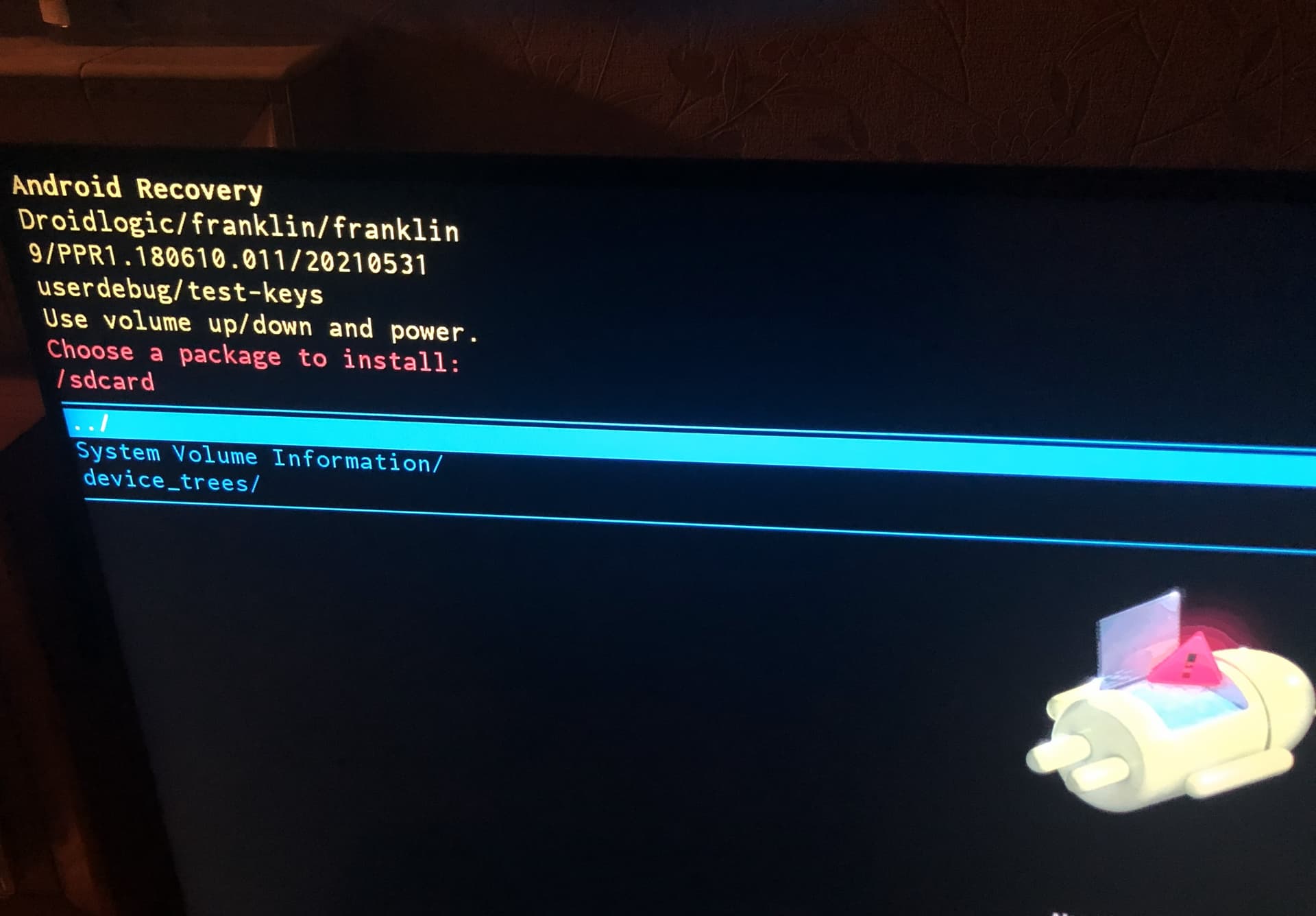
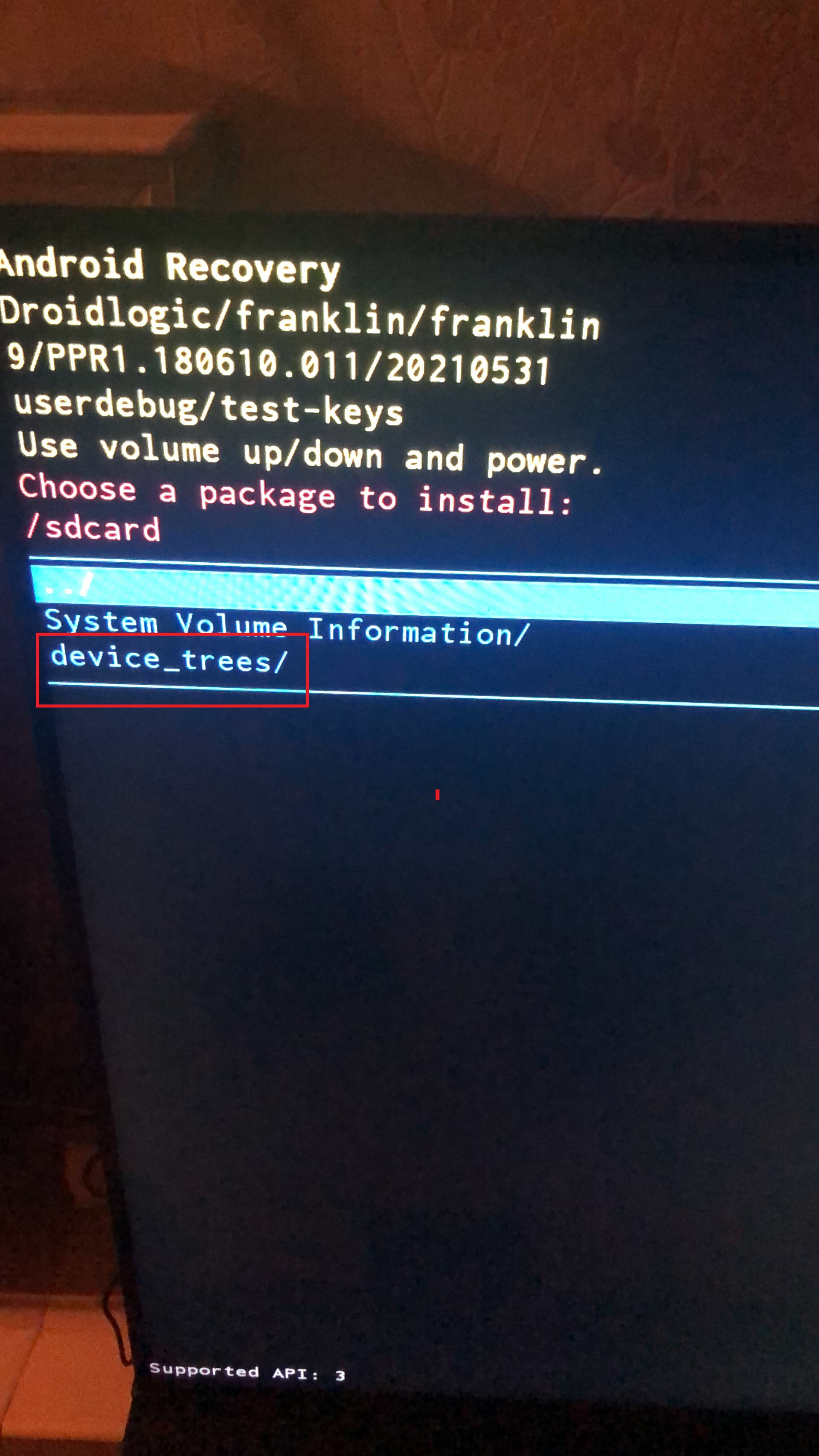
am i right in thinking if in the recovery screen - under “chose a package to install” and selecting sd card - and you can see a folder called “device trees” means that the box can indeed read the disk - so is for some reason not able to see the other files needed to boot
If it first boots to Android Recovery menu it is most likely either that flashed installation.img is not good, or wrong/missing proper dtb.img in uSD card root, or uSD card is not compatible/damaged. On first boot it should always start with installation, not enter Android Recovery…
thanks Sholander - i appreciate you trying to help me out - as its been v frustrating and time consuming
i have some progress to report - and also some strange things happening
i tried the 32GB sd that has worked once before -
flashed it with the image file again - but this time using balena etcher ( which i have tried before - but what the hell…)
same result - would not boot - went to android recovery screen - navigated to “choose a package to install” - and to “sd card” - just to see if there was anything different to be seen (there wasn’t)- but to exit i used the back button on the remote
at which point it rebooted into the CE initialisation screen - displayed the normal text logging type lines - “resizing partitions etc” - but also looked a bit glitchy - then CE screen disappeared and the box booted into android!
i unplugged power for 5 seconds and plunged it back in and it booted into CE - and seemed to behave normally
very odd -
other than using balena - which i have done before
the only thing i did differently was using the back button on the remote ( i think in the past attempts i have just pulled the power cord if it failed to boot into CE)
i have checked the SD for errors several times and it comes back as clean - and since the box has booted from it before - it seems to be compatible - and in any case we can see that the box can read there is a folder on the sd called “device trees” so its clearly mounting the disk ok an reading from it….
its v odd and frustrating - my best guess is windows 11 is doing something to the sd that the box doesn’t like - either when burning the iso or when copying and changing the name of the dtb file
will see how the installation goes - ie is it stable and does it boot reliably into CE each time or alternate with android randomly
after power off / on box refused to boot from the sd card and instead went back to booting android
tried multiple times - so looks like sd/windows/linux compatibility issues of some kind
sd is confirmed healthy
.img file is fine
box booted once to CE on fresh install - all files and folders were then present via SSH
box reboots to CE from sd reliably on other sd cards
some kind of file / format compatibility issue seems to exist that prevents the box recognising files on the sd - even those written by the box on first CE install
frustrating - looks like its just a case of lucky dip with sd cards