It works, thank you
Dolby Vision isn’t working on the Nokia 8010 either. It might be due to the Linux update in version 20260902. Maybe a new dovi.ko is needed. It seems a bug has returned. My box crashed, and my USB-to-SATA adapter started flashing rapidly. The last time I experienced this crash was many weeks ago with v21.3, there it happened frequently. Unfortunately, no log entry is created for this crash.
EDIT: v20260831(after downgrade), freeze and fast-blinking ssd during backup, maybe bug returned with one of the latest updates.
I get the following:
CoreELEC:~ # journalctl -l | grep -i dovi
Sep 03 18:25:42 CoreELEC dovi-loader[1060]: run dovi start
Sep 03 18:25:42 CoreELEC dovi-loader[1060]: loading dovi module from ce partition
Sep 03 18:25:42 CoreELEC dovi-loader[1061]: filename: /storage/.config/dovi.ko
Sep 03 18:25:42 CoreELEC dovi-loader[1061]: description: Amlogic Dolby Vision Driver
Sep 03 18:25:42 CoreELEC dovi-loader[1061]: license: AML
Sep 03 18:25:42 CoreELEC dovi-loader[1061]: vermagic: 5.15.170-android14-11-g7f9c2d1e4b68-dirty SMP preempt mod_unload modversions aarch64
Sep 03 18:25:42 CoreELEC dovi-loader[1061]: name: dovi_gen_5_15_2026
Sep 03 18:25:42 CoreELEC dovi-loader[1061]: depends: amlogic-cpuinfo,aml_media
Sep 03 18:25:42 CoreELEC kernel: dovi_gen_5_15_2026: disagrees about version of symbol module_layout
Sep 03 18:25:42 CoreELEC kernel: please rebuild ko: dovi_gen_5_15_2026
Sep 03 18:25:42 CoreELEC kernel: dovi_gen_5_15_2026: module license ‘AML’ taints kernel.
Sep 03 18:25:42 CoreELEC kernel: dovi_gen_5_15_2026: disagrees about version of symbol __stack_chk_fail
Sep 03 18:25:42 CoreELEC kernel: please rebuild ko: dovi_gen_5_15_2026
Sep 03 18:25:42 CoreELEC kernel: dovi_gen_5_15_2026: using CFI init symbol __cfi_jt_init_module
Sep 03 18:25:42 CoreELEC kernel: dovi_gen_5_15_2026: using CFI exit symbol __cfi_jt_cleanup_module
Sep 03 18:25:42 CoreELEC kernel: [dovi_gen_5_15_2026]: *** amlogic_dolby_vision_init dv: s6 ***
Sep 03 18:25:42 CoreELEC kernel: [dovi_gen_5_15_2026]: Creating DV mp success
Sep 03 18:25:42 CoreELEC kernel: [dovi_gen_5_15_2026]: Creating DV mp success
Gemini AI says:
Your log output paints the exact picture of what is happening under the hood.
The good news is that you have placed the correct file in the correct location (/storage/.config/dovi.ko). The dovi-loader found it and injected it into the system. The bottom two lines confirm it initialized the hardware hooks:
*** amlogic_dolby_vision_init dv: s6 *** Creating DV mp success
However, the “disagrees about version of symbol” errors are the smoking gun for why playback is failing.
Here is what is happening:
- The Root Cause: The dovi.ko file is a closed-source, pre-compiled binary blob extracted directly from Amlogic’s official firmware.
- The Kernel Mismatch: CoreELEC developers are constantly tweaking the Linux kernel for the AM9 Pro’s Amlogic-no nightlies. In the 20260902 build, they made a change to the kernel that altered its internal memory layout or stack-checking signatures.
- The Result: When the static dovi.ko blob is forced into the modified kernel, they “disagree” on how memory is mapped (module_layout) and protected (__stack_chk_fail). The module taints the kernel and forces its way in (which is why your UI says Dolby Vision is supported), but the moment Kodi actually tries to pipe Profile 5 or Profile 7 video data through it, the mismatched memory references cause the pipeline to fail silently.
Because dovi.ko is proprietary, you cannot just “rebuild” it to match the new 20260902 kernel as the log suggests. You are at the mercy of the CoreELEC developers patching the system kernel to ensure it remains backwards-compatible with the required Dolby Vision module.
This confirms you need to downgrade. Drop the 20260831 .tar update file into your SSD’s Update folder and reboot. That build’s kernel symbols align properly with your dovi.ko module, which will resolve the magenta Profile 5 colors and Profile 7 stuttering.
Maybe you should check that this warning is present from forever.
Wondering why there is no more “DV is not working” posts…
Thanks, but found it after remembered that i’ve seen backup-server some time ago.
When i updated Coreelec-NO from 22/8/2026 nightly to 4/9/2026 nightly, i faced a considerable audio to video mismatch on all live tv channels, to a point it is unwatchable. That does not happen in online videos (ie Youtube).
I reverted back to 22/8/2026 nightly and all is OK again.
The hardware is Beelink GT-King.
20260904 breaks audio after seeking. Going back to 20260902 fixed the issue for me.
I’m using passthrough to a sound bar. My homatics box is daisy chained through the soundbar.
I’ll make time for logs later tonight.
LE. seems logs aren’t needed - issue was widespread enough!
Hey
Dolby Vision on the Ugoos AM9 PRO still broken on the latest update (20260904), broken for me since 20260902. Dolby Vision plays in HDR and profile 7 stutters. Profile 5 has the magenta and green cast.
For context: CoreELEC set up as hybrid micro SD as the boot (flash) and external SSD as storage. dovi.ko is installed into the SSD storage/.config
Log: hastebin
Will revert to 20260831 in the meantime as it works in that build.
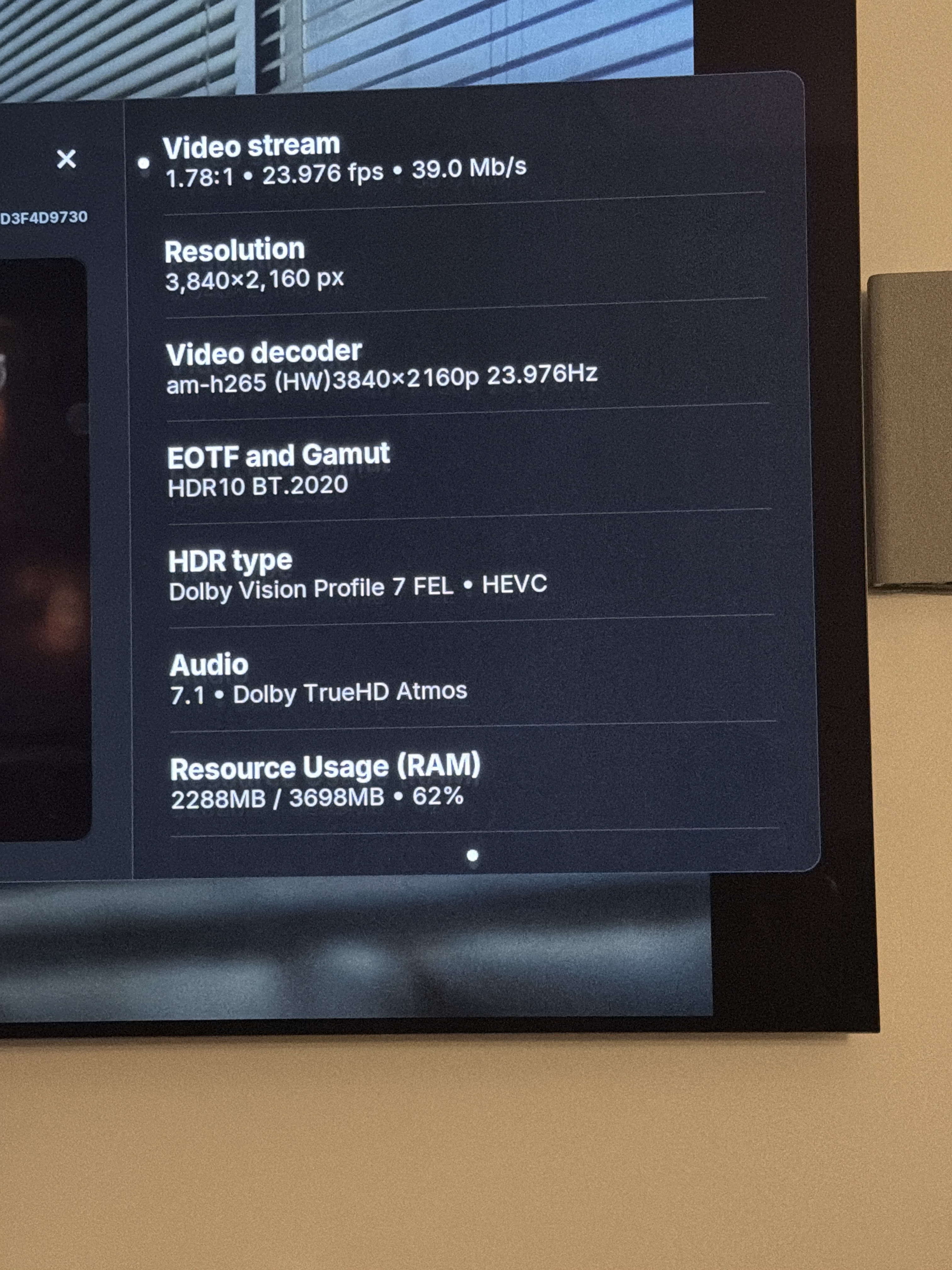
Same here.
Using AM9 Pro with PM4K, tested with and without alternate seek. Both failed in 20260904.
20260902 works fine.
20260904 breaks audio after seeking.
Same.
Also, seeking has some weird behavior. For example, if I skip up to minute 20, it will actually skip to minute 15. If I try to skip a lot further it will go back to minute 5. There is something wrong with seeking in the new update.
The no audio after seek and green/pink with DV-LL should be solved with next nightly.
Same, I’m on a Dune Homatics 4K plus, reverted all the way back to beta1 as I’m also having issues with DVD playback (no menu, just spins tring to launch, have to play vob files manually). While reverting -did fix the seek synch issues- still have the dvd playback issue. I believe this is a recent reported issue for some. Tried for a twofer fix, got one with rolling back. Was on 9/4 nightly.
Same on Odroid N2(+)
Is anyone else having an issue in which mounted USB storage is filling up despite files being deleted from it? I have an 8 GB USB stick connected to my AM9 Pro, to which I backup the latest build that passes my testing. I delete the previous backups thereafter, but somehow the USB stick keeps running out of storage. It seems CE may be merely deleting the reference to the file instead of marking the space it occupied as unused (I’m just guessing here). Any ideas?
Just another report. 0904 on AM9 Pro (running storage on SSD G Drive) Immediately after nightly update I lost audio on DTS MA and on Dolby TrueHD it couldn’t stay locked on. Also had video freeze after about 2 minutes. Back to 0902 and all is well. Will wait for an update or two.
I can confirm that 20260905 fixes audio after seeking!
The latest Nightly version from 20260905 is running really well.
Hey. I’m still having issues of Dolby Vision not working on 20260905 (ever since 20260902). AM9 PRO here. Can someone help?
For context, the 20260831 build is installed on both the microSD and external SSD, and both have the dtb.img and remote.conf files.
I’ve changed the UUID of the SSD storage and updated the config.ini on the SD card to point to the SSD’s UUID. The dovi.ko module is saved under storage/.config on the external SSD.