I use the remote from my Arcam receiver to control the Ugoos AM6b+ (Kodi 21.2, NG). A fresh 21.2 NG or nightly have all the same problem.
My Arcam remote has only RC6 codes, so i have to use meson-ir, if i want to use additional keys which are not on the original UR-01.
This works perfect as long i do not activate automatic scrolling of content information and title in AZR.
If enabled the remote is nearly unusable while the information is scrolling. When the scrolling stops, it works again.
If i use the amlogic ir driver with standard remote.conf, the scrolling does not affect the Ugoos remote.
If i switch the Arcam remote in TV Mode, the cursor keys are sent via CEC to the Ugoos. Then the scrolling does also not affect the Arcam Remote.
But in this mode there are most keys going to the TV and not to the Ugoos. So this is not usefull.
So the problem is caused from the Meson IR driver. Are there any parameters for this driver which could help?
Estuary has no option for scrolling the content,only title. So there is indeed no problem. But this is not a solution for me. At the moment i have disabled the scrolling in AZR.
But i wonder what is the cause for the problem with Meson driver and the scrolling text in AZR.
The Arcam Remote can also use NEC codes, but for this is a remote needed from which i can learn the codes for the needed keys or i need to know which of the preprogrammed devices in the Arcam remote uses NEC codes. Then i could use the Amlogic IR driver.
If ir-keytable -p RC6 -t works, then I think ir-keytable -u should work too.
Alternatively, you can load up any remote.conf to load the amremote driver. Then run these commands to enable debugging and RC6 scancode detection.
CoreELEC:~ # echo 1 > /sys/class/remote/amremote/debug_enable
CoreELEC:~ # echo 0x5 > /sys/class/remote/amremote/protocol
Press a button on the remote and check dmesg for the scancode
CoreELEC:~ # dmesg -c && dmesg
The protocol switch command does not seem to work or the RC6 in amremote is not the same as in meson-ir. After switching to RC6 it says that RC6 is active, but no keypress is logged in dmesg.
After hours of testing and searching i have found that on my remote the predefined codeset 048 for Sky is in NEC format and has all needed keys. So i was able to build a remote.conf file with the debug command and dmesg. For the Power key to switch the Ugoos on, i defined in Android an additional remote code.
Now the scrolling feature in the AZR skin is usable. Many thanks for your tipps.
But one problem is remaining. I want to use the 4 color keys to map them with the Kodi keymap editor to some actions. In dmesg i see 4 different scancodes for the color keys, but the keymap editor recognices all as 61592. I have found an old report of this Coreelec problem in the Kodi forum, but there was no solution listed.
I was going off of what CE reports (may be different in Android)
``` CoreELEC:~ # cat /sys/class/remote/amremote/protocol currnet protocol = NEC (0x1) supported protocol: NEC (0x1) DUOKAN (0x2) XMP-1 (0x3) XMP-1-RAW (0x83) NEC-SW (0x81) RC5 (0x4) RC6 (0x5) LEGACY_NEC (0xff) TOSHIBA (0x6) rca (0x8) RCMM (0xa)
```
Maybe the remote was using RC5? The remote is programmable and can do different protocols too?
What if you don’t define them as green, red, blue, yellow in your remote.conf file, and instead use some other definition, does kodi allow them to be mapped separately then? for example Event code 59 (KEY_F1) Event code 60 (KEY_F2) Event code 61 (KEY_F3) Event code 62 (KEY_F4)
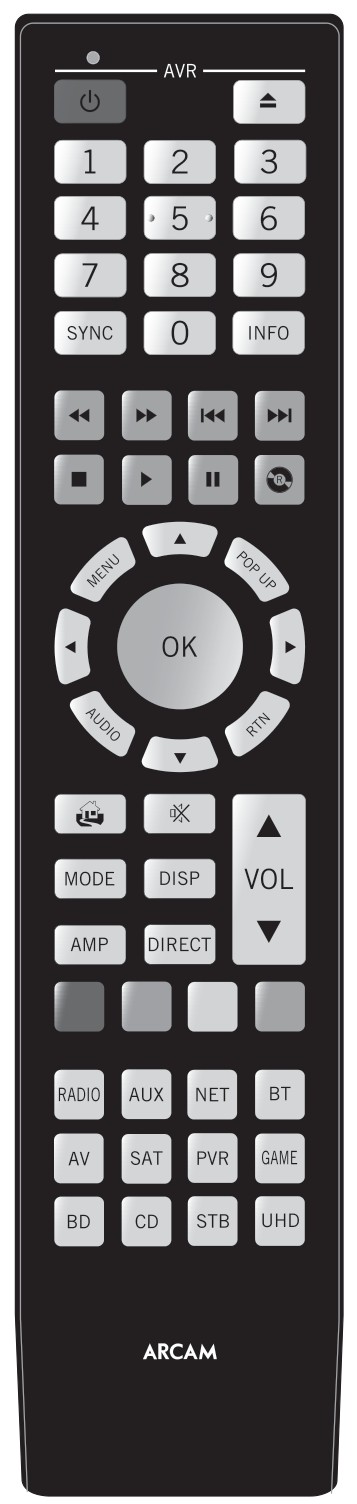
What is the model of the Arcam remote? And if you can find a photo on google, the remote.conf you created can be added to the amremote profile repo.
Now i have a remote.conf which is good for me. But it remains strange. The 4 color keys and the key DIRECT have different scancodes, but Keymap editor shows them all as 61952, whatever Kodi key i enter in remote.conf. With one exception: Green with KEY_REPLY has a unique code in the Keymap editor. I have tried many Kodi keys but i could not find more usefull Kodi keys.
Here is the final remote.conf and a picture. The lower 8 keys are for device selection and can be programmed with a predefined codeset (with a 3 digit number) or the keys can be learned from another remote. I have no information which codeset has which IR protocol or what keys are defined in it. I was trying for hours to find a usable remote with NEC protocol.
Last and final version. The 4 color keys are now usable. The DIRECT key has in the keymap editor always the same number as the YELLOW key, even if it is not in the remote.conf!
If I was buy this remote off ebay and factory reset it, would this remote.conf work for this model remote right off the bat? Or did you program this remote somehow to use the NEC protocol?
Put another way, is this a NEC protocol remote, and it was just a subset of 4-8 buttons that were programmable and programmed to use the RC6 protocol to communicate with your other equipment?
This is a sort of universal remote for up to 8 devices which can be programmed by 3 digits codes. I can now use all keys in my remote.conf.
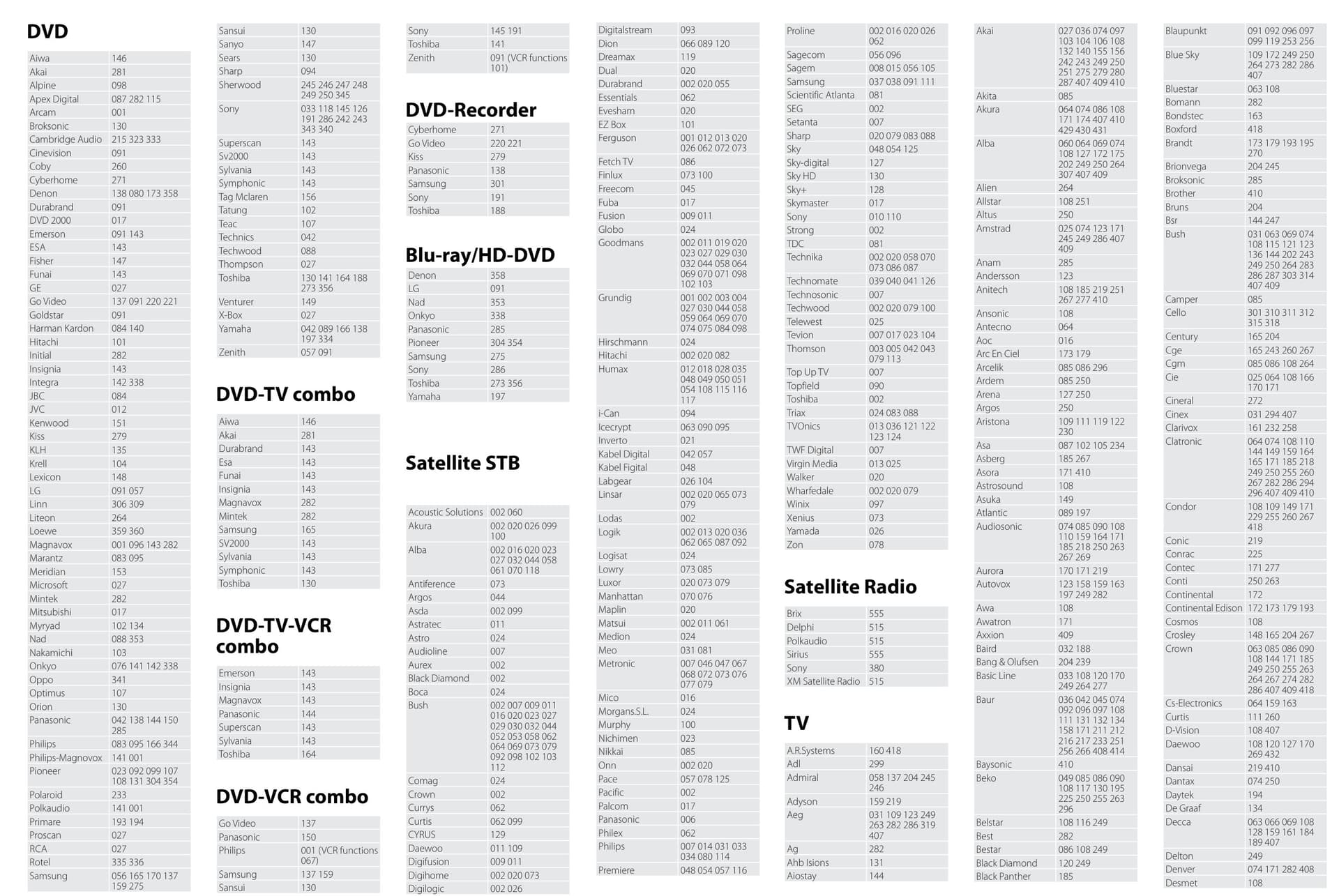
I have connected my Ugoos to the PVR HDMI input on the AVR. So i set the PVR key to Codeset 048, which switches all upper keys to a Sky remote with NEC protocol. Some codesets are NEC, some are RC6, but this is not documented. Additionally you can learn single keys from another remote.
I’m asking because the amremote repo has remote.conf files that are meant to work without any extra configuration. If someone else has this Arcam remote, grabs this remote.conf from the repo and it doesn’t work because it requires extra configuration of the remote that wouldn’t be any good.
It’s better they find the remote.conf here to follow any extra steps, if there are extra steps. It’s still not clear to me.
I understand there are equipment keys that have to be programmed, but what about the main buttons (DPAD, ok/select, numbers, back etc)
I will try if i can make a remote.conf with the out-of-the-box settings of this remote.
At the moment i had made this one time: press PVR and 1 together for 3s, press 048, press PVR. After this all works (DPAD, ok/select, numbers etc). The color keys are special because they do not work with the usual definition and you have to use the keymap editor.
But there is one thing remaining: let’s say it would work out of the box after pressing the SAT key. This key press will send a IR code which activates the SAT HDMI input on the ARCAM AVR, so you have to connect the Ugoos to the PVR HDMI input.
How about this one? You just have to rename it to remote.conf and press STB to activate it (active until you press another device key). And connect the Ugoos to the STB HDMI port, if using an Arcam reveiver.
Problems: in this codeset are some keys not existing, see comments.
The color keys have the same problem as with my other remote.conf file. Is this a hardware problem with this remote or is there a problem in CE 21.2 NG or the keymap editor?
Now i have remote.conf files for default codesets on the STB and PVR keys. If using an Arcam reveiver, the Ugoos should be connected to the corresponding HDMI Port. If using another receiver you have to switch manual to your HDMI port, because i don’t think the IR command which is sent by the device key itself could be changed. In both files i had to define the color keys as F1-F4 to make them usable in the keymap editor.
For the UHD and Game key remote.conf or ir-meson is not possible because this keys have no predefined codesets and can only learn from another remote.
The default BD and SAT keys have RC6 codesets and would only work wit meson-ir. But i don’t like this, because it has sometimes bad performance problems. The command to switch the Amlogic protocol does not work!
I will test both files tomorrow with every key and then make an upload.
That RC6 thing is really strange. For example with the STB device key ir-keytable says the keys are RC6 and remote.conf after protocol change with echo does not recognize any key.
But if i switch back to PVR without changing back to NEC mode, then there are also no keys recognized. I have to use echo 1 … to get the PVR keys working again (or reboot).
So the echo command changes something, but there is something missing for RC6.
I have here some older remotes (Oppo,Technisat …) which i will check for their protocols and try them in the next days.
You can use the mode2 command and the irstrutinizer program (mentioned somewhere above) to show you the raw pulse timing, to determine what your remote is actually sending out, and the protocol, if you are really determined to find out.