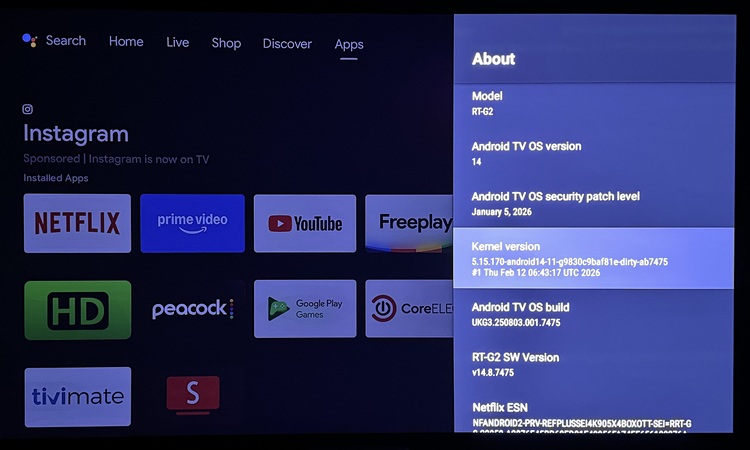
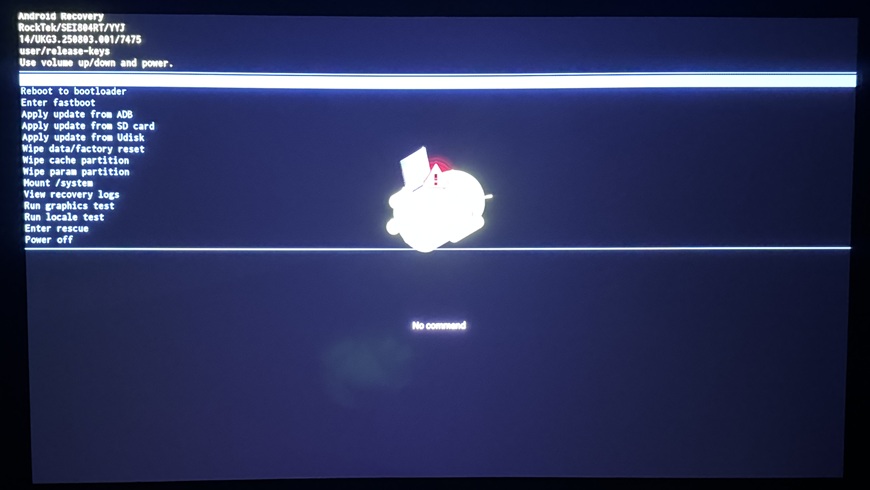
Has something changed w/the latest f/w that came installed? Can’t get CE to install. Tried adb reboot method, toothpick in reset hole method, and using Reboot-to-CoreELEC app choosing ‘First Boot’.
Have OEM Unlocking enabled, and USB Debugging enabled. Tried with both USB host mode enabled and disabled.
There is actually a very relevant recent G2 report from June 2025 where someone had essentially the same behavior: a new RockTek G2 would repeatedly reboot shortly after the RockTek logo with both USB and SD, even after trying different sticks/cards, CE20/CE21, different DTBs, reset-button boot and ADB reboot. They eventually reported that CE22 worked, seemingly without knowing exactly why.
And there are more recent reports showing RockTek G2 + CE22 working from external media, including a G2 running a CE22 nightly with the correct DTB and dovi.ko.
So I would not conclude that USB 3.0 is unsupported on the G2.
What I suspect in your case
Because yours is a new G2 with newer firmware, I would first try CE22 rather than CE21.
CoreELEC’s own announcement specifically identifies the RockTek G2 as an Amlogic-ne/Dolby-Vision-supported device, and CE21+ uses the newer 64-bit Amlogic-ne architecture.
The interesting thing is that the other G2 owner with the boot loop had tried CE20 and CE21 and then reported that CE22 fixed it.
What I’d do next
Don’t change anything on the Android installation yet. I’d test this in the following order:
Use the latest CE22 nightly for Amlogic-no/aarch64.
Write the .img.gz to a different USB stick, preferably a basic USB 2.0 stick if you have one.
Put:
dtb.img = sc2_s905x4_sei_smb_280.dtb
appropriate dovi.ko
in the root of the CE partition.
Try the recovery/reset-button method again.
If it still boot-loops, try the microSD card.
If both USB and SD produce the same loop, then we’re probably dealing with the newer G2 firmware/bootloader rather than the storage medium.
The same 7475 firmware and kernel version is also officially released for the other SEI804 series (Dune) Homatics R Plus, Dune Premier and Nokia 8010. The Dune’s officially even got a higher firmware (8963) and kernel version.
The Dune, Homatics and Nokia 8010 all boot just fine with CE 21.2/3 and 22, and using USB3, these boxes I all have. The Rocktek is the one I can’t try. The NE that shows on the CE download page is not the one to use. It is NG or NO, not NE.
The OEM unlocked setting has no real function
What gives me CE boot issues is when using a M.2 PCIe Gen3 NVMe drive in a USB enclosure, that one almost never boots to CE and mostly goes to Android TV recovery when trying to CE boot with it. Using USB Gen. 3.2 (Sandisk Extreme Pro) works just fine with the same CE installations.
If you mean the USB -C connector port I tried it on my G2 and don’t see anything on lsusb. The manual does say that it is a charging port. Booting from the blue USB port does work.
Not sure if a Homatics tuner would work on it (I don’t see anything in Android when I plug it in.