Unfortunately still nothing.
Right now I’m giving up and back to native Android Moonlight app.
Does 4k HDR work with moonlight-embedded?
I just installed the latest version of Luna on my CE21 Homatics box. I was able to connect it to Sunshine, but I only see a black screen when I connect. I can hear sound, though. I tried changing some display and sound settings, but nothing worked.
@Riebeck same here, just tested it on a S905X3 box and I can hear the sound but the screen stays black. I tried with h264 and h265, different resolutions and the same result. Did you manage to fix it?
@TheNoor is this still maintained? I attached a log in case you find something useful there. I removed some unique IDs just in case. Tested script.luna-2.7.0.1.00ee40f-then00r-ng-arm-21.zip from a few messages above, which I think is the last available version.
logfile (41.3 KB)
I was able to get the script.luna-2.7.0.1.00ee40f-then00r-ng-arm-21.zip install to work using the regular coreelec launch script on Amlogic S922XJ am6b+. Though it was inconsistent, so I gave up on it. Honestly if you’re reading this, it’s probably not worth your time trying. I’d love to see a revival of this.
Notably, the coreelec OS supports 120hz refresh rate while the android 9 OS that Ugoos provides for S922XJ only supports 60hz. Since the last update to the android OS was almost a year ago now, I’m not expecting that to change. Android 11 does have ways to support 120hz so it’s kind of a shame. The new moonlight-android (artemis) client works REALLY well with the new sunshine (apollo) server. I will be using that at 60hz until I can find a way to get 120hz. If anyone has a better setup for the Amlogic S922XJ, PLEAASEEE let me know.
For the people @s905x3 @Riebeck who get a black screen, it most likely has to do with the combination of audio devices you selected in kodi and in the addon, see the readme in the zip where I explain. And in response to @tpsteiner I actually have kind of given up… I’ve been trying to get 4k@60hz HDR for over two years now, but I’m kinda relentless when it comes to hitching, micro stutter or general jerkyness and I’ve just never been able to mimic the feeling of direct play even on a 10gbit network with zero congestion and QoS geared towards streaming. So for in home streaming I’ve resorted to a 20m AOC hdmi cable and when I am on the move I only stream 1080p which gives a “close as it gets” feeling where any setting using 4k will just turn into a choppy mess. The main problem with our Amlogic boxes seems to be that, aside from steady video framerates, there is no real way to control frame presentation when there’s a variable framerate so any little hiccup in frame timings will totally offrail the fps vs the refresh rate resulting in momentary stuttering more often than I’m willing to accept. So unless there’s a new mechanic uncovered in one of the proprietary kernels by amlogic I don’t think there’s a lot of life left for the Linux side of things. Better stick to Android for now.
I was able to fix moonlight-embedded to work on the Vero V which runs OSMC and has a AMLogic S905X4, so perhaps the fix is the same for your use case: Vero 4K support · Issue #573 · moonlight-stream/moonlight-embedded · GitHub
You might also need this script as well: Vero 4K support · Issue #573 · moonlight-stream/moonlight-embedded · GitHub
Hey Guys,
I am running CoreELEC on an Odroid C5, which uses the S905X5M SoC. Is there any chance to get Moonlight working on that?
Before i start fighting with the installation, can this “moonlight” do custom stuff like 1280x1024@75fps or is it as limited as the android version?
And is latency comparable with windows/linux client latency or is it much higher?
I wish i could use my old S905 Box for tvheadend server and a moonlight client. 
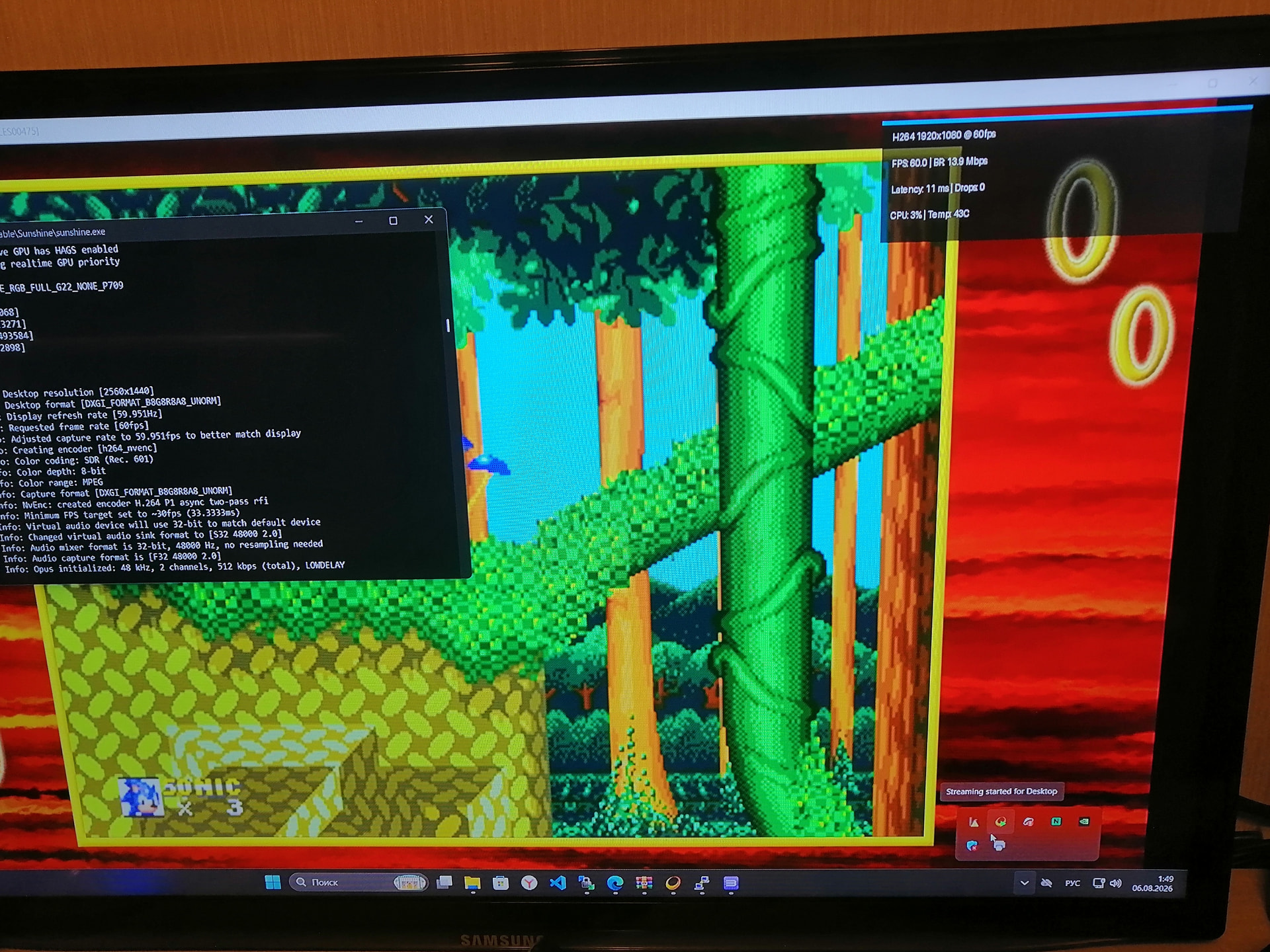
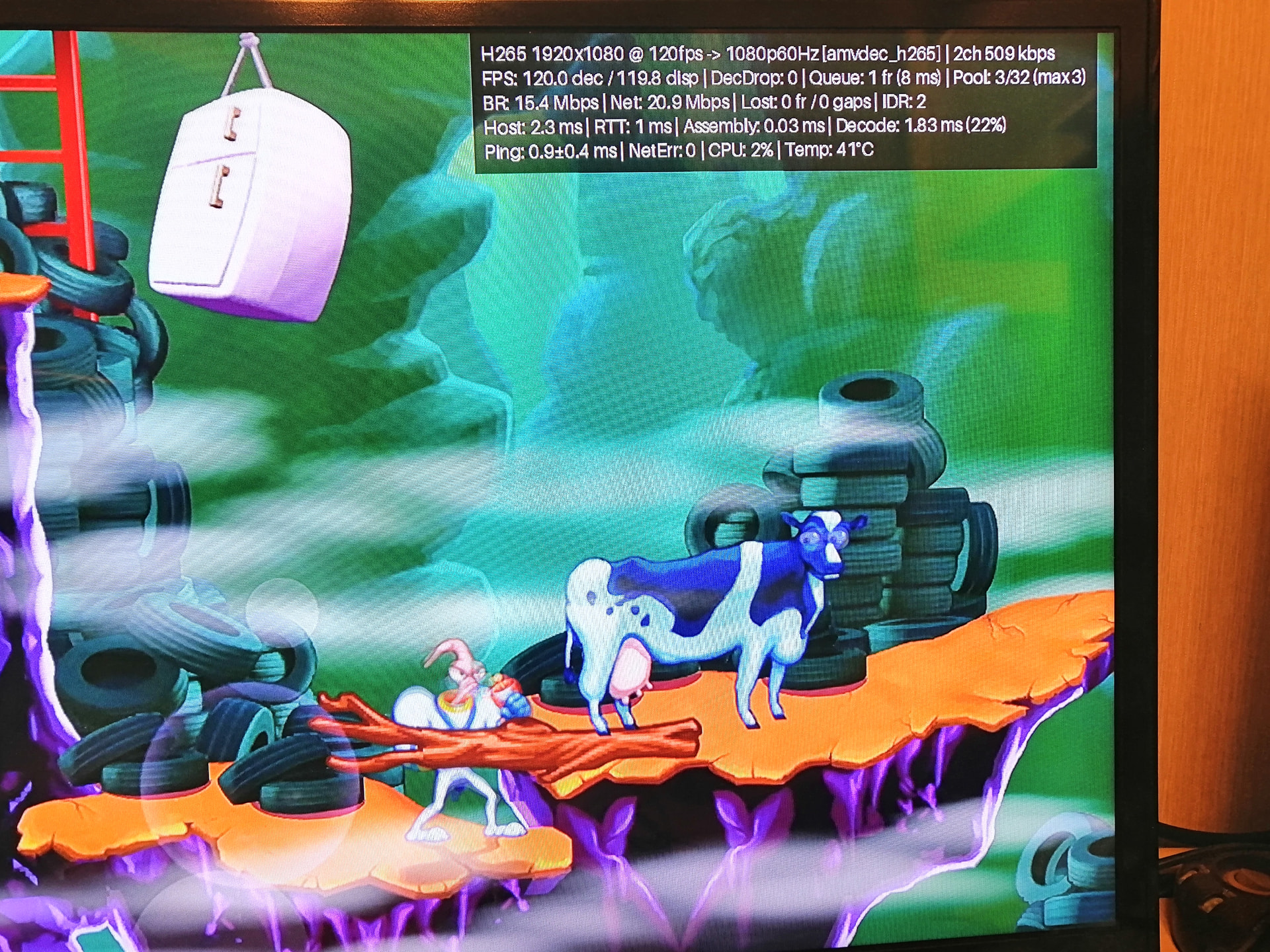
It’s not easy… but it’s coming soon…
- on-screen performance stats
- reduced input lag and increased performance
- more customization options and fixes
…and even more, exclusively for CoreELEC
P.S. I haven’t forgotten about the picture-in-picture feature for Live TV..full hardware decoding multiple for both H.264 and H.265 streams (including simultaneous H.264+H.264, H.264+H.265, and H.265+H.265 playback, as well as 4K support) is already undergoing testing. No changes to the CoreELEC or XBMC code… it only works in testing with the latest CoreELEC nightly builds.
Haha, I wanted to come back to use kodi for moonlight again i see its not dead  I’m really glad someone is taking it seriously. @vortex
I’ve got my own way for it — I’m just doing it for fun, mainly for my kids. I can share it if anyone wants to test it.
I use DRM v4l2, and own interface for moonlight.
I’m in a similar situation  I think I’ll post a link for testing today. Of course, things might not be perfect just yet, but I hope Moonlight fans will be happy.
I think your version will be better, since it doesn’t need V4L2 module.
v2.7.1.275:
- initial rework
- add on-screen performance stats
- reduced input lag and increased performance
- fixes audio and surround mode
- add new options Luna addon
- add cec volume controls
- added app sorting into folders (folder paths can be used for widgets or shortcuts)
- added app icon display
- other minor fixes
v2.7.1.276:
- Fix: CoreELEC requires a reboot after a clean installation.
v2.7.1.277:
- Fix: The correct way to launch multiple instances of the Moonlight add-on
Based on Luna by TheChoconut.
Folder paths can be used for widgets or shortcuts
For example, for the Luna plugin:
plugin://script.luna/?content_type=game
For example, for a folder named Apps:
plugin://script.luna/?action=apps&folder=Apps
For example, for a folder named PS3:
plugin://script.luna/?action=apps&folder=PS3
It is recommended to use only the latest version of Sunshine and the latest CoreELEC-NO nightly build, as it has undergone the necessary testing.
Tested on Homatics Box R 4K Plus, Ugoos AM6b+, AM9Pro.
Build based on the second-to-last commit of moonlight-embedded (f7dc33c Mar 28 2026)
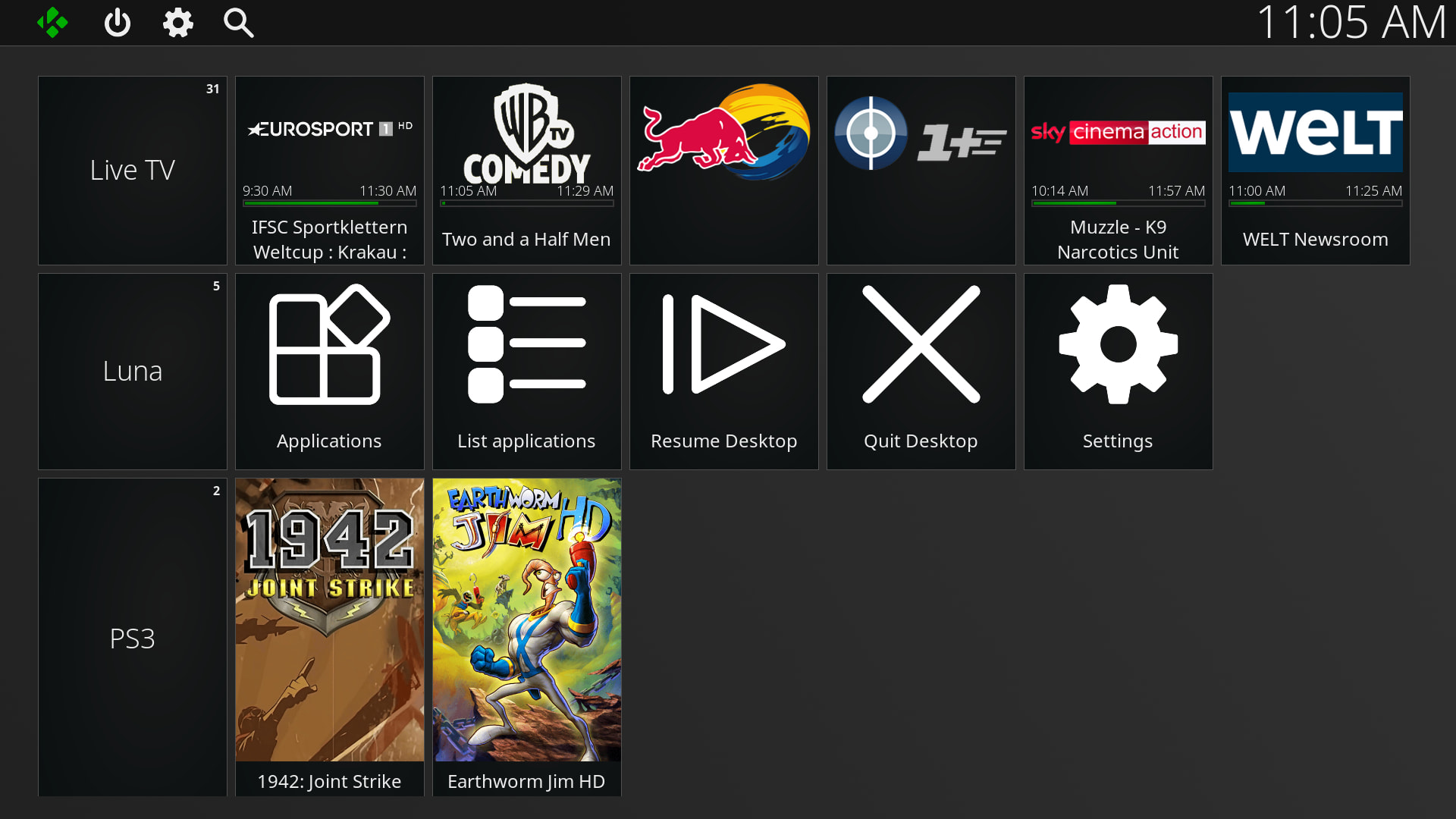
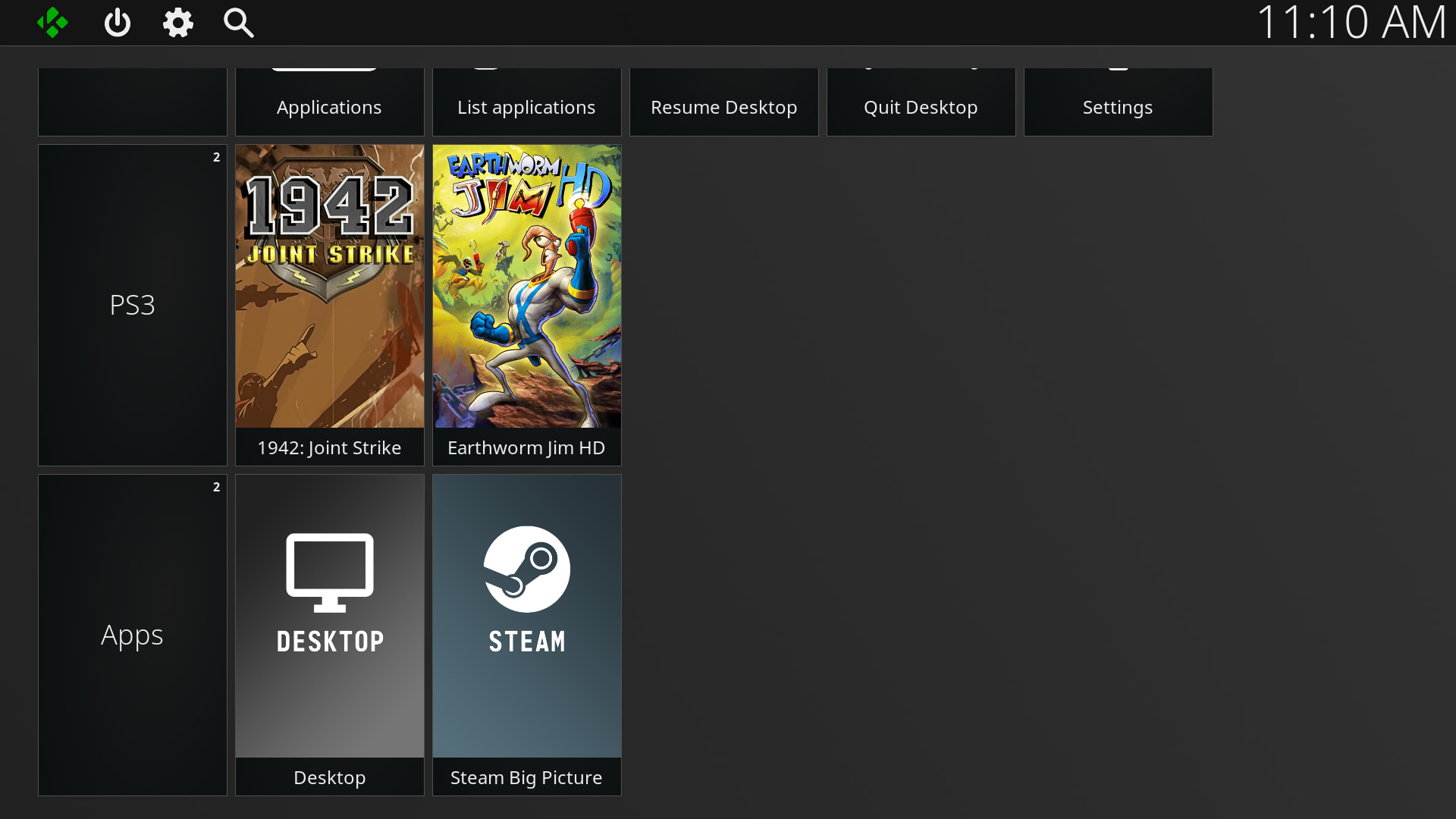
My way Moonlight with a lightweight interface. It stops kodi on startup (with a short delay, because the stop command needs some time), and starts kodi again when you exit.
My version works with the DRM/V4L2 modules, so they need to be installed.
- Full-screen menu on a DRM, no Qt or SDL — Kodi stopped while it runs
- H.264, HEVC and AV1 decoded on the VPU through V4L2, scanned out without a copy
- Display mode matched to the picture, so 2K is not upscaled twice
- Frame pacing: newest frame wins, drops are counted
- Stats overlay: network, decoder, pacer, packet-to-screen, host latency, RTT, network errors, CPU, temperature
- All four Xbox motors working, i also made driver for windows based on WinUHid
- Controller tester: devices, buttons, every axis, each motor in turn
EDIT:
Since the module is compiled against the Kodi 22 nightly version and its kernel, I doubt it will work on older CoreELEC versions. Just like @vortex version, it also requires a recent build.
While trying to run your version, I noticed flaws in my own—though I haven’t managed to run yours yet. Please provide step-by-step instructions on how to perform the installation correctly. My version picked up your binary file. I’ve fixed it. On which CoreELEC version and processor version/device do you recommend the installation?
Install the module first, then Moonlight. Nothing special
The module does not start automatically on boot. Moonlight loads it on startup and unloads it on exit, switching back to the original decoder.
I write it in yesterday night but fixed most bugs today, most thing was connected with new windows driver for gamepad, i need compile own sunshine.
I played around with moonlight-qt, i get working version but the interface was terrible and the package was huge.
I’m compiling another version of Sunshine with the new gamepad driver (free, based on WinUHid) and SudoVDA support (like Apollod) for Windows. I’ll share it later.
Built against the CoreELEC release, not against one box: the modules load on any device running the same build. The decoder appears where the device tree enables vcodec_dec — confirmed on S905X4 (SC2).
I tested it on the CoreELEC-NO nightly build from 31.08.
I managed to get it running on a different test rig, on the first one, I was getting a black screen, even though the menu was clearly in the buffer… I’ll look into that later. It turned out beautifully — @skupi where have you been all this time?
It still needs some polishing, but how works streaming, performance?
V4L2 is already included in the CoreELEC kernel sources, but the kernel is compiled without that module enabled. I just compiled the module from the CoreELEC sources, nothing more.
The driver is not loaded at boot. My Moonlight launcher loads it before starting Moonlight.