I’ll only be able to test it at the end of the week—or maybe a little earlier—and I’ll let you know.
I’m going to give both of these a go properly, haven’t used moonlight on Kodi/CE for a long time . Both implementations look good here, the only hiccup I’ve found with your version @skupi is it says 2560x1440 is not available and will be upscaped and when I briefly tried that the quality of the image didn’t seem too good. Is there something I’m missing or can it be worked around?
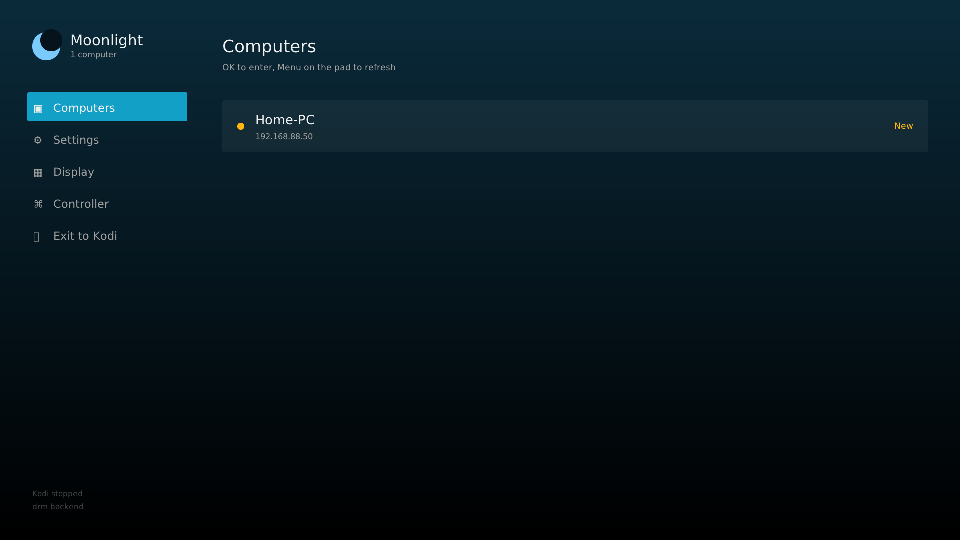
Comparing them is a tricky matter. The two plugins use different rendering methods. Measuring input lag in my case is practically impossible—or at least I don’t know how, since the frames go into amvideo, Freerun mode… Perhaps someone has a monitor with Reflex Latency Analyzer or LDAT. I might build a test setup myself when I have time… or maybe someone else already has one. In any case, there are two working versions of Moonlight for CoreELEC, and there might be more in the future. Right now, the main thing is for it to work stably and without errors. I might add DRM later… But I think the current vframe and freerun will be faster… But that’s not certain, @skupi has an interesting approach to frame output. @skupi made his own—excellent, original, and functional—whereas I have the classic one… There’s a choice, everyone can decide for themselves.
Anyone tested my way at 2K or 4K at 60 FPS? I have strange tearing, 30fps or 1080p@60 is fine. Its looks like decoder read buffer before its has been written.
New version .146 in this build:
- Fixed dropped packets at high bitrates. The kernel’s receive buffer here is
smaller than a single 4K keyframe, and moonlight could not tell, because
asking for a bigger one silently succeeds and hands back the old size. It is
raised while streaming and put back afterwards. - Fixed box art going blank after a stream and never coming back.
- Fixed the menu freezing while it asked for cover art a host that had just
ended a session was not ready to send. - The settings screen shows which video backend is in use, and where it is
chosen - the addon’s own settings in Kodi. - AV1 decodes in hardware; before it fell back to software and could not keep up
- HDR says what it will actually give you instead of implying it works
- Capture buffers from the display driver, off by default, the route to HDR
- Pads stop rumbling when a stream ends
- Reed-Solomon FEC runs on NEON, so less CPU per frame
- Audio channel count in the statistics overlay
- Resolution list puts the television’s own modes first, the rest starred
- 1440p lands on 2160p instead of being shrunk onto 1080p - @Adam86
- Every display plane and the pixel clock are logged, so a black screen is diagnosable
- Own icon, in place of the Moonlight logo
- Fixed: a stream that changed resolution could show a freed buffer
- Fixed: two bugs in the HTTP client
I will try your newest version over the weekend, been a busy week so only had a brief try. Does your client support the Sunshine fork named “Apollo”? I’ve felt a little put off this week after reading the direction with wanting to pay for licensing to use newer HID components on the official Sunshine version.
Both should work, unless something major has changed in “Apollo” —but we’ll figure it out if need be. I haven’t tested it on “Apollo”.
@Adam86
Apollo won’t really help you. It hasn’t been updated in a long time and it doesn’t have the alternative driver either.
I made my own version of Sunshine with the free new HID driver built in. I had quite a few problems along the way, but now it works.
It correctly detects Xbox One S controllers on Windows. All four vibration motors work, and the triggers also have full analog sensitivity. All Xbox One S features are supported, not just Xbox 360 compatibility.
I need to figure out how to publish it, since I’ll have to rename it because of the license.
I thought Apollo was actively maintained as they looked to have built their own HID driver on the latest beta? In fairness I’m not fussed whether I use Sunshine or any alternative, as long as my Xbox Series X controller works over Bluetooth! I have tested connectivity with Apollo though and it did appear to work and the Desktop seemed pretty smooth and 1440p looked to scale much nicer now too. Hopefully get to have a shot with a game over the weekend!
.163 moonlight gui and v4l2 driver
New in this build
- some fixes to driver,
- stats overlay no longer wrecks the picture at 2K60 and 4K60,
- New setting: capture buffers from the display driver (UVM). Off by default.
Add vframes for decoder, less write/read an uncompressed copy of every frame, and it is the only route to get working HDR. - A second stream in one session no longer comes up black with sound.
- The menu moves faster, and box art no longer freezes it.
- A computer that was off when the menu opened no longer looks dead, just press OK.
- Pad tester: hold LB+RB, press B to leave or A for the motors. Every button
on its own stays a button to test. Axis numbers line up with their bars.