After reboot there was update to nightly-20251210, which I did perform then auto reboot (dmesg log).
After update reboot there was Changelog popup, but not “missing ‘super’ partition on eMMC” message. But maybe that is limitation of only one popup, because I did then a manual reboot, and then “missing ‘super’…” popup was back. Latest reboot dmesg log).
Here is journalctl -l log.
Note: indicates The ucode driver version is v0.4 [...] The firmware version is 0.4.184-g949d344, different from weird version 97.105 from tee-loader / read-firmware-version:
Also as request: video_ucode.bin (SHA256: 2b16734c85203cfde81d51cfd36755776a949c2b6f1c7cc54fe190f24b4cd5ec) - and, in case, vendor-video_ucode.bin (SHA256: 74d0ddc4dcc4630c1d2dabd71608bb39a864798d5855a27716da3e73eb6d4b1e)
Terminal sharing is open, connection name nocturnal, invitation sent - please be free to perform all actions you need on the device, no problem.
I appreciate very much all help and knowledge to solve the issue. Also please ask anything I can do: I am very happy to help and learn on this.
I found the error, although the WD My Book is no longer recognized by Coreelec, it works perfectly on a Win 11 PC. I connected another external hard drive to the Ugoos AM8, it is recognized immediately. Everything is very funny.
nocturnal, tee-loader will be fixed in next nightly regarding reading ucode version. But video firmware still failes and needs more updates of different files.
Dec 10 14:50:46 KODI-Q96-M200 tee-loader[401]: Android ucode version: '4.184'
Dec 10 14:50:47 KODI-Q96-M200 tee-loader[401]: Using CoreELEC ucode file '4.184' for S905X5M
Thank you very much @vpeter for your time and this investigation.
I had a look on your change in read-firmware-version to learn. Very elegant!
I am happy that I did find at least this version behavior to very little help with the development.
Do you need the device to stay power on and terminal sharing? Or now is it OK to power off? (and power on in the future if you need, of course)
I will continue to learn because now my knowledge is not enough to help more and understand cause of the video firmware load fail, and how to fix this. My apologies.
@Joe_90 I want to try some new approach about this channel mapping.
I did revert to the audio status like before the changes.
So please select Multi Ch audio device and setup 7.1 and best match as like default.
Disable passthrough just to be sure LPCM is used.
Then try like only a FLAC 5.0 and check if correct speakers are used.
The new attempt will fix Kodi channel mapping to be correct.
But it also fix tdm.c channel mapping by changing the device swap value by the current use channel mapping. Not sure if this will work as I can only test 2.0. At least I was able to swap left/right
So please make a “hear” test if correct speakers are used now with these changes.
It should work for other channel mapping to.
Ok - I will test now. I was actually creating a logfile just now of the “Fixed” audio configuration to show how it reverts to a 2.0 output (with the set sampling rate) after a reboot. The logfile is at https://paste.coreelec.org/TenorHanson
But, perhaps your new build changes everything? I will test and revert to you
5.0 file played at timestamp 16:17:03. FL/FR/FC played ok. Rear left - nothing heard. Rear Right heard on FC speaker.
Other 5.1 or 6.1 or 7.1 files played back ok on their correct speakers. My 3.0 played only FL and FR (no FC). My 4.0 played only FL and FR (no RL or RR).
Can you check for any Android updates and post the version which is installed on your device?
And where can I download firmware? Because I have installed some “special” version but OTA update doesn’t find anything newer.
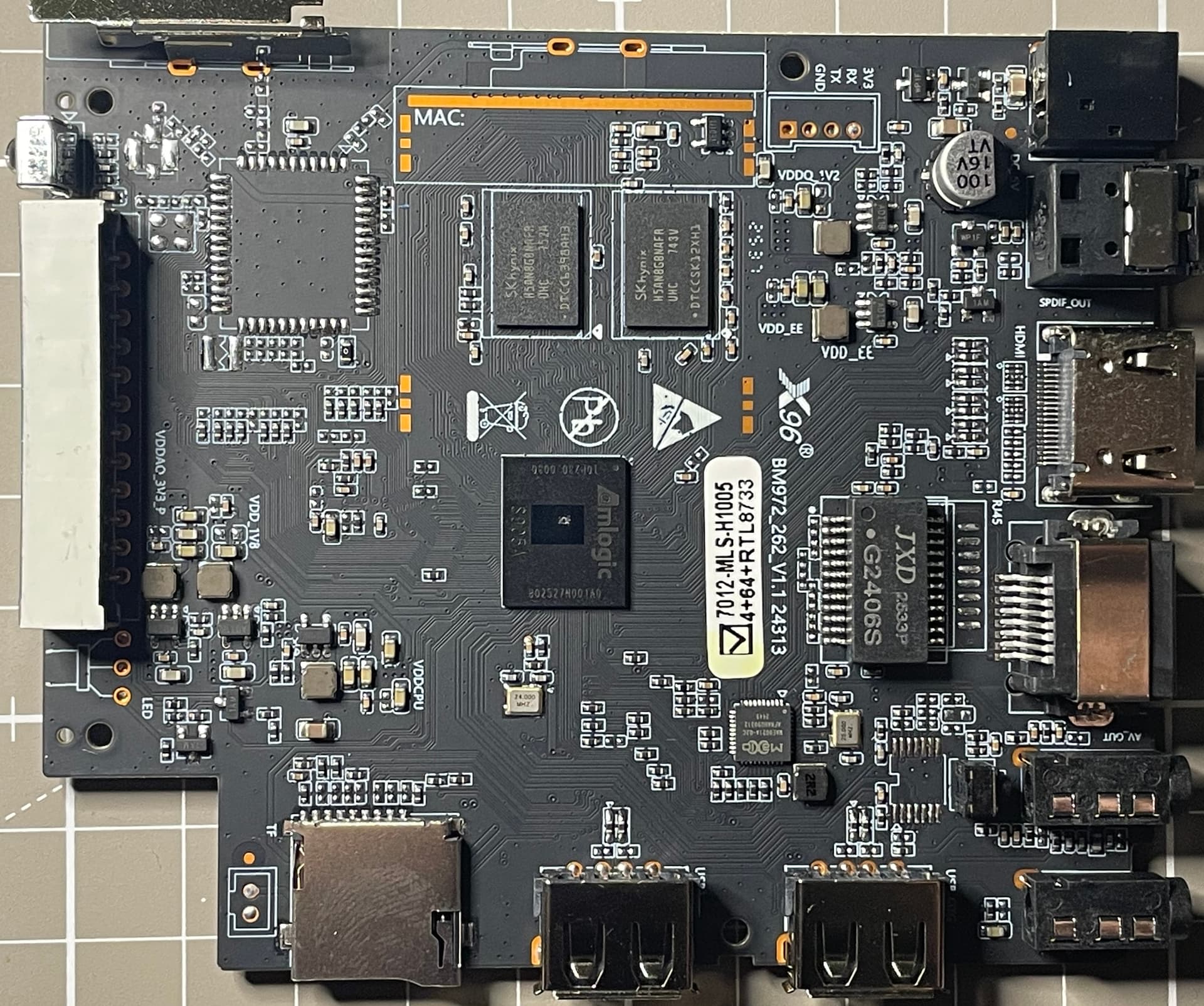
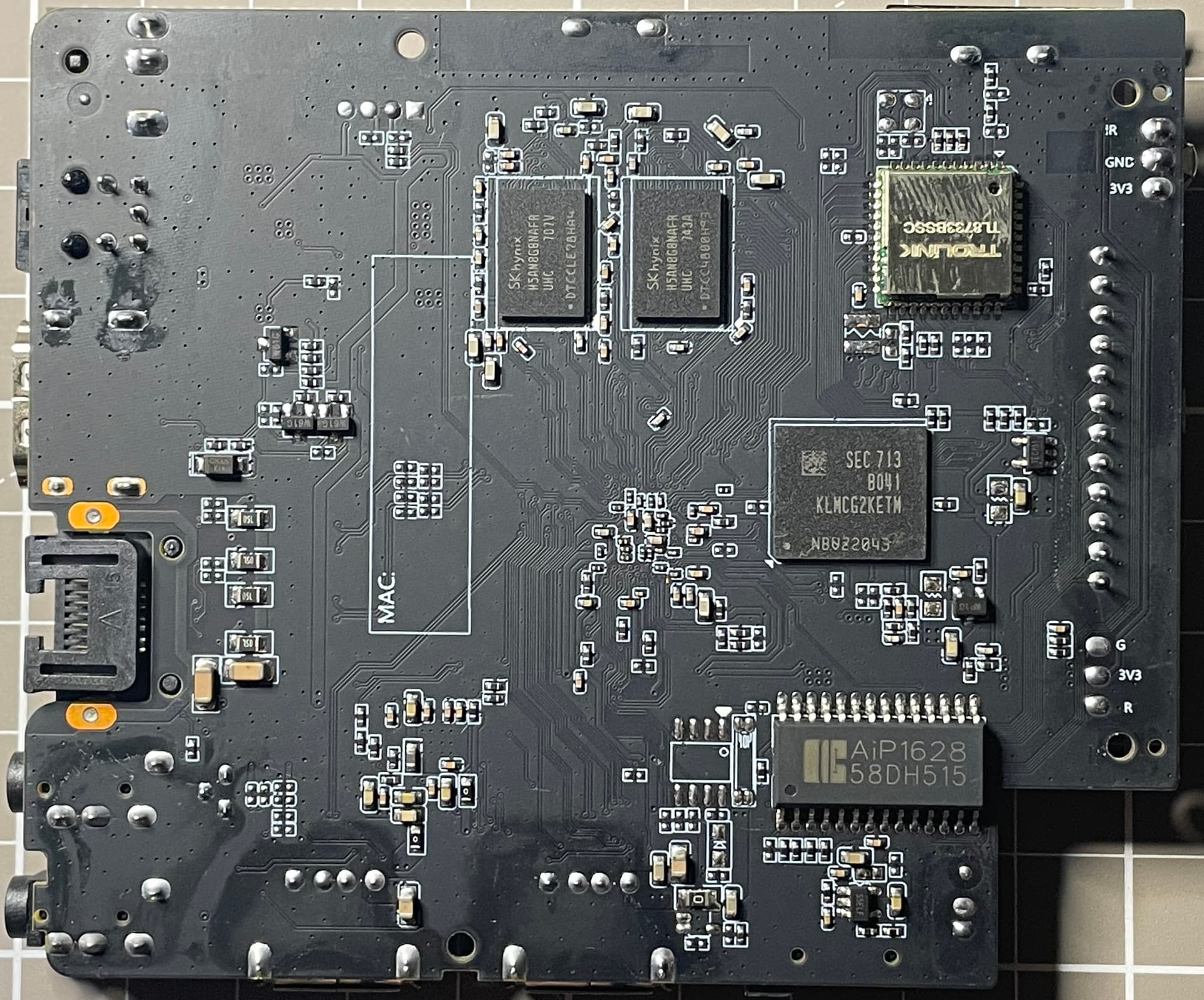
Alright, back to you @vpeter with some data for my X96 M200 device.
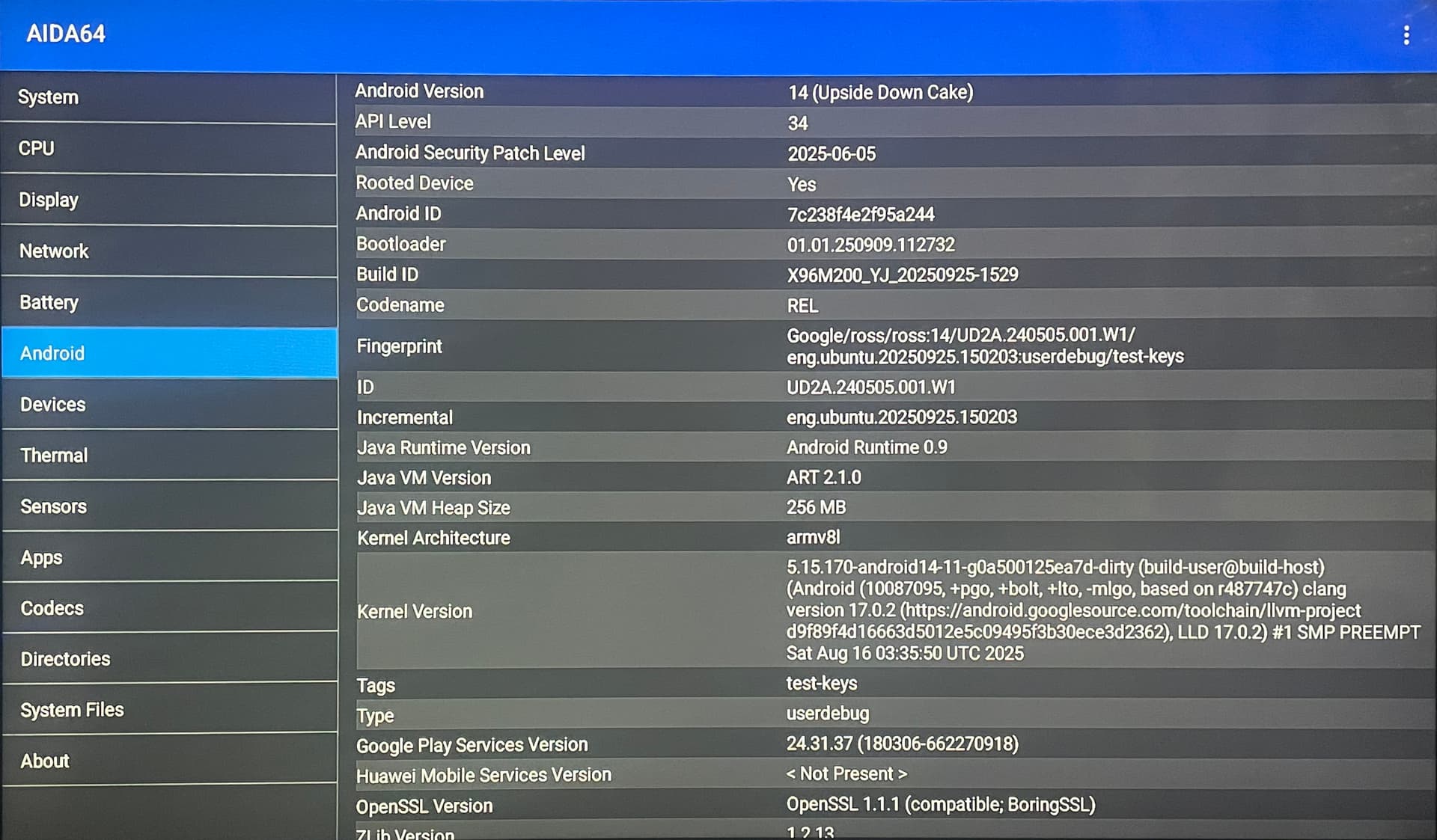
Android information (full transparency, I am no Chinese Android TV box expert, first time, more knowledge for normal Linux systems ):
Description
Value
Android Version
14
API Level
34
Security Patch Level
2025-06-05
Bootloader
01.01.250909.112732
Build ID
X96M200_YJ_20250925-1529
Kernel
5.15.170-android14-11-g0a500125ea7d-dirty #1 SMP PREEMPT Sat Aug 16 03:35:50 UTC 2025 armv8l
The Android information for me is the same on the two X96 M200 I have, both purchased together at mid-November - from this AliExpress listing (before it was “S905X5M” only, now indicates “S905X5M (S905A)” and say it is same), sent from China 2025-11-20.
Note: with no surprise, CE-NO 22-vpeter behavior is the same on both Q96 M200 I have.
No update available (from Android Settings menu, and from weird “Updater” app).
For now I have no idea where to download factory firmware: X96 M200 / M300 models are in X96Mini website list, but no firmware link in list, so I did ask AliExpress Seller and now waiting for reply. Maybe tomorrow when sun rise in China.
Also, I was thinking: if tmate / Terminal Sharing allow SSH Port Forwarding, and you want ADB shell directly to investigate Android firmware, I can setup the two X96 M200 on same network at same time, one running CE-NO 22-vpeter for you to tmate + SSH Port Forwarding, and the second running Android. You tell me if this can be helpful or not, I am happy to help any way I can.
And no, I don’t need ADB or anything else. Thanks for offer. The only issue is that your device has newer firmware which is not compatible with CE yet.
My other devices, the A311D2 and X96 M300, also play these videos on CE.
These videos cannot be played on either SK1 or AM8.
SK1 Android 11 I’m back, but I can’t play the same videos with CE.

 Terminal sharing is open, connection name

 Very elegant!


 ):
):


 Also, I was thinking: if
  I have 2 working ok.