Stuck on boot logo using CE-NO nightly 20251226 on Vontar X4 (s905x4 sc2)
Do you guys read forum? There was issue and it was resolved with new image with same date.
And next time look around for same issues!
i’m trying to use a usb with the new NO on my nokia 8010. the nokia however just installed a update to the latest v14 android. now the usb boot no longer works with the reset button or the boot to coreelec app.
is there any way to fix this so i can still boot to coreelec?
Read a post above.
Can the Aurora 5X be upgraded to CoreELEC-no? I installed the image CoreELEC-Amlogic-no.aarch64-22.0-Piers_nightly_20251226-Generic.img.gz, but got a prompt saying the Android kernel version is too low. Both Wi-Fi and the infrared remote control (after config file setup) are working fine.
Amlogic S905X4 Android 11.0 HK1 Box X4 4GB RAM 64GB ROM Dual-WiFi 2.4GHz/5GHz BT Quad Core 64 Bits 3D/8K 1000M
Updated this morning to:
CoreELEC-Amlogic-no.aarch64-22.0-Piers_nightly_20251226-Generic.img.gz
Initial boot took a bit and now working great.
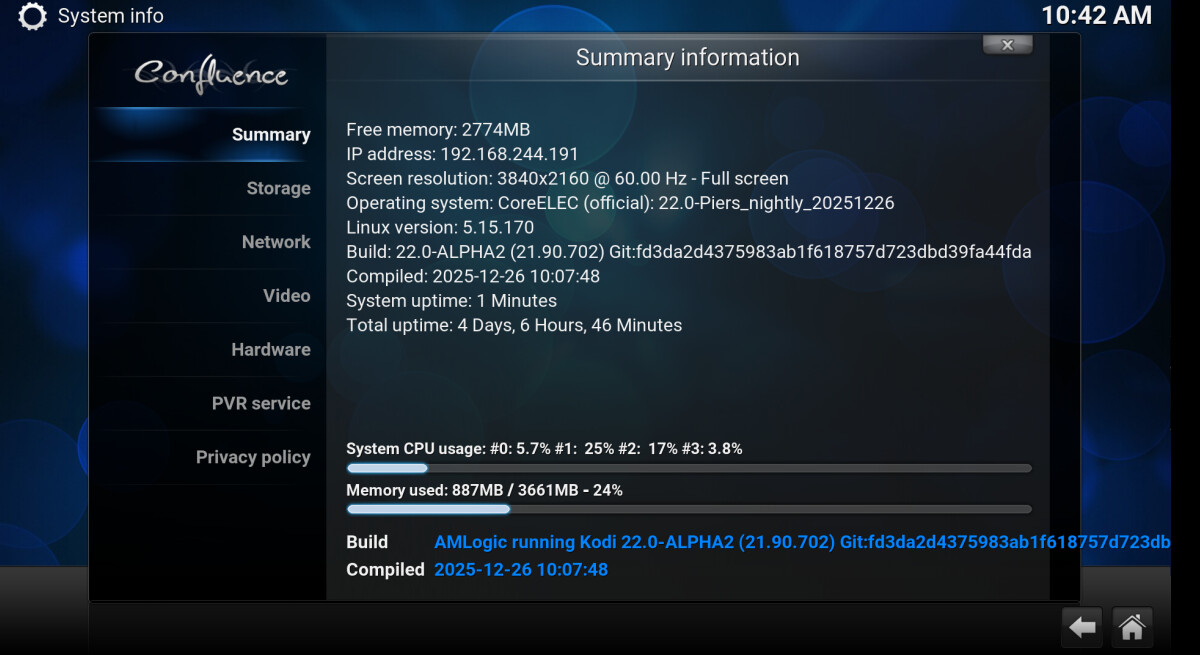
Thank you guys!!!
From across the pond near Chicago (now Indiana)…
Merry 2025 Christmas and happy New Year 2026!!!
At reboot bluetooth pairing takes about 30 seconds to work and bluetooth voice in coreelec menu has a strange behaviour.
Anyone who uses Zidoo v12 bt remote with CE22? Cant get my remote to work (ir works) . In CE21 NG no issue with bt . So anything special to make it work with NO CE 22?
OT: Can you map the keys in Kodi Keymapper app?
Nope, no keys respond in key mapper addon with the remote connected to BT. If i delete it, it do respond in IR mode. @bazzle you have the v12 remote working in CE22?
No. It was just a suggestion.
Is it just me that the remote only pairs if you go into the Bluetooth settings? And not always.
Tell me, are there any changes to make a 3.5" 2 terabyte HDD work on s905x4 vontar?
I assume that you mean USB HD? Atleast spinning USB HD:s tend to be problematic in 5V boxes (like Vontar) due to the limited amount of power available from a USB port. Generally, your HD should have it’s own power supply, or you should use a powered USB hub, or plug your HD to a router and share it from there.
ORICO Dual Bay Type-C SATA HDD/SSD Offline Clone Duplicator this docstation hdd worked perfect on CE21.3, but not working on CE22
log: https://paste.coreelec.org/GnawingGoldberg
[  466.781859] usb-storage 1-2:1.0: USB Mass Storage device detected
[  466.782820] usb-storage 1-2:1.0: Quirks match for vid 152d pid 0567: 5000000
[  466.782980] scsi host0: usb-storage 1-2:1.0
[  467.784929] scsi 0:0:0:0: Direct-Access     JMicron  Generic DISK01   0103 PQ: 0 ANSI: 6
[  467.786026] sd 0:0:0:0: Attached scsi generic sg0 type 0
[  467.786417] sd 0:0:0:0: [sda] 3907029168 512-byte logical blocks: (2.00 TB/1.82 TiB)
[  467.786798] sd 0:0:0:0: [sda] Write Protect is off
[  467.786817] sd 0:0:0:0: [sda] Mode Sense: 2b 00 00 00
[  467.787173] sd 0:0:0:0: [sda] No Caching mode page found
[  467.787186] sd 0:0:0:0: [sda] Assuming drive cache: write through
[  467.830313]  sda: sda2 < sda5 >
[  467.843700] sd 0:0:0:0: [sda] Attached SCSI disk
[  468.440140] ntfs3: sda5: volume is dirty and "force" flag is not set!
Hi, is implemented libmpg123.so.0 at CE22NO ? I see maybe issue in retroarch for missing this lib in system.
[ERROR] Error(s): libmpg123.so.0: cannot open shared object file: No such file or directory. Or is issue with not good working kernel at retroarch?
When i tried direct addon for amiga in CE22NO:
Jan 01 15:01:09.937184 CoreELEC kodi.sh[1171]: ALSA lib /home/docker/build_dir/CoreELEC-22/build.CoreELEC-Amlogic-no.aarch64-22/build/alsa-lib-1.2.15.1/src/pcm/pcm.c:2722:(snd_pcm_open_noupdate) [error.pcm] Unknown PCM cards.pcm.surround51
Jan 01 15:01:09.937758 CoreELEC kodi.sh[1171]: ALSA lib /home/docker/build_dir/CoreELEC-22/build.CoreELEC-Amlogic-no.aarch64-22/build/alsa-lib-1.2.15.1/src/pcm/pcm.c:2722:(snd_pcm_open_noupdate) [error.pcm] Unknown PCM cards.pcm.surround40
Jan 01 15:01:09.937844 CoreELEC kodi.sh[1171]: ALSA lib /home/docker/build_dir/CoreELEC-22/build.CoreELEC-Amlogic-no.aarch64-22/build/alsa-lib-1.2.15.1/src/pcm/pcm.c:2722:(snd_pcm_open_noupdate) [error.pcm] Unknown PCM cards.pcm.surround51

Thread 1 (Thread 0x7f9fc8eba0 (LWP 1171)):
#0  0x0000007f99374dd0 in ?? () from /usr/lib/libc.so.6
#1  0x0000007eb158d3fc in LIBRETRO::CInputManager::LogInputDescriptors(retro_input_descriptor const*) const () from /storage/.kodi/addons/game.libretro/game.libretro.so.22.2.3
#2  0x0000007eb1594c24 in ?? () from /storage/.kodi/addons/game.libretro/game.libretro.so.22.2.3
#3  0x0000007e9dee9740 in retro_init () from /storage/.kodi/addons/game.libretro.uae4arm/game.libretro.uae4arm.so
#4  0x0000007eb157cac0 in ?? () from /storage/.kodi/addons/game.libretro/game.libretro.so.22.2.3
#5  0x0000000000e93ed0 in ADDON::CAddonDll::Create(KODI_ADDON_INSTANCE_STRUCT*) ()
#6  0x0000000000e9429c in ADDON::CAddonDll::CreateInstance(KODI_ADDON_INSTANCE_STRUCT*) ()
#7  0x0000000001449f7c in KODI::GAME::CGameClient::Initialize() ()
#8  0x000000000106d4c8 in KODI::RETRO::CRetroPlayer::OpenFile(CFileItem const&, CPlayerOptions const&) ()
#9  0x0000000000e12bd0 in CApplicationPlayer::OpenFile(CFileItem const&, CPlayerOptions const&, CPlayerCoreFactory const&, std::__cxx11::basic_string<char, std::char_traits<char>, std::allocator<char> > const&, IPlayerCallback&) ()
#10 0x0000000000e027e4 in CApplication::PlayFile(CFileItem, std::__cxx11::basic_string<char, std::char_traits<char>, std::allocator<char> > const&, bool) ()
#11 0x0000000000e081bc in CApplication::PlayMedia(CFileItem&, std::__cxx11::basic_string<char, std::char_traits<char>, std::allocator<char> > const&, KODI::PLAYLIST::Id) ()
#12 0x00000000013da8ec in KODI::GAME::CGUIWindowGames::PlayGame(CFileItem const&) ()
#13 0x00000000013dacec in KODI::GAME::CGUIWindowGames::OnClick(int, std::__cxx11::basic_string<char, std::char_traits<char>, std::allocator<char> > const&) ()
#14 0x0000000000b27ba4 in CGUIMediaWindow::OnSelect(int) ()
#15 0x0000000000b3c1a0 in CGUIMediaWindow::OnMessage(CGUIMessage&) ()
#16 0x0000000000ceba3c in CGUIBaseContainer::OnClick(int) ()
#17 0x0000000000d624fc in CGUIWindow::OnAction(CAction const&) ()
#18 0x0000000000b32980 in CGUIMediaWindow::OnAction(CAction const&) ()
#19 0x0000000000d73340 in CGUIWindowManager::HandleAction(CAction const&) const ()
#20 0x0000000000d73404 in CGUIWindowManager::OnAction(CAction const&) const ()
#21 0x0000000000e058a8 in CApplication::OnAction(CAction const&) ()
#22 0x00000000013d76f4 in CInputManager::HandleKey(CKey const&) ()
#23 0x0000000000e075d0 in CApplication::FrameMove(bool, bool) ()
#24 0x0000000000e022d0 in CApplication::Run() ()
#25 0x000000000078be64 in main ()
2026-01-01 14:53:38.482 T:1847 error <game.libretro.uae4arm>: Failed to connect controller, invalid port address: /keyboard
2026-01-01 14:53:38.482 T:1847 error <game.libretro.uae4arm>: Failed to connect controller, invalid port address: /mouse
2026-01-01 14:53:38.529 T:1847 error : Failed to open savestate file
2026-01-01 14:53:38.529 T:1847 error : Cheevos: Couldn’t load patch file
This file doesn’t exist on CE because package doesn’t build it.
Anyway, I just did and here it is:
libmpg123.so.0 (354.7 KB)
Put it somewhere under retroarch addon in lib folder if exists.
If not make folder /storage/.kodi/addons/dummy_for_libs/lib and put it there. I think it should be picked.
Yes, it helped. I put this lib to lib folder of folder for script retroarch.
/storage/.kodi/addons/script.retroarch.launcher.Amlogic-no.aarch64/lib