What’s strange here is that it displays all video formats, including live TV broadcasts, in HDR10.
I had a system freeze then crash whilst watching DV8 film, after it rebooted the film ran fine, currently on 20260610
Can I suggest as these are nighties always compare to the latest as things get found and fixed every release.  That’s what I do and sometimes it comes good.
Today 20260613
Because the source includes HDR?
There is no fallback for HDR.
So the source will be still HDR.
It’s only be displayed in HDR or SDR depending on TV capabilities.
DV have fallback, except P5.
Thank you. With today’s update, DV videos are now working.
The issue where all video formats were displayed as HDR10 has been resolved
i went back and updated to 22.0-Piers_nightly_20260613 and tested again, has the firmware for rtl8153 been added? its still not detecting it for me, missing from lsusb entirely (asix one still works fine)
CoreELEC:~ # lsusbBus 001 Device 001: ID 1d6b:0002 Linux Foundation 2.0 root hub
Bus 002 Device 001: ID 1d6b:0003 Linux Foundation 3.0 root hub
Bus 003 Device 001: ID 1d6b:0002 Linux Foundation 2.0 root hub
Bus 003 Device 002: ID 04e8:6300 Samsung Electronics Co., Ltd Flash Drive FIT
Bus 004 Device 001: ID 1d6b:0003 Linux Foundation 3.0 root hub
the asix shows fine on bus 005 when connected, with the rtl it doesnt find anything on bus 005
everything else has been great for me
Does the USB adapter appear in dmesg (show output of dmesg | paste) when plugged into the USB port?
no sign of it there: paste.coreelec dot org/FelineGrowling
for comparison, here is one with the ASIX adapter connected to show the port/etc is good: paste.coreelec dot org/FatedMarkings
i verified again the adapters good by connecting it to my pc, windows sees it just fine, and anything connected to it. If it helps its a wavlink gigabit adapter/hub, model #WL-UHP3413 rev: a, RTL8153 chipset: wavlink dot com/en_us/drivers/download/f3416c49a3b2.html
thanks for taking a look
If there’s no message appearing in dmesg that a USB device was even plugged in, then maybe the USB adapter isn’t getting enough power. Try a different USB port, or using a powered USB hub.
ok i tested a few more things, not really NO specific at this point in the builds, but just for people in the future: the hub does have external power which seems to work (rx/tx lights and power light come on with it anyway), but the hub is still not detected on the sk4 pro, neither in NO or in their android install. so the problem actually appears to be with the sk4 pro itself but i dont think its power related. something about this wavlink hub it doesn’t like despite it working normally on pcs. i think ill just go with something with an asix chip at this point.
thank you for the help investigating
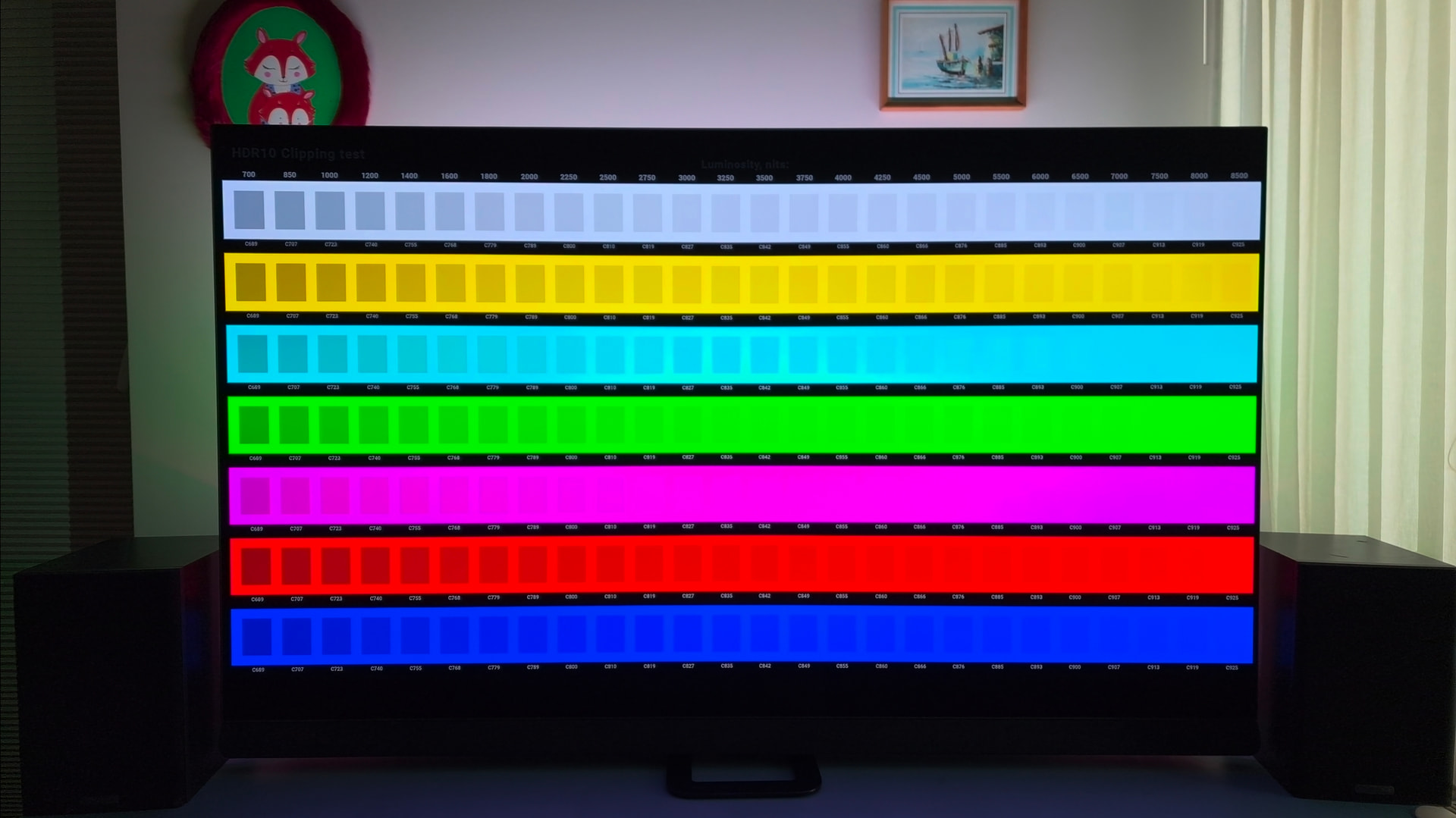
HDR>TV LED Dolby Vision conversion will shift reference black from 64 to 68,but on the 4000/10000 nits HDR tonemapping video,it will make gray squares visible at the top.
Any clues,is it possible to use HDR>DV and not shift reference black?
JuliaWreck.txt (100.5 KB)
MyDisplayEdid.txt (10.0 KB)
Watch TV series - no.
Watch movies - no.
Watch FIFA World Cup - no.
Watch gray squares - YES!
Really, 100% unlike all!
As you can see here, neither DV nor HDR are displayed.
Player AM6B+ – since Nightly build 20260616
Everything used to display perfectly, but it has recently stopped working.
If you switch on the subtitles or change the audio track, playback is interrupted or the programme crashes completely; the sound is then often out of sync.
log: https://paste.coreelec.org/ExamineDaytime
https://paste.coreelec.org/ClearStale
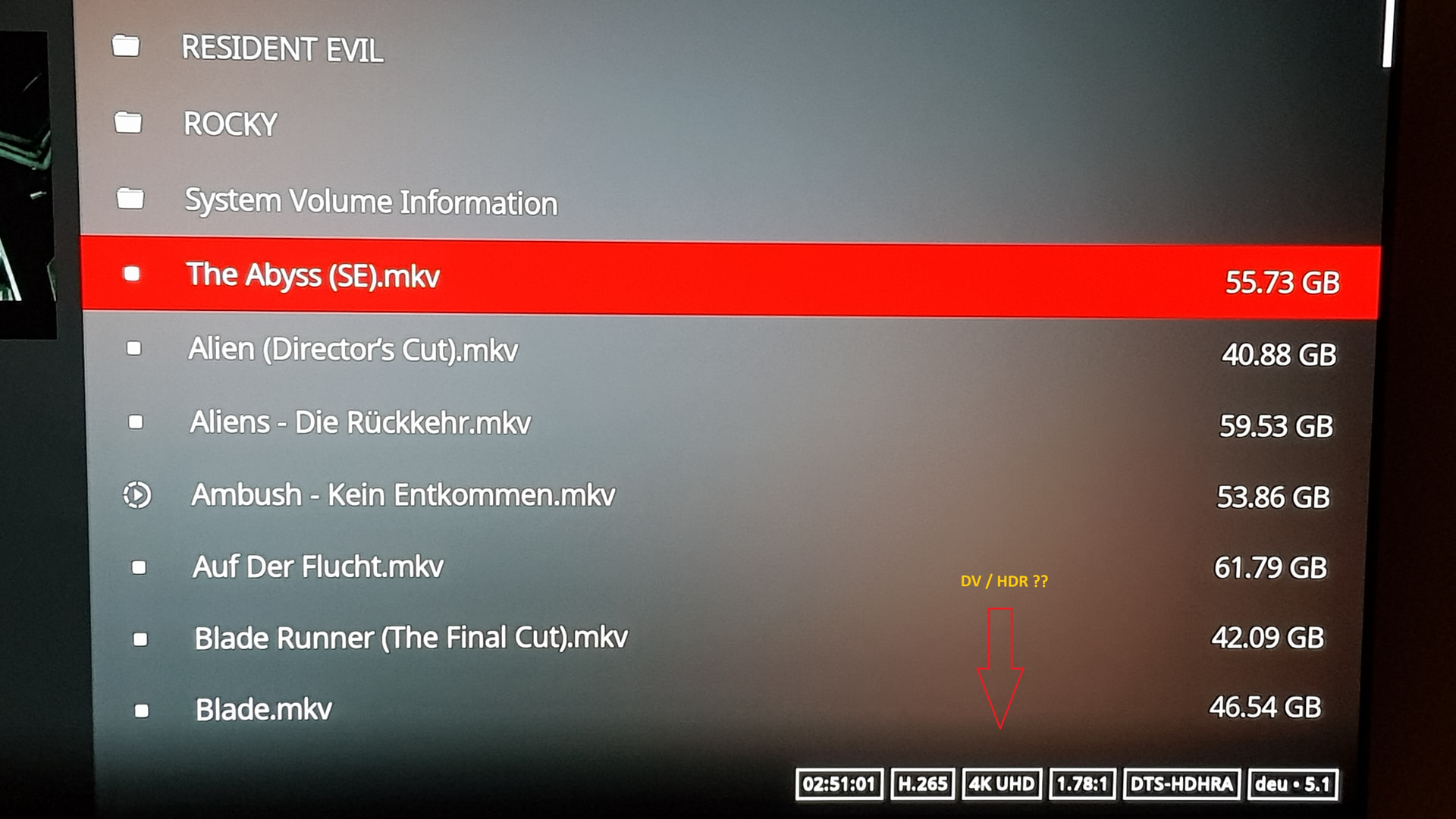
I got the same problem. The Dolby Vision flag disappeared for recent builds. When checking the “Media Details” button dialog, the HDR type is correct.
The emulator addons still don’t work due to the libretro compatibility addon is incompatible.
Amlogic S905X4 Android 11.0 HK1 Box X4 4GB RAM 64GB ROM Dual-WiFi 2.4GHz/5GHz BT Quad Core 64 Bits 3D/8K 1000M
Upgraded to CoreELEC-Amlogic-no.aarch64-22.0-Piers_nightly_20260617-Generic.img.gz
Seemed to run fine for a couple of hours. Watching a television series middle of the third episode Kodi box shut down. I could not turn it on with remote so I unplugged it and it booted fine but did not remember where I left off in the TV Series. I have never seen this before. No crash log was created. Looking through logs.
Yep, they are gone after 20260608, noticed it in 20260610
works still in 20260609, but not after that…
Build versions 20260617 and 20260618 block writing and file transfer to USB-connected hard drives.
Updating to older builds works fine.