you are sure that sd reader frequency is ok for devices as n2 and am6plus ? On these devices are troubles with booting after last updates! Am6plus have not eemc installation due to encrypted uboot.
As we are out of time and we are not sure please feel free to compare and find the diff, thx.
Please try this one.
Even after a complete reinstallation, the same error message appears when booting from mmc to N2.
ok, so it is not about supporting of sd reader.
Make a UART log.
Greetings,
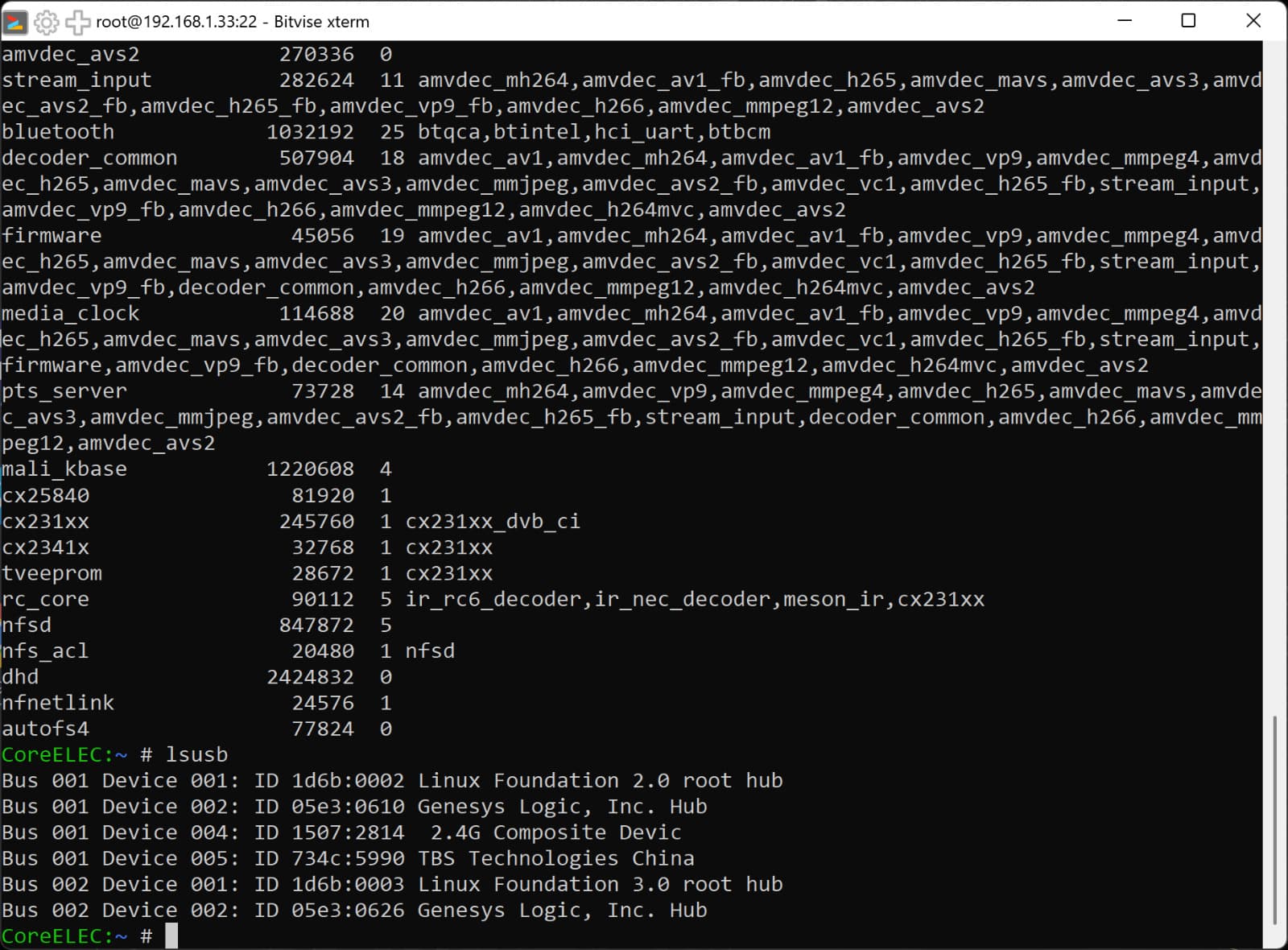
Yesterday I upgraded to the New Order Kernel build 5.15.137 Piers image, but TVHeadend 4.3 did not see the USB-Tuner TBS 5990 model connected to the box.
However, when I check with the “lsmod” command from Telnet, it appears as cx231xx_dvb_ci.
And when I check with the “lsusb” command again, I can see that the tuner is connected.
I think the drivers need to be recompiled according to the new kernel.
This includes models 5980, 5530, 5520.
But a friend of mine said that the 5930 model works.
In short: if you solve this problem, I will be grateful to you again.
Thank you very much in advance.
Best regards…
Those drivers are already part of the kernel and not external ones as addon.
Maybe TVH is started too early when modules are not yet loaded? But I doubt it’s like that. Post dmesg after reboot.
dmesg | paste
Does TVH works for you with this tuner or not? In dmesg I see tbs lines.
But also
[   18.147322] failing symbol_get of non-GPLONLY symbol av201x_attach.
[   18.147357] DVB: Unable to find symbol av201x_attach()
which I don’t understand. Maybe EXPORT_SYMBOL should be EXPORT_SYMBOL_GPL. Maybe @smp could look this?
When I enable the option to work without a tuner in the TVH settings, the TVH server works.
I wonder if the Tuner is not working because it is connected to the USB Hub?
In other words, the TVH does not see it.
Can you try this image? 331.41 MB file on MEGA
3 Likes
Greetings,
Man, thank you very much.
Tuner is working.
Best regards…
Great, will push the changes. EXPORT_SYMBOL_GPL helped.
2 Likes
You’re a great guy.
Thanks again.
My left key in IR also stopped working
I tested the ir-keytable and the key code did not change.
After pressing the left key in dmesg it shows:
[  486.413931] meson-ir fe084040.meson-remote: scancode 81 undefined
[  486.413971] meson-ir fe084040.meson-remote: no valid key to handle
The solution for me was to add a new line to remote.conf with the code 81, but you cannot remove the line with 51, because then the left key does not work either.
    0x51    105    ;KEY_LEFT
    0x81    105    ;KEY_LEFT # Additional line
This looks like a bug in this version of CoreElec, because the key code did not change, and even if it did, you should not need two lines for one key.
Interestingly, 81 in decimal is 51 in hexadecimal.
I’ve also just been working with remote.conf
For me it’s like this when I enter the entry
“0x64 164 #test no”
to the list even though I don’t use this key at all
then the left button works
The whole thing is very strange
1 Like
Tomasz
Now i test your solution :
It also works, but i can use any number in the second entry and it works
But i dont understand why
Find the reason and send PR.
Do you have any idea why the GUI display performance is so low compared to CE-21? (AM8 Pro)
Which is very surprising since Kodi 22 integrates a new algorithm for displaying optimized covers and allowing better rendering while reducing the resources required. Scale large texture to the actual display size by mxalbert1996 · Pull Request #25630 · xbmc/xbmc · GitHub