Hi,
Are the device tree files (dtb.img) specific to each CE version? ie is the device tree file for CE NE same as the file for CE NO?
Hi,
Are the device tree files (dtb.img) specific to each CE version? ie is the device tree file for CE NE same as the file for CE NO?
Yes. Can’t mix them.
There’s a bug when using 1080p/120hz gui some videos aren’t able to set 4k properly… No big deal cause switching to 60 Hz works ok.
Should start working with tomorrow nightly.
For HD Ready displays the colour depth must be 8bit, not 10bit.
Just a quick update. I updated to the latest NO nightly (20250402) and checked out my mkv rips of my music Blu-rays. Success - the DTS-HD MA tracks are now playing ok! I tried several concert videos and all played back ok no matter which audio track I played - Dolby, DTS or high-res DTS-MA. Thanks to whatever recent tweak has fixed this.
However, when I went back to my audio album collection (mostly FLAC 2.0) there was just silence! I had to play a high-res audio (88.2kHz or 96kHz) or a multichannel audio FLAC first, before a conventional stereo FLAC would play. I recall this happening way, way back several years ago, so I will need to see if I can find a post. Definitely a build issue within CE somewhere.
Has anyone noticed that some settings are not being saved in the CEC adapter? For example, you enable them, then save them, and if you open the CEC adapter again, it goes back to how it was before.
Yes, CEC does not save settings.
I edit the cec_CEC_Adapter.xml file in the “/storage/.kodi/userdata/peripheral_data” folder.
Just checked it, disabled the adapter and it’s not possible to enable it again, yes.
EDIT: it should work again with tomorrow nightly.
Issue is placed at xbmc upstream.
Ok indeed now it’s working great but i need to use video calibration for these resolutions and it resets to default on reboot / poweroff, changing the pixel ratio in the video has the same issue.
Unrelated but changing the shutdown function to suspend still shutsdown, tried to change it with keymap editor but when i press the key it shutsdown so i can’t change it, for now ill just leave it on but anyway good work.
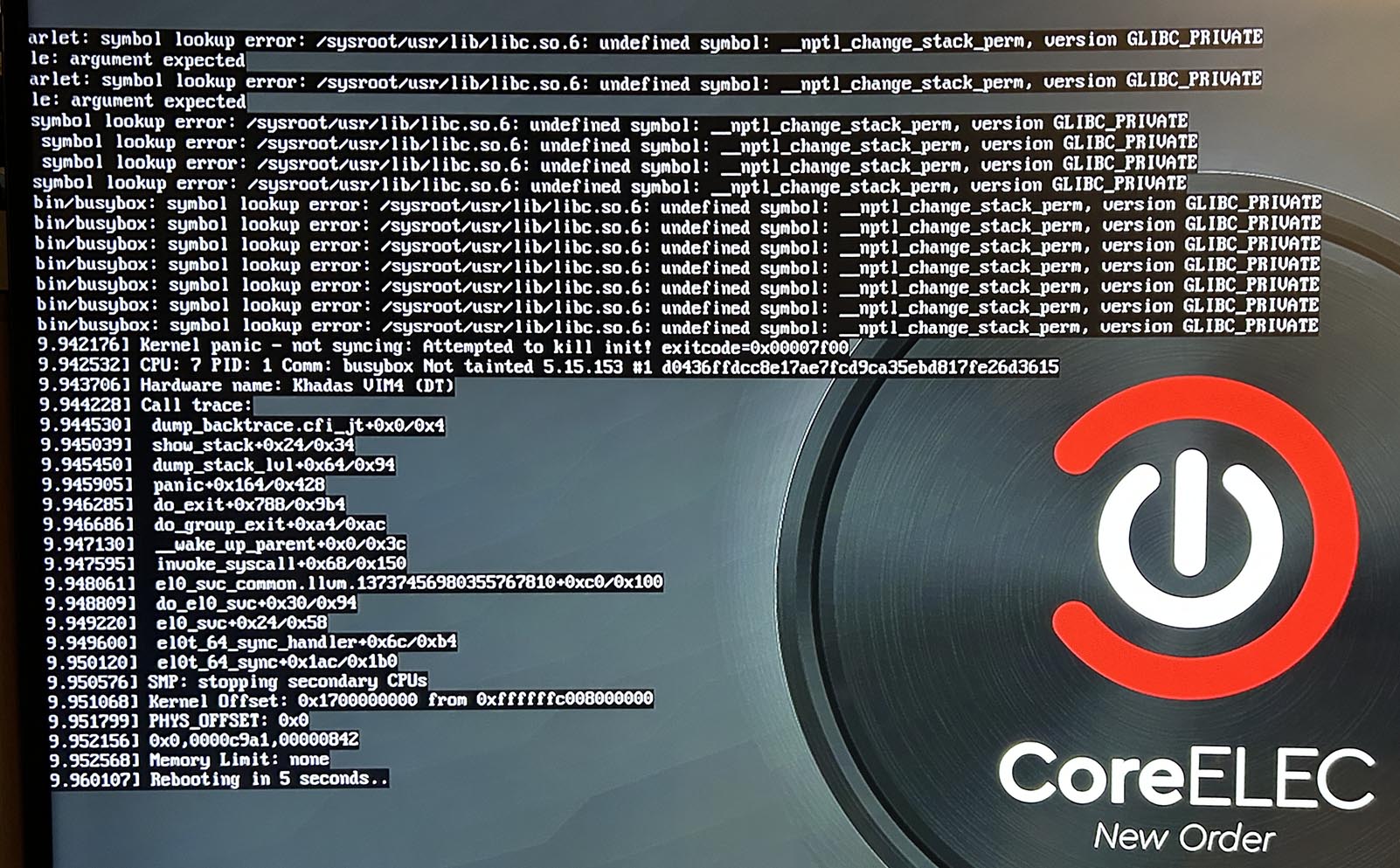
Unfortunatly i have not the time to test intensivly, but on Khadas VIM4 the 20241220 Version is the last one, that boots from SDcard.
This Version shows the boot-Pic and you see on the left upper Corner a counter that will Count down. After that, it resets with the same result.
If you alter the device back to mmcblk1p you will see a white noise screen.
And why it count down?
Ther is more information.
I guess wrong DTB is on your device. Or modified.
There is a info file on /storage about last boot stored.
When DTB is not updated it can not boot the new version as it’s new kernel → new DTB need.
you must run command: ** dmesg** and after take photos from screen with errors. It is only this way for identify of reason and first step to solution!
Further info. Although I can now play videos with DTS-HD MA tracks successfully, normal music tracks in 5.0 format are silent in the rear channels again. Also, after playing video with tracks containing high-res audio and then returning to the music player all normal 2.0 audio tracks are silent (and navigation clicks are silent) until I play a high-res multichannel audio track first. Then, 2.0 audio will play and navigation sounds are enabled. Similar issue happened way back in 19.4 Matrix builds and fixed by @Portisch - see here https://discourse.coreelec.org/t/coreelec-19-4-matrix-discussion/18094/110
I don’t know why it counts down. Its a fresh install with a new image. I assume, it found no device. If the DTB is wrong (i have done a bytecompare with the supplied t7_a311d2_khadas_vim4.dtb), so the false one is bundled with the image.
I don’t know how to get a shell for dmesg or acces to /storage since there is no booting. But i assume ther is nothing in storage since it can’t create a “storage”. It may be failed on the partitioning thing, wich is done as a first step after using a fresh image.
Then you have CE-NE and not CE-NO on it.
No log, no error
I have downloaded it from the NO drawer, its called unzipped “CoreELEC-Amlogic-no.aarch64-22.0-Piers_nightly_20250403-Khadas_VIM4.img”. If its a mix with CE-NE someone should repair it. The dtb.img is 47.777 Bytes long and compares with the one in the device_trees.
Your device is somehow broken I never have seen.
Best is to start again by flashing a image from oowow.
Just tested with latest NO and it works on VIM4, but I run it from internal.
May be some filesystem corruption. Or try with different sd card may be.
Until now i’m starting this from a SD card. The coreelec NO isn’t in the oowow OS list, so i don’t know how to write to the emmc.
I have copied this as gz, img, dmg, crunched with xz to an USB stick, but the oowow write to emmc function doesn’t found the image in the loading menu
About | FAQ | Terms of Service | Privacy Policy | Legal Notice