Thank you for the information, i hadn’t seen that Omega was EOL.I performed a rollback to 21.2 everything is back to normal. I will upgrade to 22 when alpha stage is completed.
See you.
Thank you for the information, i hadn’t seen that Omega was EOL.I performed a rollback to 21.2 everything is back to normal. I will upgrade to 22 when alpha stage is completed.
See you.
to rollback you just set the update file in the .update folder ? thanks
Yes, you can rollback that way
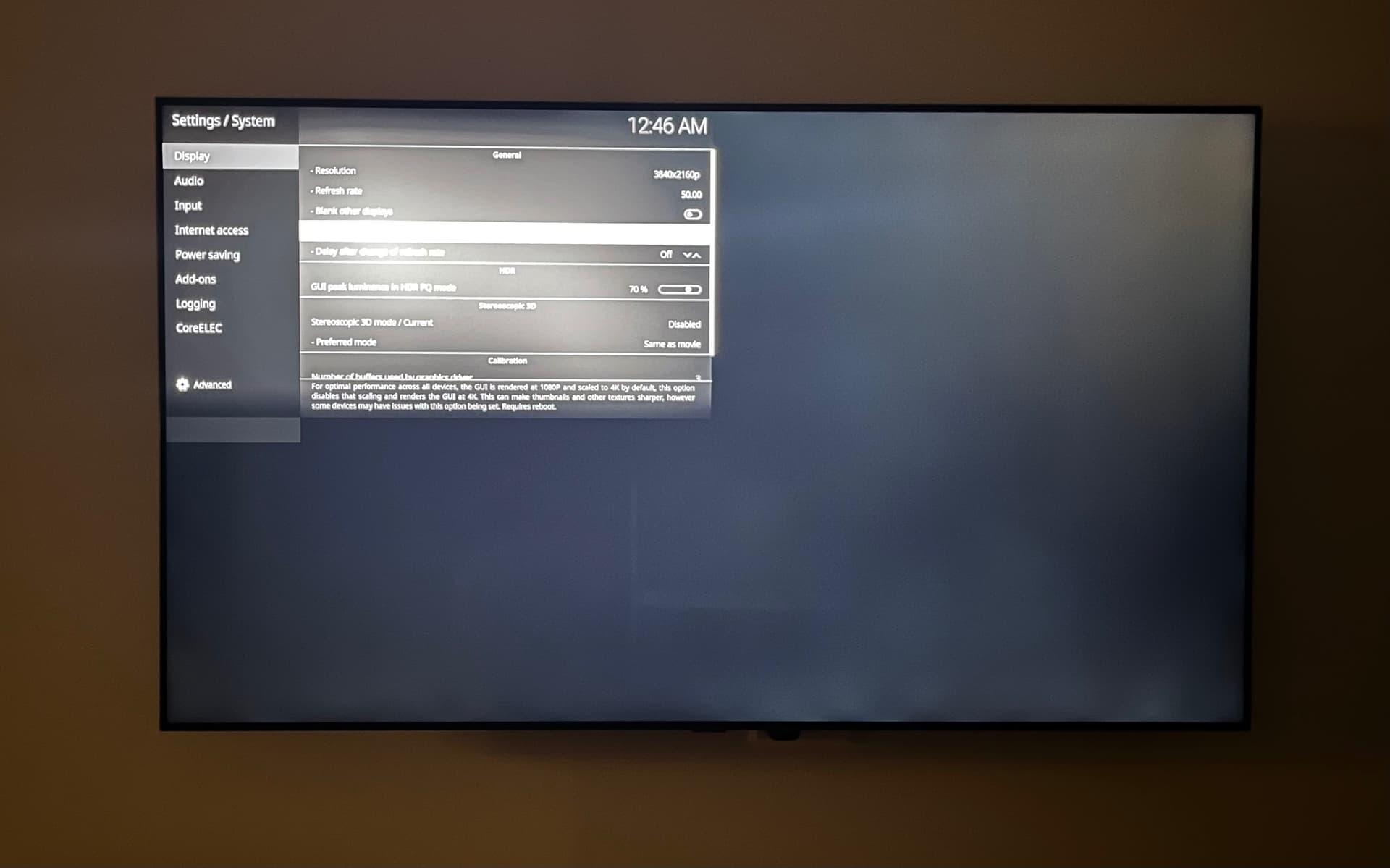
thanks, i rollbacked to 21.2 because i got the same GUI scaling issue in 4K resolution
Got the same 4K UI in left corner issue on Ugoos AM8 box, once device received the auto-update.
Downgraded to 21.2 just fine.
How about you retract this 21.3 build from auto-update pipeline?
UPD: Actually, turning On “System - Display - Disable GUI scaling” setting on 21.2 gives me the same cornered issue.
Turning same setting On and Off on 21.3 doesn’t help = both values do not work.
Since it seems you aren’t actually getting 4K on 21.2 anyway why not run at 1080 and let your TV do the scaling?
It is true that the 21.3 bug is partly present on 21.2, but by scaling the gui at 1080, we can still enjoy native 4k for medias, movies, youtube, etc… In 21.3, even with 1080 gui scaling, it still remains in the top corner, so for now, no 4k gui but we still get to enjoy native 4k on medias on 21.2. It is still way better than relying on TV scaling.
Maybe only on cheap/budget TVs. Any mid/high range TV does far better upscaling than any Amlogic box!
That’s the thing. I have medias that are in native 4k, so no upscaling required. For sub 4k sources, I agree that my LG will upscale better than amlogic.
Are you saying that videos aren’t native 4K on 21.3 for you? That seems like another problem.
No. What I’m saying is on 21.3, even 4k medias only plays in the top left quarter of the screen.
@emveepee @Sholander
Hi everyone,
To be more specific, on version 21.3 the issue only affects the GUI. If I keep the GUI set to 1080p, it works fine as long as I don’t play any 4K movies. However, once I start a 4K movie, it plays perfectly, but the GUI remains at 1080p, stuck in the top-left quarter of the screen. The problem is that subtitles also stay confined to that same area, so they appear very small. As mentioned earlier, I’ve done a lot of testing but haven’t managed to get the GUI to behave like it did in previous versions.
@Sholander Here’s my equipment; I wouldn’t exactly describe it as entry-level: Panasonic TX-77LZ2000E, Nokia 8010 box, DENON AVC-X4800H amplifier 
I haven’t used NE for a while but it seems that if I set the GUI to 1080 and disable GUI scaling I got the OSD over 2160.
Martin
Your box is realy “entry-level”, and that is where your problem starts.
Have you tried with -ng or -no versions? Cannot give you any good advice since I run -ng on my 8010…
Hi,
The box isn’t the problem, you got sidetracked, i was replying to your comment that mentioned cheap/budget TVs
Sholander:
“Maybe only on cheap/budget TVs. Any mid/high range TV does far better upscaling than any Amlogic box!”
I’m no longer trying to fix this issue since it’s a known “bug” in version 21.3.
I also won’t try any NG versions since they’re EOL.
For now, I’ve rolled back to 21.2, which works perfectly fine, and i’ll wait for the beta or stable release of version 22.
Have a nice day.
Still, for the Nokia 8010 (or any other SEI804 device, like (Dune) Homatics R Plus or Rocktek G2), you should use the CE-NG or the CE-NO builds. These builds are advised for this kind of devices.
I have same trouble with 4K resolution on Tox3. Will be update for it?
I am also having the issue with 4k resolution and the small menu on top left on Nokia 8010. I am happy to test Alpha2, I am just wondering if someone can confirm that the problem is not there. I can live with the small menu but the subtitles show on top left now and they are too small too. Thanks
About | FAQ | Terms of Service | Privacy Policy | Legal Notice