When playing an audio file and visualization is turned on, Kodi does not display icon images or any logos.
Hmmmmmm, we like from Kodi Nerds Repo,to use the radio.de addon from repo,following visualizations,are all working, Fish BMC,Goom,Matrix,projectM Starburst,Wave,ShaderToy.
What do you mean by icon image, Logo?
Hi, I have a fresh CE-22.0-Piers-alpha2 prepared on the microSD card, and I’ve booted CE using the terminal boot method and using “reboot update” command on an Ugoos AM6B+. A natural next step would be to do eMMC migration, but the wiki does not yet list -no in the compatibility table. I would expect it would work, however, what is the recommendation? Better to wait until -no reaches stable or at least beta or RC phase, and then migrate to eMMC, or do you think this migration would not change at all in future, and it is safe to migrate already now? Thanks in advance for your opinions.
EPG, Favorites, Settimgs
Hi guys, this is a hard post to write. So I start from the beginning… I have been using your -ng’s since last year on Ugoos AM6b+ and am just now trying out your new 22 piers -no alpha2. Reason for this post is that last year when I first got the Ugoos & started using -ng I had red/purple image when playing all DV content on my Sony X85J which I posted extensively about in April 2024. I wonder if you remember about that but the solution (I think) was something about a “timing issue” and which eventually was fixed in one of your subsequent -ng nightlies as I have had no further such DV problems with any of your -ng’s. Thanks for that fix but unfortunately…
I am now having the same problem again of purple DV with alpha2 -no nightly 20251125 with the same Sony TV. The screenshot is with the Player Process info displayed:
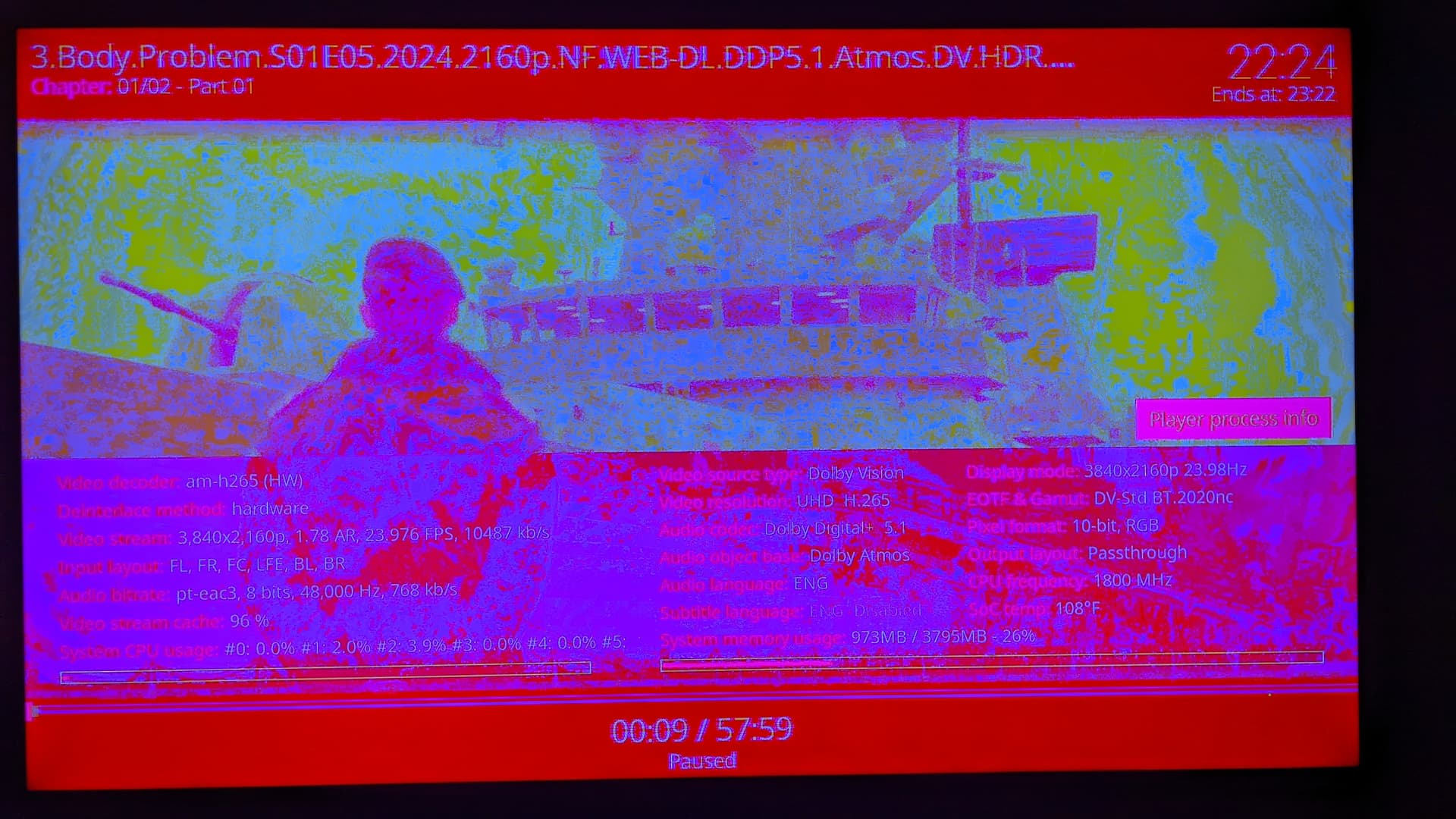
This purple DV screen displays for all my DV content both using the Kodi player directly or using pm4k. HDR & SDR displays fine. Using default Estuary skin. All I did was pop out the SD card that has -ng installed and stuck in a known good SD card that I know I correctly installed alpha piers on. Absolutely nothing else in the A/V chain was changed. I used the dovi.ko file for -no which is 429Kb versus the one for -ng that is 1.23Mb. What’s next in the troubleshooting? Cheers 
Note: Please be patient w/ me as I am old dude & disabled…
Looks like your TV does not support TV Led, use Player Led mode.
Hi Portisch, but my TV Led works fine with -ng (no DV problems since you guys fixed this same purple problem I had with -ng nightlies in April 2024 that I posted above about) so has that all changed now with these new v22s -no?
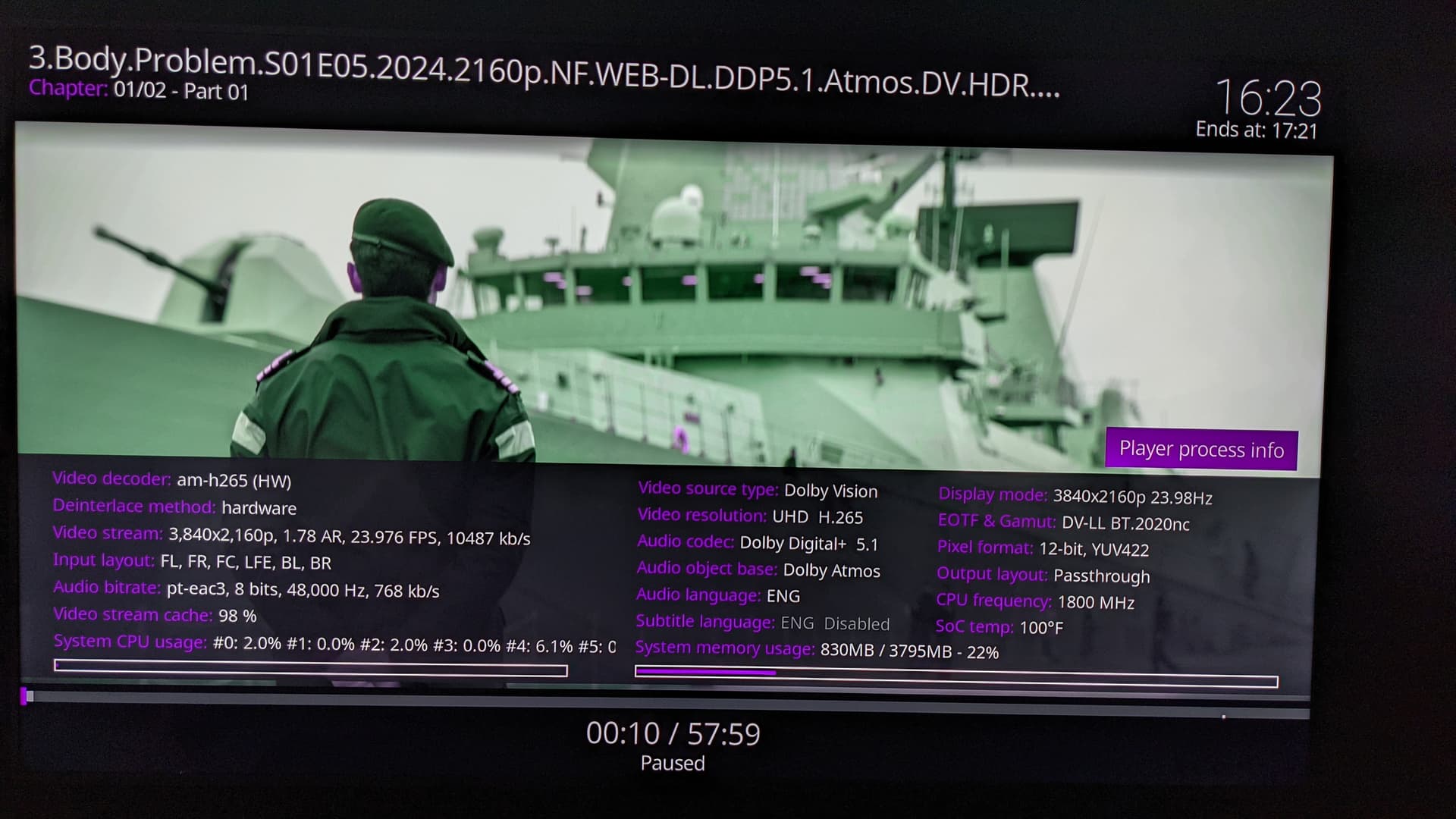
EDIT : Okay changed to Player LED in CE Settings and now I have ugly green screen instead of purple 
You will need to get more in detail what we did fix more than one year back 
I have no idea what ya’ll did to fix the DV purple screen problem in Sony TVs last year for the -ng’s but it wasn’t just me that had the purple bug  Oh and what you fixed in the -ng’s is exactly what I took the above screenshots of … DV not working.
I shall endeavor to post log tomorrow… cheers I will attempt to do one with Player LED and one with TV Led
All these picture look like it’s played in DV but the TV does not switch to DV mode.
Please check also your Sony TV.
But without any log no more help is possible.
Hi @Portisch can you please comment on that? I have a dedicated box only for 22.0-Piers_alpha2 testing, to give valuable feedback while development is ongoing, but I am not sure yet if I should keep running from microSD card, or already migrate to eMMC at this alpha development stage. Thanks in advance for your reply.
Updated Wiki.
Thanks for updating. So -no is still not compatible with the migration tool? At least it is not listed in the Compatibility table. The Android requirement is fulfilled, since my Ugoos AM6B+ has Android 9 (> Android 7) and not Andorid 14.
Hi Portisch, yesterday I posted screenshots of DV material not displaying in DV but instead in red (TV-LED) and green (Player-LED) with newest nightly v22 piers -no. And regarding your comment about checking my TV, I reiterate that I have touched NOTHING on my Sony TV when popping out the SD card that contains 21.2 -ng (DV works fine in TV-Led & Player-Led) and swapping it out with latest 22 nightly -no (DV doesn’t work at all). But just for fun I did switch out HDMI ports that the Ugoos is going into and no change, DV still doesn’t work… thanks and I await your further instructions
Here are the log files as promised…
TV-Led LOG :
https://paste.coreelec.org/AboutDerail
Player-Led Log :
Disable automatic update in CE settings and downgrade with:
Then try again if it works. If yes please provide a short (1min) sample of 3.Body.Problem.S01E05.2024.2160p.NF.WEB-DL.DDP5.1.Atmos.DV.HDR.H.265-HHWEB.mkv
It looks like something is different in your pirate media dl…
Hi Portisch, okay I downgraded to that nightly 1105 file you said to do and no, not fixed, I still have same the DV problem. And the problem is all my DV content not just that one file which I just happened to be testing with because it was on a handy USB stick
Your problem is your media files have strange or no metadata.
So it’s DV without info and TV is not switched to DV because it’s not need.
Also connect the box directly to the TV and use eARC.
Sample…
My Ugoos has always been directly connected to the TV via an HDMI 2.1 cable. The following two files work great on -ng
1min first DV file : 62.93 MB file on MEGA
1min second DV file : 39.08 MB file on MEGA
Your sample with your EDID does just work fine here.
Open a SSH session on your CE device:
dmesg -c
echo 4 > /sys/module/aml_media/parameters/debug_dolby
Then start one DV file for 5 seconds. Just hit “x” or any other stop playback, even when nothing is shown on TV - doesn’t matter.
Then in SSH again:
dmesg | paste