Yes, that’s what I mean. I know how to remove logo and text, but then I have 4s of black screen before Home screen opens. I don’t know how to remove/skip those 4s unnecessary delay.
Ask jesch, in the kodi forum.
I not have issues when I tryed.
But the skin use skinshortcuts addon, that need time to build the menu at startup…
As I said we here just modify the playerprocessinfo, all skin related setting, issue, not belong to this topic.
OK, I did ask there, and got the answer that I cannot use; thought that maybe you know the answer 
The option to do this, “Show Splash Screen” is set to ON, but is is greyed out in my case, so I cannot turn it OFF.
A8 is out in CPM repo
3 Likes
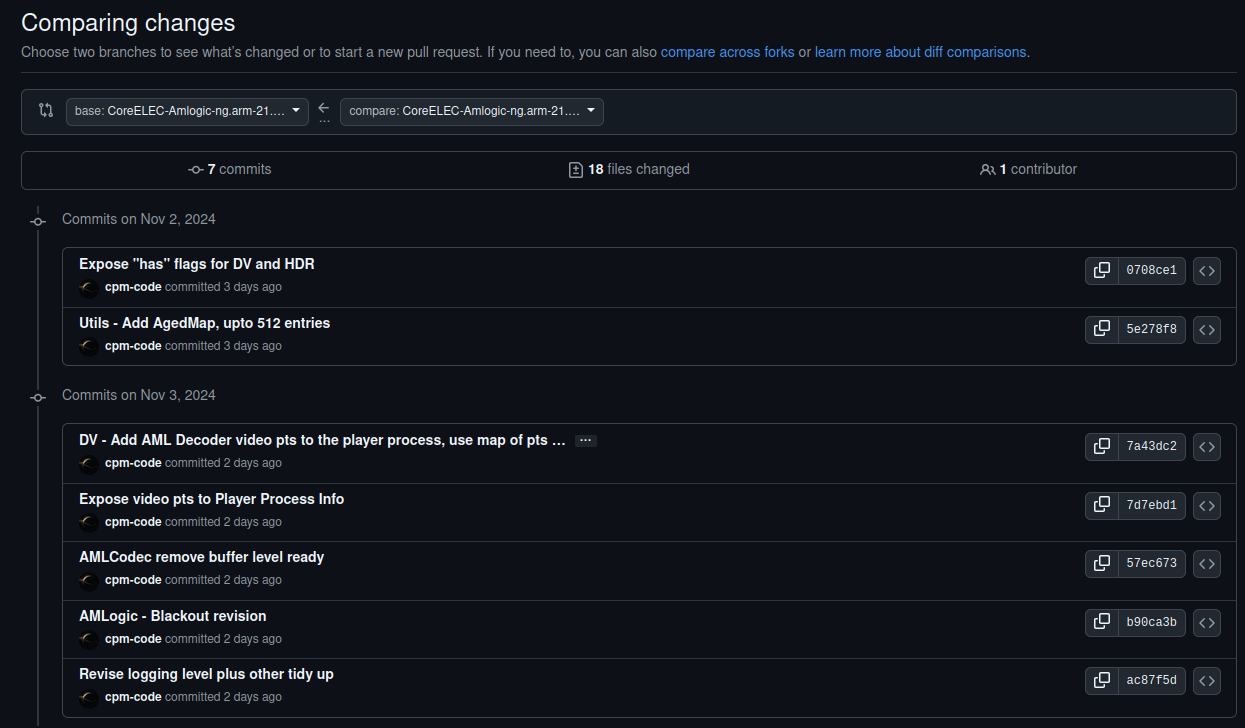
Any information on changes from A7?
@frodo19 is it enough just to copy “playerprocesinfo.xml”, or need also to copy some other files?
Its not enough
What else? I’m just tired of completely installing the new version over the old one, every time 
Can’t you just update? it’s only a moment…
L1 OSD is now in sync with video and it fixed a short black screen bug when seeking on FEL movies
I have some changes made to the skin for my liking, and to do them every time turns me away from this skin…
New OSD is now very good, and with all relevant DV/HDR information. Since I like to keep everything as simple as possible, I’m switching to this very light “skin.cpm.estuary”. No more needs for any heavy skins for me, just to see all DV/HDR info.
regardless of the skin you prefer, the L1 OSD is not in sync with the video with the A7 build
1 Like
, L1 OSD is not in sync with the video,
What does this mean - I use Google translator and I don’t really understand it - can you illustrate it with a photo, an example?
These shot by shot L1 brightness metadata in the OSD were not in sync with the video scene cuts. For P8/P5, it was about 500MS out of sync and for FEL about 1-2seconds early.

3 Likes
When you have two skin.estuary.modv2 installed
Delete from the addon data folder: skin.estuary.modv2cpm folder > settings.xml
Delete from the addon data folder: script.skinshortcuts folder > all files what begin to skin.estuary.modv2cpm.
Restart.
The option will be not greyed out.
Will try this, although I have only ONE skin.estuary.modv2 installed…
I did, and this is @jesch answer
" My skin also works as expected on my second CoreElec device. However, your mod does indeed not switch the option for the splash to the active state. I’m not willing looking for the cause of this behavior in someone else’s skin and fixing it, but note: My mod writes some system settings - like the behavior at startup - as properties to HOME. This may be missing: https://github.com/b-jesch/skin.estuary…xml#L3-L5
Echoing what @R3S3T_9999 mentioned.
Anyone test skin.estuary.modv2cpm with A8 (posted in wrong thread before)?
There is no skin.estuary.modv2cpm.A8 yet…