Just to add to this as an owner of a Zidoo, they also have the same problem with HLG to DV in VS10 mode.
Honestly, I don’t see the point in making an entire package for the installation.
Personally, using “.tar” for installation I find it very flexible.
However, up until the version 20240611092954 the DV worked fine , from the next one onwards up to the 20240613134127 the DV film is released in HDR10 mode .
Always with the version 20240613134127, I have found that if I use the DV flag always ON, the GUI is sent in DV mode and the movie is sent in HDR10.
yes , i confirm the bottom “-For Dolby Vision” is also set “off”.
I will send you what you requested as soon as possible, login included
I have the same experience as okvcos. The last few updates won’t trigger DoVi with any container or profile.
Downgraded back to update 4 and it works without any issues.
I have an LG Oled C1 and Ugoos AM6B Plus.
I think I found the problem.
For @Cpm: I assume that during the creation of the .TAR there was an active flag left in the software code.
" confirm the bottom “-For Dolby Vision” is also set “off”." …it made me think
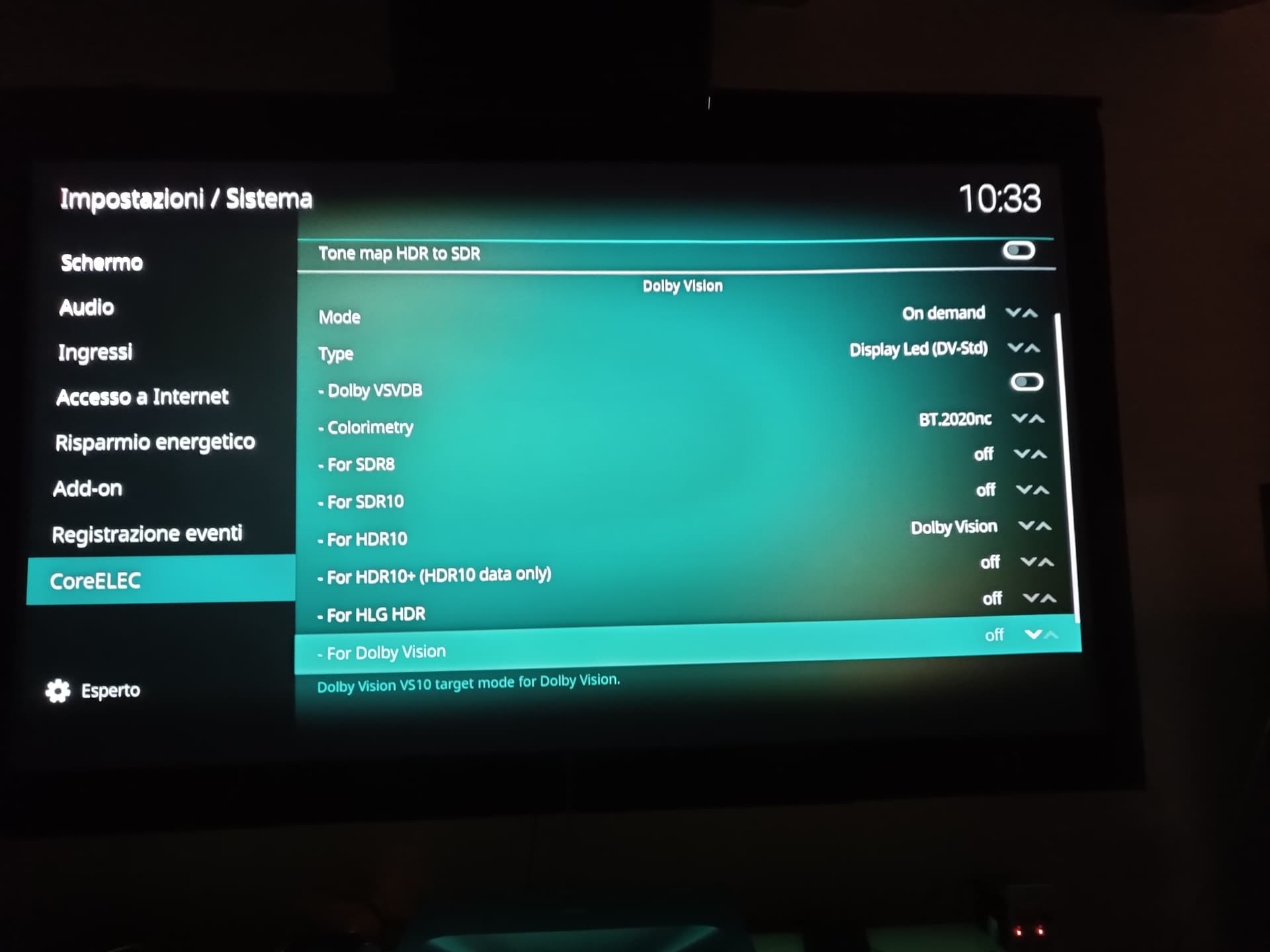
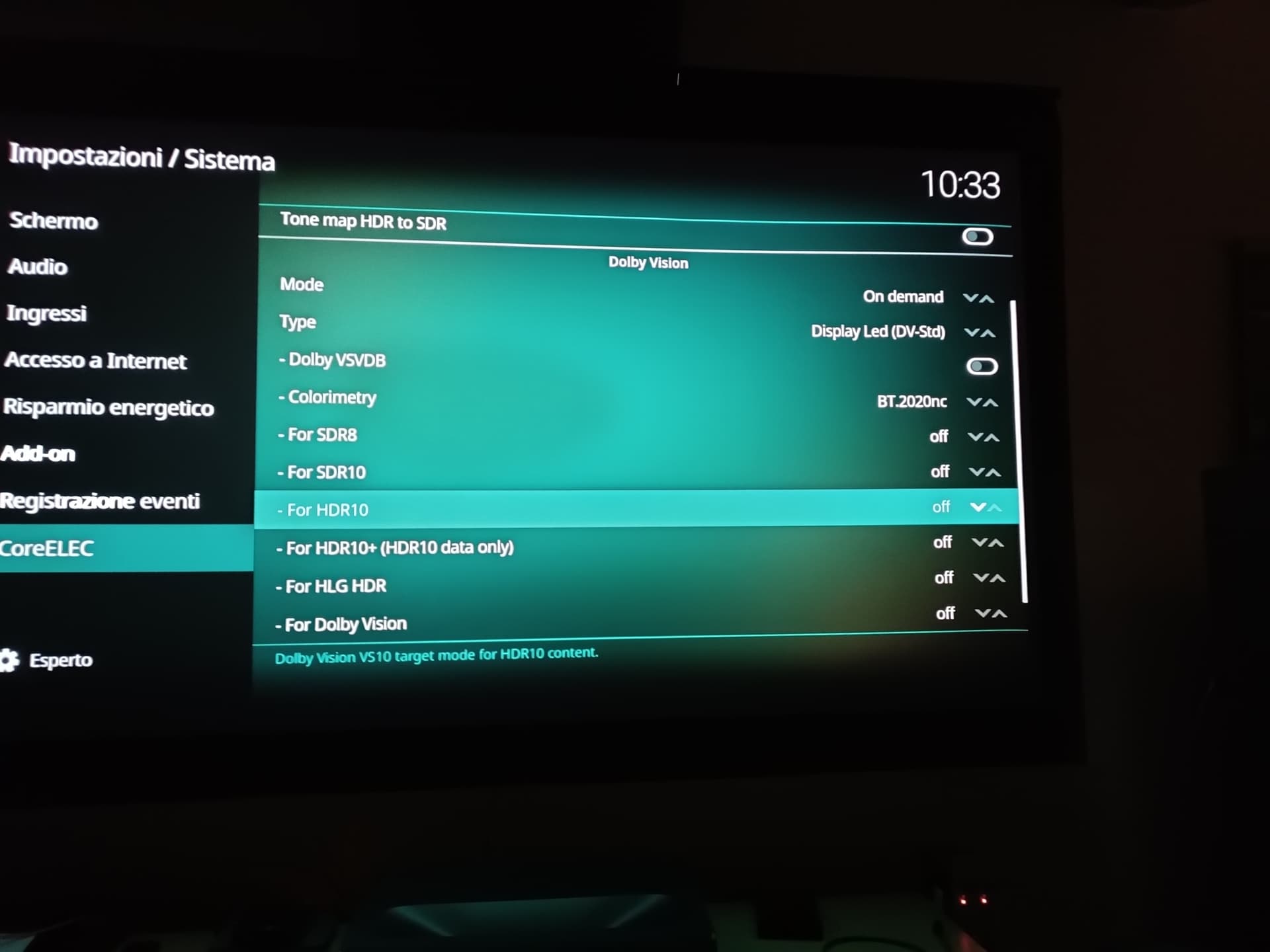
For HDR10 = Dolby Vision play a DV movie and a HDR movie
For HDR10 = off play a DV movie (should be ok)
reboot and try again, everything works fine for me now.
Please @CarlTheCobra and @rover2001 , you can try ?
2 Likes
I imagine this is because I cut down the number of entries:
SDR8, SDR10 → SDR
That somewhere in the kodi settings management logic it could not apply correctly the previous settings, and needed a switch back and forth to being back inline maybe.
1 Like
Sir,I did work out the edid for other device such as zidoo z9x pro,but it seems the IEEE OUI 53318 entered to work out the payload is just for stdv when I created a new edid.bin to reload to zidoo. Is there any number like 5331xx for LLDV to create accurate one for LLDV TV or projector?
53318 has nothing to do with std-dv ll-dv, it identifies the VSVDB as Dolby.
payload contains that info.
well, I’m not sure why it just list stdv without LLDV. The preset ones including both. maybe some bug in that device’s custom edid
Hi I’m confused how do we fix no dv only hdr ? The above fix from @okvcos sound confusing. Thanks.
I don’t have the issue, so cannot give a definitive answer.
But my guess is unless you do a “clean install” it picks up the previous installs VS10 values, but the set of possibilities for VS10 has now changed.
The likely fix is then to just toggle to another VS10 value say SDR play something and then toggle back to off.
1 Like
Set For HDR10 = Dolby Vision ON and play a DV movie and play a HDR movie
Reset For HDR10 = OFF and play a DV movie (look if should be ok)
reboot ( OFF / ON the Ugoos ) and try again, everything works fine for me now.
This FIX the DV
1 Like
Mine lg c6 fix was last option "for Dolby Vision " toggle to sdr, play sdr video, toggle off then all work. Maybe depends on tv. But thanks for discovering this code issue.
1 Like
it may be that he also performed this step…
1 Like
Feature Complete - Update 7
- Code tidy-up and refactors for reuse.
- No user visible change
When testing use the below tar to update a fresh install of CE-21 ng.
Dolby VSVDB Calc (no update)
Expecting this release to be the final complete version, barring any issues found.
If upgrading from an older version and you experience issues with wrong playback mode e.g. DV playing in HDR etc. then try:
- Resetting the settings in the CoreELEC section.
- Toggling the setting in question to another value, move off to another setting and then go back and toggle the setting back to the desired value.
6 Likes
Found out the culprit for this flashes; on the day I updated to latest version I changed HDMI cable that came with the box with a “better” one, HDMI 2.1 Certified. It turns out that I should be more carful choosing my cables, because changing back to the one that came with the box stopped the flashing - Dv starts normally without any flashing…
Thank you @cpm for all your hard work.
Truly appreciated.
1 Like
@cpm , Thank you. I also prefer your update tar method. I was just concerned that if I used a newer version of CE-21 ng (nightly or stable) than that of what your update was based on it would create problems. I was planning on updating to future CE-21 ng stable version (or nightly versions) and then apply your tar update and wanted to make sure it would still work.
Thank you again.
Updating to future CE stable/nightly and then “updating” again to cpm’s build would just rolling back the update… All new stuff on the future CE will be gone as you went back to an earlier build.
Thanks, I was not sure if this and addition/append to the code base or a full substitution/replacement. So it seems that is a full substitution/replacement which means it acts like full install? So not sure why you need a fresh install of CE-21 ng to start with?
fresh install is from an image, with all factory default settings.
update contain more or less the same files, but with your current settings.
starting with fresh install will minimize bugs like the above case.