In Android settings go to Settings > Display & Sound > Dynamic range & Color format and set Match Content Dynamic Range to Match Content. For Dolby Vision, enable Source Device - LED in the Dolby Vision settings, and ensure the Primary Dynamic Range is set to “Use same dynamic range as Content > Always match content format”. This setting will automatically play SDR content in SDR, HDR in HDR, and Dolby Vision in Dolby Vision, rather than converting everything to a single format.
Recommended video settings
Match Content Dynamic Range: Set this to Match Content. This allows the device to automatically switch between SDR, HDR, and Dolby Vision formats based on the source.
Dolby Vision Processing: Enable Source Device - LED so that the box applies Dolby Vision based on the content source.
Primary Dynamic Range: Set this to Use same dynamic range as Content > Always match content format.
HDR Settings: Ensure HDR Settings is enabled for the feature to work.
Dolby Vision Mode: You can set this to Low Latency for a better experience.
I’ve noticed if the Android is set so the device will boot to CoreElec with correct screen settings, colors.
I use the latest NG nightly I guess, I update whenever the update popup appears.
Thanks for the tip about jellyfin app, I might try it sometime. (Though I guess it will have LG limitations with DTS passthrough and maybe something else)
You connect your soundbar to the eARC port and all other devices to any of the HDMI ports still available. Your G4 can passthrough all HD audio codecs your streamer supports, just choose the correct HDMI port settings on your LG and you are good to go.
I also have a G4 since recently, specifically selected over a G5 because of it’s full HD audio passthrough support, I don’t need that brighter picture the G5 can deliver.
Why straight to the LG and not the Marantz Cinema receiver that I have? No QMS support when using Marantz for passthrough (if a streamer would support that option), and resolution/refreshrate + HDR switching goes much faster when straight to TV.
I have quite some experience with the Jellyfin WebOS app.
The video limitations are that it will always fallback to HDR when it plays DoVi 7.6 files.
The audio limitations are that it will not passthrough TrueHD or DTS codecs to your soundbar. These codecs are always transcoded to AAC.
It plays DoVi 5 and 8 mp4 DoVi files flawlessly. In the recent updates, it started playing mkv files quite nicely.
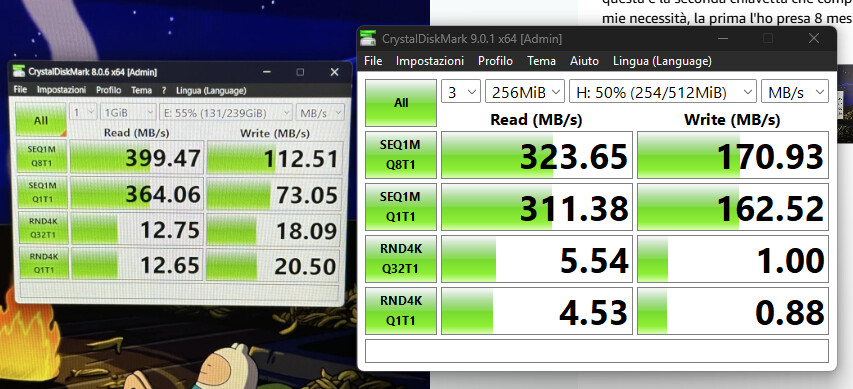
There are also pendrives with a very decent read speed, like the Samsung FIT series. Using a SSD as CE boot image didn’t bring me anything much compared to the Samsung, the USB3 port is what is holding it back on pure speed.
Could you provide a 7.6 fel files so i can test back ? i have many udh rip (50/60 gb) and i don’t see any stutter or frames skip (with my eyes, i don’t look in log)
If you tell me which of these files is giving you problems, I’ll try it out of curiosity.