Unkown chip…
KICKPI KP1 with MT7661RSN SDIO module. CoreELEC 22.0 NO is shipped with mt76 which include mt7663s driver (WiFi) and with project https://github.com/CoreELEC/MT7668 which include bt_mt7668 module with btmtk_sdio driver for mt7663s (Bluetooth).
I’m add firmware mediatek/mt7663pr2h.bin and mediatek/mt7663_n9_v3.bin from official mt76 project repo (binaries identical linux kernel firmware official repo) for mt7663s driver.
Also copy mediatek/mt7663pr2h.bin with name mt7663_patch_e2_hdr.bin to /storage/.config/firmware folder and EEPROM_MT7663.bin from /android/vendor/firmware wich requested btmtk_sdio driver. mt7663_patch_e2_hdr.bin and mediatek/mt7663pr2h.bin must be identical.
Wifi work well, Bluetooth work non stable (pair → crash interface) but paired BT-RCU and BT-headphones work.
udevadm info
P: /devices/platform/soc/fe088000.sdio/mmc_host/mmc2/mmc2:0001/mmc2:0001:1
M: mmc2:0001:1
R: 1
J: +sdio:mmc2:0001:1
U: sdio
V: mt7663s
E: DEVPATH=/devices/platform/soc/fe088000.sdio/mmc_host/mmc2/mmc2:0001/mmc2:0001:1
E: SUBSYSTEM=sdio
E: DRIVER=mt7663s
E: OF_NAME=wifi
E: OF_FULLNAME=/soc/sdio@fe088000/wifi@1
E: OF_COMPATIBLE_0=brcm,bcm4329-fmac
E: OF_COMPATIBLE_N=1
E: SDIO_CLASS=00
E: SDIO_ID=037A:7603
E: SDIO_REVISION=0.0
E: MODALIAS=sdio:c00v037Ad7603
E: USEC_INITIALIZED=8743064
E: ID_VENDOR_FROM_DATABASE=MediaTek Inc.
E: ID_SDIO_CLASS_FROM_DATABASE=Non-standard SDIO interface
P: /devices/platform/soc/fe088000.sdio/mmc_host/mmc2/mmc2:0001/mmc2:0001:2
M: mmc2:0001:2
R: 2
J: +sdio:mmc2:0001:2
U: sdio
V: btmtk_sdio
E: DEVPATH=/devices/platform/soc/fe088000.sdio/mmc_host/mmc2/mmc2:0001/mmc2:0001:2
E: SUBSYSTEM=sdio
E: DRIVER=btmtk_sdio
E: SDIO_CLASS=00
E: SDIO_ID=037A:7663
E: SDIO_REVISION=0.0
E: MODALIAS=sdio:c00v037Ad7663
E: USEC_INITIALIZED=8743199
E: ID_VENDOR_FROM_DATABASE=MediaTek Inc.
E: ID_SDIO_CLASS_FROM_DATABASE=Non-standard SDIO interface
lsmod
Module Size Used by
ir_rc6_decoder 20480 0
ir_nec_decoder 20480 0
meson_ir 20480 0
rc_core 90112 4 ir_rc6_decoder,ir_nec_decoder,meson_ir
amvdec_avs2_fb 356352 0
amvdec_av1_fb 270336 0
amvdec_h265_fb 290816 0
amvdec_vp9_fb 212992 0
amvdec_vp9 163840 0
amvdec_av1 196608 0
amvdec_vc1 94208 0
amvdec_mmpeg4 53248 0
amvdec_mmpeg12 77824 0
amvdec_mmjpeg 36864 0
amvdec_h266 937984 0
amvdec_h265 204800 0
amvdec_mh264 241664 0
amvdec_h264mvc 69632 0
amvdec_mavs 69632 0
amvdec_avs3 421888 0
amvdec_avs2 270336 0
stream_input 282624 13 amvdec_mh264,amvdec_av1_fb,amvdec_h265,amvdec_mavs,amvdec_avs3,amvdec_avs2_fb,amvdec_h265_fb,amvdec_vp9_fb,amvdec_h266,amvdec_mmpeg12,amvdec_avs2
decoder_common 507904 18 amvdec_av1,amvdec_mh264,amvdec_av1_fb,amvdec_vp9,amvdec_mmpeg4,amvdec_h265,amvdec_mavs,amvdec_avs3,amvdec_mmjpeg,amvdec_avs2_fb,amvdec_vc1,amvdec_h265_fb,stream_input,amvdec_vp9_fb,amvdec_h266,amvdec_mmpeg12,amvdec_h264mvc,amvdec_avs2
firmware 45056 19 amvdec_av1,amvdec_mh264,amvdec_av1_fb,amvdec_vp9,amvdec_mmpeg4,amvdec_h265,amvdec_mavs,amvdec_avs3,amvdec_mmjpeg,amvdec_avs2_fb,amvdec_vc1,amvdec_h265_fb,stream_input,amvdec_vp9_fb,decoder_common,amvdec_h266,amvdec_mmpeg12,amvdec_h264mvc,amvdec_avs2
media_clock 114688 20 amvdec_av1,amvdec_mh264,amvdec_av1_fb,amvdec_vp9,amvdec_mmpeg4,amvdec_h265,amvdec_mavs,amvdec_avs3,amvdec_mmjpeg,amvdec_avs2_fb,amvdec_vc1,amvdec_h265_fb,stream_input,firmware,amvdec_vp9_fb,decoder_common,amvdec_h266,amvdec_mmpeg12,amvdec_h264mvc,amvdec_avs2
pts_server 73728 14 amvdec_mh264,amvdec_vp9,amvdec_mmpeg4,amvdec_h265,amvdec_mavs,amvdec_avs3,amvdec_mmjpeg,amvdec_avs2_fb,amvdec_h265_fb,stream_input,decoder_common,amvdec_h266,amvdec_mmpeg12,amvdec_avs2
dm_mod 233472 16
mali_kbase 1220608 4
nfsd 847872 5
nfs_acl 20480 1 nfsd
bt_mt7668 258048 0
bluetooth 1032192 24 bt_mt7668
mt7663s 36864 0
mt76_sdio 28672 1 mt7663s
mt7663_usb_sdio_common 24576 1 mt7663s
mt7615_common 180224 2 mt7663_usb_sdio_common,mt7663s
mt76_connac_lib 57344 3 mt7663_usb_sdio_common,mt7615_common,mt7663s
mt76 135168 5 mt7663_usb_sdio_common,mt7615_common,mt7663s,mt76_sdio,mt76_connac_lib
nfnetlink 24576 1
autofs4 77824 0
two type of error
IRQRatio___ERR.irq:2/IPI
IRQRatio___ERR.irq:42/fe088000.sdio
4-5 fault from dmesg - pairing BT-RCU throuth interface. fifth or sixth attempts are a success, RCU work well.
If I blacklisted bt_mt7668 module I have very rare errors:
IRQRatio___ERR.irq:42/fe088000.sdio action=meson_mmc_irq.0a8095b5723a0222e6d1bf1074ee95f0.cfi_jt ratio:5
Can anyone tell me how to disable onboard Bluetooth in sk1 please?
hi, cool guys,
I have a mini-TV-box(S905Y4、2G+8G、UWE5621DS ) work well in andriod11;
one day , i found Coreelec-ne20.5 can work use s4_s905y4_2g.dtb,but the wireless-device(unisoc UWE5621DS) not found,so i can‘t use wireless wifi。
- can some way add wireless-driver for UWE5621DS in coreelec boot(dtb file is need
modify?); - can add support “UWE5621DS” in new version coreelec-ne?
No driver available, no support.
A post was merged into an existing topic: New Order: Looking for users with no working WiFi or BT
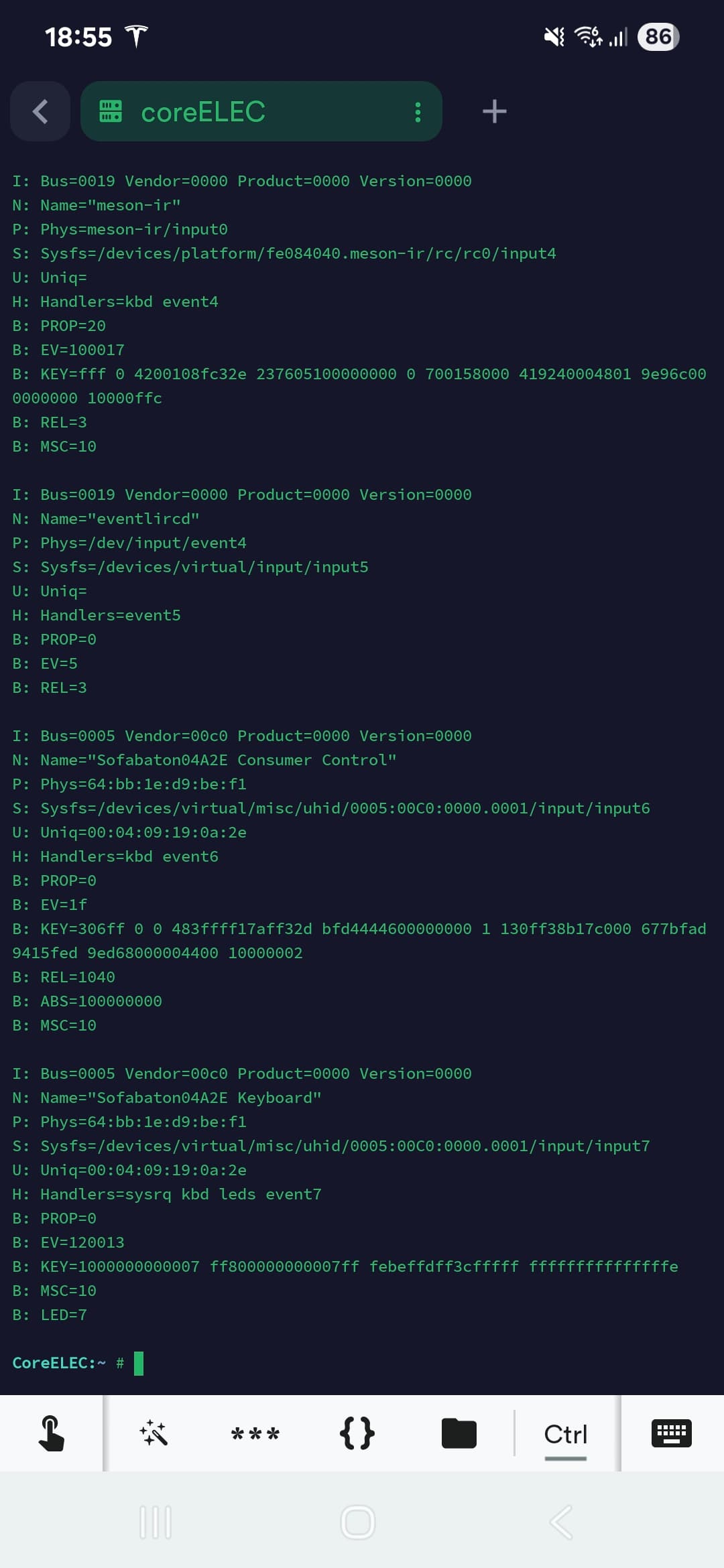
Hey all, hope everyone is well. I am just playing with Coreelec and have flashed ot to my emmc on the SK1.
Although, i am having alwful issues with bluetooth and connecting the remote above.
I have even purchased a tp link bluetooth dongle that works with linx, but it still will not connect.
I know its not the remote as connects fine on Pi5 with libreelec and my FireCube3.
Anyone help at all?
https://paste.kodi.tv/izeterixir
If this helps at all atto?
Thanks so much in advance
Fyi, ignore this.
I deactivated sk1 bluetooth, and added external bluetooth, made sure that soft block was disabled.
All good now
Seems like Amlogic NE Kernel is missing RTL8821CS driver. I checked source tree and did not find it. Any plans to backport it from mainline? I have X98 S500 4/32 and it works well with generic DTB but lack WiFi driver. I installed CE onto eMMC to be able to use USB WiFi dongle via single USB port.