Hello, from the current point of view, there are two problems, one is that the sound will become smaller until it is muted, and I can’t adjust the amount of sound. The other problem is that when you click the first button in the upper left corner, the dialog box will automatically close, please fix it, thank you.
@vpeter
And when does sound getting smaller? Just at random time or when you press some button?
That is, after entering the system for a while, it will become smaller, just like people press the volume reduction key themselves, and after restarting the device, manually pressing the volume + key is invalid, as shown in the next video.
In video I hear clicks which means there was remote pressing from outside. I didn’t saw any case when audio would behave like that.
So what’s going on here? That clicking sound is the sound I make when I press volume +.
Yes, someone or something press the volume button. I doubt it happens inside CE by itself.
Post kodi debug log when this happen. And tell exact time so it can be seen in log file.
Last night, I opened the log debugging, I adjusted the volume to the maximum, and watched the video, and there was no problem with the silent volume decreasing. I will brush in the test again when I am free in the evening. If there is any problem, I will submit the log and ce-debug.
Hello, I would like to help check the volume through terminal sharing in the evening, is it OK? I’m in trouble. @vpeter
Try to disconnect/reconnect the keyboard. And/or use different USB port.
Hello, I did not connect the keyboard oh, I only connected the flying mouse, shut down and power off for a period of time, in the power test, the current normal, play for a period of time and then appear the volume becomes smaller until silent phenomenon.
##############################################
#                  CoreELEC                  #
#            https://coreelec.org            #
##############################################

CoreELEC (official): 20.3-Nexus_nightly_20230905 (Amlogic-ng.arm)
      Machine model: Amlogic
     CoreELEC dt-id: sc2_s905x4_4g_1gbit

CoreELEC:~ # systemctl status opentee_linuxdriver.service -l --no-pager
● opentee_linuxdriver.service - Optee TEE-Supplicant and Video Firmware Preload service
     Loaded: loaded (/usr/lib/systemd/system/opentee_linuxdriver.service; disabled; preset: disabled)
     Active: active (exited) since Wed 2023-09-06 21:28:30 CST; 6min ago
    Process: 3391 ExecStart=/usr/lib/coreelec/tee-loader start (code=exited, status=0/SUCCESS)
    Process: 3755 ExecStart=/usr/lib/coreelec/dovi-loader start (code=exited, status=0/SUCCESS)
   Main PID: 3755 (code=exited, status=0/SUCCESS)
      Tasks: 2 (limit: 3700)
     Memory: 1.8M
     CGroup: /system.slice/opentee_linuxdriver.service
             └─3456 tee-supplicant

Feb 17 02:10:58 CoreELEC systemd[1]: Starting opentee_linuxdriver.service...
Feb 17 02:10:58 CoreELEC tee-loader[3391]: run tee from coreelec start
Sep 06 21:28:30 CoreELEC tee-loader[3753]: fw_path = /lib/firmware/video/video_ucode.bin
Sep 06 21:28:30 CoreELEC tee-loader[3753]: MM-module-name:Video firmware CA,Version:1.0.1-gb173c81(build:369)
Sep 06 21:28:30 CoreELEC tee-loader[3753]: tee preload video fw ok
Sep 06 21:28:30 CoreELEC tee-loader[3391]: run tee from coreelec end
Sep 06 21:28:30 CoreELEC dovi-loader[3755]: run dovi 'start' for ng
Sep 06 21:28:30 CoreELEC dovi-loader[3758]: mount: mounting /dev/vendor on /android/vendor failed: No such file or directory
Sep 06 21:28:30 CoreELEC systemd[1]: Finished opentee_linuxdriver.service.
CoreELEC:~ # journalctl -l | paste
http://ix.io/4FqG
CoreELEC:~ # dmesg | paste
http://ix.io/4FqH
CoreELEC:~ # ce-debug
http://ix.io/4FqI
CoreELEC:~ # fw_printenv | paste
http://ix.io/4FqS
CoreELEC:~ # lsusb
Bus 002 Device 001: ID 1d6b:0003 Linux Foundation 3.0 root hub
Bus 001 Device 003: ID 276d:1101 YSTEK Laser Pen_V2.1
Bus 001 Device 002: ID 0781:5571 SanDisk Corp. Cruzer Fit
Bus 001 Device 001: ID 1d6b:0002 Linux Foundation 2.0 root hub
Kodi Crash Log:
http://ix.io/4FBQ
CoreELEC:~ # dmesg | paste
http://ix.io/4FBR
CoreELEC:~ # journalctl -l | paste
http://ix.io/4FBT
Hello, there was a problem with the volume decreasing around 19:38. Could you please check it when you have time and convenience? Thank you.
When this happen please make also lsusb | paste
[ 1428.848236@3]- input input4: key 114 down
[ 1428.880255@3]- input input4: key 114 up
I have seen also volume decrease just yesterday on Dune R4 with USB keyboard connected. As soon it was removed nothing happend anymore. But I had nothing on dmesg, only in debug kodi.log.
input4 is the adc_keypad. Maybe dts need to be changed/fixed.
CoreELEC:~ # lsusb | paste
http://ix.io/4FC4
kodi.log (35.2 KB)
Type this in console and reboot. After that volume should not be changed by it’s own.
mount -o remount,rw /flash
fdtput -t i /flash/dtb.img /adc_keypad key_code 0 0 116
Testing for some time, everything is normal, thank you, looking forward to the next version of the update, thank you coreelec team.
Sep 06 21:28:30 CoreELEC dovi-loader[3758]: mount: mounting /dev/vendor on /android/vendor failed: No such file or directory
May I ask if the above error is caused by the incorrect path mounting failure? Please have time to see if it can be solved.
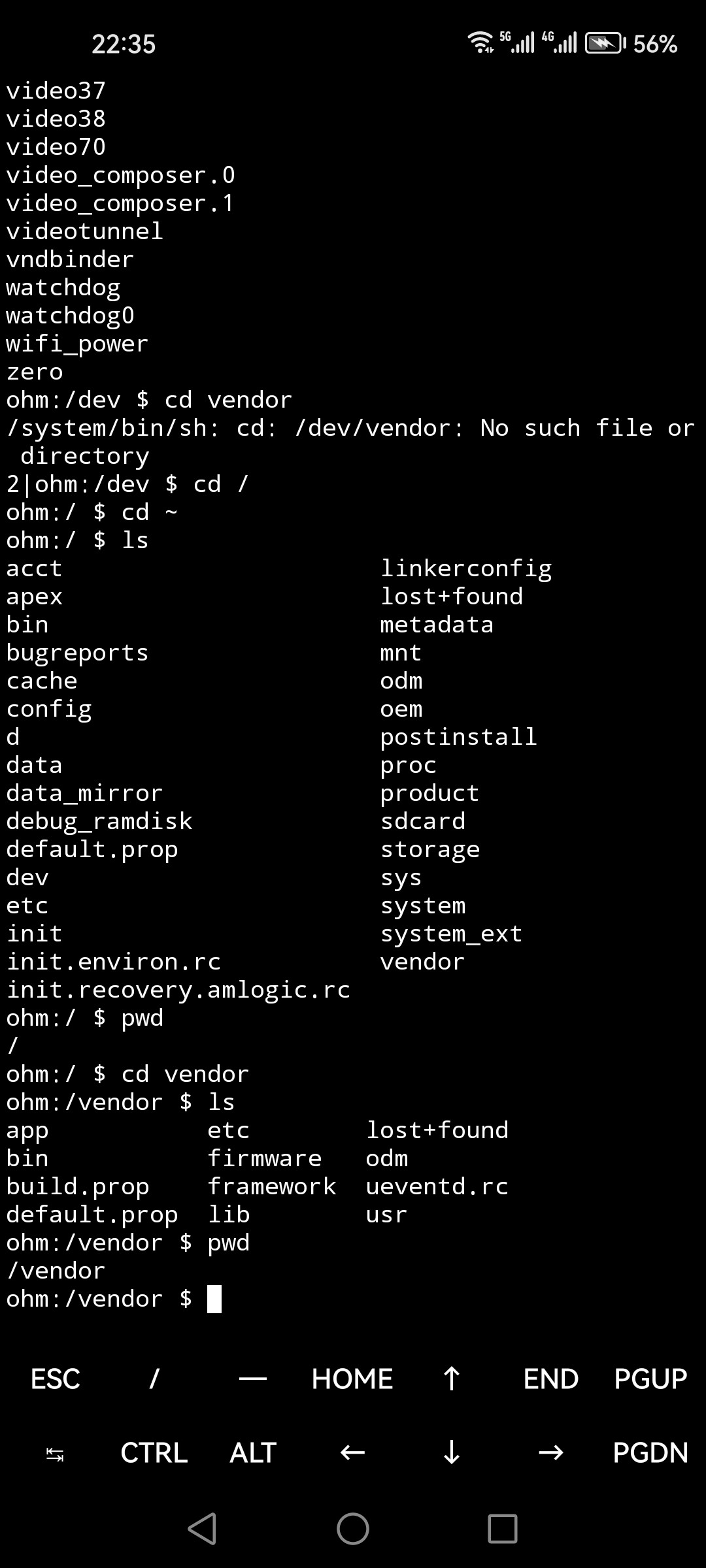
Please enable terminal sharing because I have to check this on device itself.
Open the terminal connection, username: blueyeti2023. Please take a look at the issue I submitted yesterday when you have time and convenience. Thank you.