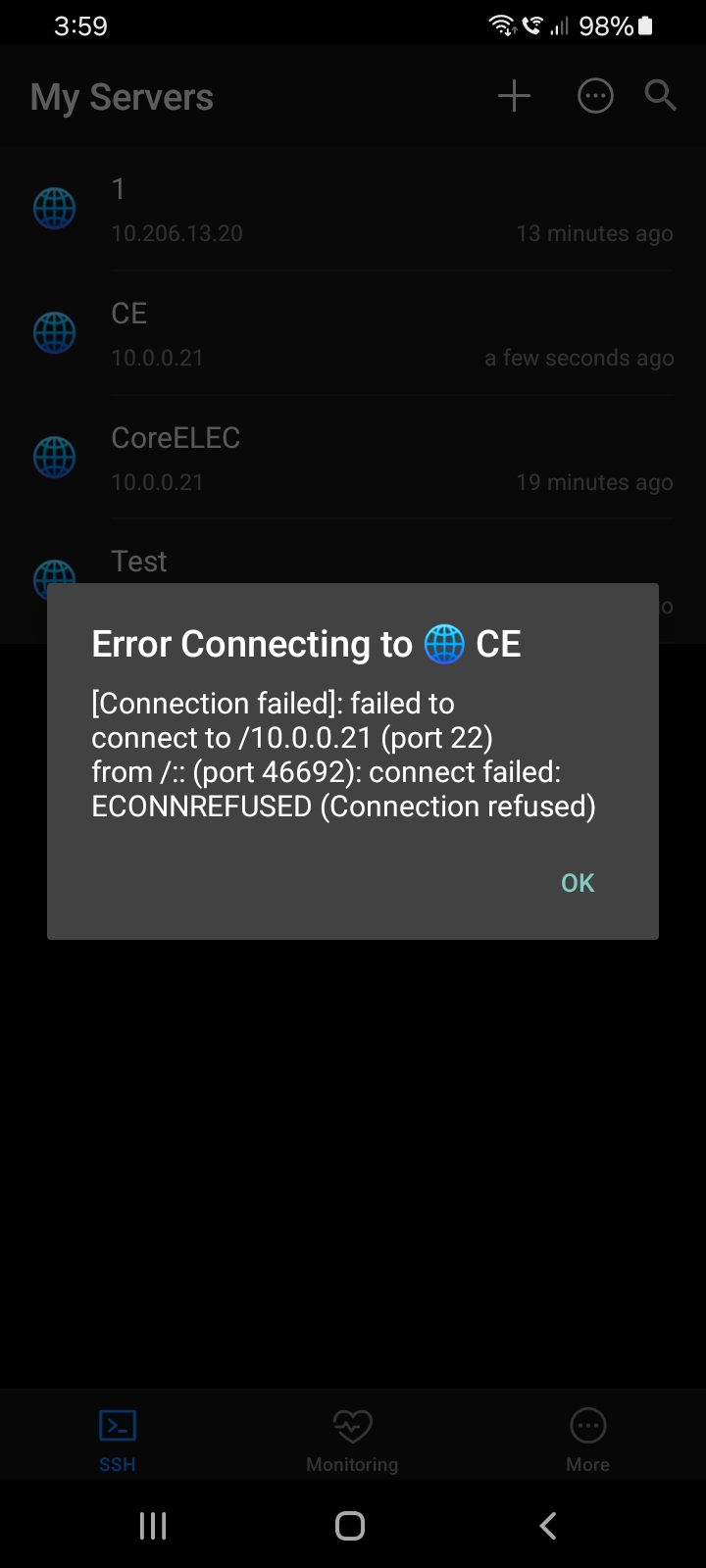
This is a brandnew install of 21.2-Omega. Currently on USB stick, but want to get dualboot. Hence I need SSH access to run the ceemc command. I however always get a “connection refused”. I tried to create an sshd log file by modifying the start scripts to write to /storage/sshd.log, but after an attempt the log size is still zero bytes. Ping works fine, as does ssh into the nas attached to the same switch. SSH is enabled in services. I am puzzled.
Every hint is highly appreciated, I have not ideas anymore. Testing port 22 fails:
$ telnet ugoos 22
Trying 192.168.178.21…
Connected to ugoos.fritz.box.Escape character is ‘^]’.
SSH-2.0-OpenSSH_9.8
So the service should be listening. Why can’t I login?
I installed Web-SSH and can reach port 11111 there. So my urgent problem is solved. Nevertheless ssh should work directly. Anything how I can help to find the root cause of the problem? I even did the whole process again (fresh USB image, toothpick, ssh activation both at start and confirming it later in menus), but still no connection.
Hey Y’all. I’m facing an issue with my UR01 remote that came with this device. I’m runing coreelec build and the remote was working fine. I stopped using the device for around 6 months and when I tried to use it yesterday, my remote suddenly started to blink red light. I replaced the batteries, but that blinking never stopped. Any idea why it’s happening and what should I do to get it working? Thanks in advance.
debug1: Connecting to 192.168.178.21 [192.168.178.21] port 8022.
debug1: connect to address 192.168.178.21 port 8022: Connection refused
ssh: connect to host 192.168.178.21 port 8022: Connection refused
That means:
Your client successfully resolved the host and tried to connect to 192.168.178.21 on port 8022.
The TCP connection was actively refused, which means something on that IP is reachable but nothing is listening on port 8022 (or a firewall is rejecting it).
So the issue is not with your SSH client, but with the target (ugoos at 192.168.178.21):
SSH server not running
The device may not have an SSH daemon running, or it’s not enabled.
Wrong port
You’ve told SSH to use port 8022. Maybe the SSH server is actually listening on the default 22, or another port.
I tried, but the remote wasn’t showing in the devices. I booted into android just so I can pair, but didn’t work.
Also the pairing needs to be done only for bluetooth right? IR should work out of the box iirc. When I installed coreelec, it worked without doing anything.
Yes I added this before installing coreelec. Like I said, it was working fine earlier but suddenly it started to blink. Also is there a way to reset only remote? So that I can pair it again on Android.
I’m having the same issue. Never had a problem in the past (and we’re talking over 20+ CE installations on my AM6B Plus).
I even tried connecting using the exact same configuration that worked previously and now it is being refused so I can’t install properly and lose the SD Card boot setup.
I am using S922 box for CE. I have two distinctly different display devices. JVC projector, that plays 3D and works best on SDR BT2020 for UHD files. Also have a fully DV capable TV.
I wanted to see how I can change DV configuration based on the display without clicking multiple options to make this family friendly. Ideally I would make it fully automated based on the display either through coreelec itself identifying display or through SSH or similar mechanism using a seprate automation, eg eventghost, homeassistant (which I can do myself as long as there is a way to pass commands to coreelec). Alternatively, a one-click option would work as well.
I only have a problem with HDR, while Dolby Vision works fine and the issue happens only with some UHD rips. The TV works fine with other devices. Also, I notice an improvement in picture quality and playback with every new firmware update. Whereas 1017 was most stable in playback but colors were too warm.
Or its hdmi handshake problem? I wonder if you do changing in video codecs or something in every firmware.
 That means: