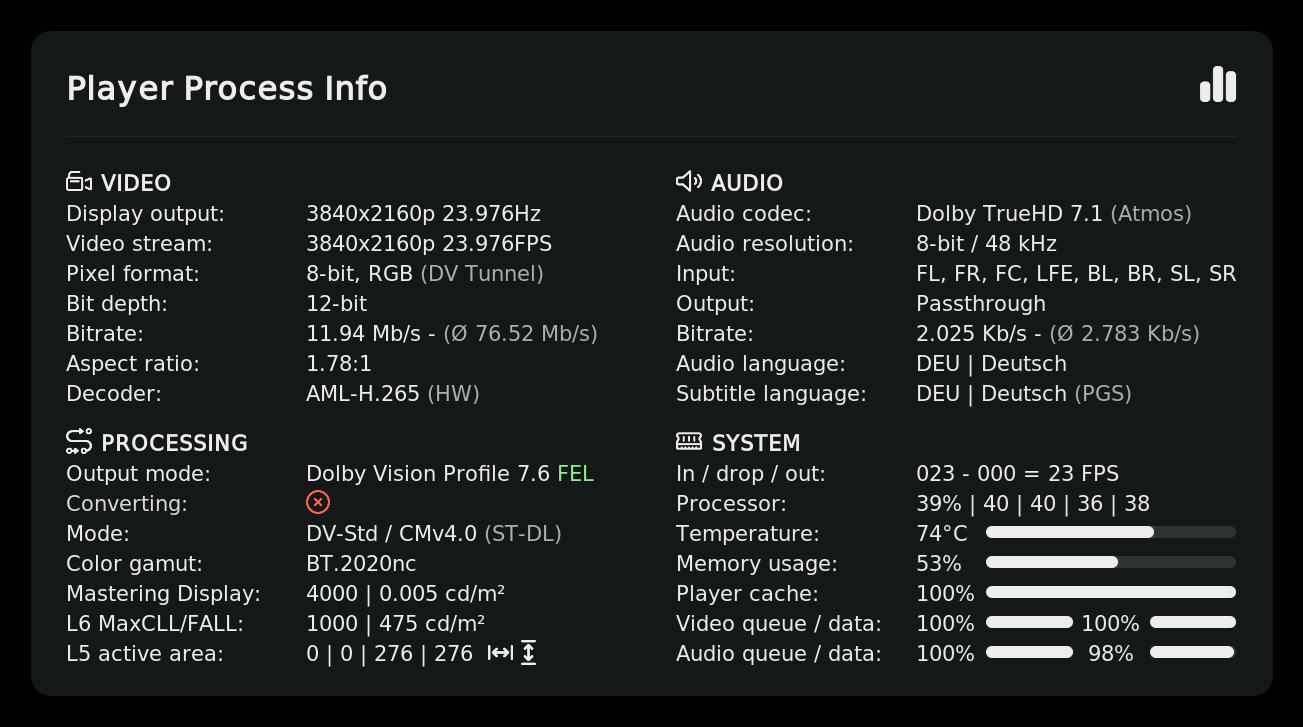
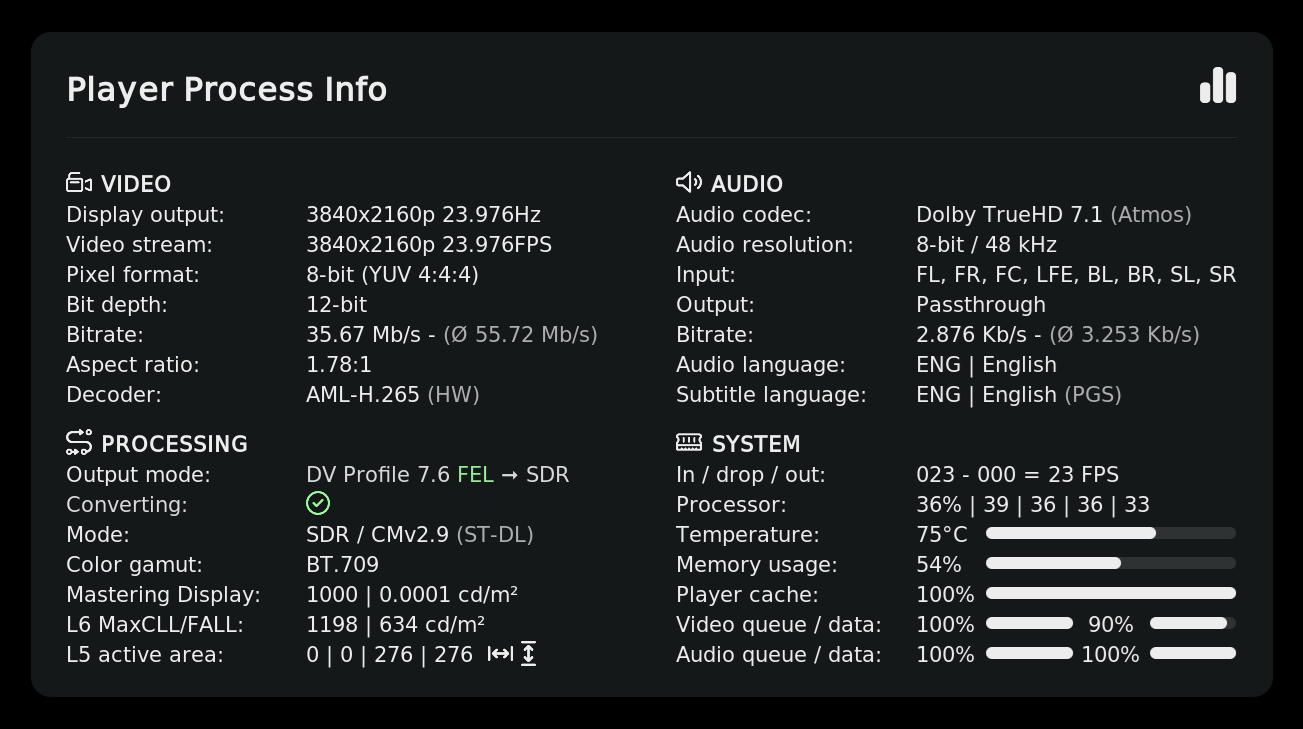
TinyPPI - Universal PlayerProcessInfo for CE 22

A new TinyPPI update is now available for download from the repository.

TinyPPI 1.6.1 - Changelog

:desktop_computer: Overlay & Background

  • Added a full-screen background with its own color and transparency settings.
  • Added a slider to control the transparency of the info overlay background.
  • Added sliders to move the overlay horizontally and vertically on screen.
  • Header title, icon and separator lines are now automatically hidden when the background is fully transparent.

:artist_palette: Look & Feel

  • Removed the old “Classic” style — the modern overlay layout is now always used.
  • Switched the fonts from Inter to Noto to support all languages worldwide.
  • Refined the overlay layout, spacing and arrow icons.

:wrench: Fixes

  • Fixed the overlay position so content stays on screen when the filename is displayed.
4 Likes

Thank you @jamal2367 for your continous commitment.

2 Likes

A new TinyPPI update is now available for download from the repository.

TinyPPI 1.6.5 - Changelog

:clapper: Dolby Vision & HDR

  • Dolby Vision detection now uses the new hdrprobe tool for faster and more reliable results.
  • Added display of the Dolby Vision layer structure.
  • Added an alternative Dolby Vision profile property and shortened the profile labels for a cleaner look.
  • Added conversion mode output.
  • The CM version is now only shown when it is actually detected.
  • Added full HLG format support including its own UI elements.
  • Fixed HDR type matching so HDR10 and HDR10+ are no longer confused.
  • Fixed HDR10+ parsing and improved HDR detection overall.
  • FEL streams now show the correct reconstructed bit depth.
  • Reduced the probe chunk size for faster analysis at playback start.

:tv: Video & Modes

  • The video decoder is now shown with a friendly display name.

:wrench: Misc

  • Updated the tools.tinyppi dependency to 1.0.6.
  • FFmpeg, dovi_tool and MediaInfo have been removed.

Note: A big thank you to @matthane — I’m very grateful for his hdrprobe tool, which makes the new Dolby Vision and HDR detection possible. :pray:

10 Likes

A new TinyPPI update is now available for download from the repository.

TinyPPI 1.6.6 - Changelog

:artist_palette: Theming & Appearance

  • FEL/MEL enhancement-layer tags and the conversion icons now have configurable colors — set your own via the theme settings.
  • Added individual opacity sliders for every theme element (title, filename, header, icon, description, output, FPS, progress, accent, unit, line, dialog focus, and more).
  • Added width limits to label controls to prevent text overflow.
  • Fixed a color reference in the Dolby Vision section header.

:high_voltage: Performance

  • The Dolby Vision tunnel / VS10 mode is now cached and only re-read when the pixel format actually changes.
  • CPU usage is now taken from Kodi’s own infolabel, removing the last per-cycle system read and making the value available immediately.
  • The background service now uses a blocking wait instead of a 1-second polling loop.

:bug: Fixes

  • Fixed queue-level handling to always use floats (Python 3.12 compatibility).
  • Fixed a double space in the L6 unit suffix when no unit color is set.

:wrench: Under the Hood

  • Large code cleanup and deduplication pass with no functional changes.
  • Removed several unused properties and strings that were no longer referenced by the skin.
4 Likes

Does implementing to show the Dolby Vision/Atmos, DTS, and/or HDR10+ icons violate some copyright/trademark? Would be really great to see that

There are no Dolby/DTS icons in this add-on. The icons are included in @Frodo19’s fork, but not in mine.

Is it a planned feature in your addon? To avoid any legal issues it would even be acceptable to let us load our own icon assets for each audio format and HDR format

No, it’s not planned, and it won’t happen for now.