Install both at the same time, then map the key to RunAddon(script.tinyppi) or Player Process Info?
A new TinyPPI update is now available for download from the repository.
TinyPPI 2.0.8 - Changelog
 HDR Formats
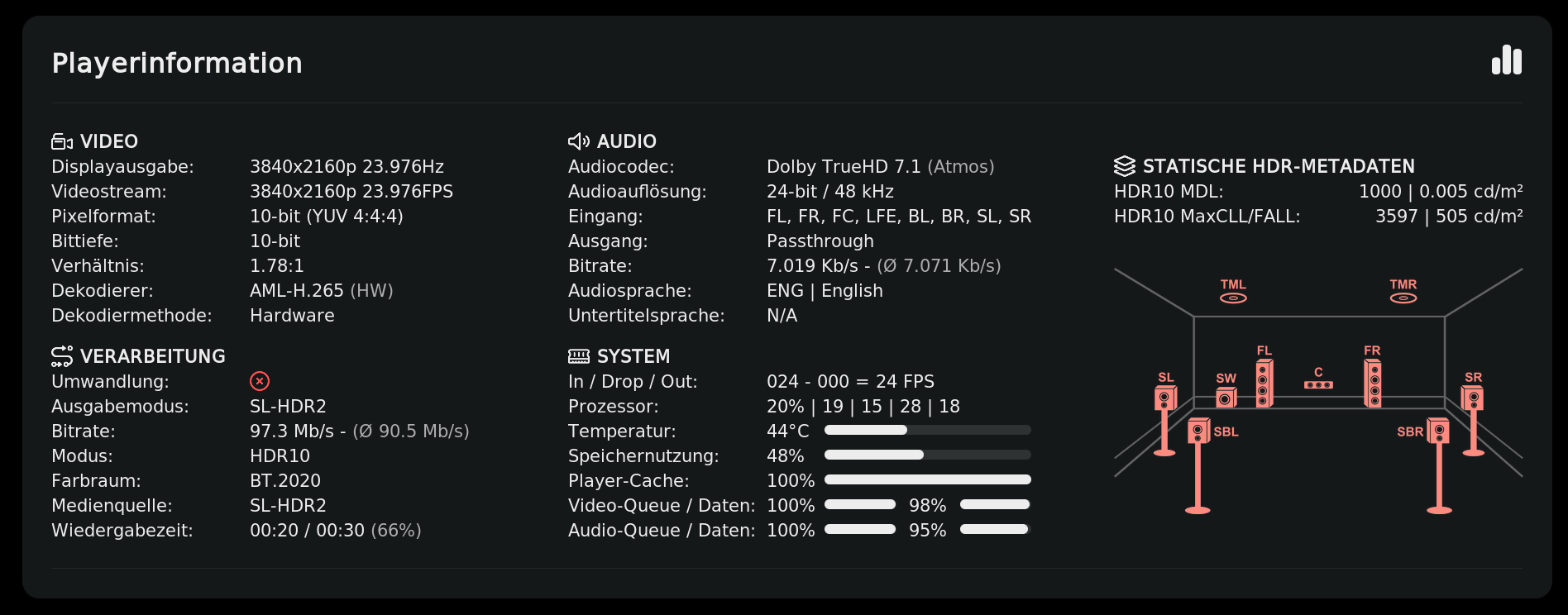
- Added support for two new dynamic-metadata formats: SL-HDR (ETSI TS 103 433, including variants 1/2/3) and HDR Vivid (CUVA). Both ride on HDR10/HLG bases and are now named correctly in the output mode.
- Streams signalling dynamic HDR metadata on an SDR base are now treated as HDR10, so the overlay renders a proper HDR panel.
 Live TV & Streams
- Added dedicated Live TV and Livestream labels, with elapsed/duration/progress where available and a clean fallback where not.
 Metrics
- The video bitrate now comes from Kodi’s live bitrate property instead of the Amlogic sysfs node.
- The input FPS now comes from Kodi’s player info instead of being derived indirectly from sysfs; the sysfs node is only used for the drop rate. FPS values are reported directly rather than as a rolling average.
- Queue levels are now read directly in the skin via
Player.Process, and show 100 % when effectively full.
 Fixes
Fixes
- Fixed an empty, widened overlay when the channel icon was enabled but the content exposed no mappable audio channels — SDR and HDR now correctly fall back to the no-channels layout.
 Under the Hood
- Consolidated the SDR and HDR/HLG/DV overlay variants into one group with unified visibility logic.
- Updated hdrprobe to v0.8.0
- Updated the tools.tinyppi dependency to 1.1.6.
8 Likes
@jamal2367 Thank you 
1 Like
Thank you for this wonderful work
1 Like
In case you haven’t figured it out ?
Thank you Jamal

1 Like
A post was merged into an existing topic: Ugoos AM9 Pro - SoC S6 S905X5-J
Can this work just as an addon from the zip file ?
Install from zip ,/Jamal repository
Then Install from repository