Great work, Thank you indeed!
1 Like
Really have no words. Thanksssssssssssssssssssss
1 Like
The repo installs just fine for me, but when I try to enter it from the Add-ons menu, I get a Could not connect to repository error. Any ideas?
Make sure you’re using CoreELEC 22. That’s the minimum requirement for the repository.
1 Like
Leaved only a question.
1 Like
Thank you @jamal2367 for TinyPPI and your Fuse3 mod 
1 Like
A new TinyPPI update is now available for download from the repository.
TinyPPI 1.8.9 - Changelog
 Dolby Vision & HDR / Blu-ray
- Blu-ray disc images (raw .iso, bluray:// URLs, extracted BDMV folders) are now probed by the actual playing title from the playlist (.mpls) instead of the filesystem header, so the output mode is detected correctly for Blu-ray ISOs. Ordinary files are untouched.
- The Dolby Vision level is now shown for disc .m2ts files, derived from resolution and frame rate when the container itself carries no level.
- Increased the probe chunk size to 16 MiB for more reliable detection.
- Updated hdrprobe to v0.6.0.
 Overlay & Dialog
- Added an Auto-hide slider (0 = off, up to 30 s) that automatically closes the TinyPPI overlay after the set time. The VS10 selection dialog is unaffected.
- The VS10 dialog now has its own independent global background (palette color, custom HEX, and transparency), separate from the overlay.
- Replaced the heavy arrow glyph with a plain right arrow (→) for consistent rendering and widened several labels (360 → 380) to prevent truncation.
 Under the Hood
- Updated the tools.tinyppi dependency to 1.1.2.
- Simplified the Dolby Vision level display logic.
7 Likes
A new TinyPPI update is now available for download from the repository.
TinyPPI 1.9.5 - Changelog
 Performance & Detection
- Network and disc-image sources (NFS, SMB, HTTP(S), FTP/SFTP, DAV, UDF, bluray://, stacks …) are now streamed straight into hdrprobe over stdin instead of being copied into a temporary chunk file first. Local files are still analysed directly.
- Audio detection is now an incremental scanner that holds only a single block (plus a small overlap) instead of a 16 MiB buffer, with byte-for-byte identical results.
- Both probe runs are now time-boxed, so a stuck probe can no longer hang the background detection.
- Net effect: no more temp-file writes and transient memory drops from ~32 MiB to ~1 MiB, with unchanged overlay output.
 Dolby Vision & HDR
- Fixed the Output mode field staying empty for HDR10+ sources converting to SDR, HDR or DV — HDR10+ conversions now display just like the other HDR types.
- Updated
hdrprobeto v0.7.0
Under the Hood
- Updated the tools.tinyppi dependency to 1.1.3.
11 Likes
Thank you is very much appreciated for continued hard work.
2 Likes
A new TinyPPI update is now available for download from the repository.
TinyPPI 1.9.6 - Changelog
 Audio
Audio
- Audio detection now uses the new external audioprobe v0.1.0 tool instead of the bundled scanner. The source is streamed into both hdrprobe and audioprobe over stdin, and TinyPPI now reads the active audio track’s bit depth and sample rate for improved accuracy.
- Added a dedicated DTS Express codec icon (previously shown with the generic DTS logo).
Under the Hood
- Updated the tools.tinyppi dependency to 1.1.4.
7 Likes
Thanks @jamal2367 it rocks!
1 Like
Please add the MPEG Audio Layer II logo.
@vortex
MP1 and MP2 will be included in the next release.
3 Likes
Hi Jamal, in your repository there is TinyPPI 1.9.7
A new TinyPPI update is now available for download from the repository.
TinyPPI 1.9.8 - Changelog
 New: Channel Layout Graphics
- Added channel-layout artwork (1,0, 2.0, 2.1, 3.1, 4.1, 5.1, 5.1.2, 6.1, 7.1, 7.1.2 …) shown per HDR type (SDR/HDR/DV), with a dedicated DV panel, configurable offset and design.
- New on-disk image scaler/cache that resamples large media images to display size and prewarms them on playback, for better performance and sharper logos.
- Mapped MP1/MP2 codec icons.
Overlay
- You can now nudge the overlay position with the arrow keys in real time. The adjustment is clamped on-screen and is temporary (not saved across launches).
Under the Hood
- Reorganized the internal library into logical core / info / service / ui modules.
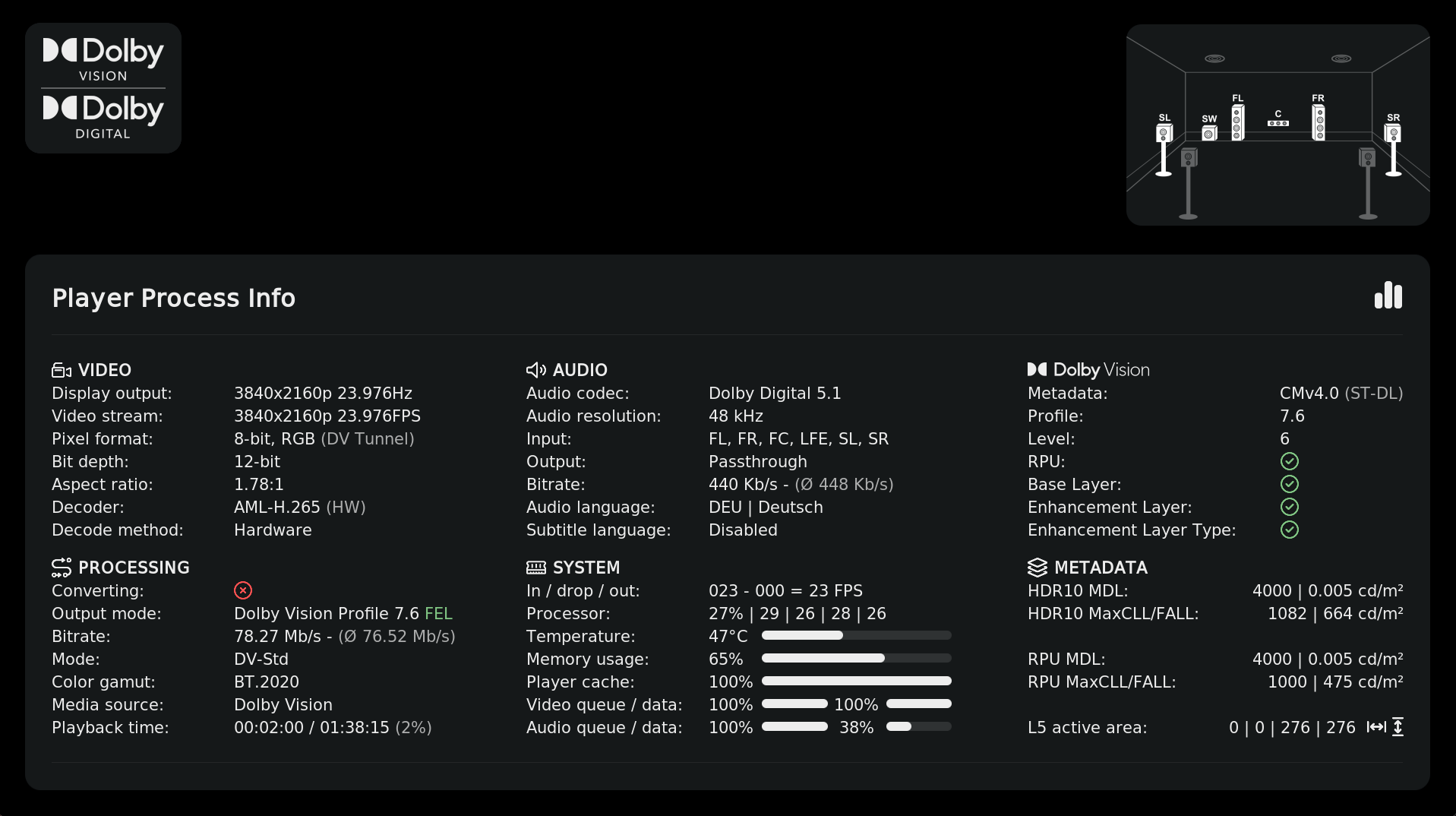
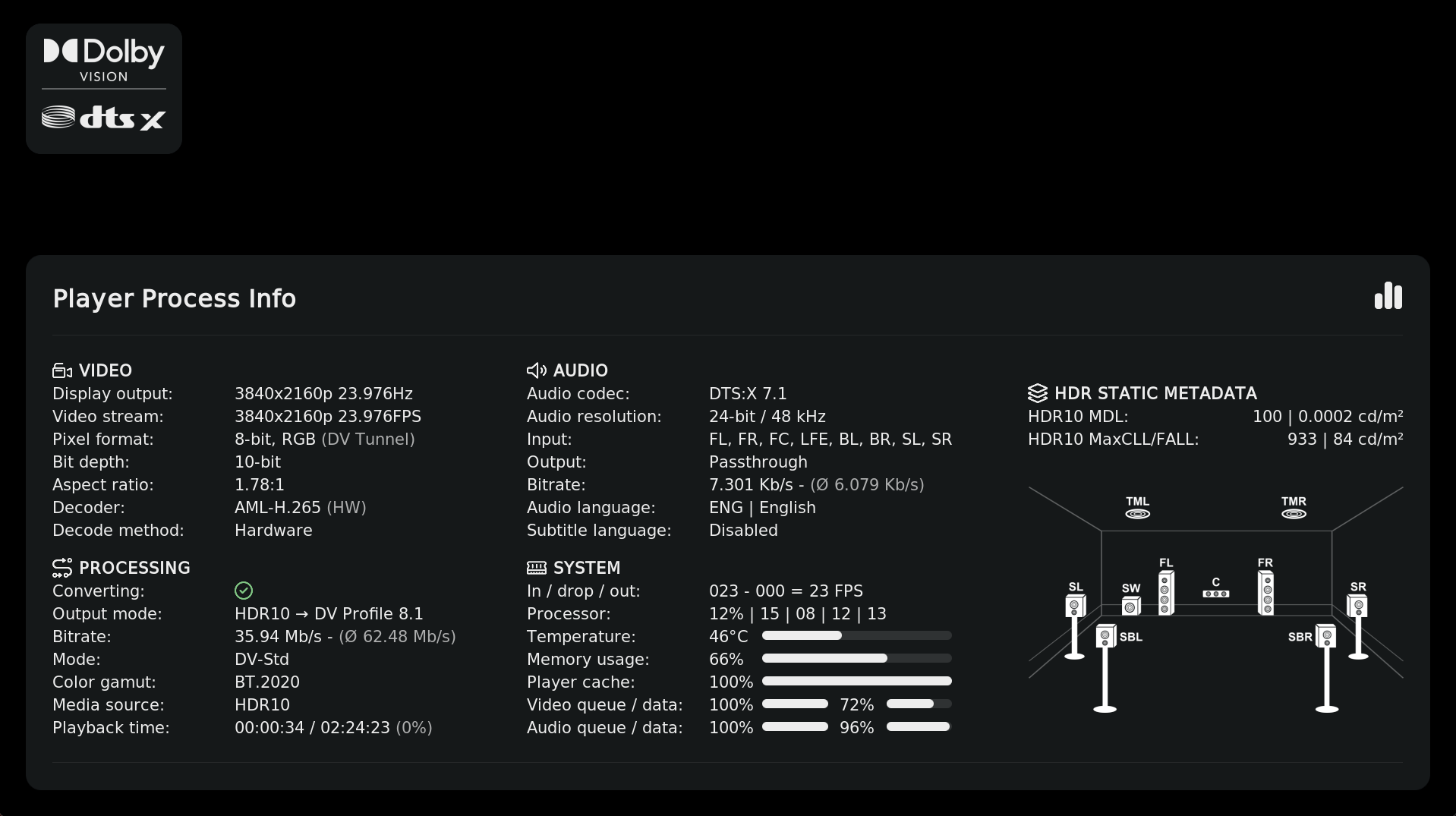
10 Likes

A new TinyPPI update is now available for download from the repository.
TinyPPI 2.0.3 - Changelog
Performance
- Fixed the sluggish overlay introduced in 1.9.8: the channel-layout graphics were being downscaled on-device by a pure-Python scaler on every launch, and because Kodi shares a single interpreter lock across add-ons, this starved the overlay so it was slow to open after a keypress. The graphics are now shipped pre-scaled at their exact display sizes, so no image processing runs on the device and the overlay opens instantly again.
- Removed the channel-texture prewarm that ran on every playback start.
 Appearance
- Refreshed and optimized the channel-layout images.
Under the Hood
- Cleaned up dead code and removed 10 orphaned localization strings (de / en / zh).
9 Likes
Does the CE-Repo/skin.arctic.fuse.3 skin also have this Player Process Info window? Why can’t I get it to pop up even after activation?
You need both.
You need to install Arctic Fuse 3 (U3k) and TinyPPI for it to work.
1 Like
Everything works like a charm, except I can’t get “Assign a remote shortcut” to work. I’m using the Keymap Editor**.**