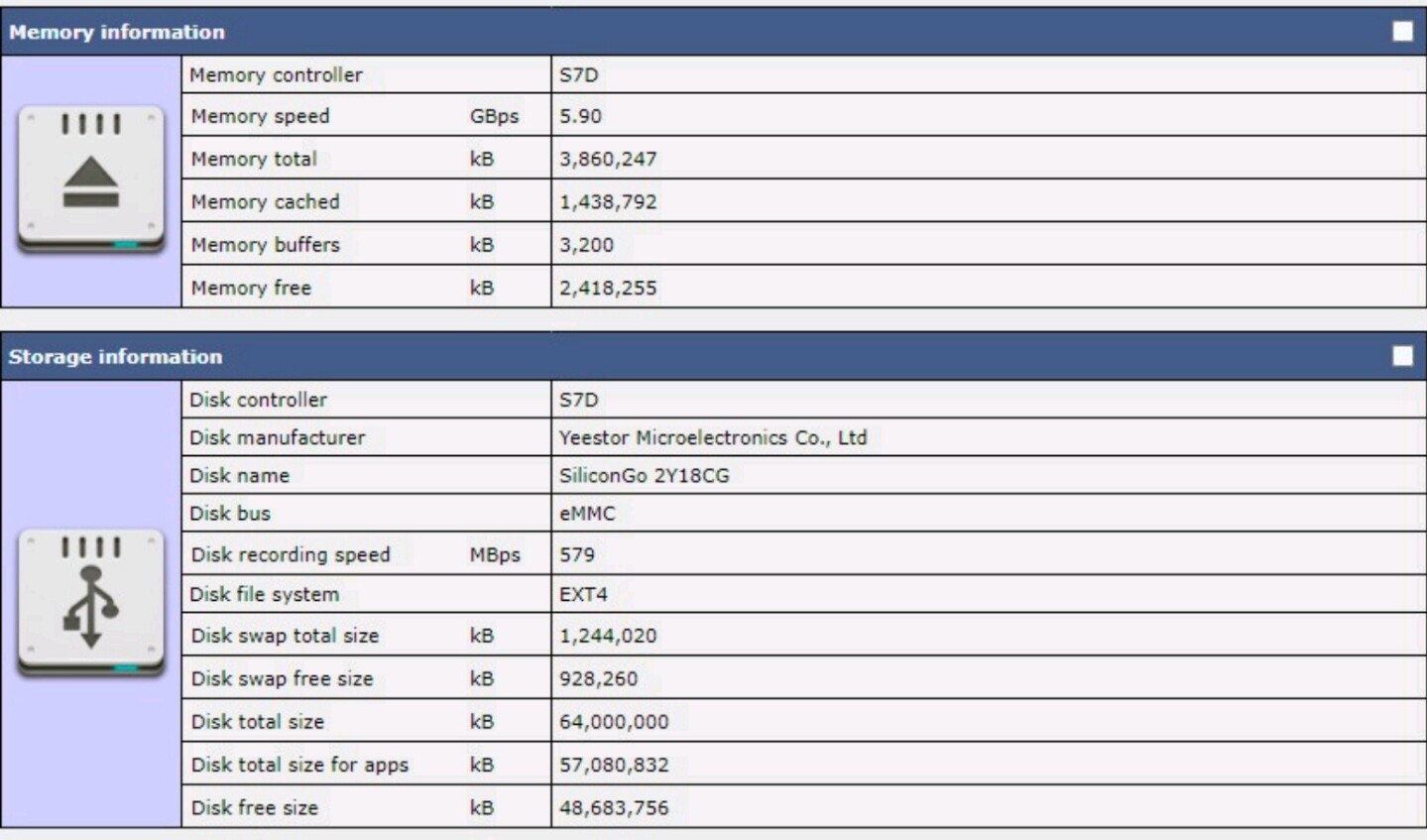
It is most accurate measurement,for example,here is my surface book 2 memory tests results:
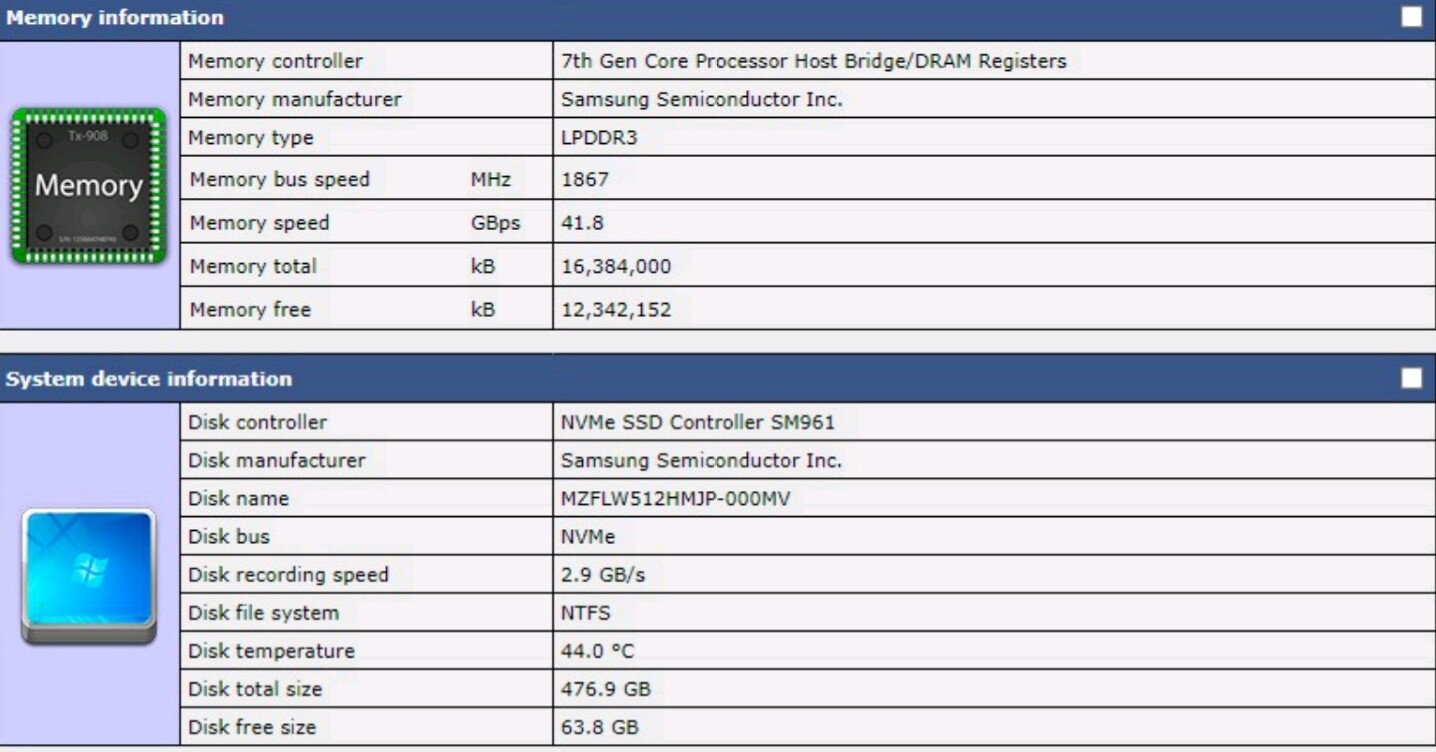
I don’t have as many devices to test,but as far results were correct.
It is most accurate measurement,for example,here is my surface book 2 memory tests results:
The SK4 is a clear winner here,well,somehow it reaches almost 600MB/s internal disc recording speed.
You can contact Yeestor Microelectronics to provide tech data and information,how they make such fast memory 
P. S. It is military grade memory,industrial test is accurate.
I’m looking at the SK4 CE DTB. The mmc controller uses an 8bit bus at 200Mhz (1600Mbps), HS400 doubles that (DDR) to 3200Mbps = 400MBs maximum possible
What happens when you perform an actual eMMC write test
dd if=/dev/zero of=/data/local/tmp/testfile bs=1M count=1024; sync
Do you have any shield laying around?
We must test different devices,for comparesment,test shows burst measurement results.
P. s.
The SK4 uses HS600,not HS400,industrial test is right.Industrial test is using big blocks for recording.
Sk4 uses military grade memory.
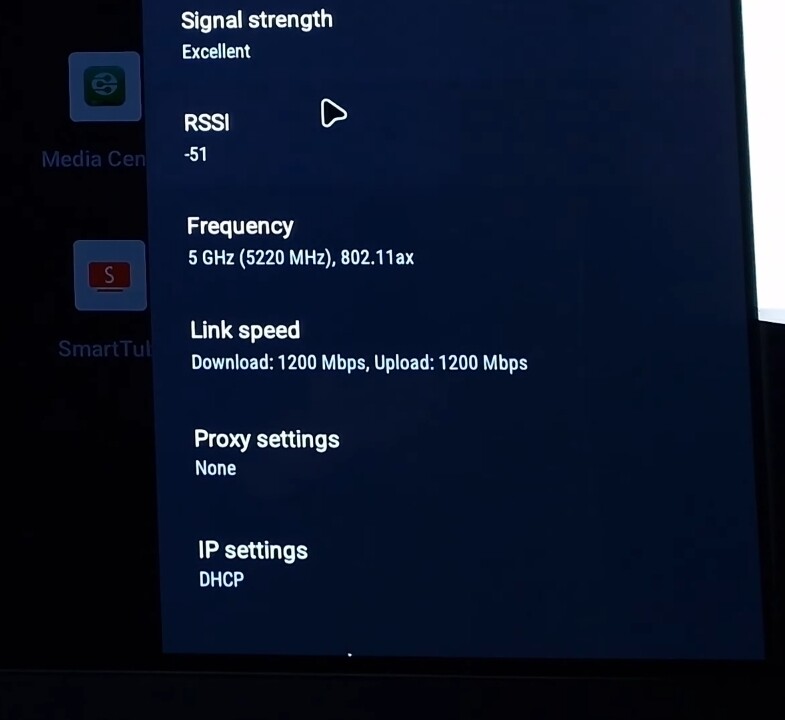
I was arguing with a guy one day,we were both using proper expensive equipment and iperf to test Wi-Fi speed,he got around 700Mbps and I got around 300Mbps,so later I found out that we were testing device in different conditions,he had performance mode turned on and I had it turned off,so when I’ve turned it on,I had exact same test result,so yeah,sometimes final result depends from which side you are looking.
A better example would be if I claimed that my 1Gbit Ethernet was transferring data at 2Gbps, and you said but that’s impossible. And I responded, no I meant in ‘burst mode’.
1Gbps is the limit, it’s not possible to either transfer at rates above 1Gbps in bursts or sustained.
The same is true for the eMMC. The mmc controller dictates that data can never be transferred faster than 400MB/s (max bandwidth), not in short bursts either.
Just run a real eMMC read/write test yourself.
The only explanation I can think of is that that that app is writing data to RAM, and then to eMMC, to inflate the eMMC write speeds. This inflation would only apply to writes, not reads.
Yes,you are completely right,we must use different tools and benchmarks to test performance,this way we can see much more clear picture.
Here is AM9 Pro CPDT result:
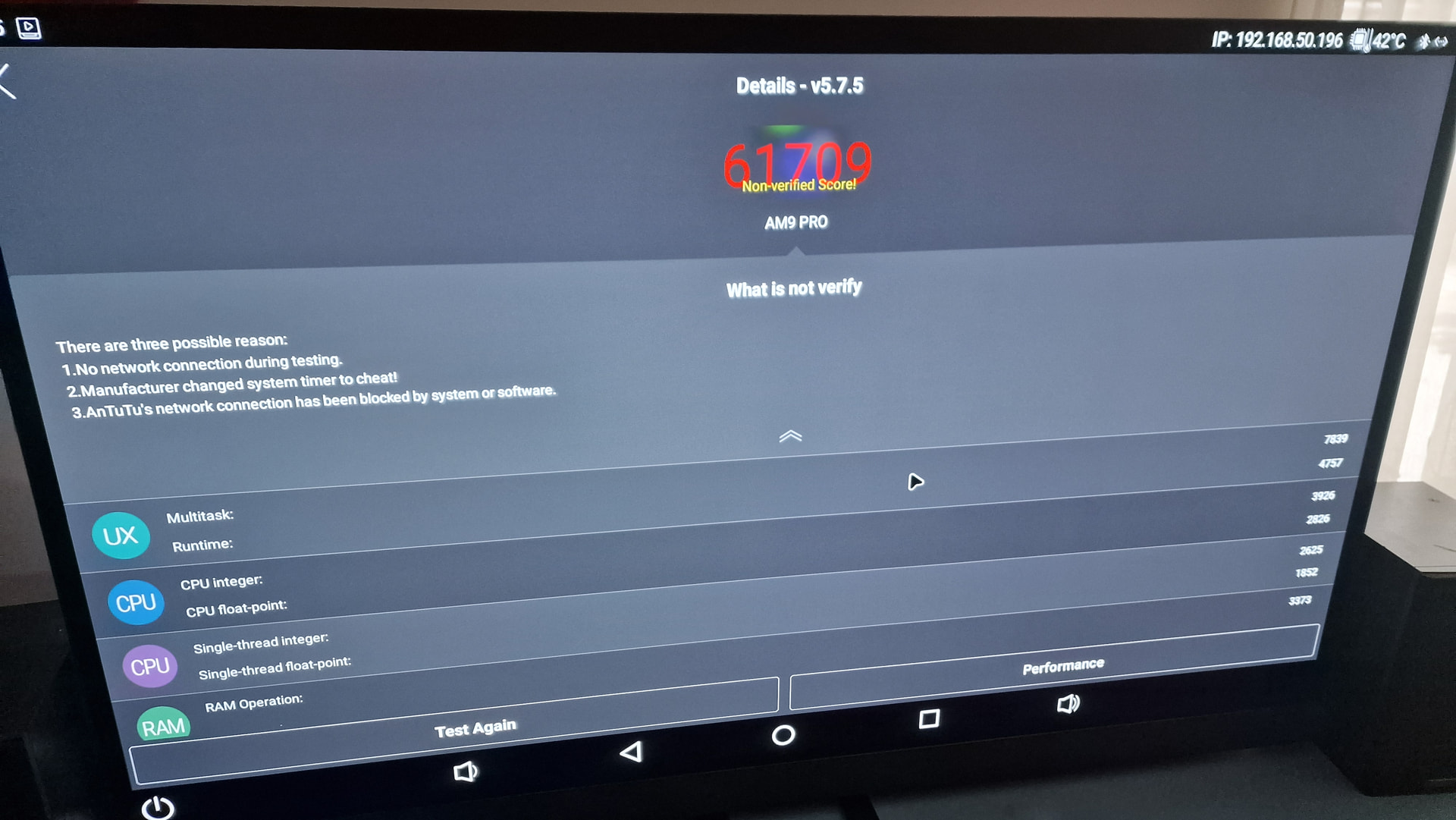
,so yeah,different tests and different benchmarks,that way we can find out what is going on.One more benchmark result,antutu 5 can be installed even on Android 4.0 (Ice cream sandwich) sometimes it is interesting to know,how far tech performance got and with this benchmark,we can compare devices from different eras
Here is AM9 Pro Antutu 5.7.5 score:
Yes this is a much better representation of what to expect.
Yes this is another error that is commonly made. Antutu scores from different versions of Antutu aren’t comparable. Antutu changes the benchmark weights, adds new tests and sometimes removes old tests between different versions (v5, v6 … v11 etc).
The 350K Antutu score of the s905x5 can’t validly be compared to scores from 3-6 years ago using older versions of the app. Any benchmarking tables that include Antutu scores and don’t report the Antutu version used are crap. Most if not all the popular tables sited on reddit, avsforums etc are using a mix of different Antutu versions.
The last thing I would say about this is that you are doing all your benchmarks in Android. This is a CE forum, people here care about CE performance. There are plenty of linux benchmark tools, it would be more meaningful to see results from CE where all these devices use the same CE version with the same kernel.
This removes variability introduced by comparing devices using different versions of Android (Android9, 10, 11, 12, 14), different ABIs (32bit vs 64bit), different platforms (Android, AndroidTV, GoogleTV) and different vendor builds (SEI vs Ugoos vs Xioami).
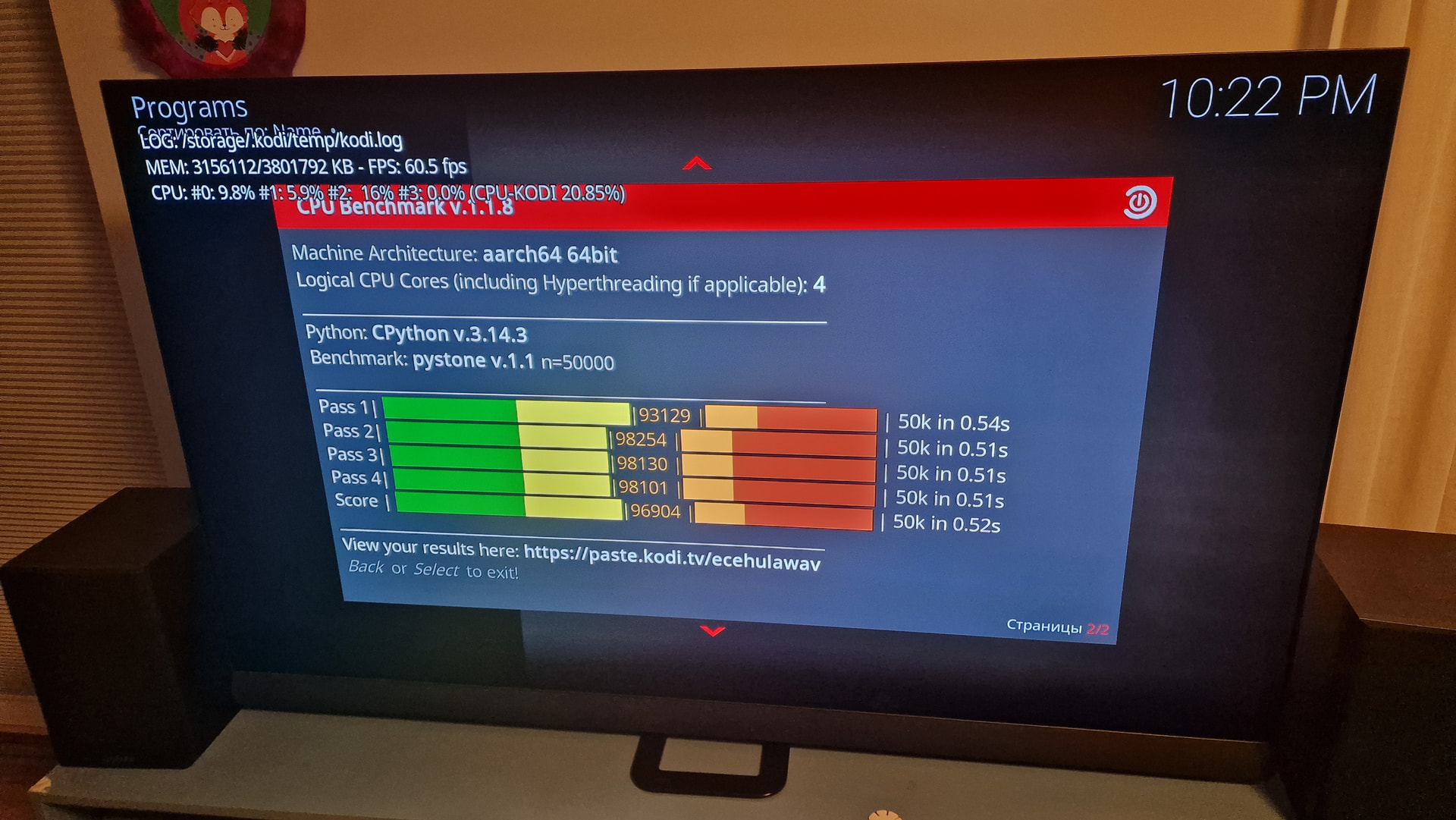
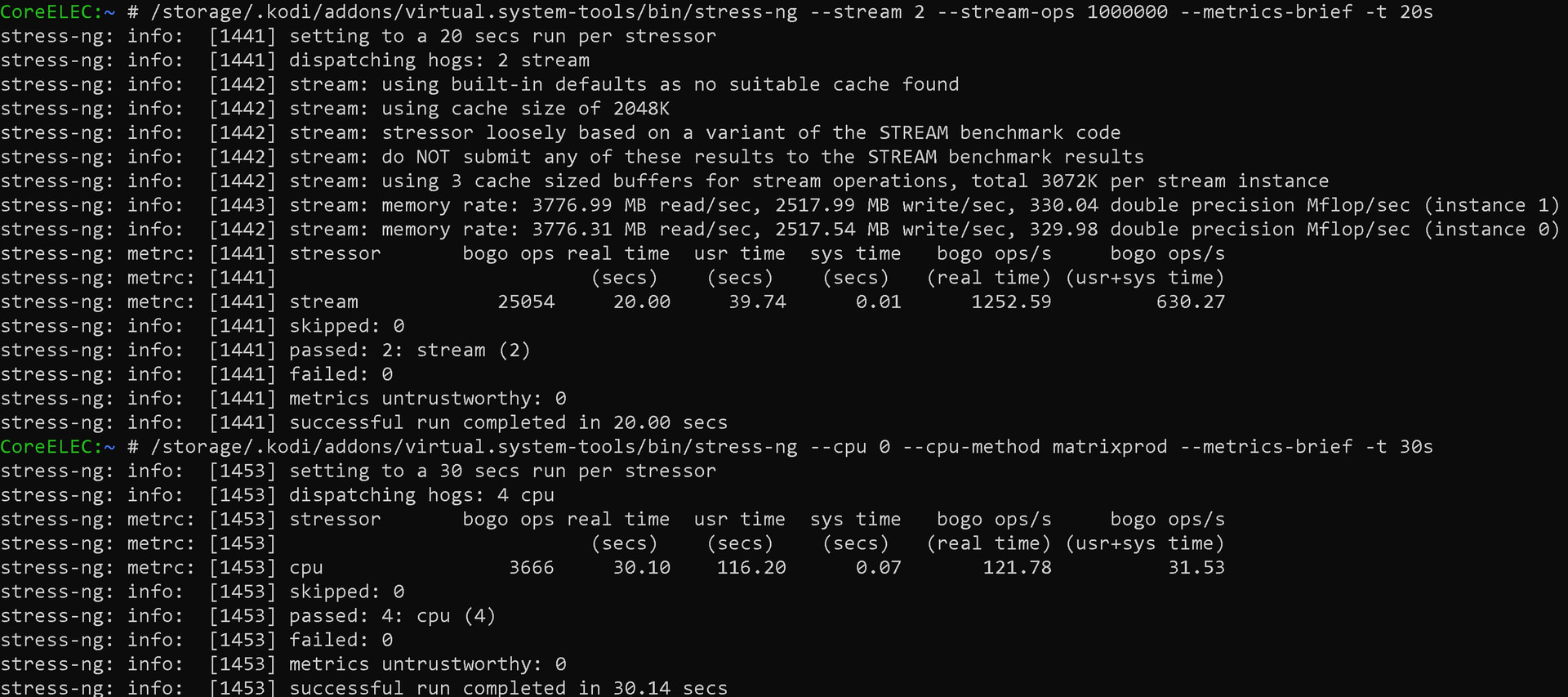
Yes,you are totally right,we need to run some benchmarks with Coreelec running,here is CPU benchmark score:
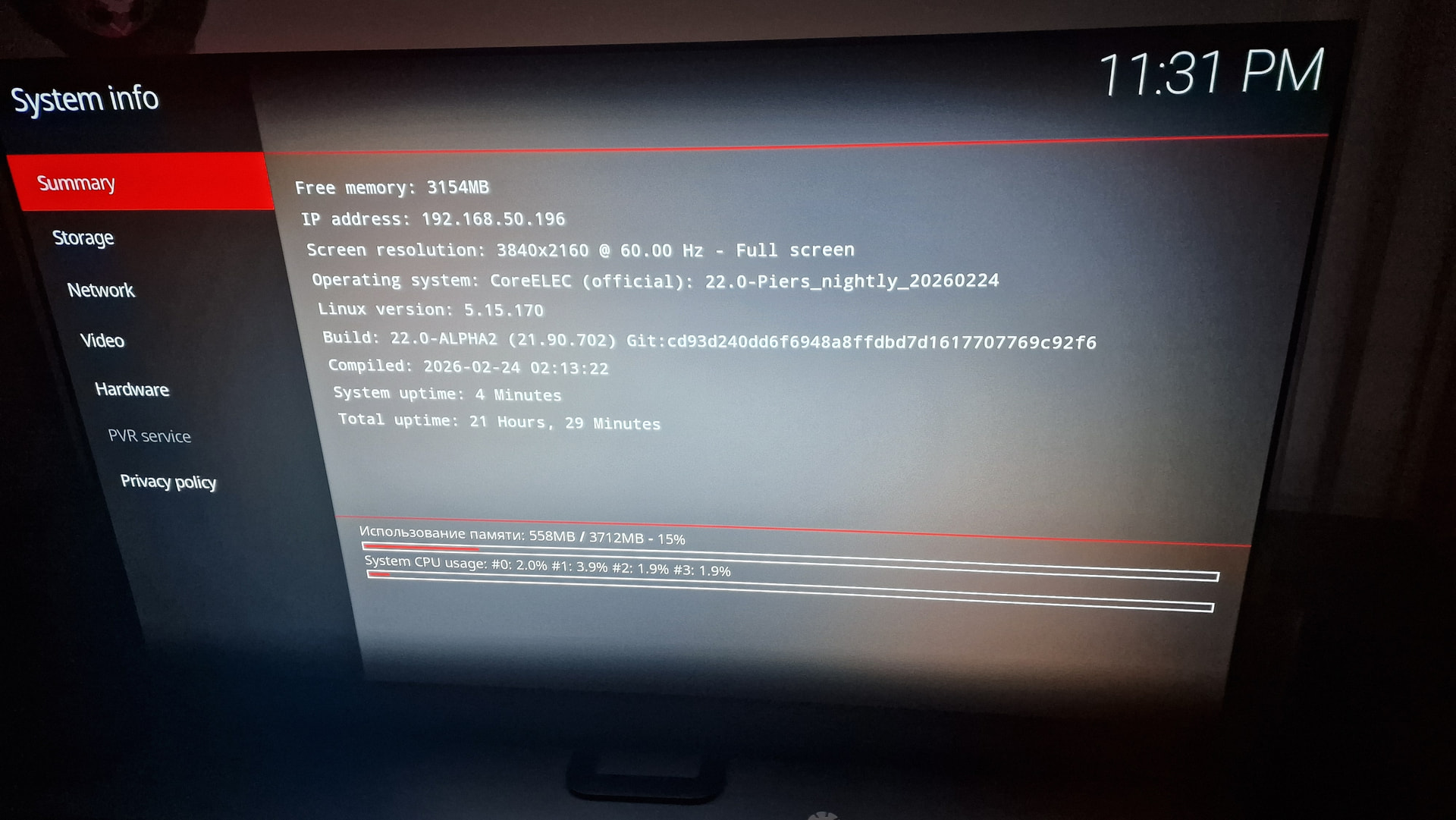
Coreelec version:
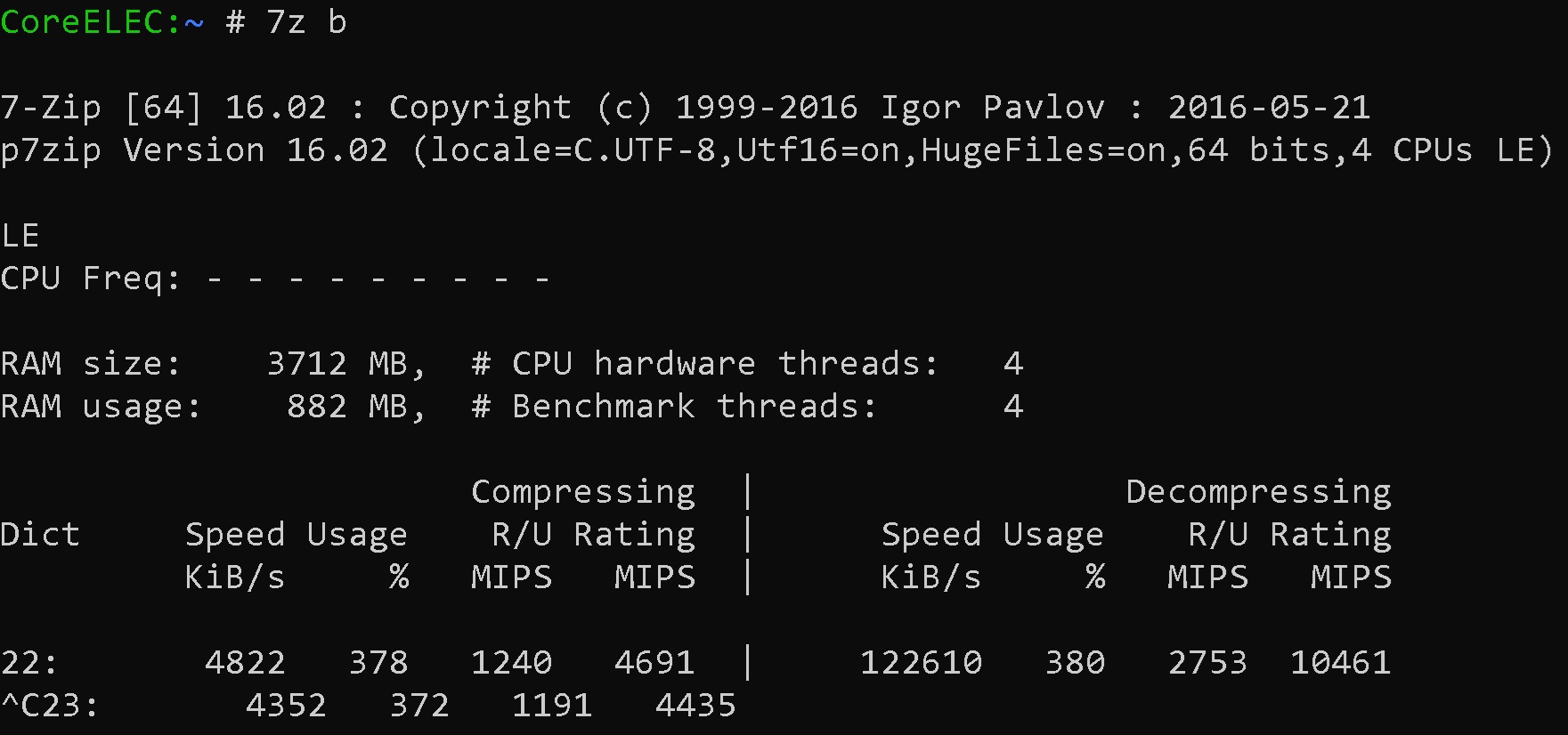
Here is 7z test result:
Some more tests,(I am running CoreElec from micro SD card)
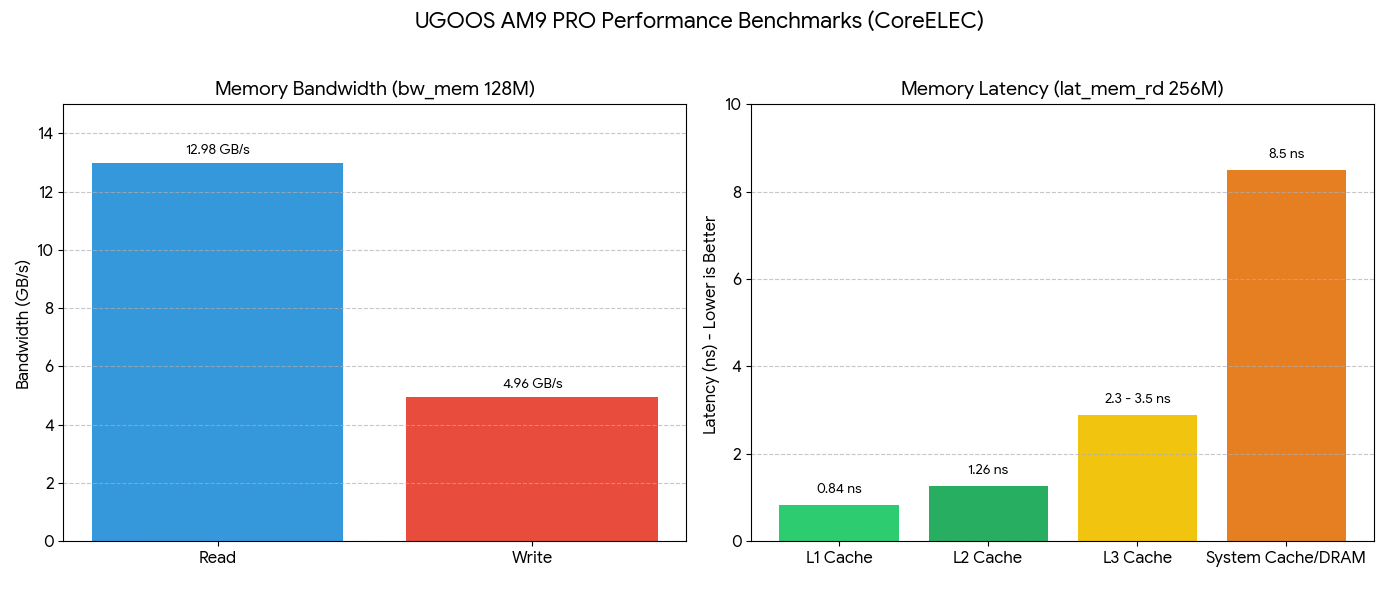
UGOOS AM9 PRO
CoreELEC:~ # bw_mem 128M rd Read (12.98 GB/s)
134.22 12982.95
CoreELEC:~ # bw_mem 128M wr Write (4.96 GB/s)
134.22 4962.21
CoreELEC:~ # lat_mem_rd 256M 128
0.84 ns: L1 Cache (Lightning fast, handles UI interactions).
1.26 ns: L2 Cache (Private per core, very stable).
2.3 - 3.5 ns: L3 Cache (Shared between 4 cores).
8.5 ns: System Cache/DRAM with Prefetching.
I confirm the passthrough issue when connected to receiver (video will not play, the screen becomes black and I need to power cycle). PCM audio worked.
I’m on firmware 2.0.6 and CoreELEC-Amlogic-no.aarch64-22.0-Piers_nightly_20260226-Generic
BTW the bluetooth remote is unusable for me, very poor reception. I will search for an IR remote.
What do you mean? I have one issue and AM9 is not involved,so basically,my onkyo rz840 is connected to my Philips oled908 to HDMI EARC port.On my old Philips TV onkyo menu was always available once HDMI input was selected.
On my new setup,if I want to connect any video source device to receiver,in order for my receiver to output any picture,I would need to go to HDMI settings,turn off every cec and EARC features,sometimes powercycle both TV and receiver in order for it to work and output any picture.
So my guess is,there is some edid mistake or whatever and my TV decides if it is audio device,no need to receive video information.
So AM9 isn’t involved in this.
A post was merged into an existing topic: Amlogic-NO discussion
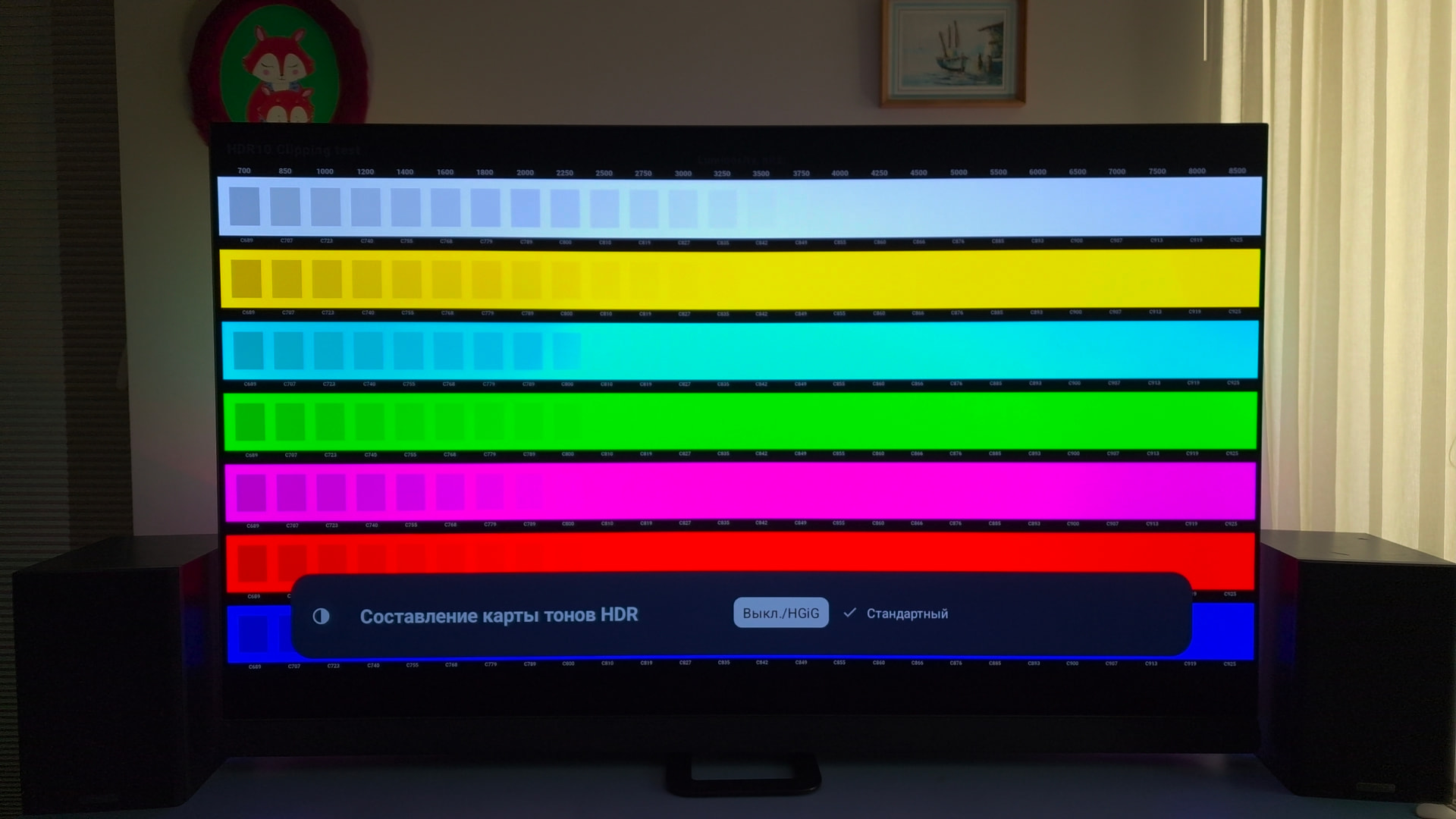
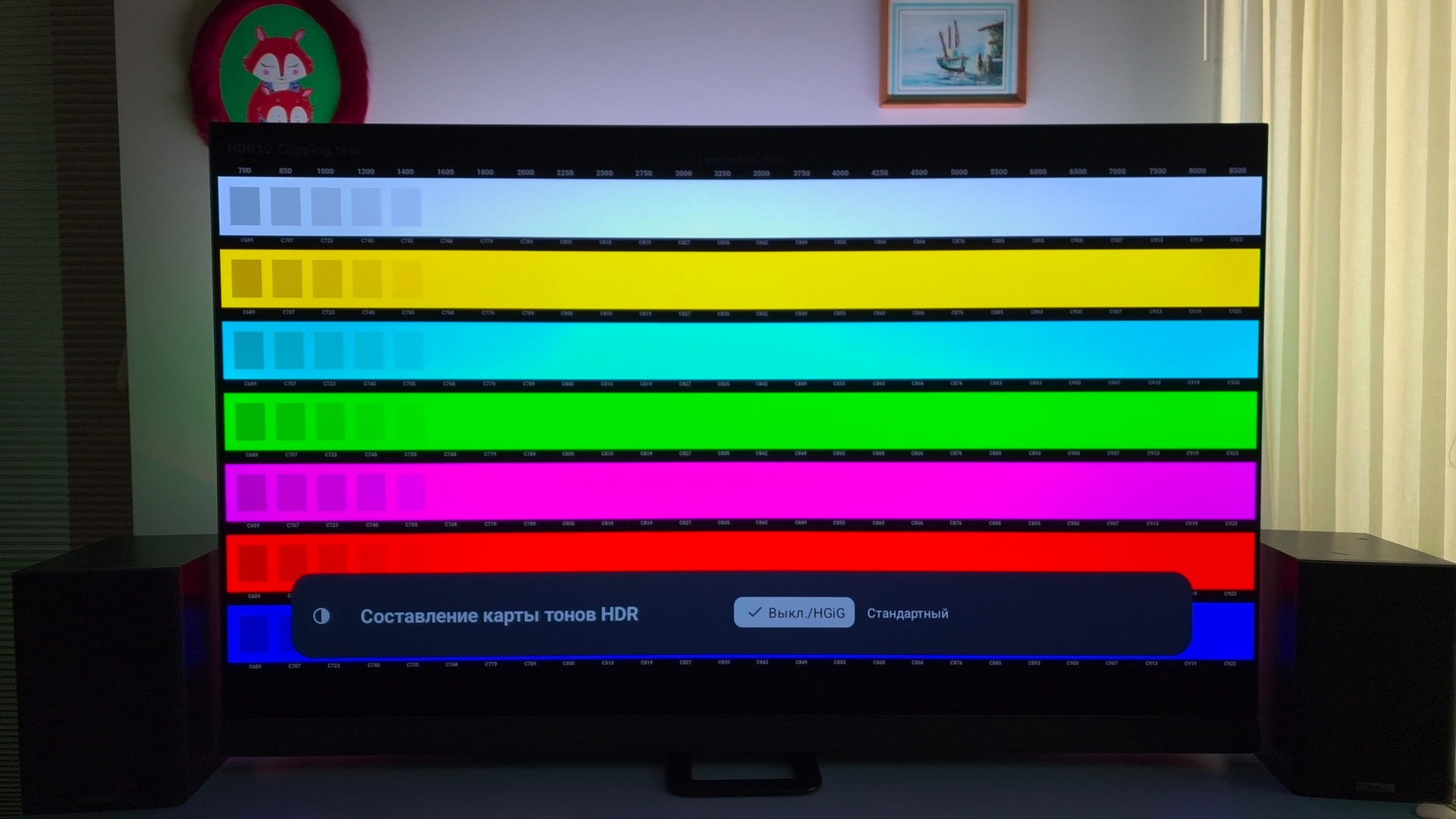
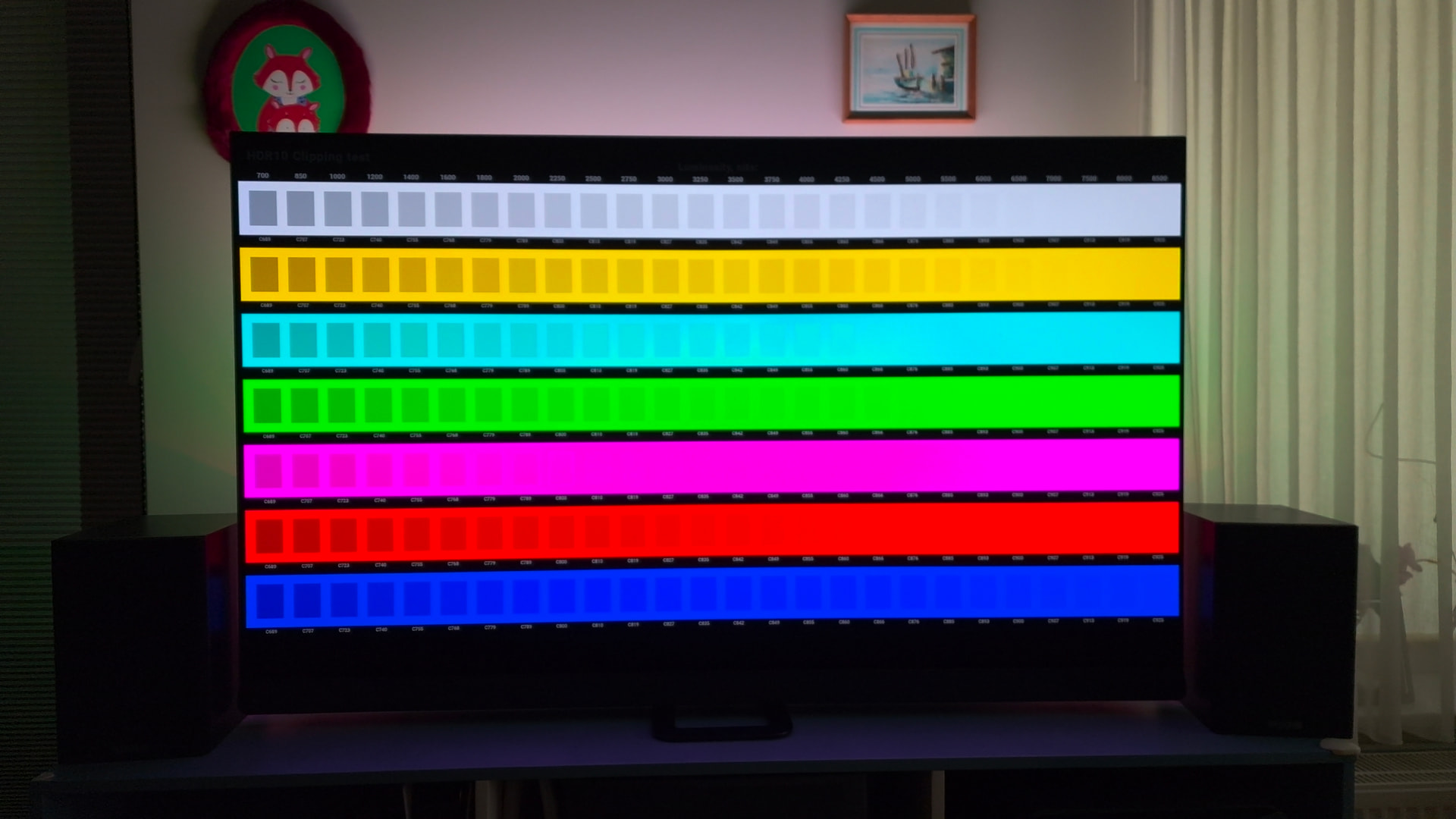
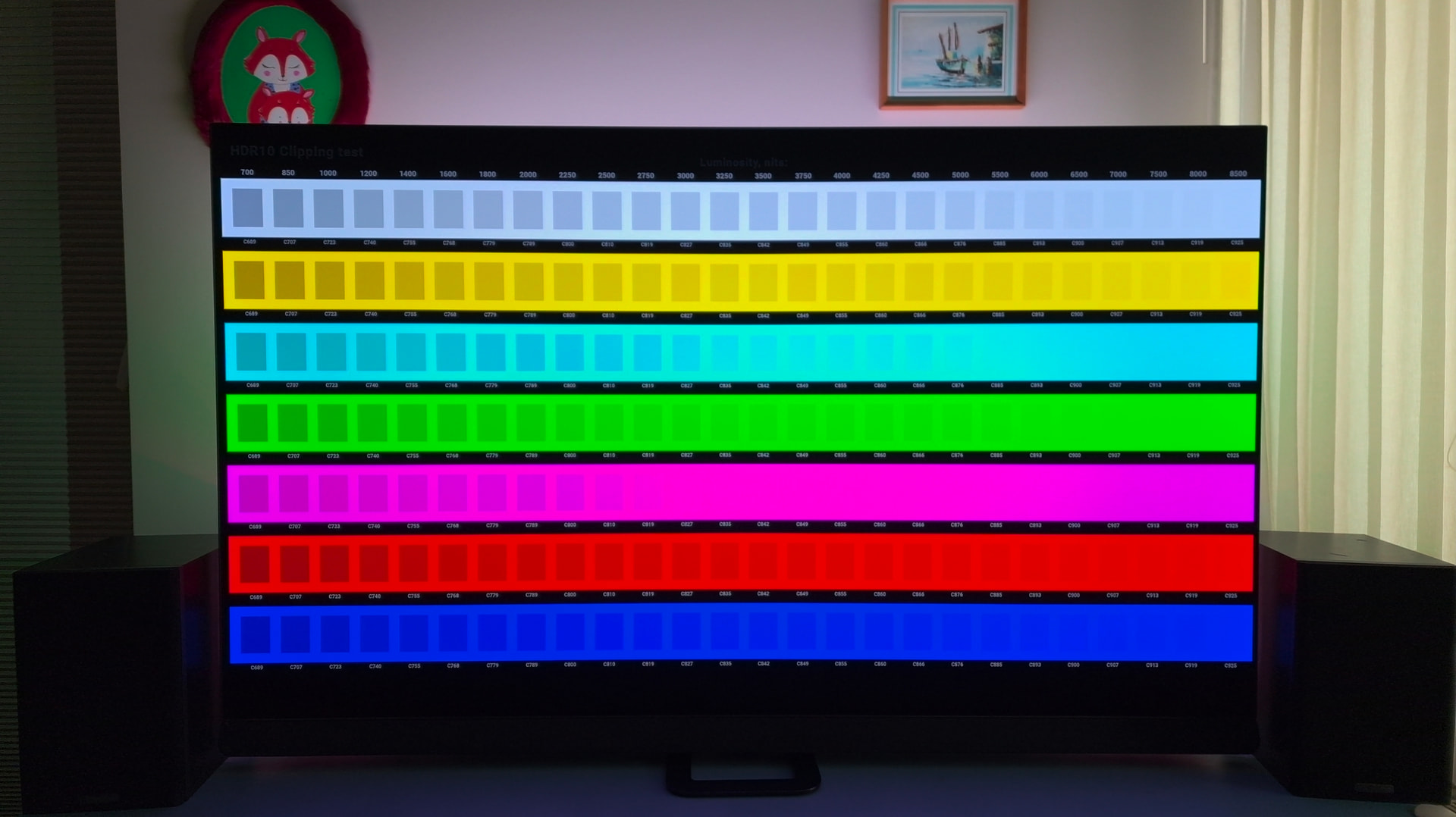
Ugoos AM9 PRO CE22 Philips Oled908
700-10Knits-MaxCLL-10000-MDL-10000.mp4
Nice example of how tonemapping algorithm handles HDR content.
HDR standart
HDR hgig/off
CE22 Tone map HDR>Dolby Vision Player led
CE22 Tone map HDR>Dolby Vision TV led
Hey guys, is the information “Playback does not work with firmware v2.xx. You need v1.xx until a solution is found.” still valid?
This is old news. All good with v2 firmware.
I just did a quick test of this AM9 with CoreELEC 22.0-Piers_alpha2, and I’m seeing consistent screen tearing during scrolling. I now understand it’s a known limitation due to the missing FBDEV libMali driver for the Valhall GPU on newer Amlogic SoCs — affects all S905X5/S928X devices. Darn, I missed that info 
Why do you think you miss something? If everything works ok then that’s it.
About | FAQ | Terms of Service | Privacy Policy | Legal Notice