Playback doesn’t work with firmware v2.x.x. You need v1.x.x until the solution is found.
2 Likes
Thanks vpeter
I missed that in the forums, I’ll give that ago.
Yeah, this is very good practice to read forum before taking an action. Now you have a work to do to downgrade firmware on your device.
1 Like
thats quiet simple, ugoos implemented this functionality - its just a bit hidden in the settings menu
Yes I have found the option, last time I tried that it bricked the box, had to factory reset.  it lets me rollback without a factory reset
well, if it “bricked” the box, then a factory reset would not fix it, wouldnt it. and yeah, i had to do a factory reset too after using that option, guess thats “normal” when migrating from major versions. guess because of config changes etc.
Not sure the term to use, it wouldn’t load into Android, I thought I broke the box.
Yeah I guess I will need to factory reset again cause I am now on the latest release from Ugoos
Hi everyone,
I need a bit of help, please. I’m trying to boot CoreELEC (AMLogic image) from a micro-SD on an Ugoos AM9 but I keep landing in the stock Amlogic/Ugoos recovery and then Android. When I accept “Boot system now” and then the box boots Android.
What I already tried:
- flashed the CoreELEC image to the SD with Rufus
- inserted the SD before powering on, used the rear RECOVERY button. I only tried the long-hold recovery method so far.
- tried holding RECOVERY while powering on (kept the button pressed ~20–30s)
- observed the device shows the stock recovery menu (so recovery access works)
- I did not touch MASKROM (I know that’s dangerous)
I’m using the latest nightly build CoreELEC-Amlogic-no.aarch64-22.0-Piers_nightly_20251221-Generic, and the microSD card is a SanDisk Extreme Pro 32GB that has worked perfectly on other CoreELEC setups before.
I’ll attach a screenshot of the SD root and the recovery screen.
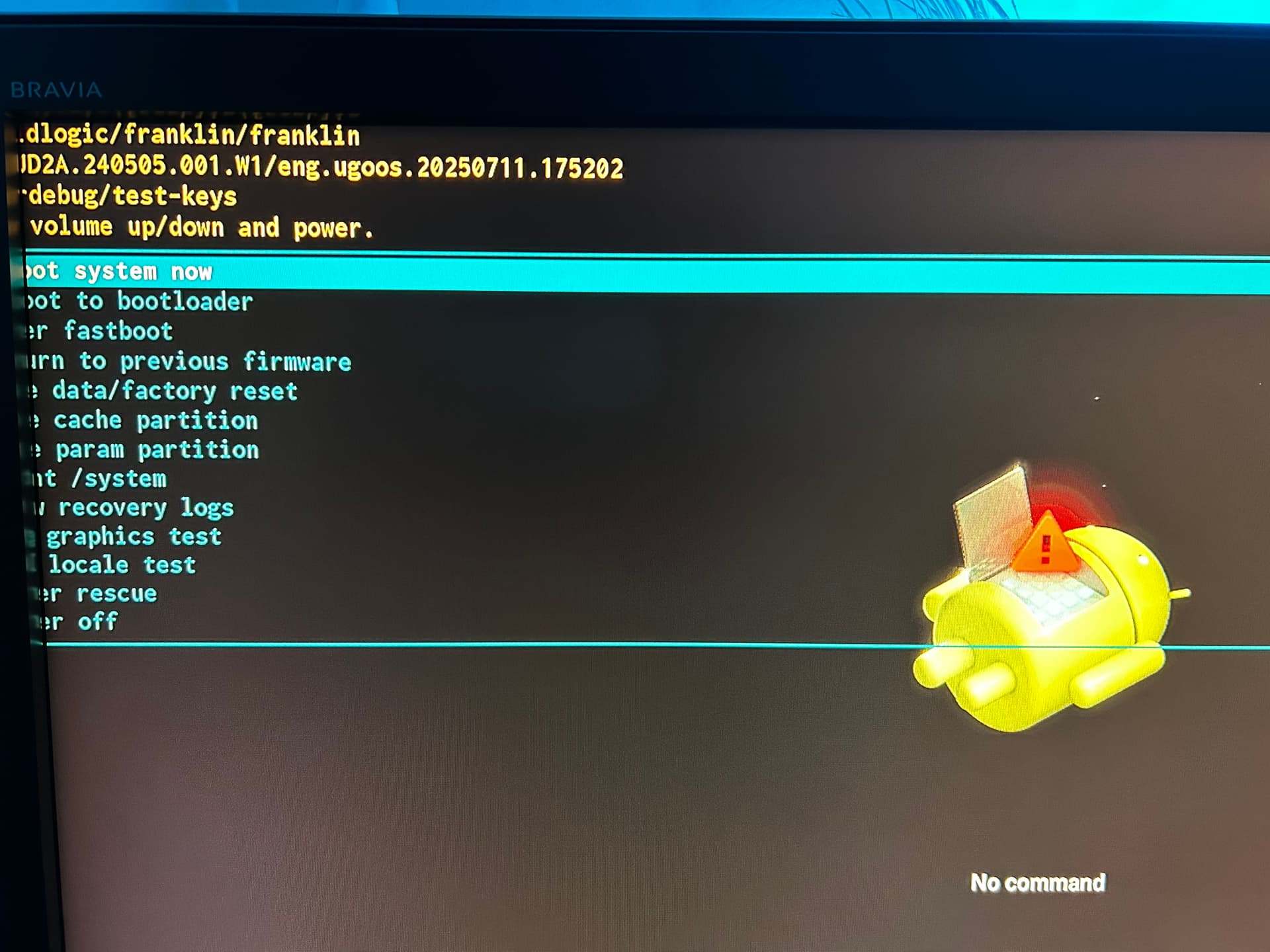
Thanks in advance for any pointers.
My steps for making CoreELEC starting up correctly:
- Make sure you don’t have 2.x.x firmware in your Ugoos Android. If you have, then do downgrade to 1.2.0
- Copy and install Reboot_to_CoreELEC_5.0.apk to Ugoos Android (needed later to make device booting directly to CoreELEC when reboot is initiated in CoreELEC)
- Enable Developer Options in Ugoos Android
- Disable auto upgrade in Ugoos Android
- Flash CoreELEC nightly to SD card
- Find s6_s905x5_ugoos_am9.dtb file in \device_trees folder and copy it to the root of SD card
- Rename s6_s905x5_ugoos_am9.dtb to dtb.img
- Copy remote.conf to the root of SD card (remote.conf can be found somewhere in this thread)
- Insert SD card and launch Reboot_to_CoreELEC_5.0.apk in Ugoos Android, select first reboot, Allow USB debugging for RSA key fingerprint
- When device is rebooted CoreELEC is starting for configuration.
2 Likes
I just did the CoreELEC upgrade to 20251224
Two Kodi crashes one by one and then no crashes anymore so far.
Happened on both of my AM9 boxes.
I don’t know where to copy kodi_crashlog files…
[EDIT] Still crashes, it seems I can reproduce: when scrolling down in Movies it just freeze on one of the movies… and the crash… maybe it is because it tries to download posters, fanarts etc. but I try to scroll down to the next movie?
Anyway beginning of the crash log:
############## kodi CRASH LOG ###############
################ SYSTEM INFO ################
Date: Wed Dec 24 10:59:08 CET 2025
kodi Options: --standalone -fs
Arch: aarch64
Kernel: Linux 5.15.170 #1 SMP PREEMPT Wed Dec 24 01:34:40 IST 2025
Release: CoreELEC 22.0-Piers_nightly_20251224
############## END SYSTEM INFO ##############
############### STACK TRACE #################
=====> Core file: /storage/.cache/cores/core.!usr!lib!kodi!kodi.bin.1766570322.1287
=========================================
[New LWP 2720]
[…]
[New LWP 2519]
[Thread debugging using libthread_db enabled]
Using host libthread_db library “/usr/lib/libthread_db.so.1”.
Core was generated by `/usr/lib/kodi/kodi.bin --audio-backend=alsa+pulseaudio --standalone -fs’.
Program terminated with signal SIGBUS, Bus error.
#0 0x0000000000000002 in ?? ()
[Current thread is 1 (Thread 0x7ad7ee8da0 (LWP 2720))]
Thread 58 (Thread 0x7f777eeda0 (LWP 2519)):
#0 0x0000007f938f2ce8 in ?? () from /usr/lib/libc.so.6
#1 0x0000007f938e7eb0 in ?? () from /usr/lib/libc.so.6
#2 0x0000007f938e81cc in ?? () from /usr/lib/libc.so.6
#3 0x0000007f938ea984 in pthread_cond_clockwait () from /usr/lib/libc.so.6
LVER and abraraf thanks for sharing your progress. I’ll be rolling back my AM9 to original firmware and found this also in a couple of days, I’m interested in your findings.
@Wildpig954 @rabaraf
Thank you very much for the detailed and quick explanation.
I really appreciate the time you took to write this.
I’ll go through the steps carefully and test everything with a fresh mind, then I’ll report back with the results.
OK, so I’m going to revert back to 20251219.
With version 20251224 I have Kodi crashes.
Few crashes on both of my AM9 boxes, on one of them it is even .kodi.FAILED folder created.
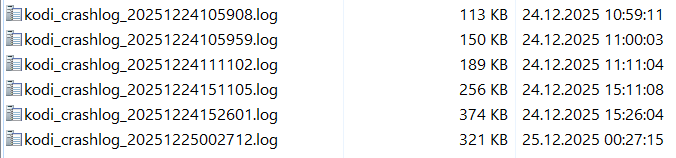
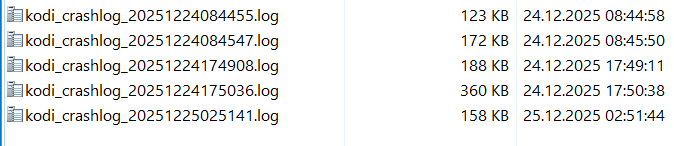
Neither of these two boxes had been used since we left the house at 15:00.
[EDIT] Restore from backup unsuccessful:
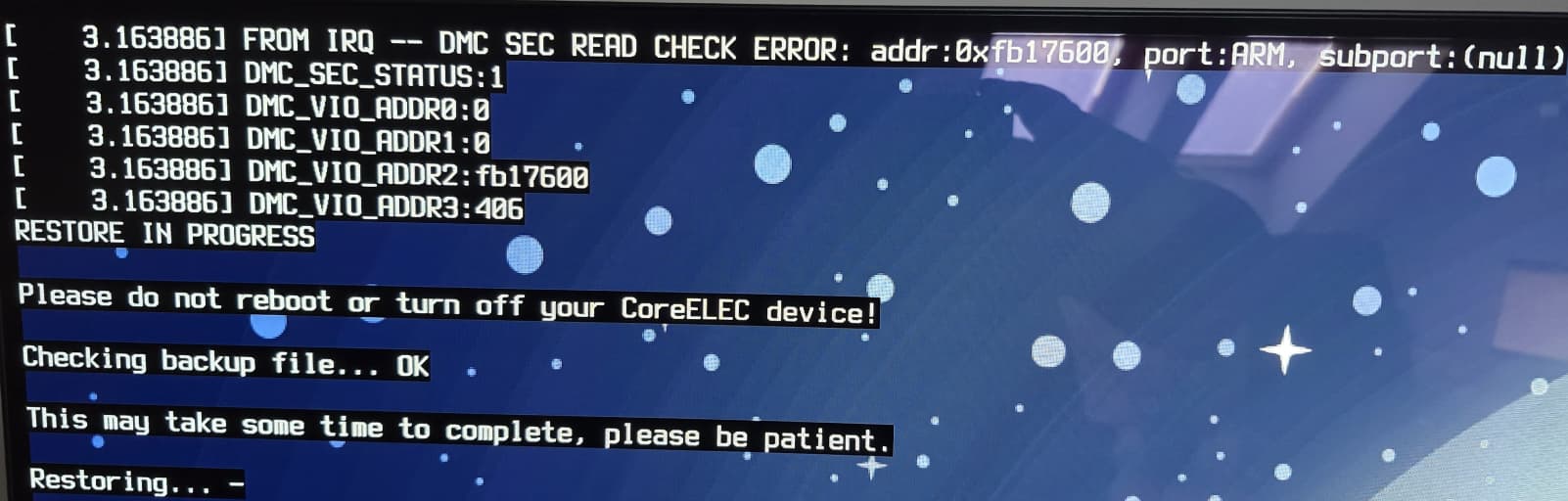
Going to flash fresh CoreELEC and then will try to restore from backup.
After it is rebooted already 2 Kodi crashes:

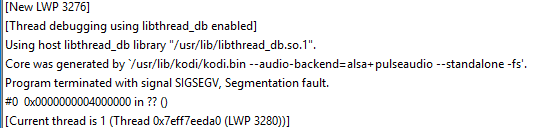
Today’s nightly with AM9 wifi connection is not working - even though the available networks are visible! I tried rewriting the SD card; but still no connection to any network!
My steps how to revert to previous version as the simple restore did not worked for me giving DMC SEC READ ERROR
0a) Always perform CoreELEC backup BEFORE flashing new nightly and store it outside AM9 device!!!
0b) Copy Nightly Generic img.gz file from CoreELEC nightly builds and store it outside AM9 device before flashing new version!!!
- flash previous nightly version, the good one which worked for you and is the same version you made backup of it, so if the latest working version for me was Nightly 20251219 and I have a backup of it then I’m flashing fresh Nightly 20251219
- find s6_s905x5_ugoos_am9.dtb file in \device_trees folder and copy it to the root of SD card.
- rename s6_s905x5_ugoos_am9.dtb file into: dtb.img
- copy remote.conf to the root of SD card
- start from SD card
- enable SSH
- when new nightly is detected and downloaded to Update folder - delete it from here!!!
- copy CoreELEC tar backup file to somewhere (I copy it to /storage/backup/Backups)
- restore CoreELEC in CoreELEC Config
- when restored and started choose to not update to latest Nightly
- if applicable change resolution from 1920x1080p to 3840x2160p (I don’t know why after restore is it set to 1920x1080p?)
3 Likes
@Wildpig954
Hi all,
Quick feedback after following @rabaraf steps to get CoreELEC running on my Ugoos AM9. I’m reporting exactly what I did and what happened.
My setup and actions
-
My Android firmware on the AM9 was
1.7.11-build_10510and I left it as-is. -
I used the nightly:
CoreELEC-Amlogic-no.aarch64-22.0-Piers_nightly_20251223-Generic(I know newer nightlies exist but I avoided them after reading some reports). -
I installed
Reboot_to_CoreELEC_5.0.apk. The first attempt did not boot CoreELEC. On the second attempt I used Normal Reboot in the app and CoreELEC started.
What worked
- I completed the Kodi setup and scraped a library of ~5000 films from my NAS over NFS. Playback and navigation initially seemed stable.
Issues observed
- After the first full scrape, Kodi froze (image stuck). I had to unplug and replug the AM9 to recover. After that power cycle, I could no longer get the box to boot CoreELEC from the SD (it stays on Android / does not accept SD boot).
As a result, I had to start from scratch: reflash the SD card using Rufus and reconfigure everything from scratch. Since then, the issue has not occurred again. - After a full shutdown the box is hard to wake: I must press the remote power button several times and be patient; eventually it powers on. For now my workaround is to boot Android and use
Reboot_to_CoreELEC→ Normal Reboot to enter CoreELEC reliably. - On startup I see a persistent message: “CEC failed to initialize.” I disabled CEC and tried different settings but the message remains. It’s not blocking playback but it is odd.
Summary
This is my experience over the last few days with CoreELEC-Amlogic-no.aarch64-22.0-Piers_nightly_20251223-Generic on an AM9. If you have any questions or suggestions (quick checks I can run without risking the device), please let me know.
1 Like
I’m not sure what is the root cause of the Kodi crashes but I experienced these crashes with Nightly 20251224 and now with 20251226:
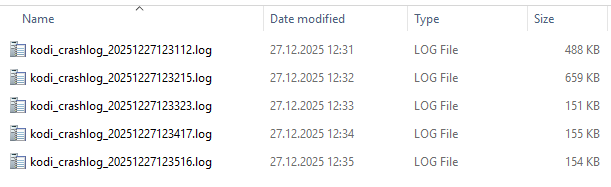
I did the update yesterday around 21:00 and till now it was OK but as you can see above 5 crashes in the row happened today between 12:31-12:35.
The only version that seems to be crashes-free for me is 20251219 so I’m now investigating which add-on might be the “guilty guy” here by uninstalling them one by one and then using the box for hours and maybe days.
Last of the 5 crash logs:
kodi_crashlog_20251227123516.log (153.1 KB)
1 Like
Thanks for laying out the details and experience with the building process.
Are you have any audio sync issues.
My non CE usage of Kodi the audio sync is so inconsistent.
I rebuild my old Nvidia Shield with restore of my AM9 Android14 Kodi build and audio problems are gone.
I am excited to go full CoreElec
You are on your own to identify your root cause.
You have so many addons installed and it’s for sure something you did wrong or using some incompatible part.
Make clean fresh install and install step by step to find your problem.
1 Like
Yeah today is all about rolling back to factory firmware, Kodi with no addons and testing in Android and most importantly testing the latest 22 nightly build