Changelog

1. Fixed H.265 video scaling
2. Fixed display position settings
3. Fixed green screen issue on 4k-120Hz mode
4. Fixed forced HLG mode
5. Fixed forced SDR mode
6. Fixed HDR issues on some TVs
7. DV mode is now used only for DV content (AM8, SK1, SK4)
8. HDR content now uses 422-12bit color mode
9. Fixed shutdown and wake-up issues
10. Improved firmware update process
11. Added Internet availability check setting
12. Fixed USearch work
13. Fixed video stutters if enable AI PQ
14. Fixed developer settings crash
15. Added application autorun feature
16. Updated some applications
17. Allowed old applications installation
18. Many other changes to improve system stability
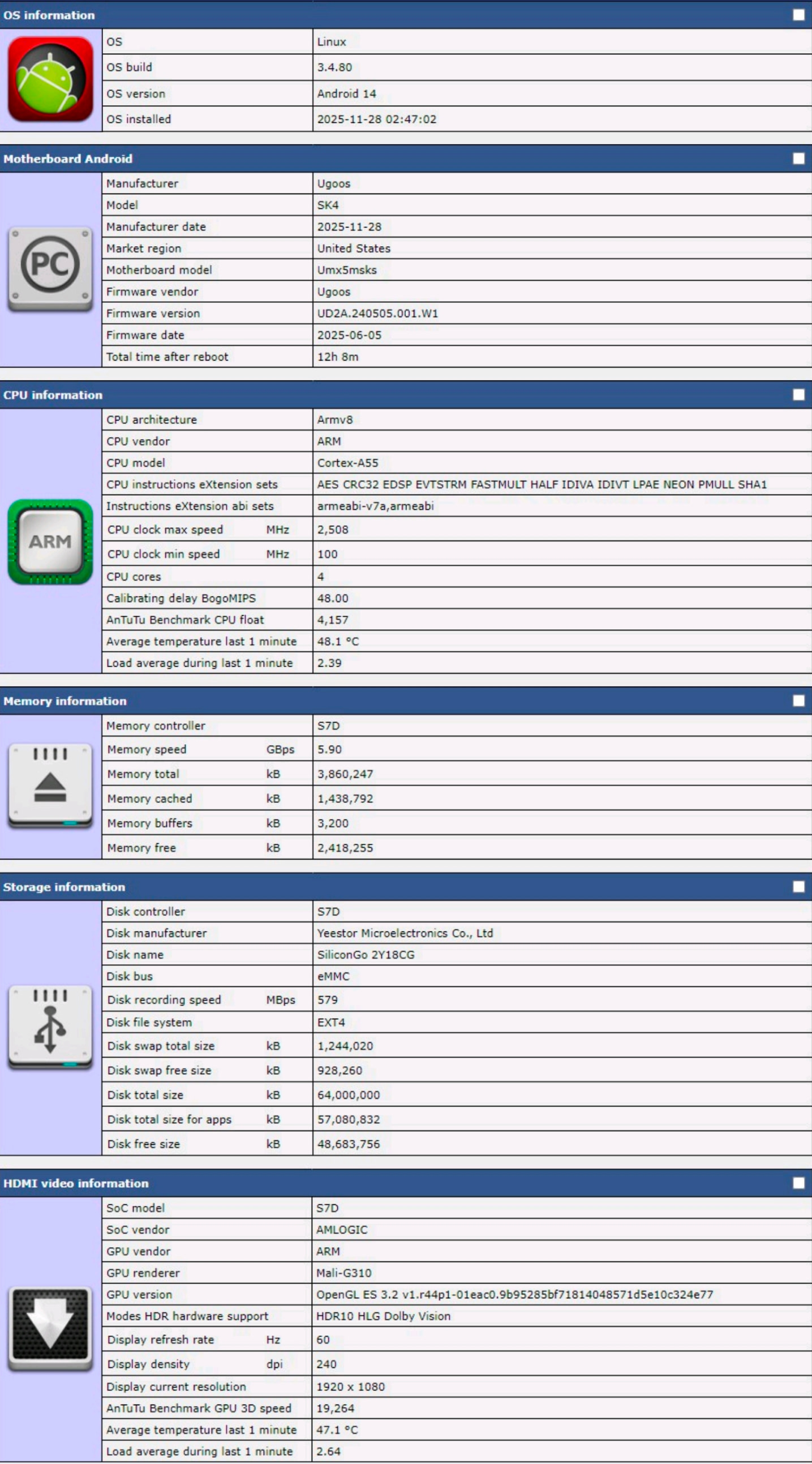
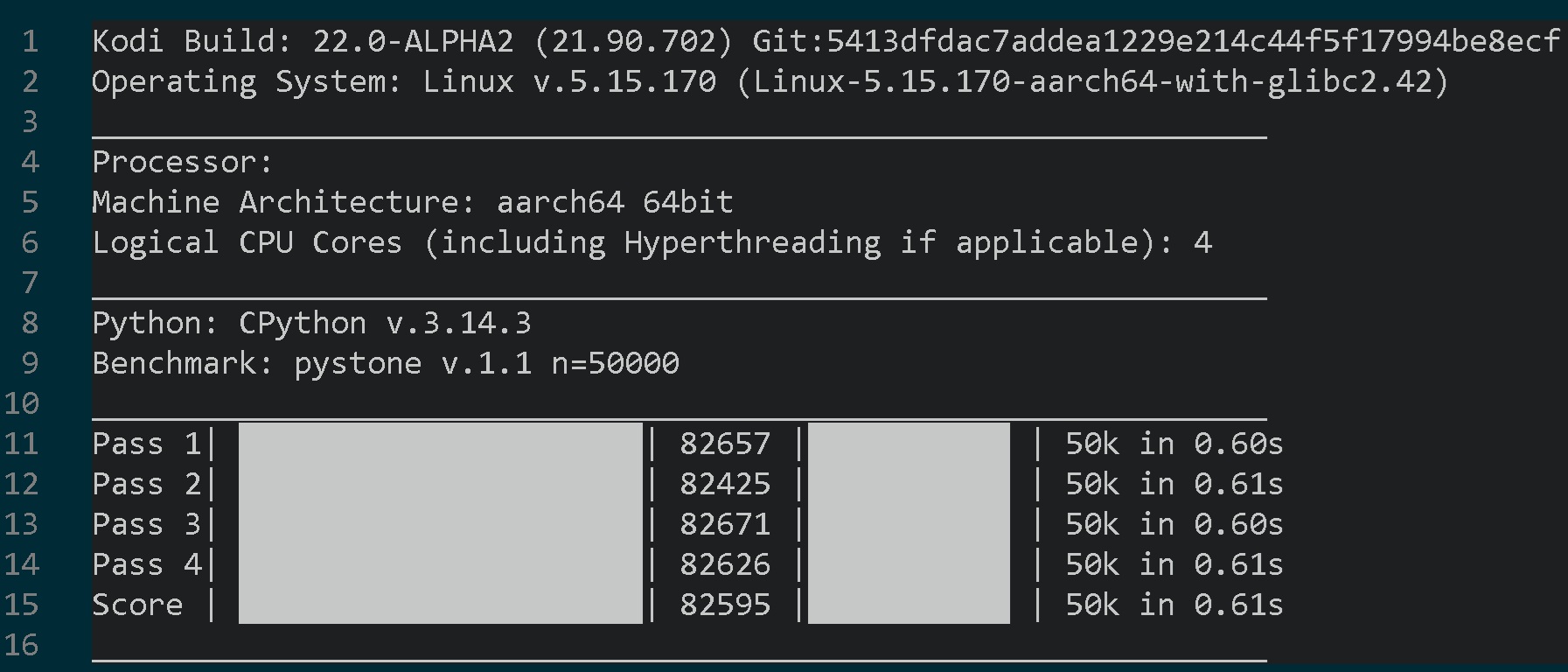
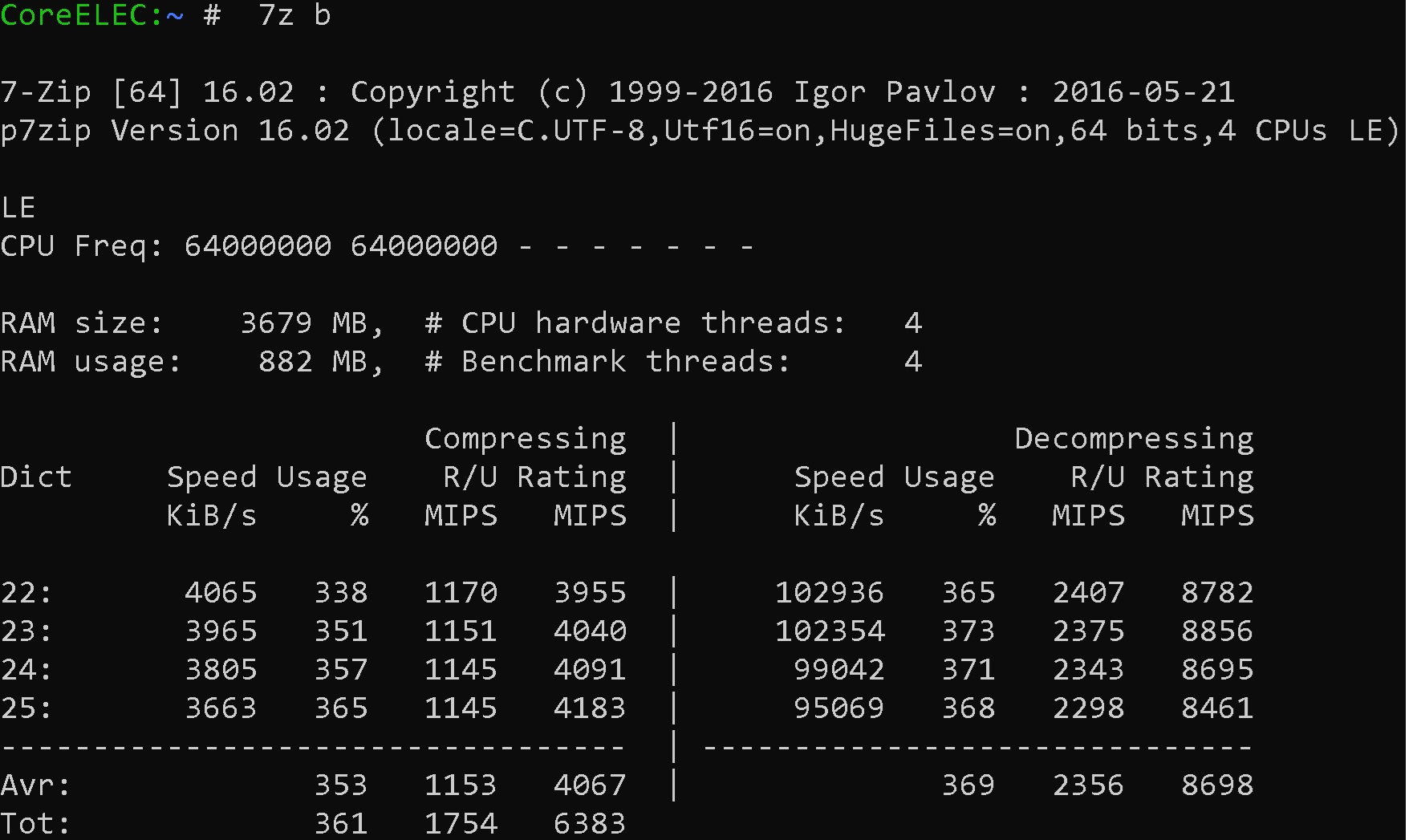
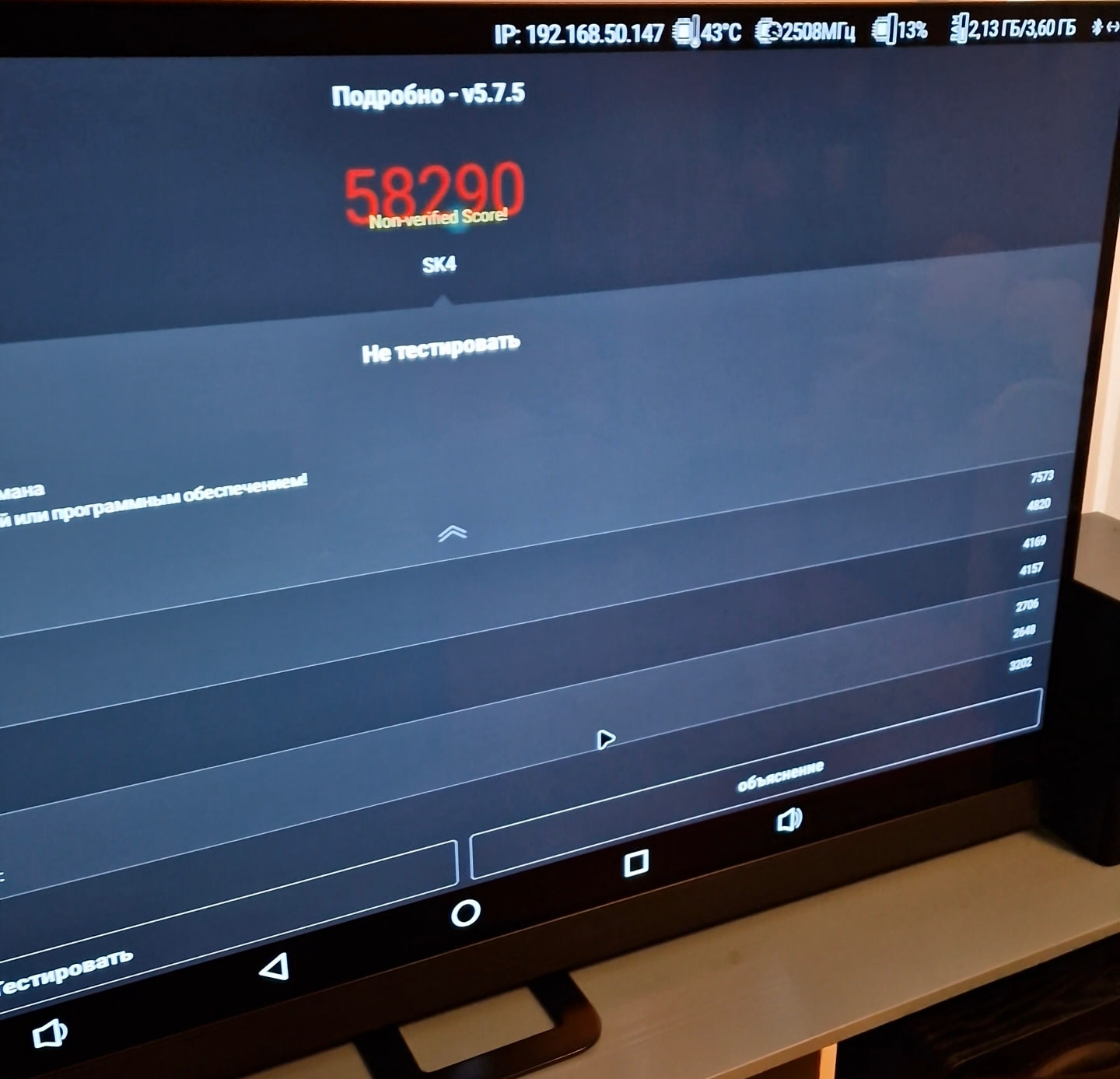
So basically SK4 is using military grade memory(HS600),probably Silicon Go(industrial storage solutions) had leftover chips,which were produced for some medical or military equipment.
The industrial grade test is using much bigger block size,that is why results can be very different from CPDT benchmark,that uses 4mb block.
Currently SK4 that I have is a record holder,amoung all TV boxes I tested,industrial test result is 579MB/s write speed.
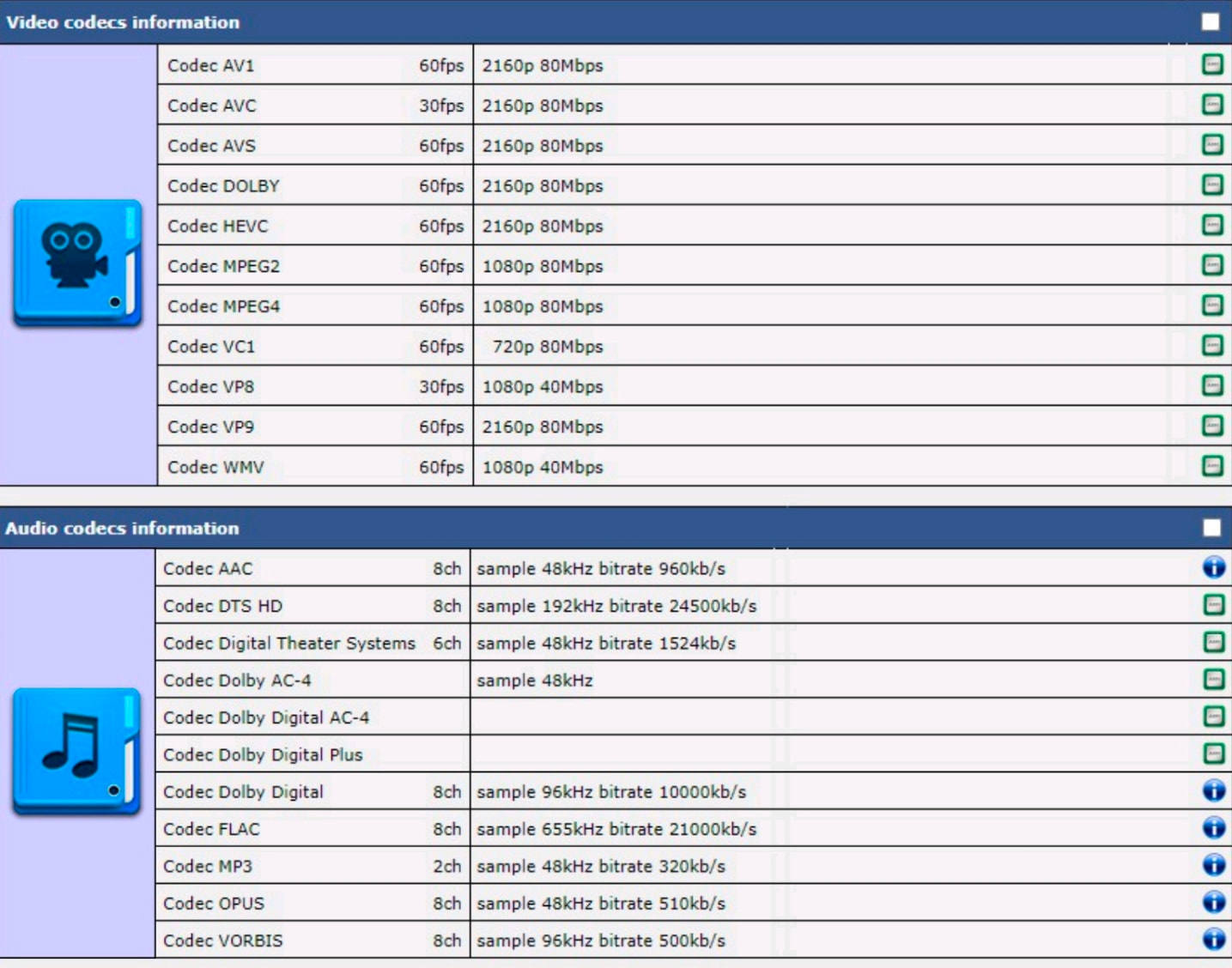
Also in terms of hardware decoders it is overkill,all necessary stuff will work without any stutters and droped frames.Green is hardware decoder,blue circle is software decoder(mostly used on some audio stuff)
P. S. Bitrate 80mbits doesn’t mean device can’t play 100mbits videos,SK4 can handle videos with even higher bitrates,most of the heaviest Blu-ray movies that exist have around 60mbits of bitrate,so measuring bitrate above 80megabits is not necessary.
So I explain to you that write speeds above 400MB/s are impossible due to the limitation of SDIO HS400, then you do some real world eMMC read/write tests and see for yourself that you’re getting speeds well below 200MB/s, then you continue to claim write speeds above 400MB/s
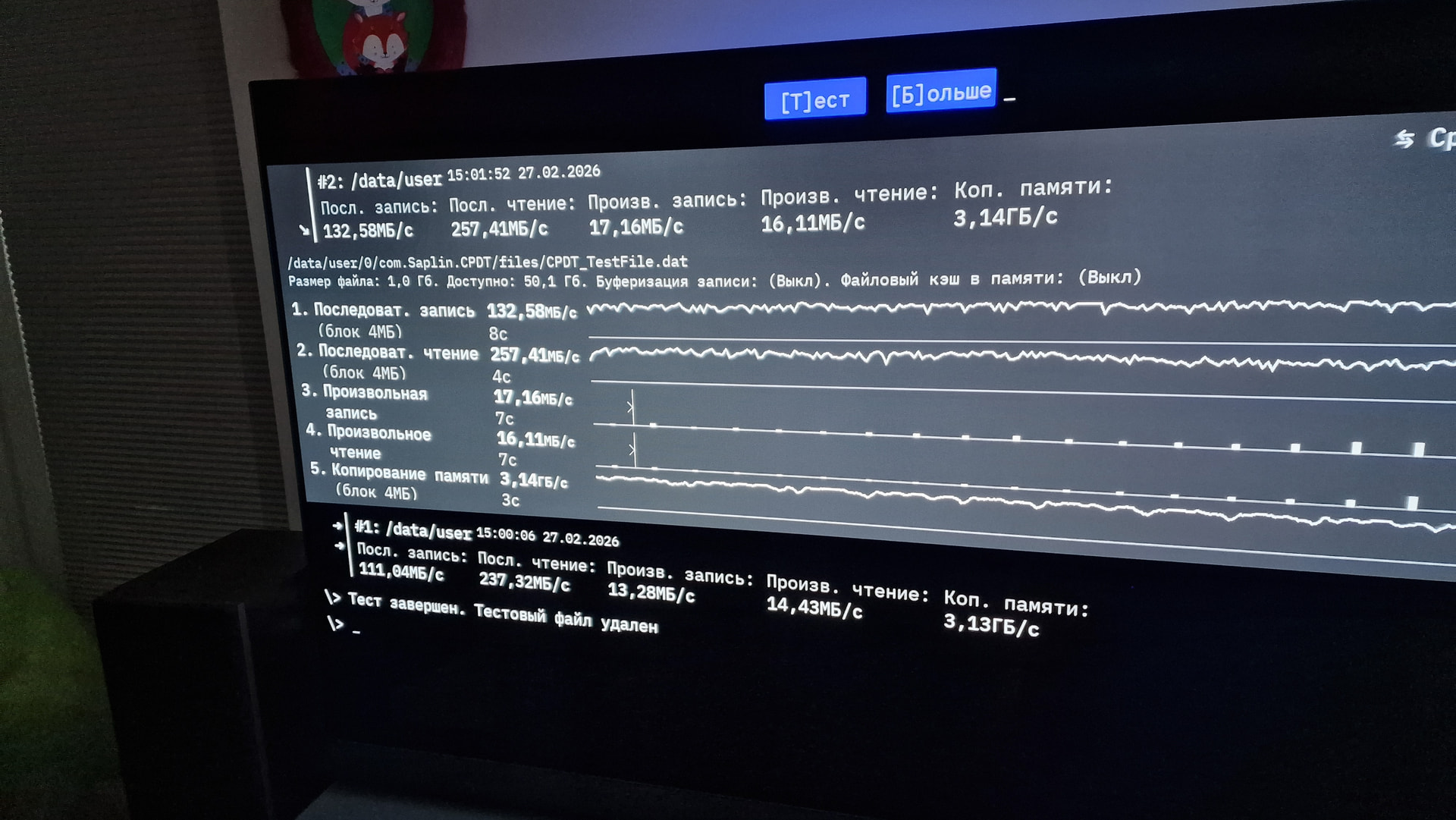
CPDT uses 4mb blocks,results are higher compared to:
AM9 102MB/w 162MB/r
vs
SK4 132MB/w 257MB/r
Both had firmware 2.0.6 (Max CPU performance on) and ethernet wired connection,(Wi-Fi connection makes final results worse)
here is result on SK4:
Hi, using ugoos x5mpro dtb on SK4 makes Ethernet work perfectly (thanks!), but in system properties it shows X5M Pro name instead of SK4.
Is it possible to make a small modification to the SK4 stock dtb to enable Ethernet properly, or add a proper SK4 dtb?
Or maybe someone can prepare modified x5mpro dtb with changed model = “Ugoos SK4”; ?
USB Type C doesn’t work. The USB-Ethernet adapter doesn’t work when connected via Type C. SD also doesn’t work via Type C. After replacing the DTB with an x5m pro, the Type C works. It just says X5m Pro in the system properties instead of SK4.