The VNC server that was available in previous versions cannot be used under the new CE22, because the system now uses DRM instead of the legacy linux framebuffer.
The new VNC server version 1.4.0 now has dual backend support, so in addition to the classic FBDEV, it also supports the DRM backend.
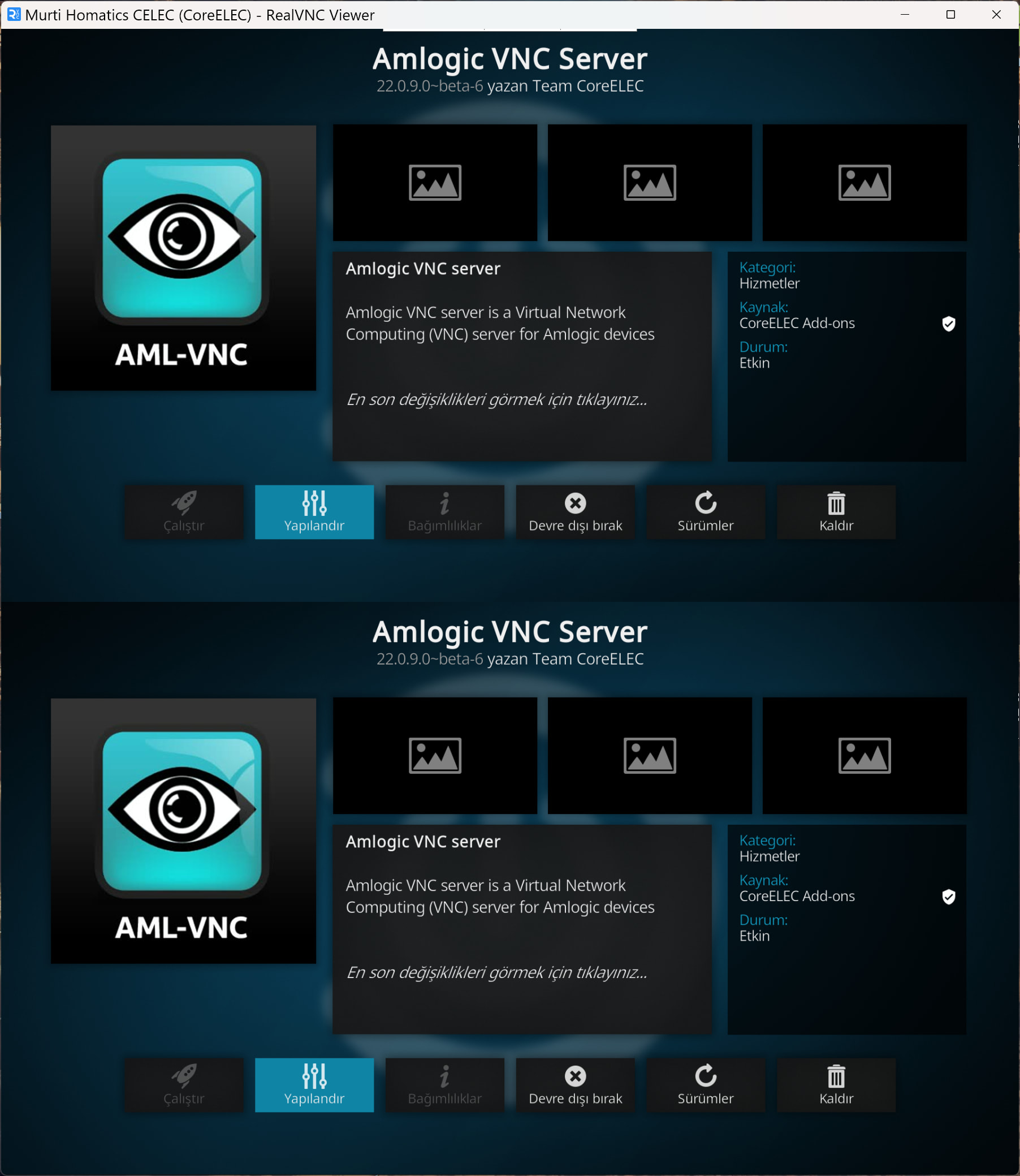
If you have used this VNC server before, or have just heard that it even exists, but would like to help test it, please install the add-on from the official CoreELEC repository. I welcome any feedback, you can send any bug reports in the comments, especially with log details and screenshots.
When I start playing some video files I lost the window and need to start vnc viewer again. Same happen on playback stop. Is this normal or just my case?
Any change related to the framebuffer (resolution change, refresh rate change, etc.) temporarily discards the previous buffer, but this is not an error, this is just a DRM state change. In this case, the server needs to be reinitialized, which unfortunately results in a short-term disconnection of the client, and some clients cannot handle this properly or do not do this by default, especially Android clients.
First, it is important to find out if there is really an error, which is revealed in the log:
journalctl | grep aml-vnc
If you find something similar at the time in question, it’s not actually an error:
Mar 11 18:17:19 CoreELEC aml-vnc[2524]:  No active framebuffer.
Mar 11 18:17:19 CoreELEC aml-vnc[2524]: -- Server reinitialization started --
...
Mar 11 18:17:19 CoreELEC aml-vnc[2524]:  DRM framebuffer '/dev/dri/card0' closed.
Mar 11 18:17:19 CoreELEC aml-vnc[2524]:  The virtual pointer device has been deleted.
Mar 11 18:17:20 CoreELEC aml-vnc[2524]: -- Initializing DRM framebuffer device --
Mar 11 18:17:20 CoreELEC aml-vnc[2524]:  DRM framebuffer '/dev/dri/card0' opened.
Mar 11 18:17:20 CoreELEC aml-vnc[2524]:  DRM master not owned, drop not required.
Mar 11 18:17:20 CoreELEC aml-vnc[2524]:  Active DRM connector: 75.
Mar 11 18:17:20 CoreELEC aml-vnc[2524]:  Encoder in use: 76.
Mar 11 18:17:20 CoreELEC aml-vnc[2524]:  Active CRTC: 63.
Mar 11 18:17:20 CoreELEC aml-vnc[2524]:  Framebuffer object: 109.
Mar 11 18:17:20 CoreELEC aml-vnc[2524]:  PRIME fd created from GEM handle: 1.
Mar 11 18:17:20 CoreELEC aml-vnc[2524]:  Real screen mode: 1920x1080 @ 60 Hz.
Mar 11 18:17:20 CoreELEC aml-vnc[2524]:  Framebuffer width: 1920 px, height: 1080 px.
Mar 11 18:17:20 CoreELEC aml-vnc[2524]:  Stride: 7680 bytes, FourCC format: AB24.
Mar 11 18:17:20 CoreELEC aml-vnc[2524]: -- Initializing virtual pointer device --
Mar 11 18:17:20 CoreELEC aml-vnc[2524]:  The virtual pointer device has been created.
Mar 11 18:17:20 CoreELEC aml-vnc[2524]: -- Initializing VNC server --
Mar 11 18:17:20 CoreELEC aml-vnc[2524]:  Screen resolution: 1920x1080, bit depth: 32 bpp.
Mar 11 18:17:20 CoreELEC aml-vnc[2524]:  RGBA colormap: 0:8:16, length: 8:8:8.
Mar 11 18:17:20 CoreELEC aml-vnc[2524]:  Screen buffer size: 8294400 bytes.
Mar 11 18:17:20 CoreELEC aml-vnc[2524]: -- Starting the server --
However, if you see that the server is restarting due to a segfault, that is unfortunately a real error signal.
In the newly submitted beta_8 PR, a new verification mechanism has been added, which makes a complete server reinitialization unnecessary in most cases, so that the client will no longer disconnect.
I would need the server log, which might confirm my suspicion that the device is using double buffering. To extract the log, you need to run this under SSH: journalctl | grep aml-vnc
In addition, it would be important to know what SoC you have in your box, because as I noticed, the DRM parameters can be different.
But the easiest way is to send a link generated by pastekodi, it will contain all the necessary information.
Edit:
In the meantime, I realized that this was probably the same as what @Portischexperienced earlier, so I took a different approach to correct the problem.
Unfortunately, the log you sent is quite incomplete, the entire journal section is missing. Also, you didn’t say whether beta 9 fixed the problem or not, which is important information in itself.
So if possible, please let’s run another round on this topic. I don’t need the entire log, but you should definitely make sure that aml-vnc is running.
I suggest the following command to extract the minimum information needed: journalctl | grep aml-vnc
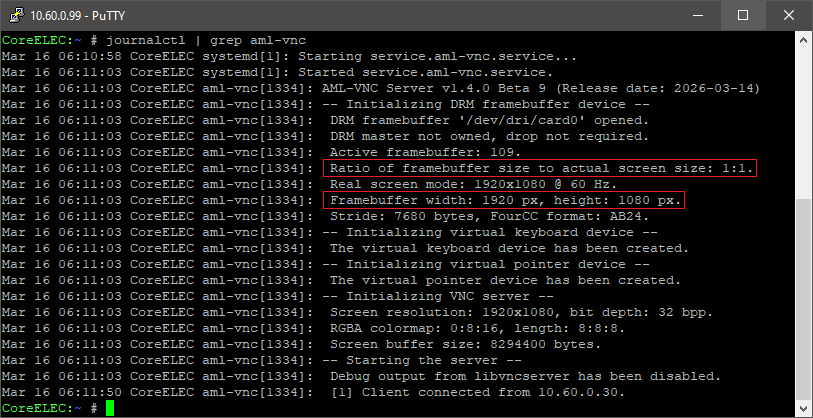
The two really important lines for me would be these:
However, it turned out from your log that the affected SoC is S905X4, because you are using sc2_s905x4_sei_smb_280.dtb. Unfortunately, I don’t have one, only a box with S905X5M, and this bug does not exist on it.
If my fix actually works in beta 9, I would expect these two lines:
Ratio of framebuffer size to actual screen size: 2:1.
Framebuffer width: 1920 px, height: 1080 px.
Mar 16 15:04:25 CoreELEC-C4 systemd[1]: Configuration file /storage/.kodi/addons/service.aml-vnc/system.d/service.aml-vnc.service is marked executable. Please remove executable permission bits. Proceeding anyway.
Mar 16 15:04:39 CoreELEC-C4 systemd[1]: Starting service.aml-vnc.service…
Mar 16 15:04:44 CoreELEC-C4 systemd[1]: Started service.aml-vnc.service.
Mar 16 15:04:44 CoreELEC-C4 aml-vnc[2265]: AML-VNC Server v1.4.0 Beta 9 (Release date: 2026-03-14)
Mar 16 15:04:44 CoreELEC-C4 aml-vnc[2265]: – Initializing DRM framebuffer device –
Mar 16 15:04:44 CoreELEC-C4 aml-vnc[2265]: DRM framebuffer ‘/dev/dri/card0’ opened.
Mar 16 15:04:44 CoreELEC-C4 aml-vnc[2265]: DRM master not owned, drop not required.
Mar 16 15:04:44 CoreELEC-C4 aml-vnc[2265]: Failed to query encoder: 0.
Mar 16 15:04:44 CoreELEC-C4 systemd[1]: service.aml-vnc.service: Main process exited, code=exited, status=1/FAILURE
Mar 16 15:04:44 CoreELEC-C4 systemd[1]: service.aml-vnc.service: Failed with result ‘exit-code’.
Mar 16 15:04:46 CoreELEC-C4 systemd[1]: service.aml-vnc.service: Scheduled restart job, restart counter is at 1.
Mar 16 15:04:46 CoreELEC-C4 systemd[1]: Starting service.aml-vnc.service…
Mar 16 15:04:51 CoreELEC-C4 systemd[1]: Started service.aml-vnc.service.
Mar 16 15:04:51 CoreELEC-C4 aml-vnc[2296]: AML-VNC Server v1.4.0 Beta 9 (Release date: 2026-03-14)
Mar 16 15:04:51 CoreELEC-C4 aml-vnc[2296]: – Initializing DRM framebuffer device –
Mar 16 15:04:51 CoreELEC-C4 aml-vnc[2296]: DRM framebuffer ‘/dev/dri/card0’ opened.
Mar 16 15:04:51 CoreELEC-C4 aml-vnc[2296]: DRM master not owned, drop not required.
Mar 16 15:04:51 CoreELEC-C4 aml-vnc[2296]: Failed to query encoder: 0.
Mar 16 15:04:51 CoreELEC-C4 systemd[1]: service.aml-vnc.service: Main process exited, code=exited, status=1/FAILURE
Mar 16 15:04:51 CoreELEC-C4 systemd[1]: service.aml-vnc.service: Failed with result ‘exit-code’.
Mar 16 15:04:54 CoreELEC-C4 systemd[1]: service.aml-vnc.service: Scheduled restart job, restart counter is at 2.
Mar 16 15:04:54 CoreELEC-C4 systemd[1]: Starting service.aml-vnc.service…
Mar 16 15:04:59 CoreELEC-C4 systemd[1]: Started service.aml-vnc.service.
Mar 16 15:04:59 CoreELEC-C4 aml-vnc[2310]: AML-VNC Server v1.4.0 Beta 9 (Release date: 2026-03-14)
Mar 16 15:04:59 CoreELEC-C4 aml-vnc[2310]: – Initializing DRM framebuffer device –
Mar 16 15:04:59 CoreELEC-C4 aml-vnc[2310]: DRM framebuffer ‘/dev/dri/card0’ opened.
Mar 16 15:04:59 CoreELEC-C4 aml-vnc[2310]: DRM master not owned, drop not required.
Mar 16 15:04:59 CoreELEC-C4 aml-vnc[2310]: Failed to query encoder: 0.
Mar 16 15:04:59 CoreELEC-C4 systemd[1]: service.aml-vnc.service: Main process exited, code=exited, status=1/FAILURE
Mar 16 15:04:59 CoreELEC-C4 systemd[1]: service.aml-vnc.service: Failed with result ‘exit-code’.
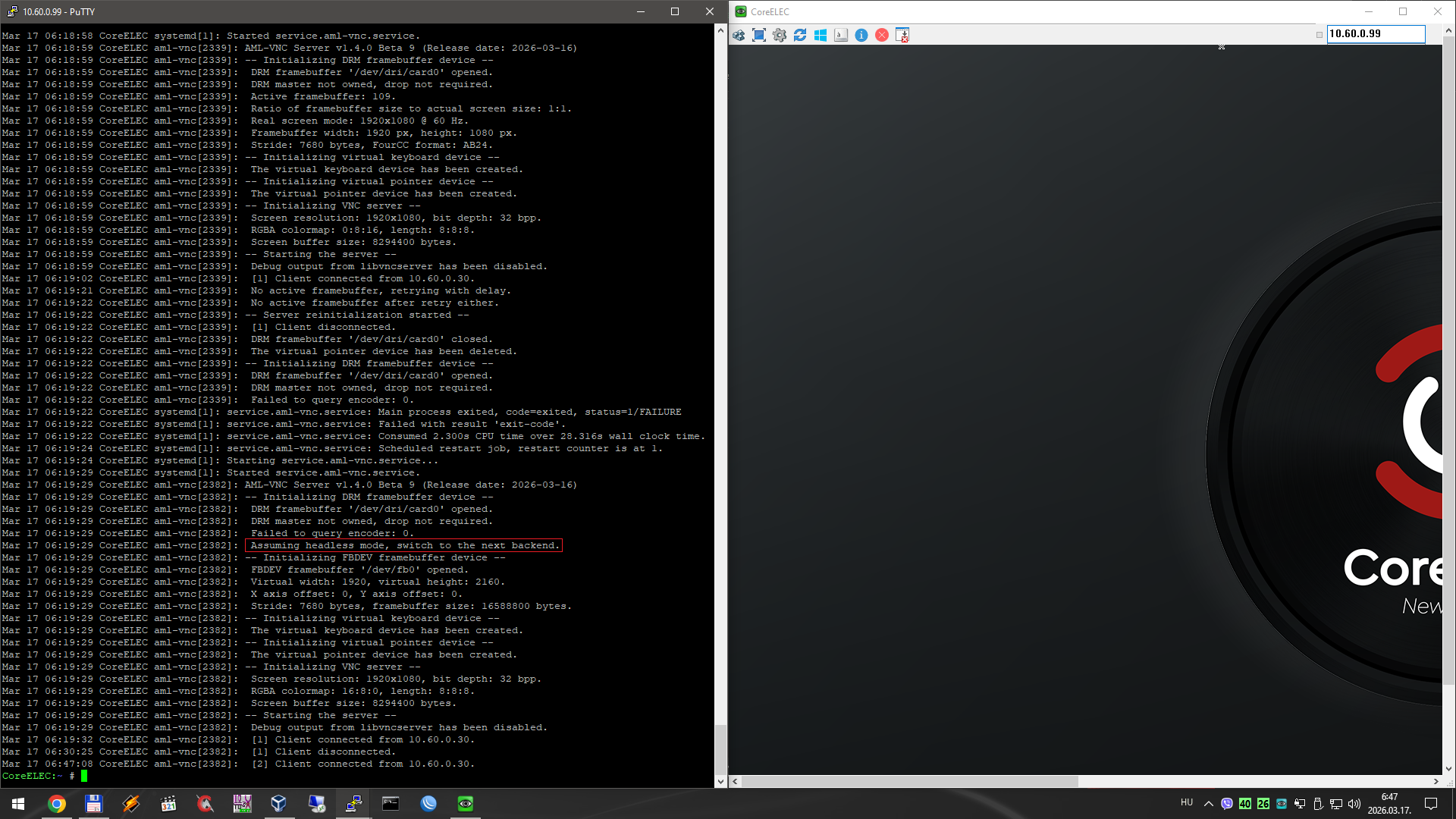
If the DRM framebuffer is exists, it uses that and not FBDEV. But a quick question: is the HDMI plugged in? If not, then the explanation is simple, because in headless mode there is no valid DRM framebuffer to connect to.
However, if this is not the case, and HDMI is active, then there will be a different problem. But I would definitely like to rule this out before continuing.
/dev/dri/card0 is DRM, always available. Same with fb0.
It’s only possible to detect by exports of libMali.so.
Other option is to modify Kodi GBM framebuffer to match same size like FBDEV before. xres x yre_virtual. This is the most correct way I guess.
Kodi also draw GUI items in +yres area (yres_virtual).
This is starting to get a bit chaotic. Previously, the reason why VNC with DRM stack needed was because the content on fbdev was different from the content under DRM, see here: Amlogic VNC on Odroid C5 NO
I can test the CE22 with only one device with an S905X5M, which does not have /dev/fb0 at all. So, I can try to add an fbdev fallback when HDMI is not connected, but I can’t test it without a compatible device.
my C4 is not C5, C4 uses old fbdev in CE22
I’m ready to test your implementation on C4 box without HDMI connected as minimum
For DRM you have device as I understand.
The previous bug report for the C5 has now become clear to me. In the case of S905X5M, /dev/fb0 also exists, but it does show splash screen instead of the live screen. This way, the VNC server will permanently show the wrong framebuffer, but this is not the server’s fault, unfortunately the system does not handle this option.
I consider this to be a deficiency, so steps may need to be taken to solve this issue.
Probably, headless mode will now work fine on devices before S905X5M. The VNC server basically uses the DRM framebuffer primarily, the reason being that it is faster to read, so the interface produced by the server is also more responsive, because the FPS is higher.
However, if this is not available, because it is running in headless mode, then it will fallback to fbdev (after the server service is restarted), and it will remain there permanently, because now it does not change backend even during the runtime reinit.