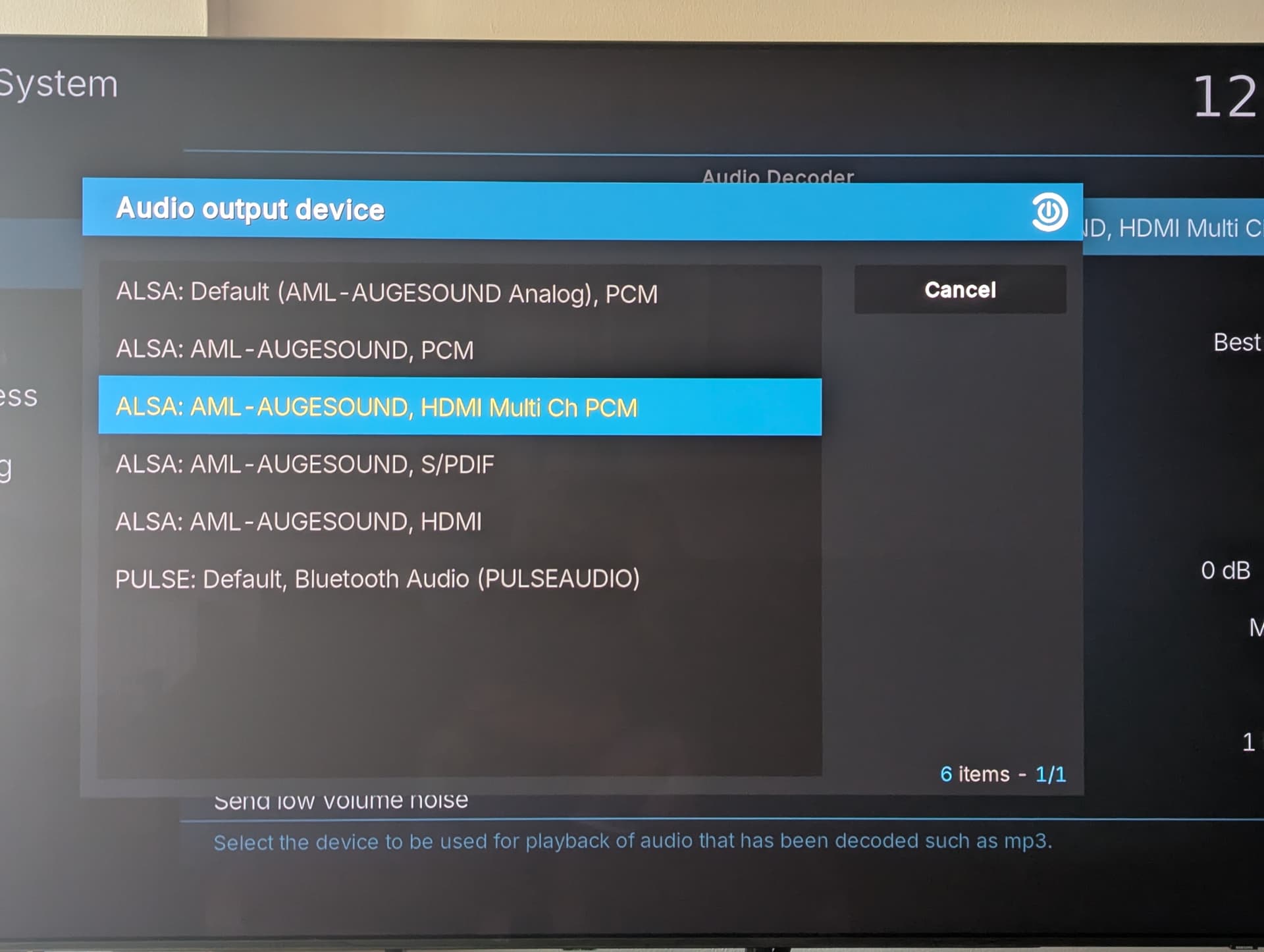
I use analog audio out and have consistently had low frequency noise on reboots and sometimes in general use.I noticed a few days back that if I change Settings/System/Audio from Best Match to Fixed it stops.HDMI is clean and Omega doesn’t have this issue.I’m using a 25 year old Kenwood amplifier and a sub so low level noise is more noticeable.All good now though.Hope this is helpful.B
@bazzle - are you using nightlies? I’ve been testing updates from @Portisch and multichannel PCM files all play cleanly on my system (N2+ over HDMI to Sony AVR). I have Multich PCM set, with HDMI as passthrough.
Still not sure what you mean by PCM output. Do you mean you are using coax/optical S/PDIF connection? This won’t support more than two channel PCM. It can handle compressed multichannel (like standard Dolby 5.1 or DTS 5.1).
The only multichannel (more than 2) LPCM support over HDMI is over the MultiCH HDMI setting in Kodi. The standard HDMI setting is used for all passthrough options including Dolbt/DTS HD codecs.
I guess it’s slightly confusing having all the different “Audio output device” options available and some of them let you set “Number of channels” to 5.1/7.1 even though they only support stereo.
The keyword here is PCM. This is an uncompressed format. If Kodi is allowing you to set 5.1 or 7.1 on a PCM device other than HDMI, then it is an error. S/PDIF will certainly handle 5.1 or 7.1 but only with Dolby or DTS type compressed audio - it is a hardware limitation of the interface.
I was trying out the PCM options. Alsa:AML-Augesound, PCM
No idea what it all means. I thought PCM passed all but in my case only passed ALL to front channels. I have never checked that format on earlier builds until the changes were made recently so I dabbled. I better stop dabbling I guess.
Not a real issue as I use one highlighted in Nissel’s post all the time.
@bazzle - that’s fine. The reason for my concern was that I have been doing a lot of testing for @Portisch on more obscure PCM multichannel formats like 3.0, 4.0 and 5.0 which are sometimes present on older jazz and classical recordings on SACD.
The Augesound PCM setting would probably have defaulted to a 2.0 format. In that instance it would have mapped the rear channels to the corresponding front channels. Only the MultiCH PCM format will support true 5.1 (or 7.1) PCM and then only over HDMI.
It is CE new issue. I changed nothing in my local network. Today i see also websocket error while using chorus 2 and youtube dont know connect at personal api. Also not going kodi page of youtube api.
Is anyone else experiencing screen tearing (looks like V-SYNC off) issues when scrolling through the Kodi GUI? Video playback is perfectly fine; the issue only affects the GUI. I’m away from home right now so I can’t provide logs yet, but I’m using a fresh install of the NO Nightly 20251218 on the new X88 PRO X5M.
To be clear: is this a specific issue with the X88 PRO X5M, or is it a general limitation for all S905X5M devices?
It isn’t a total showstopper for me, but it is a pity because the first impressions of this box are otherwise great. The hardware feels capable with good temperatures, and while the Bluetooth isn’t working, I don’t personally use it. The Wi-Fi speed is around 100 Mbps, which is acceptable, though I rely on the Gigabit wired connection anyway.