Yes I know I will try to add debug info soon if the new dovi.ko does not fix the problem. I added the most info I found out myself. Thanks for your work!
@Portisch Ok, I found another solution to my problem. It seems that when my GUI is at 1080p@120hz (for more smoothness), I get the DV block screen on the tv but if my gui is at 1080p60hz then it’s playing correctly.
I got debug logs of both situations but by checking it myself I did not see anything different between the two. Maybe you can see something that I did not see?
kodi dv ok gui at 1080p60:
kodi dv black screen gui at 1080p120:
1080p@120 worked fine on am6b+ with corelec NG.
Also, I use AM9 Pro, a Yamaha AVR and Sony TV. I tried direct to tv and it did not change the problem.
Thanks!
This is your bit:
So don’t use higher than 60Hz!
And read Wiki how to provide logs:
Whilst watching DV 8.1 content, starts fine but then i keep getting a black screen retrigger with dv logo, i then tried something else with DV 8.1 and dont get the black screen retrigger anymore.
As any other user told everywhere a sample to reproduce is easiest and the only solution…
Sample - 290.67 MB file on MEGA
Ahhhh you are right I did see the parity difference between the two tvs! Guess we know what that bit is now.
Thanks! 
As for the logs, what did I do wrong? I sent using the hastebin method as described in the wiki page?
No problems, on two systems.
I guess a local hardware issue like bad cables.
But everything else plays fine? the cable is pretty new
Tried different HDMI, no difference
Amlogic S905X4 Android 11.0 HK1 Box X4 4GB RAM 64GB ROM Dual-WiFi 2.4GHz/5GHz BT Quad Core 64 Bits 3D/8K 1000M
Upgraded to CoreELEC-Amlogic-no.aarch64-22.0-Piers_nightly_20260602-Generic.img.gz
Cleared DB and tried a scan and it is not working. DB is still messed up.
Downgraded to: CoreELEC-Amlogic-no.aarch64-22.0-Piers_nightly_20260529
This is CoreELEC-Amlogic-no.aarch64-22.0-Piers_nightly_20260529
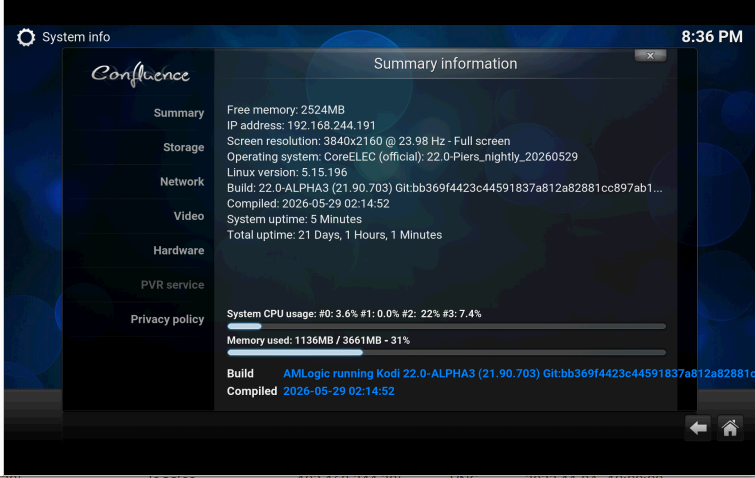
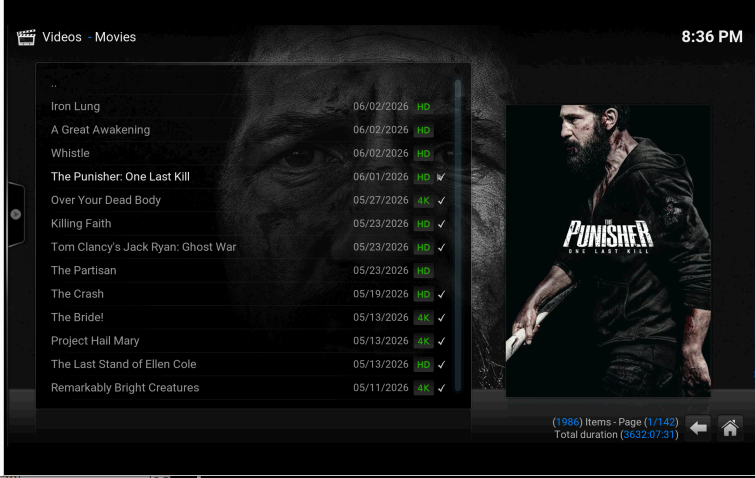
This is what I normally see and what I do not see with latest upgrade.
BTW VNC is working well.
You must adjust of provider of information. After build of 29 may is empty as default.
1 Like
The Numeric pad popped up to change “eMMC Speed Mode” cut the most part of the confirmation code, which makes it very hard to see the code and input the code correctly. I tried like 20 times and still not be able to input the code. Can the dialog be adjusted? Or remove the confirmation at all? I don’t see why the point to confirm? The “HS200,HS400” option is compatible with the “HS200” option, right?
You can start typing after changing the skin font back to default and use default language english.
That was what I did, but it didn’t work for me. With “Arial based” font for Estuary, I can see a little bit of the confirmation code, but with the “Skin default” font, the confirmation code is covered completely.
Make a screenshot.
Narrowed down the problem to 24hz, plays fine on 23.98hz
Thank you @atirage21 I did notice that the provider was empty on the last few attempts.