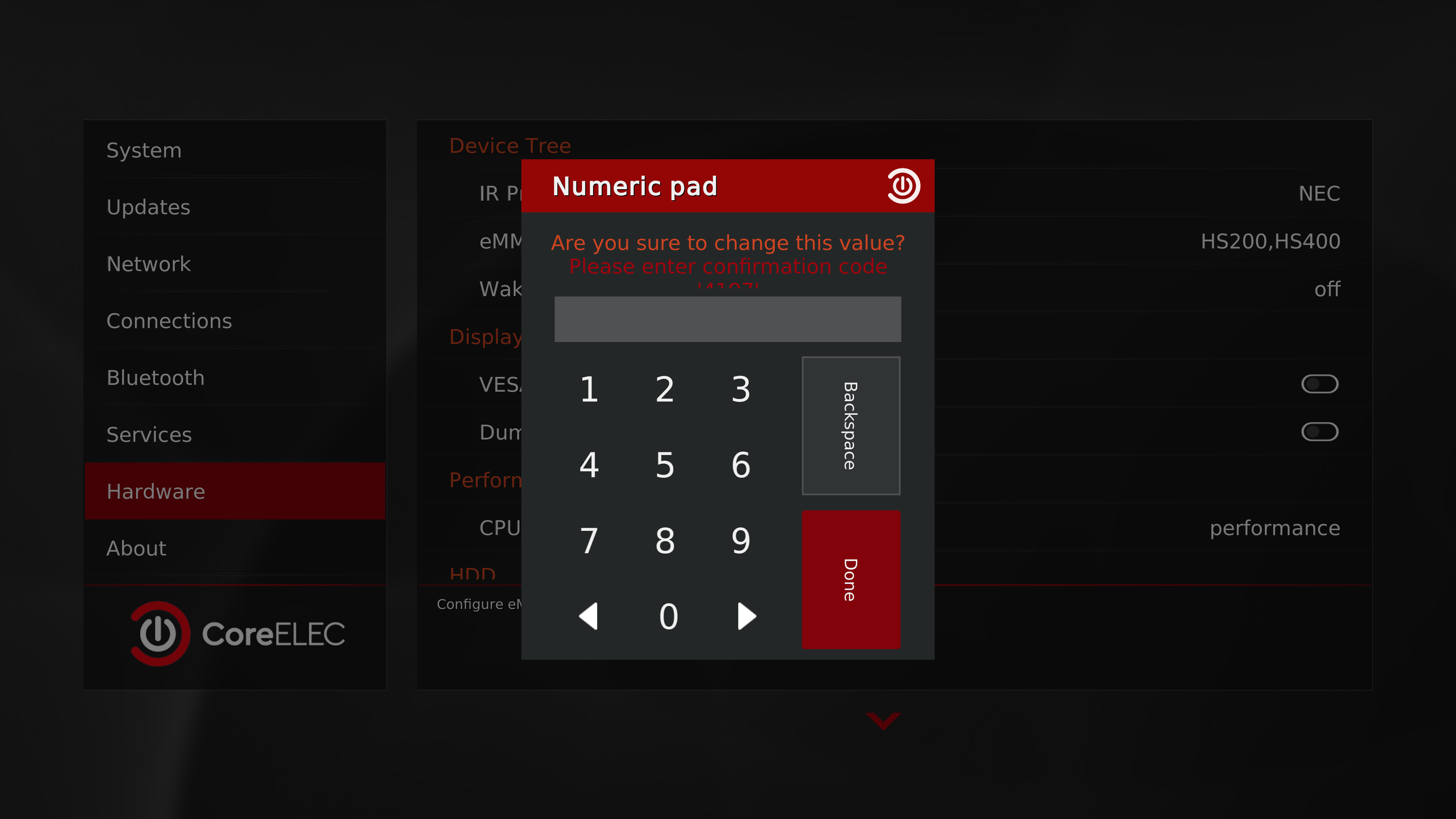
“Skin default” font
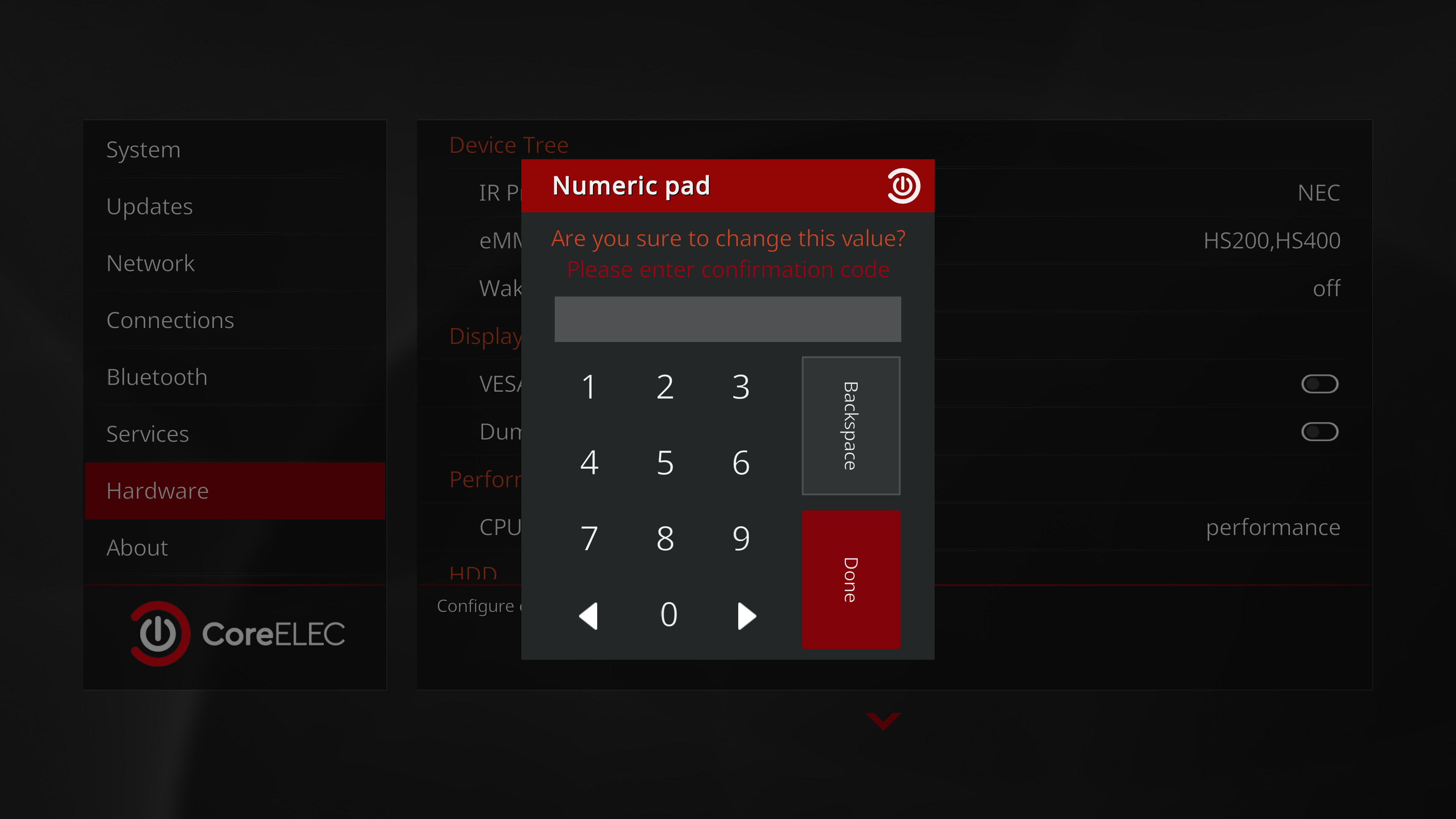
“Arial based” font
Strange, looks just fine here: the code is on second line.
Now I see: You are using 4k GUI right?
13 posts were split to a new topic: Issues with subtitles
Yes, I’m using 4K GUI.
I changed here and still see the code as it should. Must be something on your skin.
Weird, It’s the default skin, I didn’t modify the skin or use any other skins.
I would like to inquire (I’m not asking for a bug fix, if that’s the case, it’s not that important) whether anyone else experiences something like this when using the youtube addon (inputstream adaptive), for example, that at the end of a video with the vp9 codec, the image freezes at the last 3-4 seconds, the sound continues, and then the video exits (the exit is normal, that’s fine).
In the case of a very old CE19.5 with a very old ISA, this strangeness does not exist.
In the case of a normal video, this does not exist, even if I downloaded the video from youtube.
I know the answer, I should make a bug report here. 
The only question is, is it only on my side or does it also happen to others?
Just out of curiosity
This could be a general Kodi/CoreELEC issue. The FEL movie “Boy Kills World” (Italy Disc) also freezes at the end, but the audio continues playing.
There are specific CoreELEC builds that have fixed this problem, but they only run on the AM6B Plus.
The Kodi/CoreELEC team hasn’t addressed this issue yet.
You can skip this frozen image using the Fast Forward button.
It only ever occurs at the end of the FEL movie, and there are only a handful of these movies. I can’t even think of another movie name right now.
I’m always impressed by folks who stay until the very last seconds of a long movie — even when it’s just a black screen or a studio logo after 90+ minutes.
Some people have to much free time.
They look for even the tiniest error, regardless of whether it is relevant or not.
The latest nightly update broke Dolby Vision (DV) playback after the system resumes from a suspended state. Reverting back to the June 2nd build fixes the issue.
-Platform: SC2
Video Source: Network (Internet streaming cloud)
-Kernel Module: Updated dovi.ko (from two days ago)
-Behavior: System freezes, followed by a crash and automatic restart.
I can provide logs later if needed, once I perform a fresh installation without unwanted add-ons on my box.
Big thanks to our greatest devs!
Maybe I have seen same, thx for report.
There are 30s videos on YouTube, 2 minutes, etc.
But, yeah, as I wrote, the problem is not the end of the world
He’s eating Frosties when the image freezes. So it’s not a black screen or a studio logo.
Panni would have more to say about this problem, i am not.
I can confirm this bug. On my device, short YouTube videos (around 6 seconds) freeze on the last frame while audio continues playing normally until the end. The video then exits cleanly as if nothing happened.
Fixed ISA from DRM issue is out
Thank you. Cleared DB, changed provider of information and redid it.
Currently using
CoreELEC-Amlogic-no.aarch64-22.0-Piers_nightly_20260606-Generic.img.gz
on
Amlogic S905X4 Android 11.0 HK1 Box X4 4GB RAM 64GB ROM Dual-WiFi 2.4GHz/5GHz BT Quad Core 64 Bits 3D/8K 1000M
Hi,
How do I revert back to a previous build - DV not working on AMB6+ anymore? - The options all have disappeared - sometimes a reboot will fix it and the options will re-appear
Just drop an earlier build in ‘update’ folder on device (CE)
Find device ip addy in settings. Open windows file explorer. go to \\192.168.0.xxx or your addy and drop file in that update folder. Reboot box.
After the CE 20260606 update, the wireless connection is not working on the X96 M300 device.
The wireless option is not available.
About | FAQ | Terms of Service | Privacy Policy | Legal Notice