On a fresh install of 22 piers beta 1 with default skin. Using PM4K to stream from plex server. Experiencing audio desync only when using TrueHD audio format. Audio appears to play about 500ms earlier than video, and is not resolved by seeking ahead or back, or restarting the video. Happens across multiple files and I can only reproduce this on TrueHD. DTS-HD.MA, FLAC, AAC, and other formats not impacted.
My am9 with all default settings had audio desync in most/all videos until increasing cache, queue, and applying queue to all videos including local. After making this change all formats appeared to be fixed and working 100% except the above behavior of TrueHD.
I’ve installed Audio Offset Manager plugin and have it auto-apply 100ms of delay to audio when TrueHD codec is used and for now it seems solid and I’ve tried it on a half dozen videos so far. I think the audio is a touch off of 100ms early, but it’s good enough for now.
Also updated my AM9 Pro’s firmware but no change in the delay I’m getting.
Hi! Since a couple of weeks I’m using Coreelec and it’s amazing in terms of speed and performance. It’s so much faster than running kodi on atv. So, great! And thanks for that.
In the kitchen I’m using a Nokia 8010 box on a fullhd TV. So, no fancy dolby vision needed there.
When I turn the box on, I’m getting an error telling me that the kernel is outdated and that because of that dolby vision will not work. But that’s no problem as the TV doesn’t even support it. My question is if I can disable this message. I’m using core elec 22, beta 1.
Second thing is that I’m getting glitches in the interface. Not when playing media. It looks at bit like gaming without vsync turned on. So not every piece of the screen wil be shown at the same time. I included a video wich shows what I mean.
I tried every possible setting but it’s not changing anything. Even tried a different hdmi cable, but using kodi on android tv, I can not see this. So it has something to do with coreelec. Tried different resolutions and refreshrates, but without succes.
Since the Nightly20260726 build, I have been experiencing the following error with some Dolby Vision files.
The error does not occur with Nightly20260725!
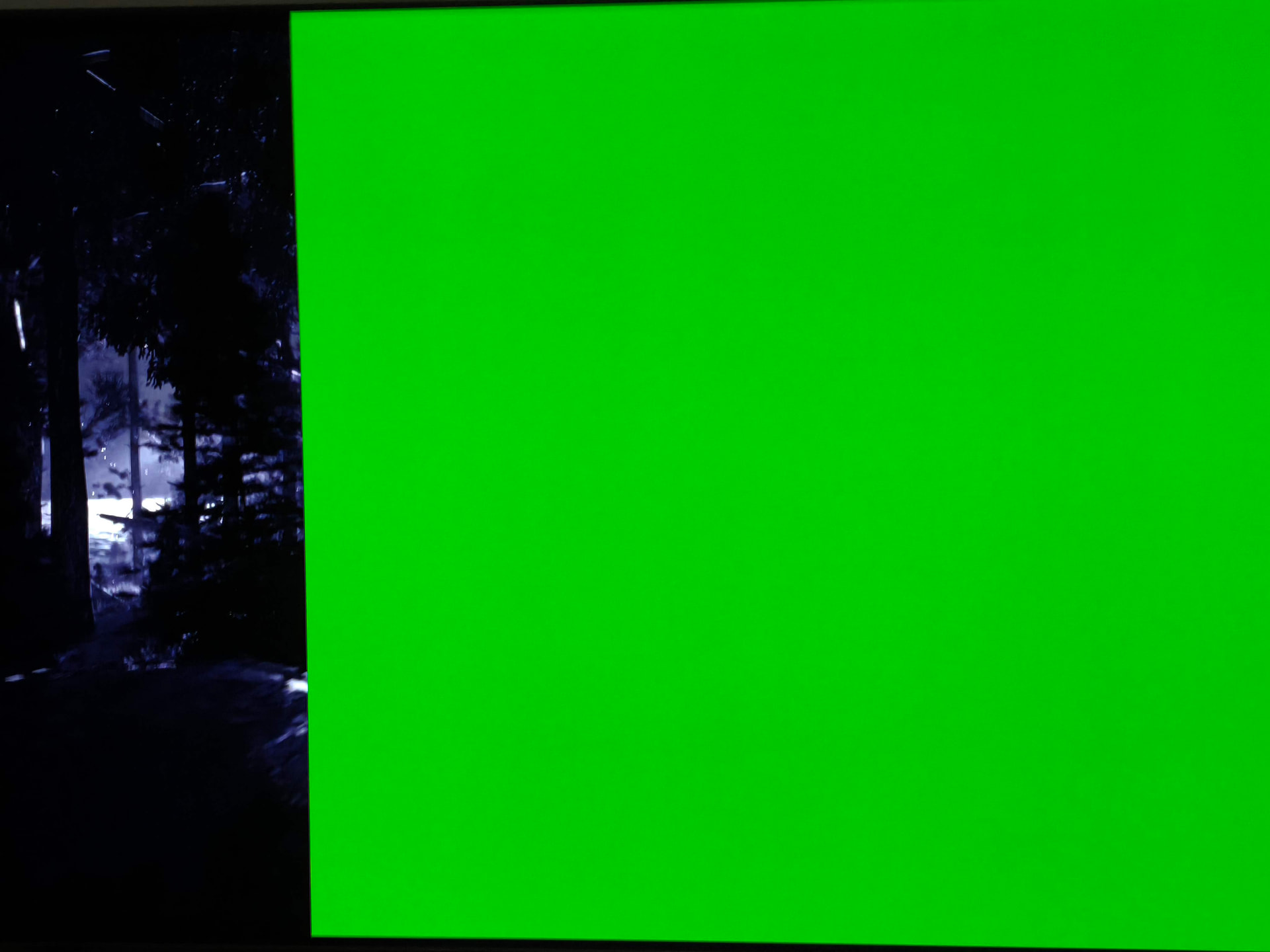
During playback, only about 20% of the movie is displayed on the left side; the rest is a solid green color (see screenshot).
I have a Minix 8K-Ultra and have been using the official Nightly builds without issues for nearly a year (updating almost daily :)).
That’s really strange, though—a good 10-20% of all common MKV files have this resolution; are they all suddenly supposed to stop working?
Going back to Nightly 25 works just fine, though—same as always.
its a normal 1,85:1!
rejected, most mkvs remuxed from disc are not, only videos which are incorrectly cropped during re-encode are, likely you are dealing with a pirated web-rip screen recording rather than authoring your own content