I have installed Termux on android but I don’t have root access, I get “no such file or directory” when running “cat /sys/kernel/debug/gpio”.
In that case I’m going to need the DTB from this image.
You should be able to grab it through CE, or from the image file itself if you extract it.
Is this what you are looking for?
dtb.img.gz (129.3 KB)
I extracted it from CE using following command:-
dd if=/dev/dtb | gzip > /storage/downloads/dtb.img.gz
Yes that’s it, thanks.
I think you’ve enabled the advanced settings section of the addon. Disable it and reboot if necessary.
Oh dear! Fat fingering again! Curiosity killed the cat and all that. Problem fixed - thx for all your help - much appreciated!
Hello. Can you advise me? I installed the required file via winscp, I also installed OpenVFD but the display does not work. Why? I have: X96 MAX Plus Ultra 8K TV Box Android 11 Amlogic S905X4 Quad Core 4GB 64GB AV1 Media Player Dual Wifi BT HDR 10 Fast Set Top Box.
Hi. Is there any chance I can get the VFD on my box working? It’s one of the new ones, X88 Pro X5M on S905X5M chip. I tried to use the config for X96 M300 on the same chip, but the display is not working. I’m running nightly Amlogic-no build with this DTB: s7d_s905x5m_4g_1gbit
Here’s the gpio output:
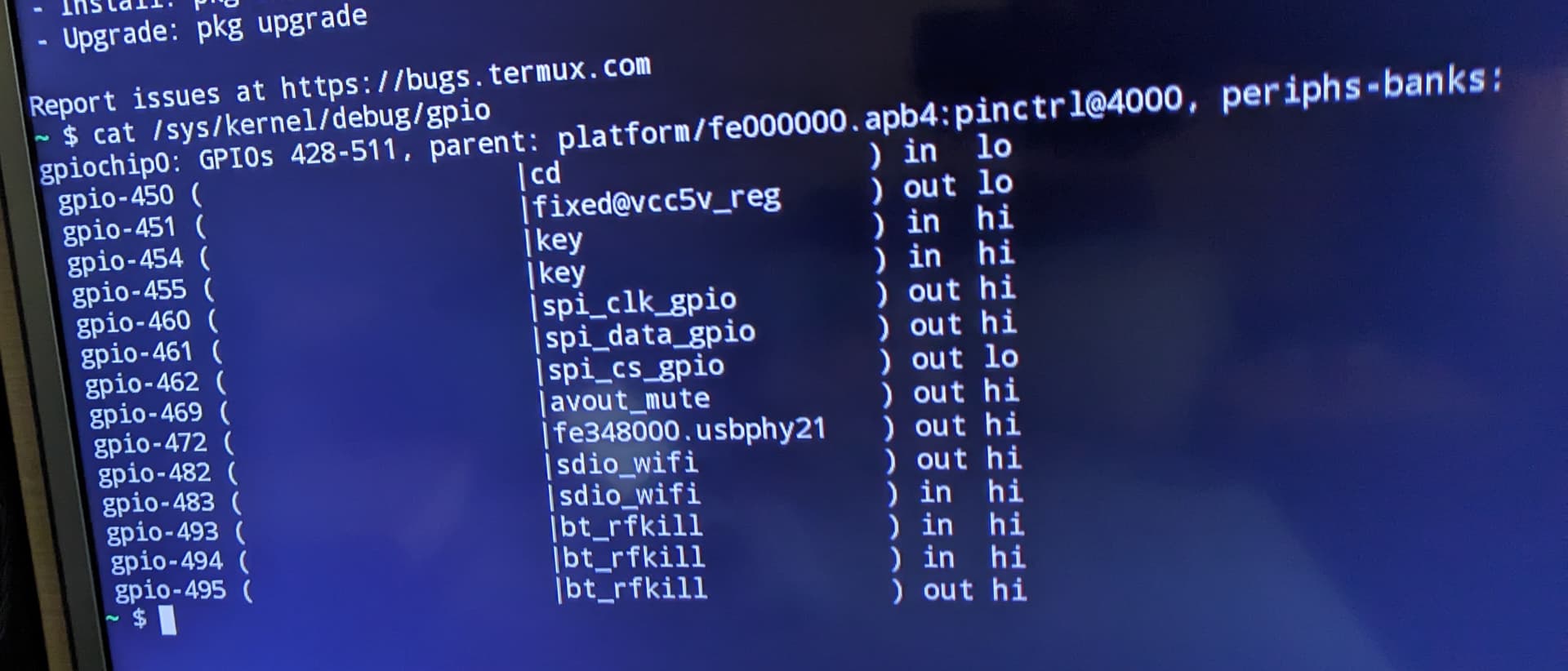
from CoreELEC just in case
gpiochip0: GPIOs 428-511, parent: platform/fe000000.apb4:pinctrl@4000, periphs-banks:
 gpio-450 (                    |cd                  ) in  lo
 gpio-451 (                    |fixed@vcc5v_reg     ) out hi
 gpio-458 (                    |openvfd             ) in  lo
 gpio-459 (                    |openvfd             ) out hi
 gpio-460 (                    |openvfd             ) out hi
 gpio-462 (                    |sys_led             ) out hi
 gpio-469 (                    |avout_mute          ) out hi
 gpio-472 (                    |fe348000.usbphy21   ) out hi
 gpio-473 (                    |PHY reset           ) out hi ACTIVE LOW
 gpio-482 (                    |sdio_wifi           ) out hi
 gpio-483 (                    |sdio_wifi           ) in  hi
 gpio-493 (                    |bt_rfkill           ) out hi
 gpio-494 (                    |bt_rfkill           ) in  hi
 gpio-495 (                    |bt_rfkill           ) out hi
And logs:
CoreELEC:~/.config # udevadm info /sys/bus/sdio/devices/* | paste
https://paste.coreelec.org/InfraredApplied
CoreELEC:~/.config # dmesg | paste
https://paste.coreelec.org/SwearMerchant
Any advice is greatly appreciated.
Did you follow the guide from The Coolest
The post right above yours from April 14?
You need pinout from Android?
Thanks, I updated my post.
Ok, let’s start with this one, let me know if it looks correct or not.
x88-pro-x5m.conf (1.2 KB)
The time should display correctly and in the correct order, colon should blink.
Do the power, lan, wifi icons work correctly? (you need to install the CE VFD addon for icons)
Unfortunately, it is not working.
dmesg https://paste.coreelec.org/WhiterHanna
Run the following commands in SSH, the box will reboot
mount -o remount,rw /flash/
fdtput -r /flash/dtb.img /gpioleds/sys_led
sync
mount -o remount,ro /flash/
reboot
If this works, you may need to run this after every update until we decide if this can be fixed in some other way.
It worked! Thank you!
I’ll save it as a script and just run it after each update for the time being.
Cool. Do all the icons work correctly too?
Yes, it seems so. And OpenVFD displays everything correctly.
Good. Thanks.
Then I’ll push this vfd.conf to the repo later today.
My box is HK1BOX
when I updated to 22.0-Piers_nightly_20250913 from 22.0-Piers_alpha1, OLED didn’t work with OpenVFD addon anymore,downgrade to alpha1,OLED back to work, I use this
vfd.conf (1.2 KB) file
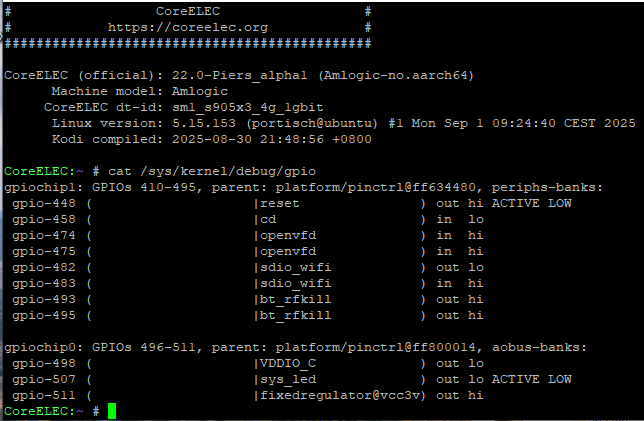
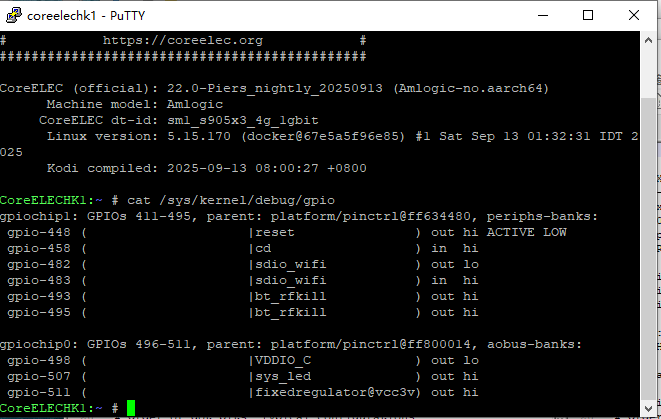
dmesg | paste