Hi, Thanks for replying. Yes. I have downloaded and copied the vfd.conf to /storage/.configlocation as mentioned in the Post #1 on this thread. I have rebooted and tested. still no luck. The box is named as Prime, no other names I could find on this box. On the PCB board it is written as EB_X3PRO_S905X4_4bit_v2.1, it got installed with is S905x3 though. I have checked this thread for the gpio combination I have given above to find out anyone else reported similar board. I could not find any.
maybe…
I have tried to configure the vfd as per the post you have shared. I am getting below given error message.
amls905x3ndbx:\~/downloads/openvfd # systemctl stop openvfd
amls905x3ndbx:\~/downloads/openvfd # sh stop_service.sh
amls905x3ndbx:\~/downloads/openvfd # sh test_led.sh
No command line options were found, showing usage instructions.
test_led.sh: line 7: ./OpenVFDService: Permission denied
insmod: ERROR: could not insert module /storage/downloads/openvfd/openvfd.ko: Invalid module format
test_led.sh: line 21: ./OpenVFDService: Permission denied
amls905x3ndbx:\~/downloads/openvfd # sh ./test_led.sh
No command line options were found, showing usage instructions.
./test_led.sh: line 7: ./OpenVFDService: Permission denied
insmod: ERROR: could not insert module /storage/downloads/openvfd/openvfd.ko: Invalid module format
I would just try with the vfd.conf and skip the rest: “SSH to box and run the following commands”…
After correcting the unzipped files permission I am getting this message.
amls905x3andbx:~/downloads/openvfd # sh ./test_led.sh
No command line options were found, showing usage instructions.
Usage: OpenVFDService [-t] [-dt TYPE] [-h]
    -t              Run OpenVFDService in display test mode.
    -dm             Run OpenVFDService in display demo mode.
    -dt N           Specifies which display type to use.
    -co N...        < D HH:MM > Order of display chars.
                    Valid values are 0 - 6.
                    (D=dots, represented by a single char)
    -h              This text.
insmod: ERROR: could not insert module /storage/downloads/openvfd/openvfd.ko: Invalid module format
amls905x3andbx:~/downloads/openvfd # Open device failed.
: No such file or directory
I have already downloaded the magicsee-n5-vfd.conf (1.5 KB) and renamed that as vfd.conf. It is placed inside /storage/.config/
below given is the outcome of the file in the destination. I have rebooted the box after copying the vfd.conf. The vf display is still blank.
nano /storage/.config/vfd.conf
# This file must be renamed to vfd.conf and placed in the /storage/.config/ fol>
#
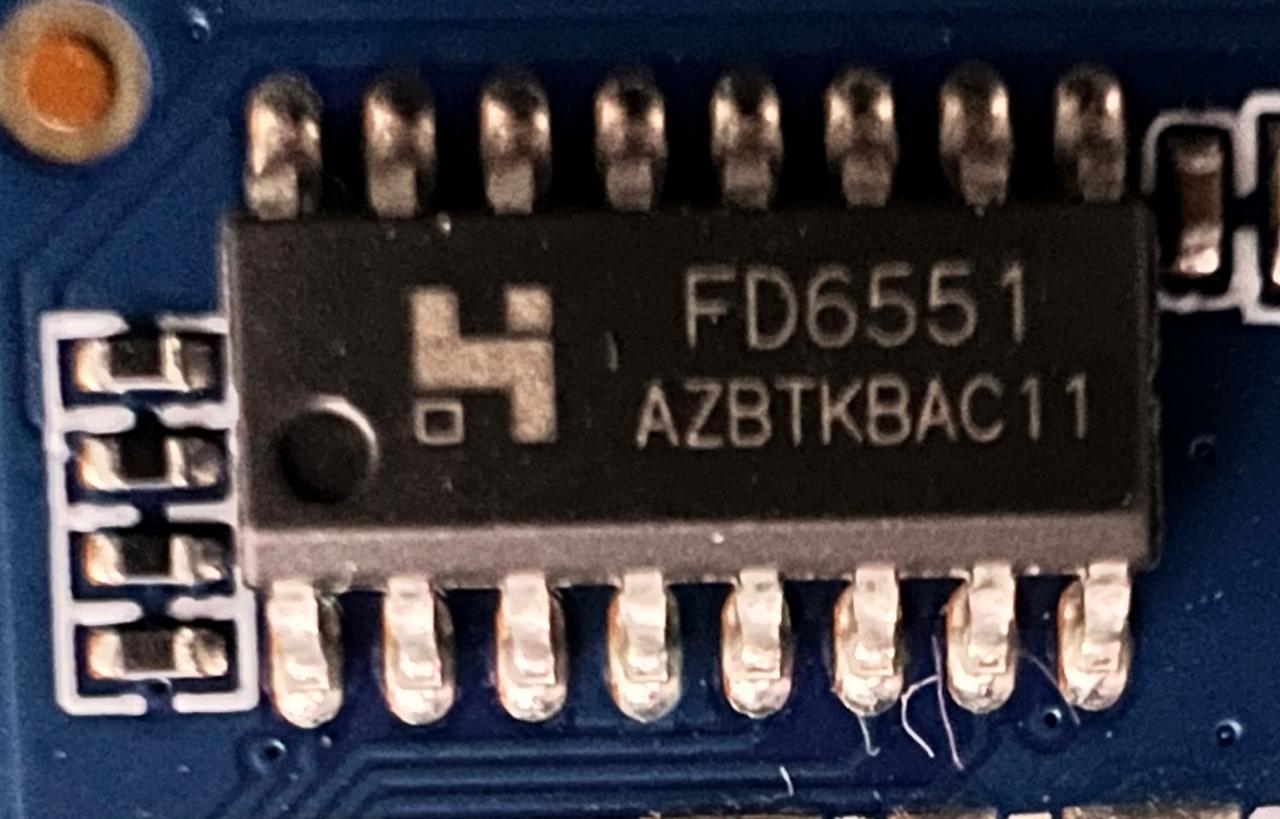
# Magicsee N5 (FD6551) configuration
#--------------------
#gpio_xxx:
# [0] 0 = &gpio, 1 = &gpio_ao.
# [1] pin number - https://github.com/openSUSE/kernel/blob/master/include/dt-bi>
# [2] GPIO flags - Bits [0 - 3, 5, 7]: reserved, must be 0. Bit [4]: Enable pul>
# * 0xFF in vfd_gpio_stb skips this entry, required for 2-wire protocols

vfd_gpio_clk='1,4,0x10'
vfd_gpio_dat='1,5,0x10'
vfd_gpio_stb='0,0,0xFF'

#chars:
# < DHHMM > Order of display chars (D=dots, represented by a single char)

vfd_chars='0,1,2,3,4'

#dot_bits:
# Order of dot bits. Typical configurations:
# Display Type 0, 1 usually has Alarm, USB, Play, Pause, Col, Ethernet, Wifi do>
# Alarm = 0, USB = 1, Play = 2, Pause = 3, Col = 4, Eth = 5, Wifi = 6
# Display Type 2 usually has APPS, USB, SETUP, CARD, Col, HDMI, CVBS dots
# APPS = 0, USB = 1, SETUP = 2, CARD = 3, Col = 4, HDMI = 5, CVBS = 6
# Display Type 3 Power, LAN, Col, Low Wifi, High Wifi
# N/A = 0, N/A = 1, Power = 2, LAN = 3, Col = 4, Low Wifi = 5, High Wifi = 6
# Display Type 6 usually has BT, Eth, Wifi, SPDIF, Col, HDMI, AV dots
# BT = 0, Eth = 1, Wifi = 2, SPDIF = 3, Col = 4, HDMI = 5, AV = 6

vfd_dot_bits='0,1,2,3,4,5,6'

#display_type:
# [0] - Display type.
# [1] - Reserved - must be 0.
# [2] - Flags. (bit 0 = '1' - Common Anode display, bits [1-7] - Reserved.)
# [3] - Controller.

vfd_display_type='0x01,0x00,0x00,0x06'
No idea, sorry
Try the config for trident-t527 and let me know how it works.
Thanks for your immediate reply on this. I have downloaded trident-t527-vfd.conf as vfd.conf, placed inside the respective folder and rebooted the system. Still the VFD is blank only within CE.
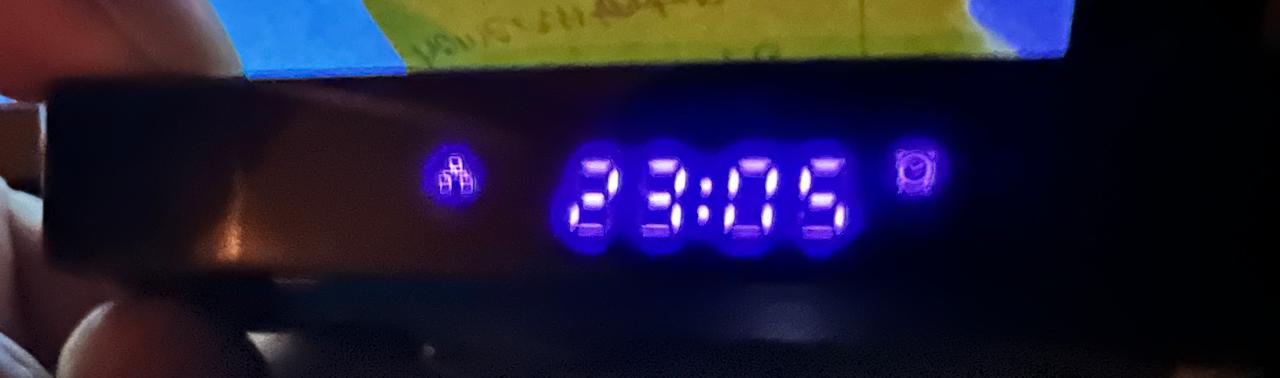
I just rebooted the box into Android and captured the VFD status. I could see “boot” and the time with network and clock icons. Just passing this FYI.

Try swapping the dat and clk values (10 → 11 and 11→10) and try again after a reboot.
And, post dmesg output - run dmesg | paste and post the link.
I have swapped the values, rebooted the system, and checked, but the VFD is still blank. The current settings are
vfd_gpio_clk='1,10,0'
vfd_gpio_dat='1,11,0'
vfd_gpio_stb='0,0,0xFF'
When Trying to run dmesg | paste, I am getting the following message.
dmesg | paste
curl: (60) SSL certificate problem: certificate is not yet valid
More details here: curl - SSL CA Certificates
curl failed to verify the legitimacy of the server and therefore could not
establish a secure connection to it. To learn more about this situation and
how to fix it, please visit the web page mentioned above.
I have tried uploading from the CE GUI as well, but I am getting the same error message.
This box looks like the one shown here, but I don’t know its VFD controller model. I tried both a95x-f3-air-ii-vfd.conf and a95x-f3-air-vfd.conf based on the video. Still, there is no display.
I’m not sure what’s wrong with paste today.
You can also run dmesg > ~/downloads/dmesg.log then access the Downloads folder via the smb share from your PC and post it here.
dmesg.log (68.5 KB)
I am sharing the log as you have suggested.
The best approach would be to open the box and identify which display controller it has.
But here are some things to try without opening it up.
Try the original and swapped dat\clk pin config with different controller types, meaning:
The last value of vfd_display_type, try replacing 0x06 with 0x05, 0x04, 0x03 in that order.
This means 6 more combinations. Reboot after each change in vfd.conf.

Just to be sure before I do the checks, do I have to check Trident T527 (S905X3) configuration as vfd.conf ? or Some other file? Could you please suggest?
Ok, in that case there’s no point trying other controllers, as the vfd.conf already sets the controller to FD6551 (0x06).
The info you got out of Android is:
gpio-506 ( |fd655_dev ) out hi
gpio-507 ( |fd655_dev ) out hi
meaning that it’s pins 10 and 11 on the aobus.
Try with the following change:
vfd_gpio_clk=‘1,11,0x10’
vfd_gpio_dat=‘1,10,0x10’
or
vfd_gpio_clk=‘1,10,0x10’
vfd_gpio_dat=‘1,11,0x10’
Thanks for providing me with your valuable and immediate inputs.
# Trident T527 (S905X3) configuration
#--------------------
vfd_gpio_clk='1,11,0x10'
vfd_gpio_dat='1,10,0x10'
vfd_gpio_stb='0,0,0xFF'

vfd_chars='4,3,2,1,0'
vfd_dot_bits='5,6,2,3,4,0,1'
vfd_display_type='0x00,0x00,0x00,0x06'
Rebooted the box with above given values. There is no display on the VFD.
Trident T527 (S905X3) configuration

#--------------------
#gpio_xxx:

vfd_gpio_clk=‘1,10,0x10’
vfd_gpio_dat=‘1,11,0x10’
vfd_gpio_stb=‘0,0,0xFF’

vfd_chars=‘4,3,2,1,0’

vfd_dot_bits=‘5,6,2,3,4,0,1’

vfd_display_type=‘0x00,0x00,0x00,0x06’
Rebooted the box with above given values as well. Still there is no display on the VFD.
Note: I have truncated the commented sections from here to keep the lines shorter. I am keeping those lines as it is in the vfd.conf file as they are in original.
It was worth a shot. From all the data we gathered from Android and from CE dmesg you posted earlier, things appear to be correct. So, I don’t see a reason for the display not to work with what we’ve tried. At this point I’m out of ideas, I’ll ping you if I come up with something else to try.