Garbage characters usually means using wrong serial baud rate.
Im using the same, 921600. Is this rate wrong?
This is now another brand new G1, just got it and soldered UART right away:
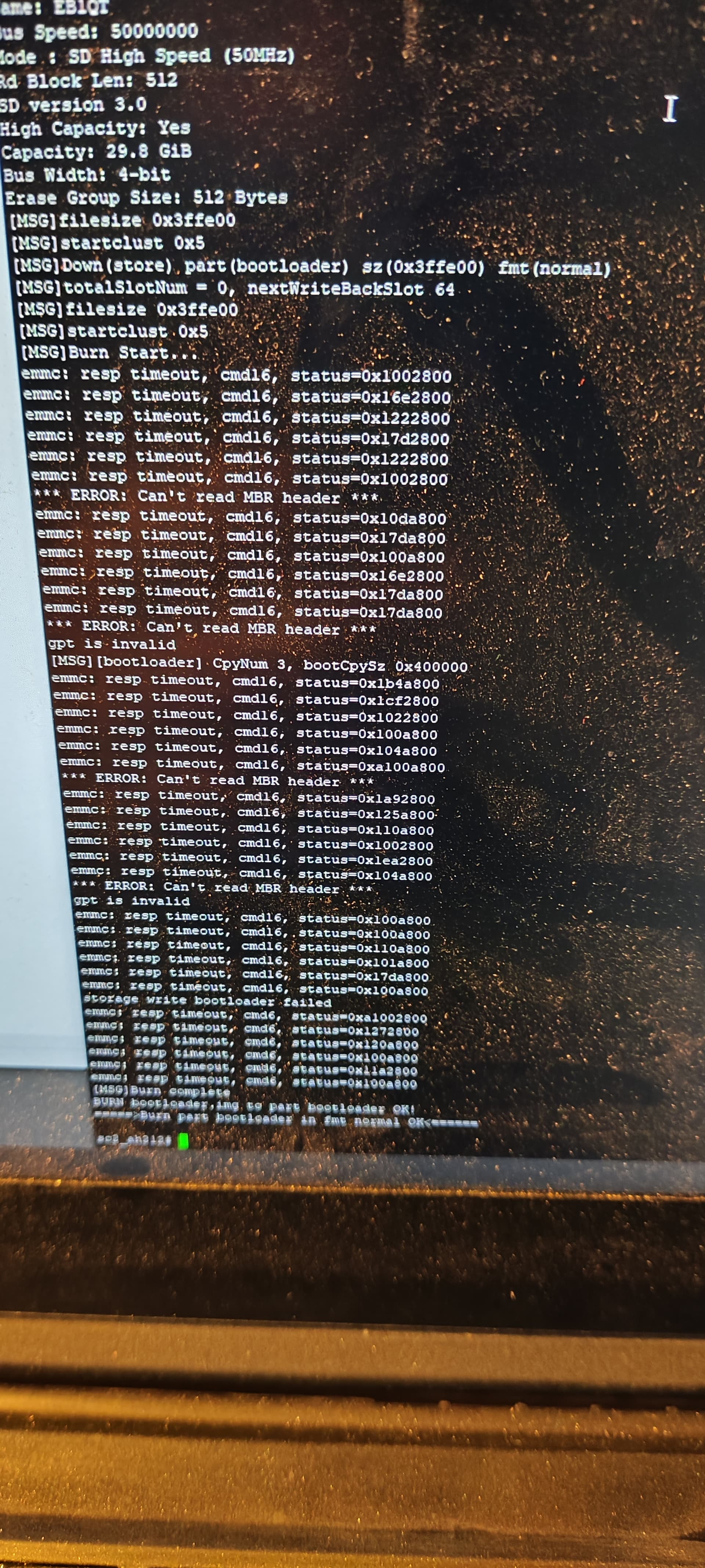
run init_display
sdc_update bootloader bootloader.img (downloaded and extracted that .7z)
Then flash immediately:
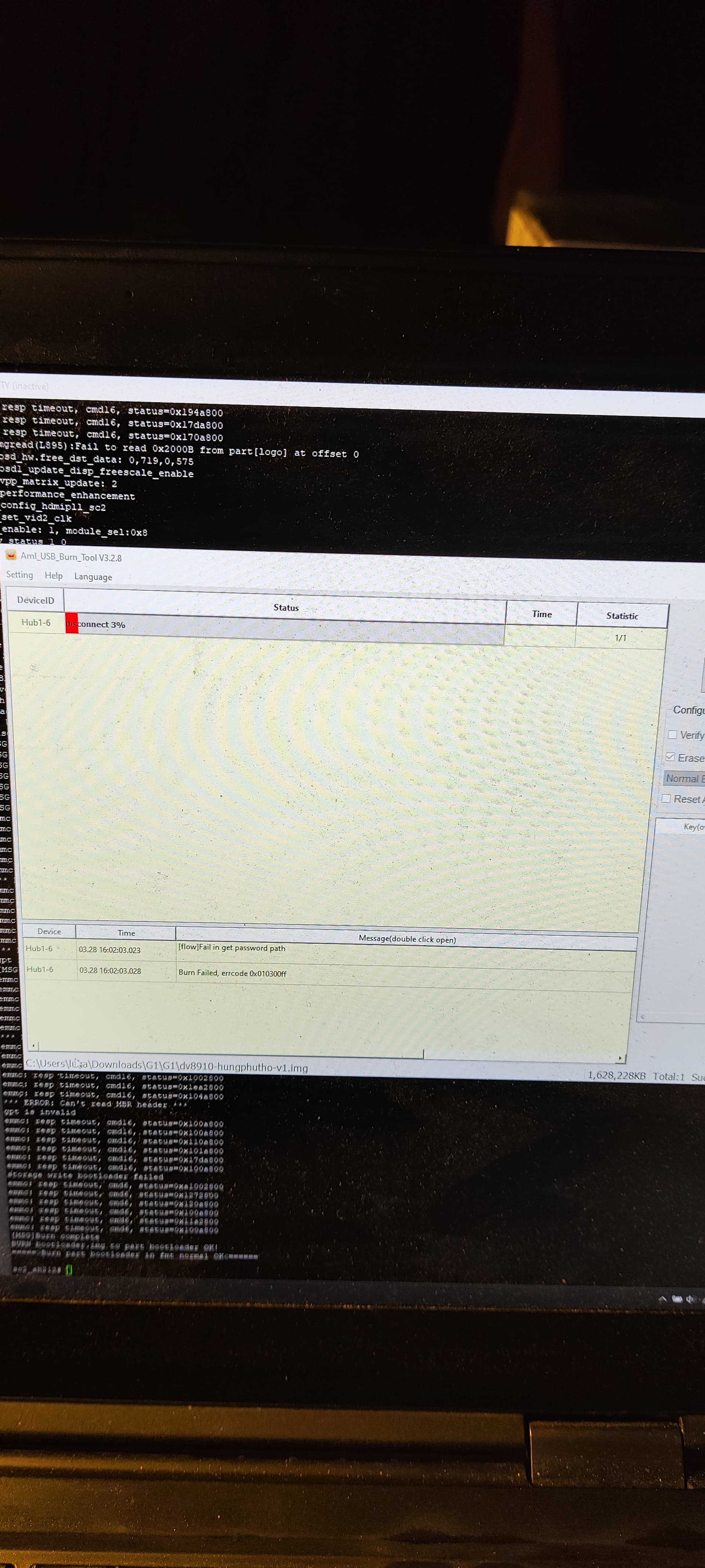
Now im waiting for next step from you guys, since on the 1st G1, I tried lots of things from this thread and nothing worked (and I possibly bricked it). Alot of people here in this very thread were in the same boat but never reported back if they solved it, threw it away or still silently waiting for someone.
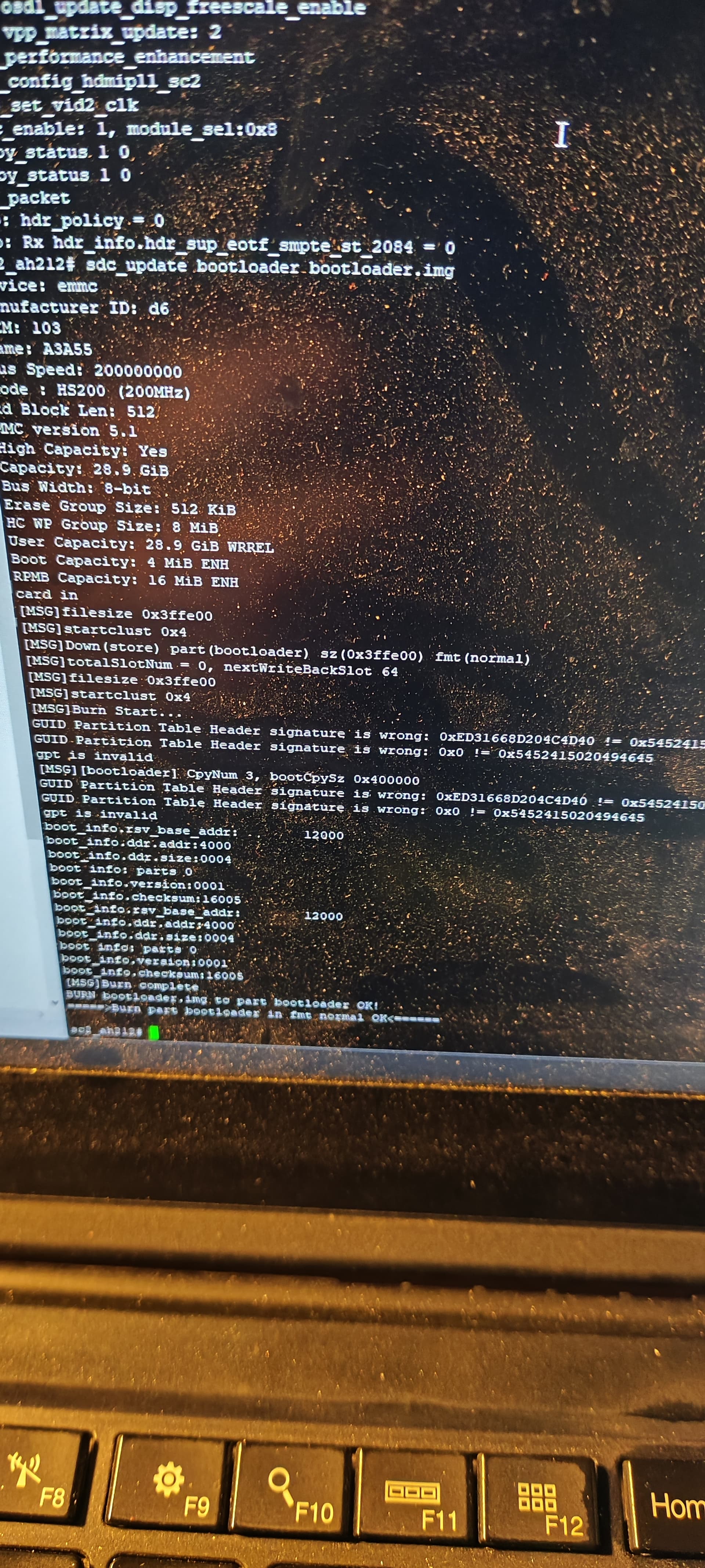
I booted UART normally and I did absolutely nothing else or different. Before this cycle, I tried smaller sdcard (16gb instead of 32gb), fat, fat32, 1gb partition, all MBR (had a plan to try GPT also, but didnt get there), print init_display, usb flash drive (not detected and sdc_update says only from sdcard in help), really lots of these little stuff and absolutely NOTHING solved that MBR header error.
I wanted to try to do both commands 2 times in a row (because of this post Kinhank G1 - #912 by matiws2008), but when I booted UART, on the first try the MBR header error did not appear.
Again, i did absolutely nothing to make it happen. I suspect because i power cycled so much times, that maybe that little booting that it got in all of those tries, that maybe something changed on the internal emmc. Maybe, just maybe, android has to be booted atleast once (because both of my G1’s are straight from brand new box to UART flashing). Just a thought.
UPDATE:
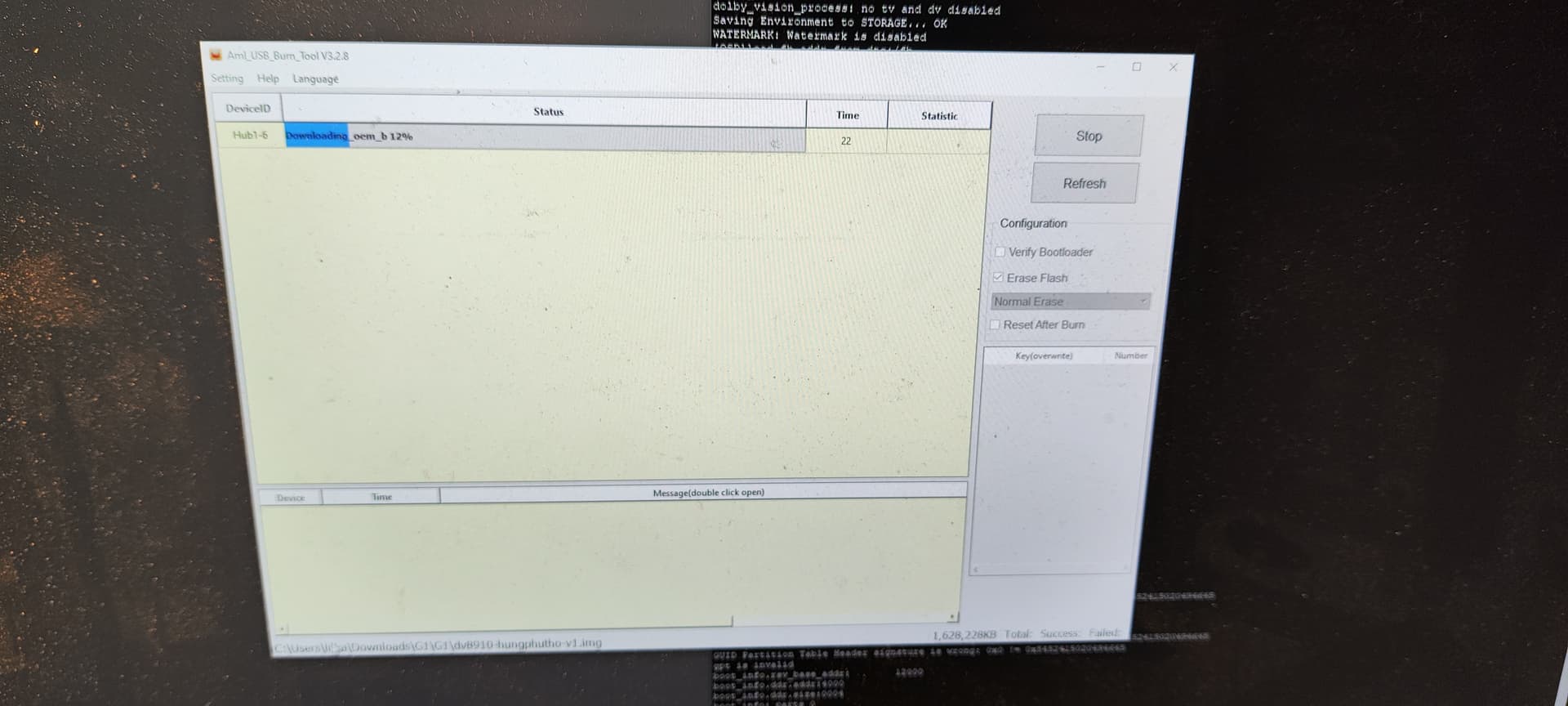
And now for the first time, something has changed.
For everyone reading and in the same boat: MBR header error when flashing bootloader is the problem! Dont know yet how to solve it, since my other G1 is bricked, but try to do both commands two times as in Kinhank G1 - #912 by matiws2008 and also try to reboot/flash/do all over again multiple times as I described at the start of this post.
UPDATE2:
Burning succeeded. Flashing CE onto sdcard now.
The difference is, the command you entered/downgrade bootloader worked this time
Valid check sum in image you posted!
Look at image from first box you posted
No check sum
Apply command as many times until you have output like image posted with valid check sum
UPDATE3:

Finally after 2 long days Im in.
I dont understand what you meant but Im curious why do you think the command worked this time and numerous times before did not? I used the same bootloader.img file.
These are the checksums of the exact bootloader.img (should be from .7z) I used to succeed:
SHA256 3A4EB2AEAAE5C5C26D93C5F776E64A7BE3F2770A854E3388D575AA47E3D7A892
MD5 762898628404DBAF1A310DA262F2ADFF
16GB old samsung evo+ microsd
1GB MBR FAT (not FAT32) partiton, rest is unallocated
only bootloader.img on that partition
I believe MBR/FAT/1GB/total size of the microsd card did not make any difference as I said above, because I was testing exactly this and it did not make any difference at the time.
My suggestion is to atleast try to repeat both commands multiple times untill it, possibly at last, succeeds.
I now checksummed all bootloader.img files that I downloaded from this thread. They are all identical, except bootloader-file.img from this post https://discourse.coreelec.org/t/kinhank-g1/50905/501:
SHA256 CA6DE2BB8F61036F80E775C56A3234327D6A6A671C15FD2FD3004647B882EE35
MD5 99CFED9E639C5D8F2E9EA4A611A5DD6D
EDIT:
Another my observation was to constantly QUICKLY tap (on then off, then on, then off, then on then off,…) on the D0 pins with a screwdriver, from the moment I plugged power and untill I got to the uboot prompt. I tried lots of things, and never got inside on the exactly the same method, except this quick tapping worked everytime!
Quick summary:
- solder those 3 UART pins. It takes 2mins!
- copy bootloader.img to sdcard with FAT partition (checksum Kinhank G1 - #1147 by gospod) and insert into G1
- connect UART pins to USB adapter and prepare putty
- plug power into G1 and constantly quickly tap on D0 pins with a screwdriver until you get into # prompt. If you dont get into # prompt and you see “booting kernel”, you are too far and repeat 4)
- when inside #, do:
run init_displaythensdc_update bootloader bootloader.imgand repeat both until you dont seeMBR headererrors anymore (check Kinhank G1 - #1144 by gospod) - unplug power, remove sdcard, connect USB A to USB A to the 2nd port from sdcard
- prepare AML burn tool with
dv8910-hungphutho-v1.img: uncheckVerify bootloader, uncheckVerify .imgand pressStart - press+hold reset button, plug in power and release reset when it auto starts flashing (if you get an error here right at the start about
fail in password, I solved this by magically solvingMBR headererror in Kinhank G1 - #1144 by gospod, meaning you probably did not repeat commands in 5) enough times - after it finishes, close burntool and run
flash.bat - thats it. Remove android by flashing
ceemmc -xto internal
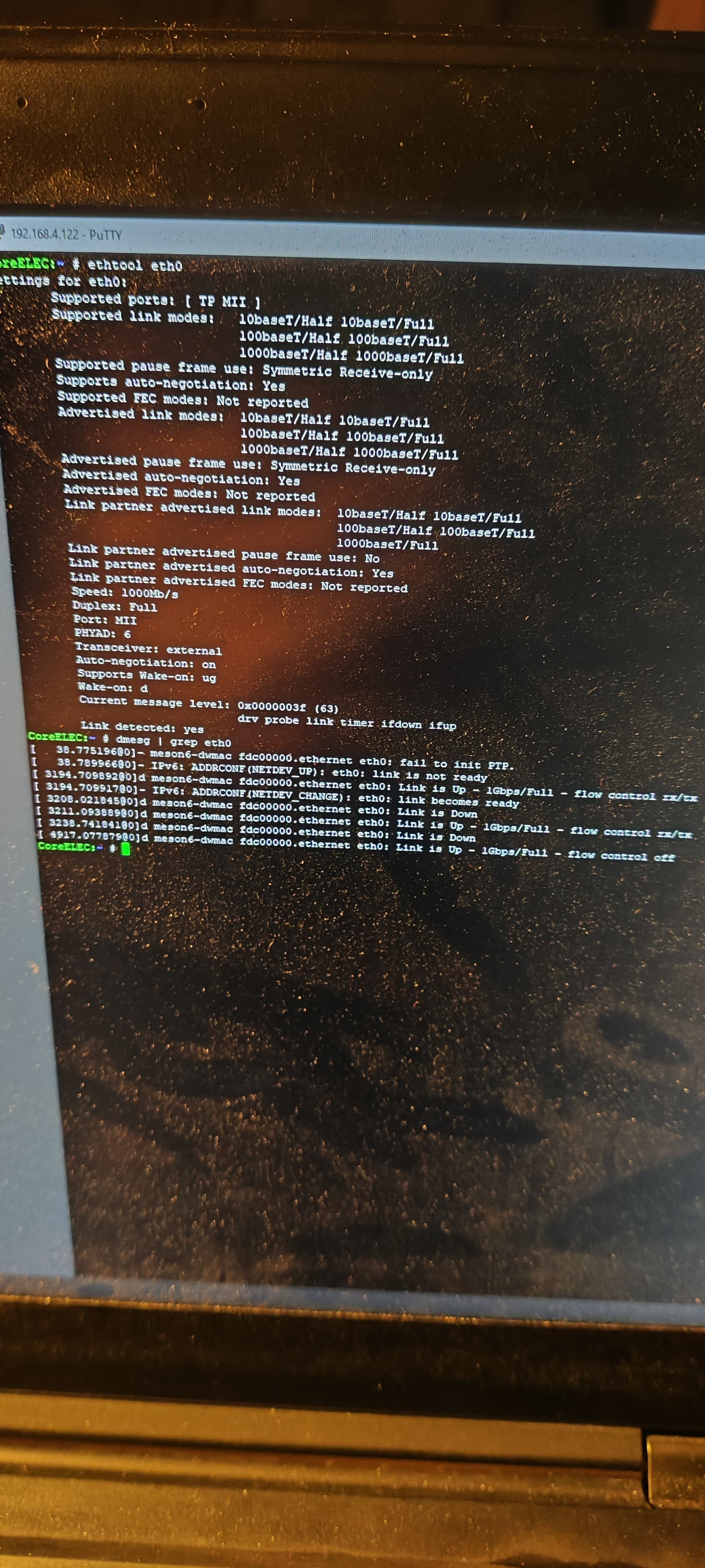
Both my G1 SN’s start with 251xxxx and inside CE it says that CPU is rev a. As far as I decyphered photos in this thread, both should have the gigabit ethernet chip and I just confirmed that my 2nd G1 connected at gigabit speed with sc2_s905x4_kinhank_g1.dtb!!! And they are both brand new from March 2025 !
Except my 1st G1 is bricked. Can anyone please help unbrick it?
From images posted u-art session, above cursor ah212 ,you will see boot info - check sum value 16005.
That is success downgrade bootloader!!!
Image posted from first box attempts u - art session ,all errors, no checksum…
Invalid downgrade bootloader unsuccessful.
Enjoy your G1 with CoreELEC!!!
I dont think you follow where first box got bricked and how. Here Kinhank G1 - #1136 by gospod I described that I tried multiple things and because of that it possibly got bricked: blue led is dimmed (like in recovery mode), theres no video output and no UART (check those messages: they are the same as anytime G1’s UART starts. Its like the first line or first few, but never gets past them, it only repeats them in a loop. Maybe bootloader or uboot is corrupted.
Sorry for pinging you @hungphutho, I cant PM, but maybe you know how to reflash a bricked G1?
but you mentioned
- plug power into G1 and constantly quickly tap on D0 pins with a screwdriver until you get into # prompt. If you dont get into # prompt and you see “booting kernel”, you are too far and repeat 4)
maybe this could be something you can try? (though you get to the screen to enter stuff so hmm, but worth a shot? also have you read from when hungphutho announced his method?
What method?
this is when @hungphutho gave his method to unlock bootloader
I’d read down from this point but seems you tried everything so far from what’s available?
“The most outside the guide” thing I tried was flashing 3-4 different X4S Extra firmwares, and they all ended the same with “fail in password” error. I believe and have a feeling that a non working bootloader/emmc/fastboot/recovery/everything makes it nonresponsive to flashing and this then produces the error that is “only the same in name”. But then again, on some tries on this 2nd G1 after I flashed bootloader, the reset button before plugging power did not trigger this “bootloader/fastboot/flashing” mode (very strange indeed), so if the burn tool discovers a device (this 1st G1 that is bricked) so it can atleast start the process, means that there is a chance that maybe it is not completely dead and maybe someone knows how to bring it back to life with some flashing method.
I dont know how to describe it otherwise.
- UART is non working (atleast how everyone uses it in this thread)
- burn tool produces “fail in password” (meaning its either bootloader “locked” or whatever the word is, or its dead/bricked and needs some not mentioned way so far in this thread to flash it, or possibly only manufacturer or some expensive jtag can bring it back)
If atleast kinhank would have .img file to flash like Ugoos X4S that I could try… Is it known or unknown to everyone here in this thread where did @hungphutho get the initial .img firmware from for G1? If its from jtag, a miraculous way would be that someone with jtag would dump latest ota that accepts locked bootloader so I would try to flash that.
Where did you buy it from, I’m looking for rev a g1?
Aliexpress
Thanks. Do You have the link, there’s few venders that sell it. And can you test if you can turn it on/off via remote in CE? @Sholander claims his one, also rev a, can.
My G1 Model DV 8910 has these numbers:
SN: 24200… = Rev A SoC → Unlocked, external PHY - Gbit Ethernet
Yeah, It comes as a mix A or B SOC, but both share the same HW and characteristics.